Social media scheduling helps businesses and content creators maintain an active and engaging social media presence without having to publish every post manually. A social media scheduling API takes this a step further by allowing developers to add post scheduling and publishing functionalities to their automation workflows and custom software applications.
In this guide, you'll learn what a social media scheduling API is, when you need one, which social networks offer built-in scheduling, and how to choose the right API for your use case. You'll also learn how to integrate Zernio, a unified social media scheduling API, with SaaS applications, AI agents, and low-code automation tools.
What Is a Social Media Scheduling API?
A social media scheduling API is a programmatic interface that allows an application to schedule, publish, and manage social media content. It lets you add scheduling functionality to SaaS products, custom applications, and automation workflows.
Social media scheduling APIs generally fall into two categories:
- Native Social Media APIs: These are APIs provided by social media platforms to access and manage specific platform features, including post scheduling, publishing, analytics, messaging and ads programmatically. When using these APIs directly, you need to complete the platform's authentication and authorisation steps and obtain an access token before your application can access the platform's data or schedule content programmatically.
- Unified Social Media APIs: These APIs provide a single interface for authenticating and managing multiple social media platforms. With a unified social media API, you integrate once and use the same API to schedule and publish content, access analytics, and manage messaging and ads across multiple social media networks. For example, Zernio's unified API gives you access to 16 social media networks through a single integration.
Social Media Platforms That Support Scheduling
Many major social media platforms now offer built-in scheduling features, allowing users to create content in advance and set it to publish automatically at a specified date and time. The availability and supported content types vary by platform, but native scheduling can be useful when you only need to manage content within individual social networks.
The social media platforms that support native scheduling include:
| Platform | Native Scheduling Support |
|---|---|
| Slack | Members and guests can schedule messages in channels, direct messages, and threads. On the desktop, select the arrow next to the Send button and choose Schedule for later. On mobile, press and hold the Send button. |
| Telegram | Users can schedule messages and media by long-pressing the Send button, selecting Schedule Message, and choosing a date and time. |
| Users can schedule posts from personal profiles and company Pages using the clock icon in the post composer. Some content types, such as Events, Jobs, and Services, cannot be scheduled. | |
| X (Twitter) | Users can schedule posts by selecting the calendar icon in the post composer, choosing a future date and time, and confirming the post. Scheduled posts can be managed from the Unsent posts section. |
| Threads | Users can schedule posts directly from the Threads app by selecting a future date and time. Multiple posts can be scheduled in advance. |
| TikTok | Personal and Business accounts can schedule videos through TikTok Studio by uploading a video and selecting a future publication date and time. |
| YouTube | Channel owners can schedule videos to go public on a specific date and time in YouTube Studio. Eligible channels can also schedule Community posts. |
| Business accounts can schedule standard image and video Pins up to 30 days in advance, with up to 10 future Pins queued at a time. Personal accounts must switch to a Business account to use native Pin scheduling. | |
| Page managers can schedule posts through Meta Business Suite by selecting a future date and time. Scheduled posts can be edited, rescheduled, or deleted before publication. | |
| Professional accounts, including Business and Creator accounts, can schedule supported posts and Reels using Instagram's built-in scheduling feature. Personal accounts do not have access to native post scheduling. | |
| Subreddit moderators can schedule posts through Mod Tools. Standard users cannot schedule posts to personal profiles or communities they do not moderate. |
When Do You Need a Social Media Scheduling API
You may need a social media scheduling API when you want to add social media scheduling and publishing capabilities to your application, automate content workflows, or manage multiple social networks without building and maintaining separate integrations for each platform.
Some of the use cases of a social media scheduling API include:
1. You're Building a SaaS Product With Social Scheduling
If you're building a SaaS product that enables users to create, schedule, and publish social media content, a scheduling API provides the infrastructure needed to connect your application to social networks and access their platform-specific features.
2. You Want to Automate Social Media Workflows
A scheduling API is useful when you want to trigger social media publishing programmatically as part of an automated workflow. For example, you can automatically schedule content when a new blog post is published, an AI agent generates a new post, or content is approved in a team workspace.
3. You Want to Add Social Scheduling to an Existing Application
If you already have a CRM, marketing platform, content management system, or customer dashboard, a scheduling API lets you add social media publishing without requiring users to leave your application. Users can create, schedule, and manage their social media content directly within your existing interface.
4. You Need to Publish Across Multiple Social Networks
When you manage content across multiple social networks, publishing each post manually can become time-consuming and repetitive. A social media scheduling API allows you to schedule, cross-post, and automatically publish content across multiple supported platforms from your application or automation workflow, making it easier to manage content at scale.
5 Best Social Media Scheduling API
1. Zernio
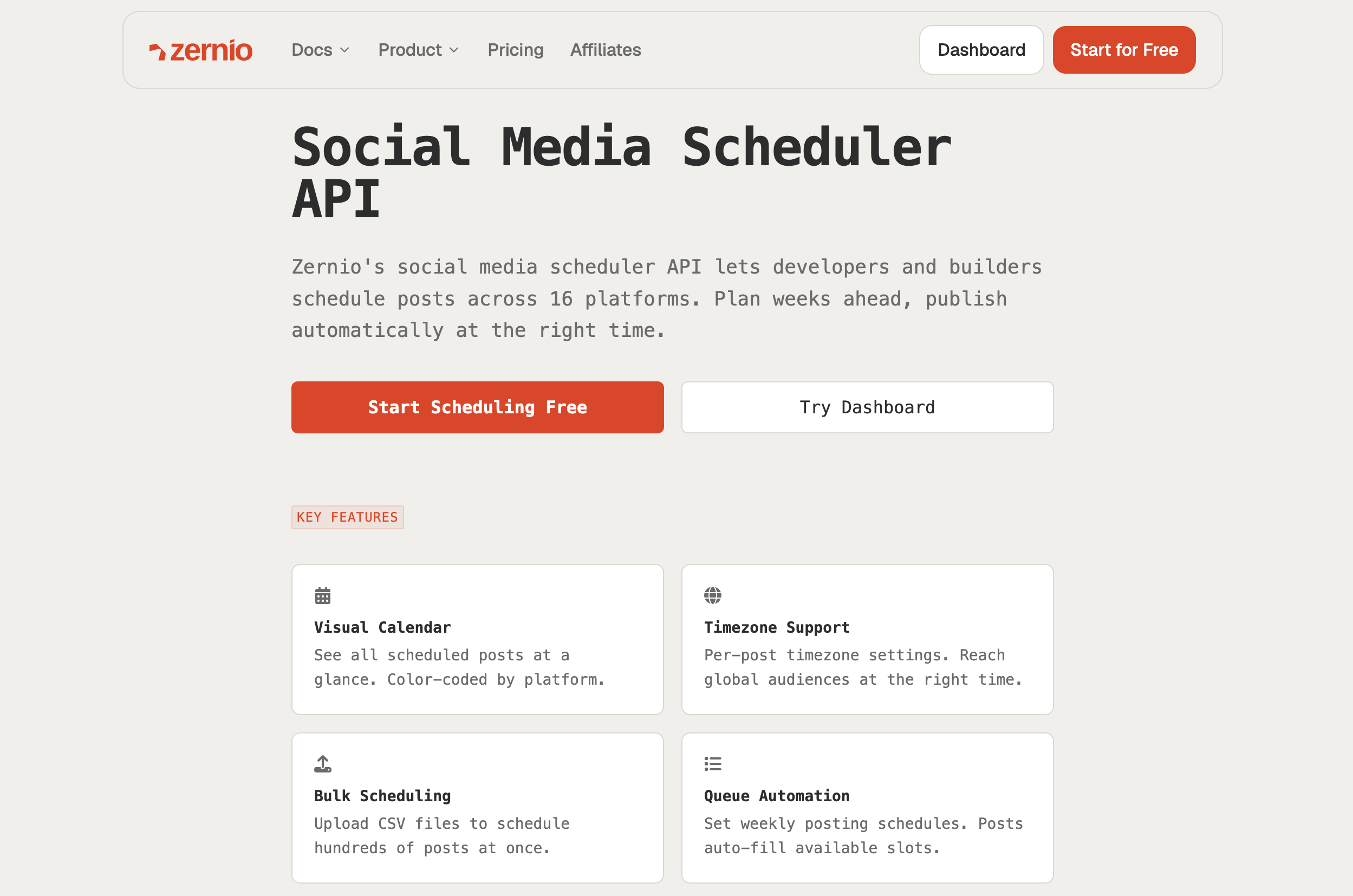
Zernio is a unified social media management and messaging API that allows you to schedule and publish posts across 16 social media networks. Through a single API, you can create post queues with defined time slots, manage DMs and comments, analyse social media performance with in-depth post and inbox analytics, and create, monitor, and manage cross-platform ads.
Zernio gives you an API to build on: consistent JSON requests and responses, one auth token, a hosted MCP server for AI assistants, a unified social inbox, and your content hits Instagram, Slack, TikTok, X (Twitter), LinkedIn, YouTube, and ten other platforms in a single call.
Best for: SaaS developers and founders who need to integrate social media publishing and scheduling into their products for multi-tenant management, agencies that need team collaboration features, and content creators who want to manage social media with AI assistants such as Claude, ChatGPT, Cursor, and other AI tools.
Key Features
- Unified social media API for scheduling and publishing across 16 platforms
- Cross-platform API for scheduling, messaging, analytics, and ads
- Unified Ads API for managing campaigns across 7 platforms
- MCP support for AI assistants and agent-based automation
- Unlimited team members with multi-account and multi-brand management
- Bulk scheduling and queue management via API or dashboard
- Built-in node-based automation for comments and DMs
- Real-time webhooks for tracking post status and lifecycle events
- Activity logs for monitoring and debugging API errors
- Integrations with automation tools such as n8n, Zapier, OpenClaw, and Make
- Zero platform maintenance required
- Simplified authentication for SaaS integrations
- Clean SDKs and docs to ship fast
- Automated alerts for account disconnections and usage limits
Pricing
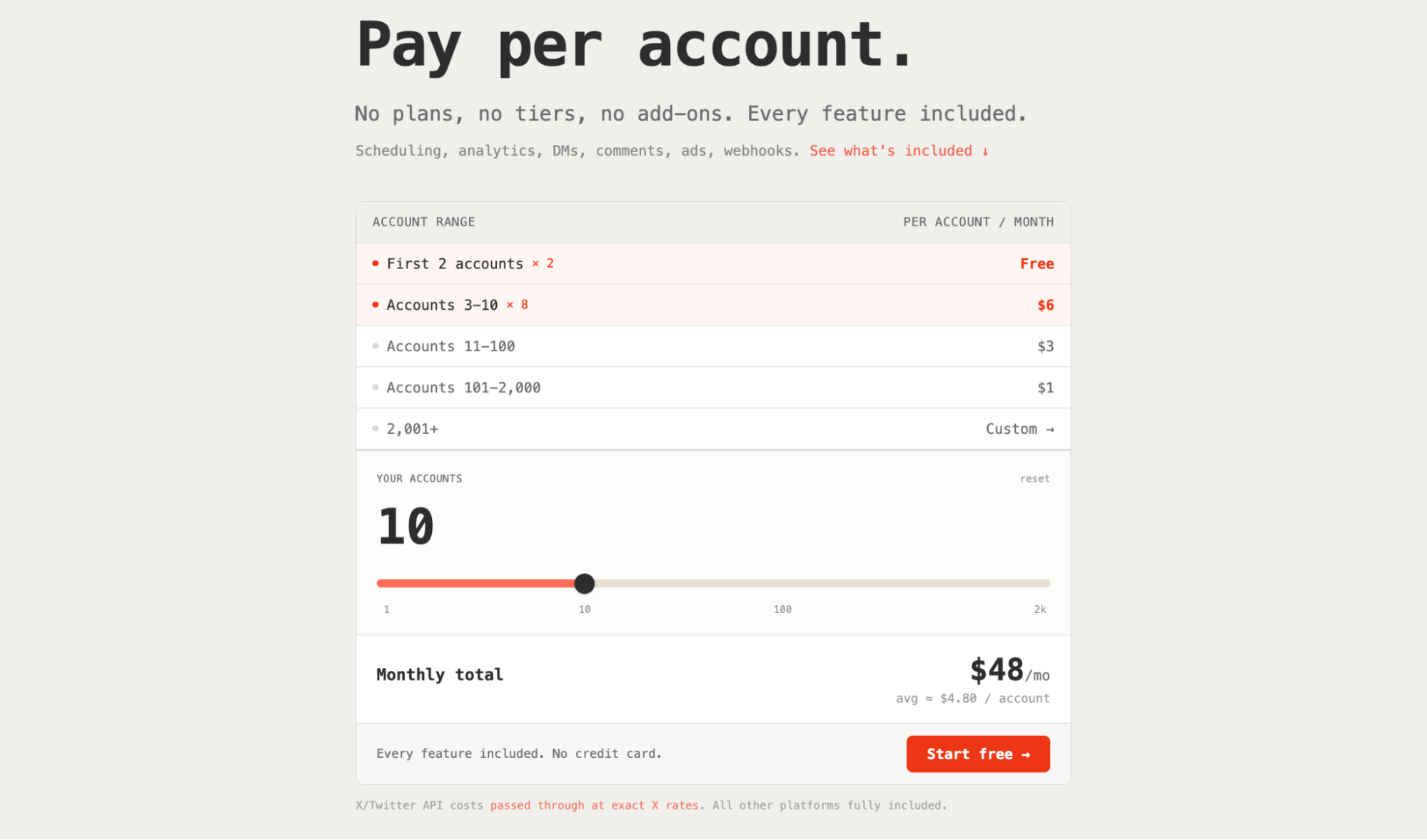
Zernio offers a free plan that includes up to 2 social accounts with access to all features, such as post scheduling and publishing, analytics, unified social inbox (messages, comments, and reviews), social ads, and webhook integrations across platforms.
If you need more than two accounts, you now pay per account, starting at $6/month for 3 social accounts (the per-account rate drops with volume).
2. Blotato
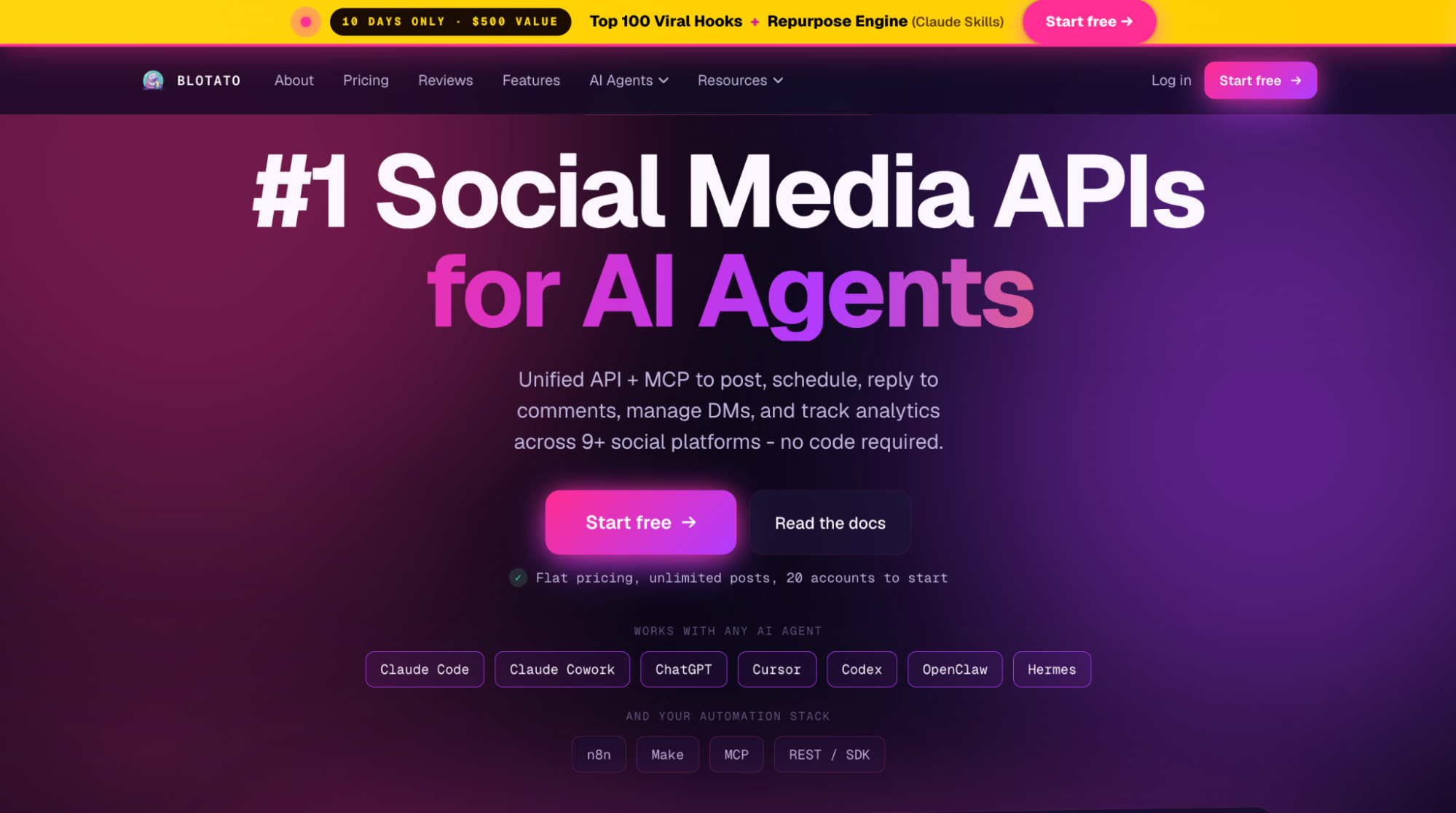
Blotato is a social media scheduling API that allows creators and businesses to schedule posts, reply to comments, manage DMs, and track analytics across 9 social platforms. It also provides an MCP server for AI agent integration and AI content repurposing tools that enable image, video, and slideshow generation from existing content.
With Blotato, you can create recurring posting slots for each platform, schedule content for the next available slot using the API or AI agents, and automate content creation, optimisation, and publishing via a single platform.
Best for: Solopreneurs, content creators, and small businesses that want AI-assisted content creation, viral hooks, and consistent social media scheduling without hiring a content team.
Key Features
- Scheduling, publishing, analytics, and messaging across 9 social platforms
- MCP server for AI agent content workflows
- AI content repurposing across multiple formats
- AI tools for content optimisation, captions, images, and video generation
- Official n8n and Make integrations for workflow automation
- Viral content templates tailored to different topics and platforms
Pricing
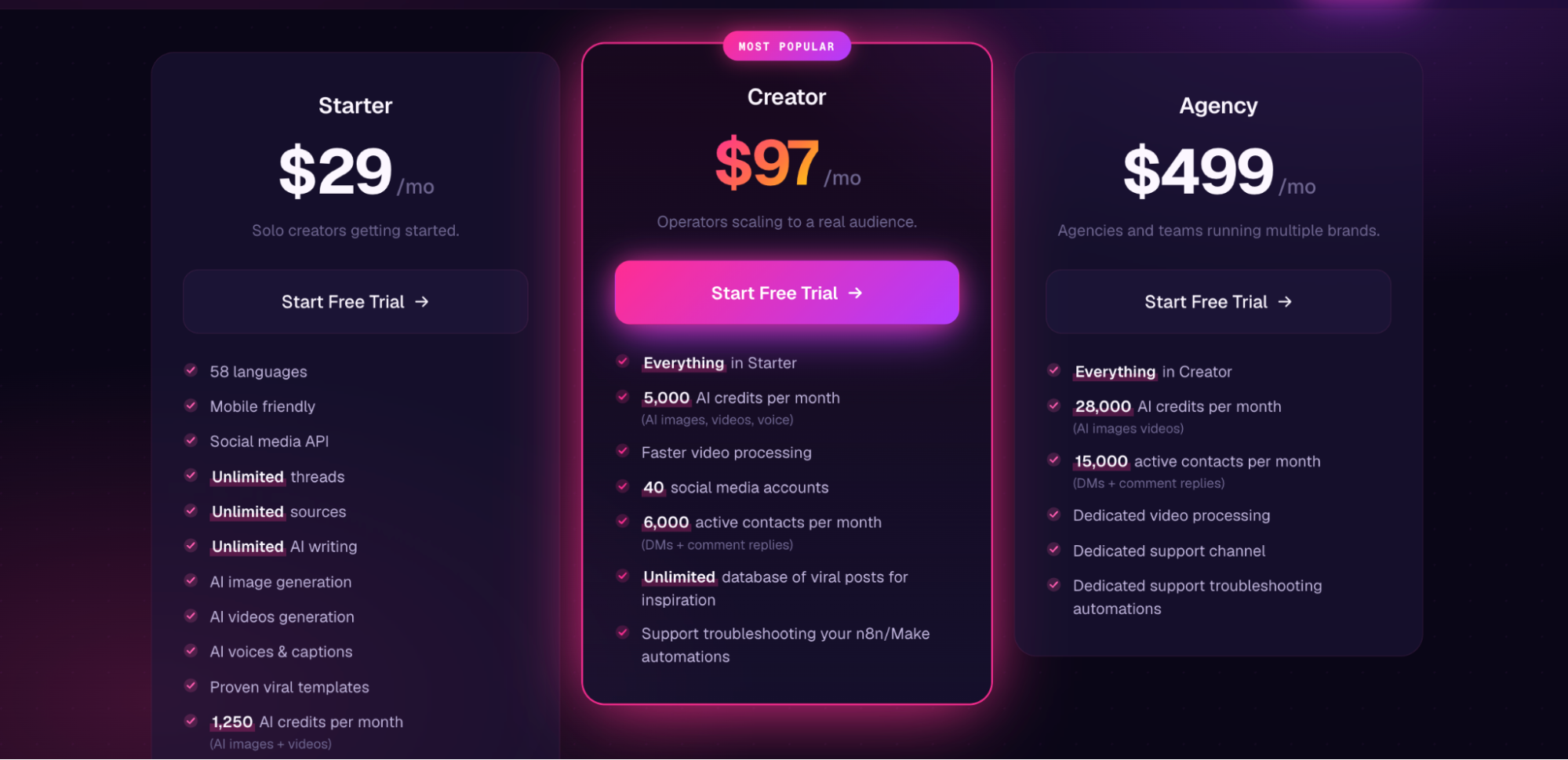
Blotato offers a 7-day free trial, with paid plans starting at $29/month. This includes access to the social media API, unlimited AI writing, unlimited threads, and support for connecting up to 20 social media accounts.
3. PostEverywhere
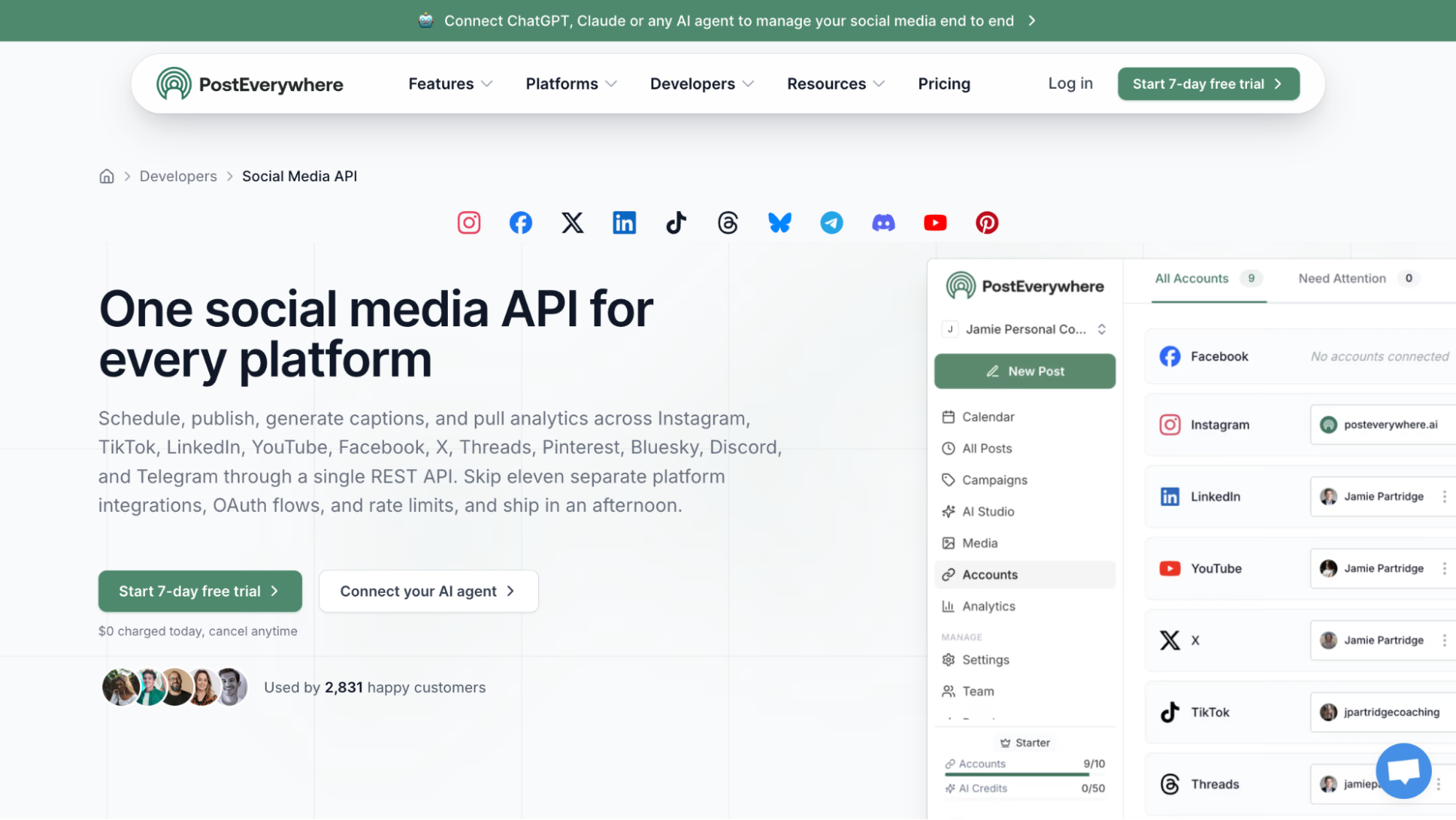
PostEverywhere is an all-in-one social media platform that provides a single API endpoint for scheduling and publishing content, generating captions, and accessing analytics across 11 platforms. Its unified API supports bulk scheduling, scheduling queues, webhooks, and OAuth flow through a single API key.
PostEverywhere also offers CSV uploads for bulk scheduling, content approval workflows, and team and client workspaces for collaborative content management, and integrates with AI agents through an MCP server.
Best for: Content creators, agencies, and developers who need an all-in-one platform for AI content creation, team collaboration, and API-based social media management.
Key Features
- Unified API for post scheduling, publishing, and analytics across 11 platforms
- Built-in rate-limit handling and automatic retries for reliable publishing
- Webhooks for publish status, failures, and account events
- Analytics for engagement, reach, impressions, and follower growth
- API media uploads with automatic resizing
- Team workspaces for organising clients, brands, and projects
- Role-based permissions, activity monitoring, and content collaboration
- Hosted MCP server for AI agent integration
Pricing
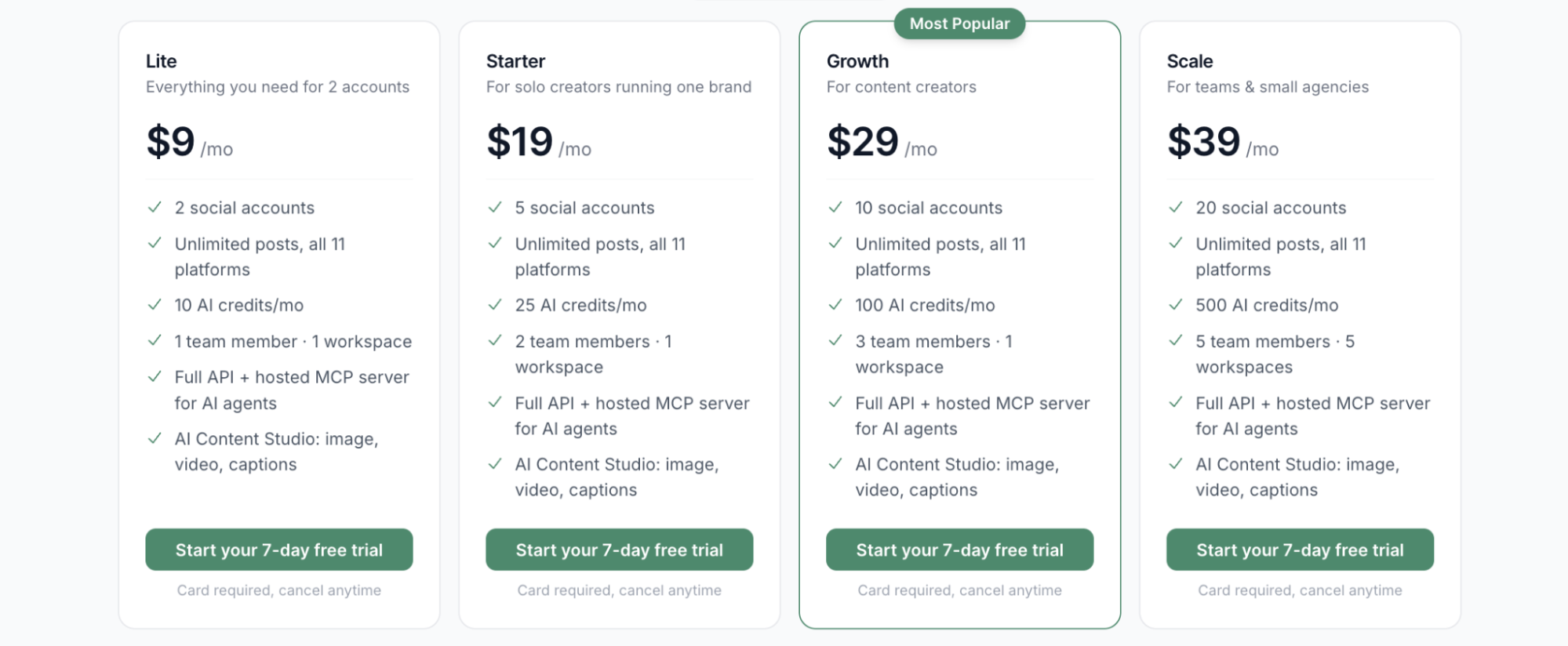
PostEverywhere starts at $9/month for up to 2 social media accounts for 1 user, with access to content scheduling and analytics through its API and MCP server. Higher plans support more social accounts and team members, with pricing based on the number of connected accounts. For example, 5 accounts and 2 team members cost $19/month, and 10 accounts cost $29/month.
4. Bundle.social
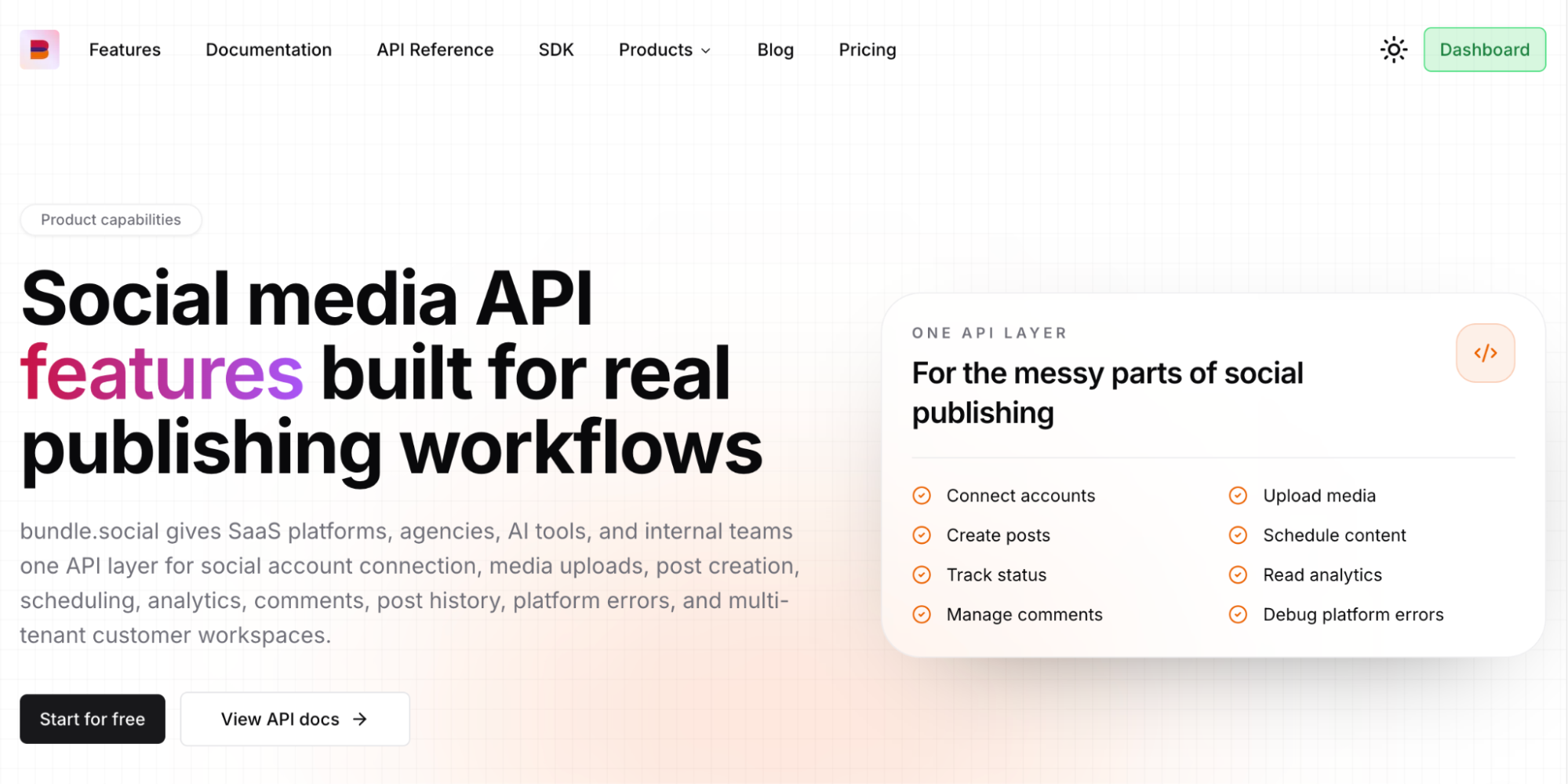
Bundle.social is a unified social media API that provides the infrastructure needed to add content scheduling, publishing, analytics, media uploads, and comment management to applications.
Bundle.social supports post creation and scheduling, media uploads, analytics, and comments across 15 social platforms. It also provides OAuth account connections, bulk posting, webhooks, and multi-tenant workspaces for managing customers, brands, and teams.
Best for: SaaS platforms, agencies, AI tools, and internal teams that need API-based social media publishing, scheduling, analytics, and multi-tenant account management.
Key Features
- Multi-platform scheduling and publishing across 15 social networks
- Support for images, videos, carousels, and platform-specific formats
- Automated first comments on supported platforms
- Unified analytics with normalised cross-platform metrics
- Media uploads with transcoding, validation, and storage for files up to 5GB
- Post history and analytics import from connected accounts
- Webhooks for real-time publishing and account events
Pricing
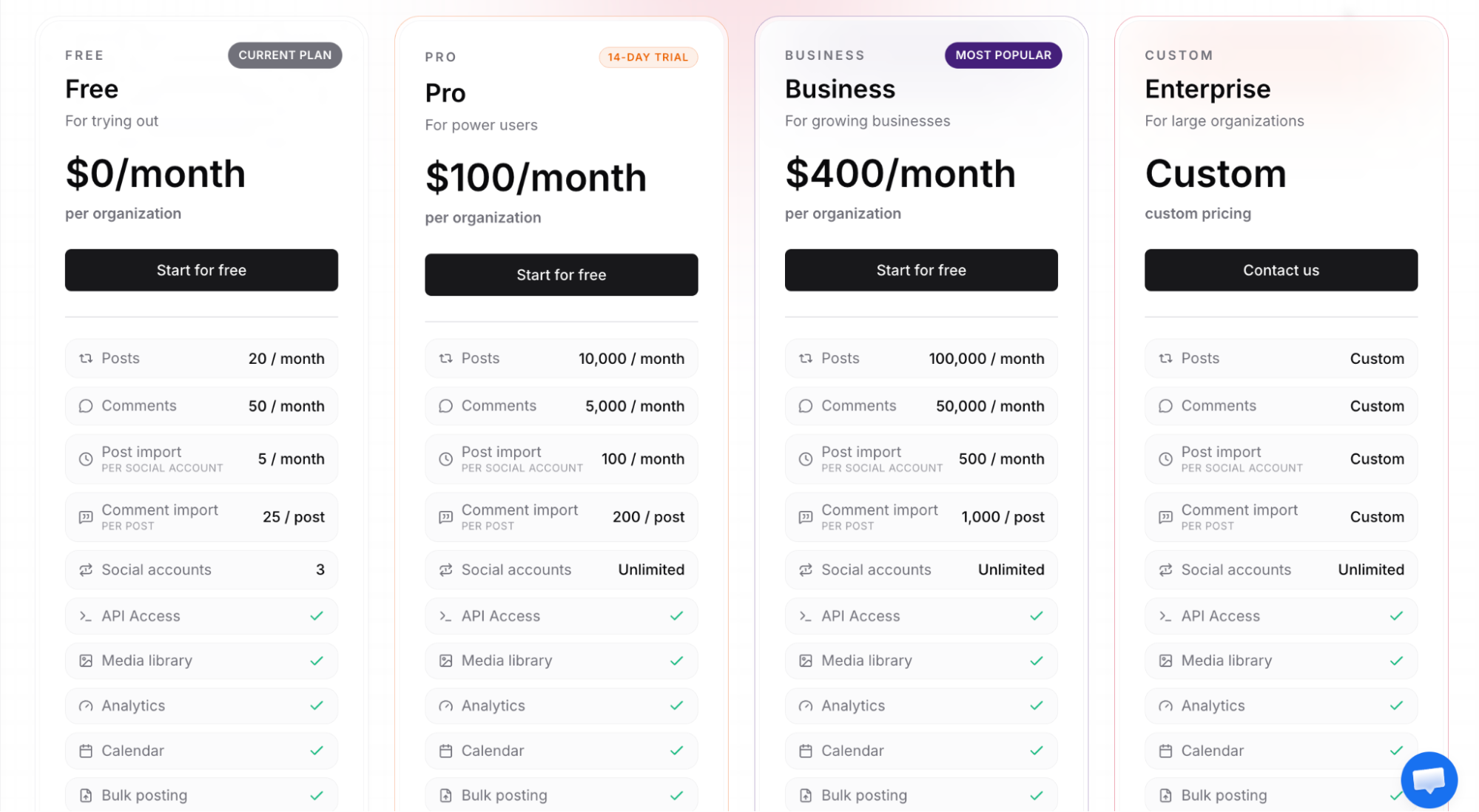
Bundle.social offers a limited free plan with 20 posts, 50 comments, and 3 social media platforms per month. Paid plans start at $100/month and include up to 10,000 posts, 5,000 comments, and unlimited social media platforms. API access, analytics, and bulk posting are available on all plans.
5. Buffer
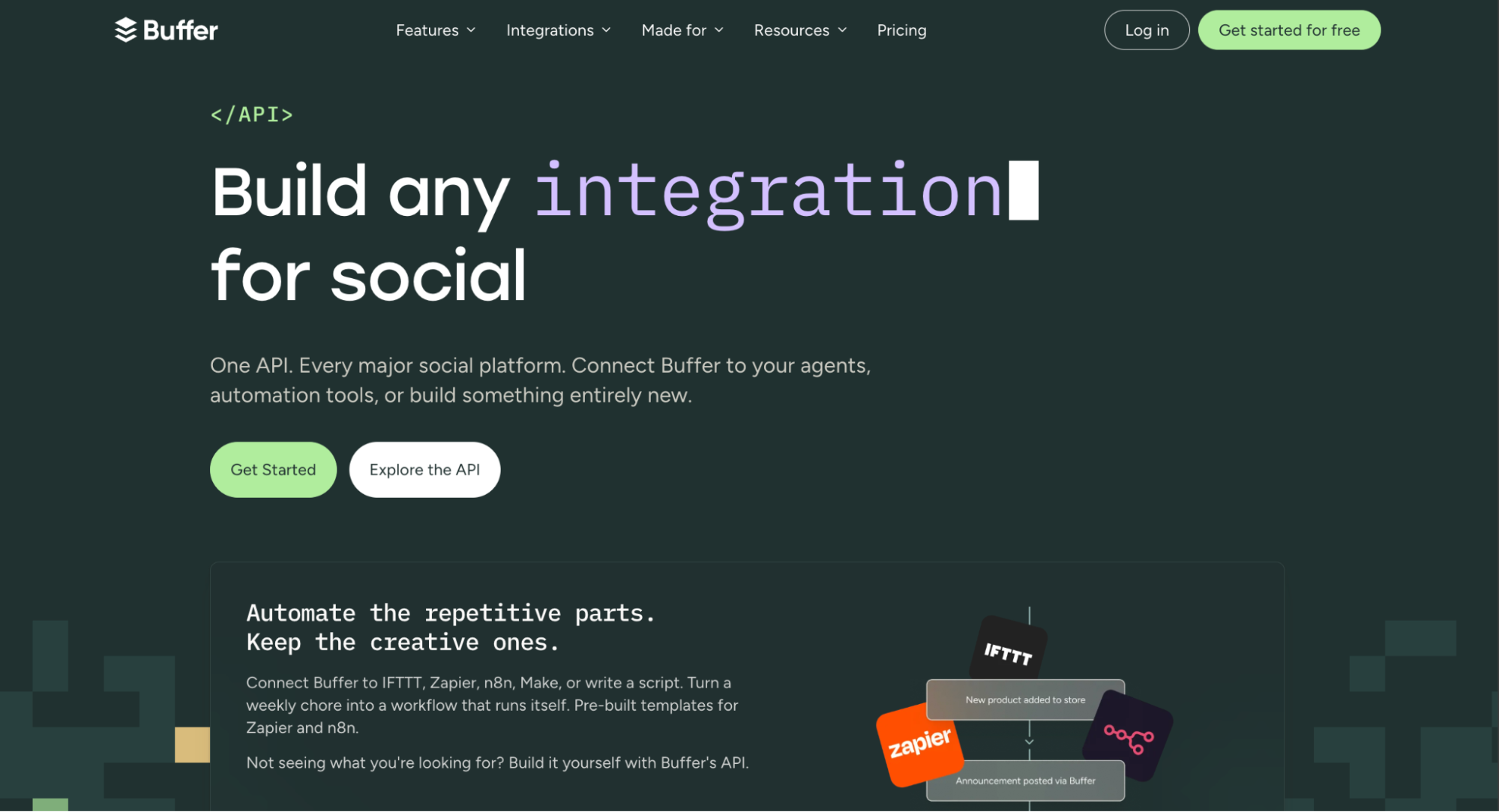
Buffer is a social media management platform with an API for creating and scheduling content, retrieving post metrics, and automating publishing workflows. It also provides content planning, a community inbox for managing comments, post analytics, and AI-assisted content creation.
Buffer supports cross-platform scheduling across 11 social media platforms and integrates with automation tools such as n8n and Zapier. It also supports AI-assisted scheduling and content workflows through integrations with tools such as Claude, Raycast, ChatGPT, and Perplexity.
Best for: Content creators, startups, and small businesses that need simple cross-platform scheduling and AI-assisted content creation without built-in social ads management or direct messaging.
Key Features
- Multi-platform scheduling and publishing across 11 social networks
- MCP server integration for AI-powered social media workflows
- GraphQL API for automating posts, channels, and analytics
- Community inbox for managing comments and replies
- Team collaboration with content approval workflows
- AI-assisted content creation and optimisation
- Engagement and performance tracking
Pricing
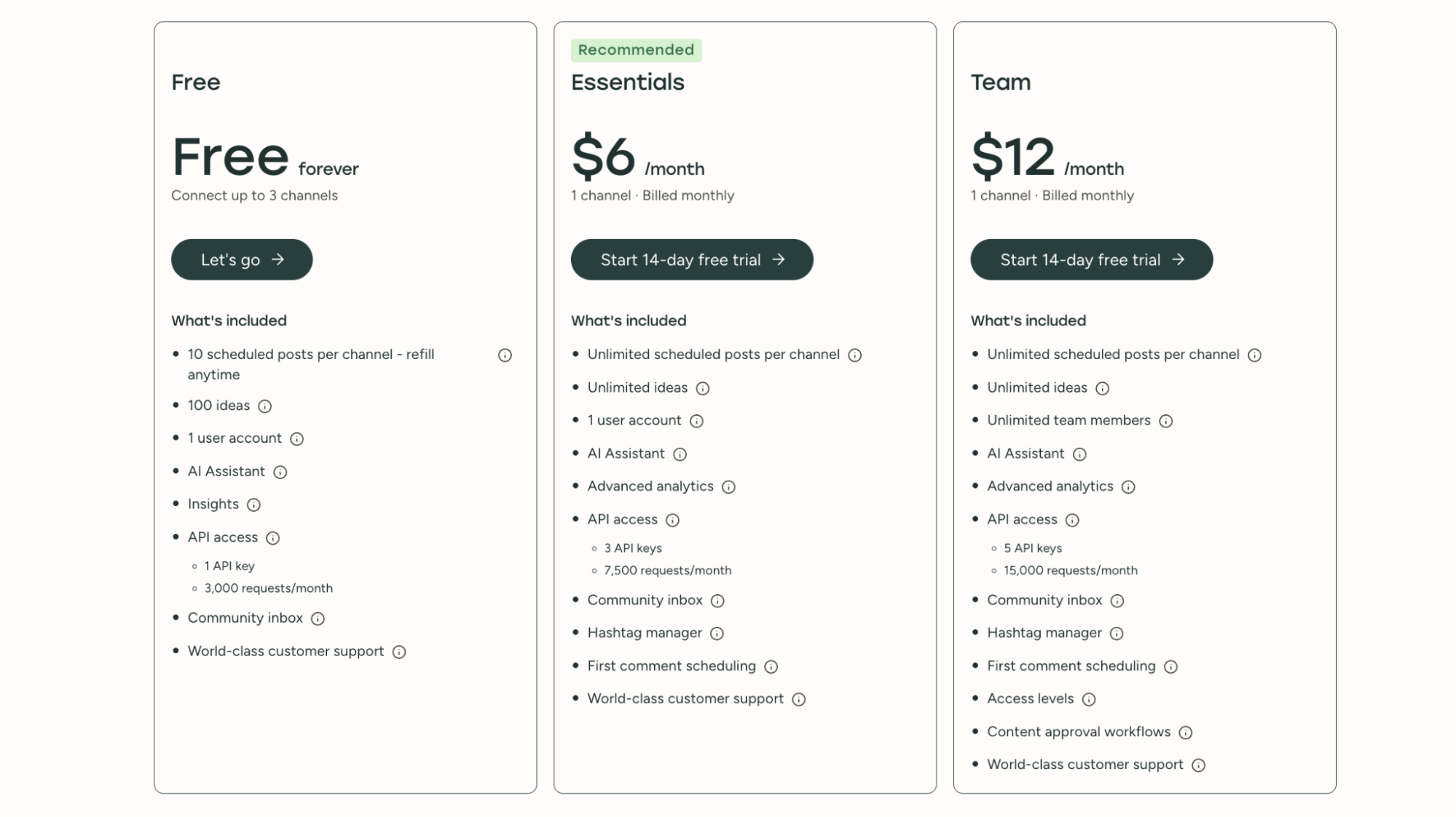
Buffer offers a free plan that supports up to 3 channels. Paid plans use a pay-per-channel pricing model starting at $6/month per channel. These plans include unlimited scheduled posts per channel, AI-assisted content idea generation, and access to the community inbox for managing replies and comments.
Stop building social integrations from scratch.
One API call to publish, schedule, and manage posts across 16 platforms.
How to Integrate a Social Media Scheduling API with Zernio
Zernio lets you schedule content from its dashboard, programmatically through its API, with low-code automation tools, or automatically using AI agents. In this section, you'll learn how to schedule and publish content across multiple social media platforms using the Zernio API, MCP server, and low-code automation tools.
Prerequisites
Before working with the Zernio API, complete the following:
- Connect your social media accounts: Connect the accounts you want to manage and copy their account IDs, which you'll need when scheduling posts through the API.
- Create an API key: Generate and copy it from the Zernio dashboard. You'll need it to authenticate your API requests.
Using a Scheduling API in SaaS and Custom Applications
If you're building a SaaS product or adding social media publishing to an existing application, you can use the Zernio API to embed multi-tenant scheduling. The unified social media API lets you manage thousands of accounts separately, schedule and publish content across multiple social media platforms using the same request format and authentication method.
To schedule a post, send a POST request to the posts endpoint with your content, scheduled time, timezone, and the social media accounts you want to publish to:
# Use any future time; it's interpreted in the timezone field
curl -X POST https://zernio.com/api/v1/posts \
-H "Authorization: Bearer $ZERNIO_API_KEY" \
-H "Content-Type: application/json" \
-d '{
  "content": "Hello world! This is my first post from the Zernio API",
  "scheduledFor": "2026-08-20T12:00:00",
  "timezone": "America/New_York",
  "platforms": [
    {"platform": "twitter", "accountId": "ZERNIO_TWITTER_ACCOUNT_ID"},
    {"platform": "instagram", "accountId": "ZERNIO_INSTAGRAM_ACCOUNT_ID"}
  ]
}'
This request schedules the same post for X (Twitter) and Instagram at the specified date and time. The accountId identifies the connected social media account, while scheduledFor and timezone determine when the post should be published.
Zernio also provides official SDKs for Node.js, Python, Go, Ruby, Java, PHP, .NET, and Rust, allowing you to integrate the API using your preferred programming language.
For example, the Zernio Node.js SDK lets you schedule posts programmatically without manually constructing HTTP requests or interacting directly with API endpoint URLs:
// Import and initialise the Zernio SDK using your API key
const Zernio = require("@zernio/node").default;
const zernio = new Zernio({ apiKey: process.env.ZERNIO_API_KEY });

// Tomorrow at 12:00 in the timezone below
const tomorrow = new Date();
tomorrow.setDate(tomorrow.getDate() + 1);
const scheduledFor = tomorrow.toISOString().slice(0, 10) + "T12:00:00";

const { data } = await zernio.posts.createPost({
  body: {
    content: "Cross-posting to all platforms!",
    platforms: [
      { platform: "twitter", accountId: "ZERNIO_TWITTER_ACCOUNT_ID" },
      { platform: "linkedin", accountId: "ZERNIO_LINKEDIN_ACCOUNT_ID" },
      { platform: "bluesky", accountId: "ZERNIO_BLUESKY_ACCOUNT_ID" },
    ],
    scheduledFor,
    //publishNow: true,
  },
});

console.log("Post scheduled:", data.post._id);
The SDK example schedules the same content for X (Twitter), LinkedIn, and Bluesky using their connected account IDs. You can replace these platforms with any supported accounts you have connected to Zernio and pass the resulting scheduledFor value to control when the post is published.
Integrating a Scheduling API with AI Agents
If you use Claude, OpenClaw, Hermes or another MCP-compatible AI assistant, you can connect it to the hosted Zernio MCP server to batch and schedule posts, retrieve scheduled content, and manage your social media accounts using natural language.
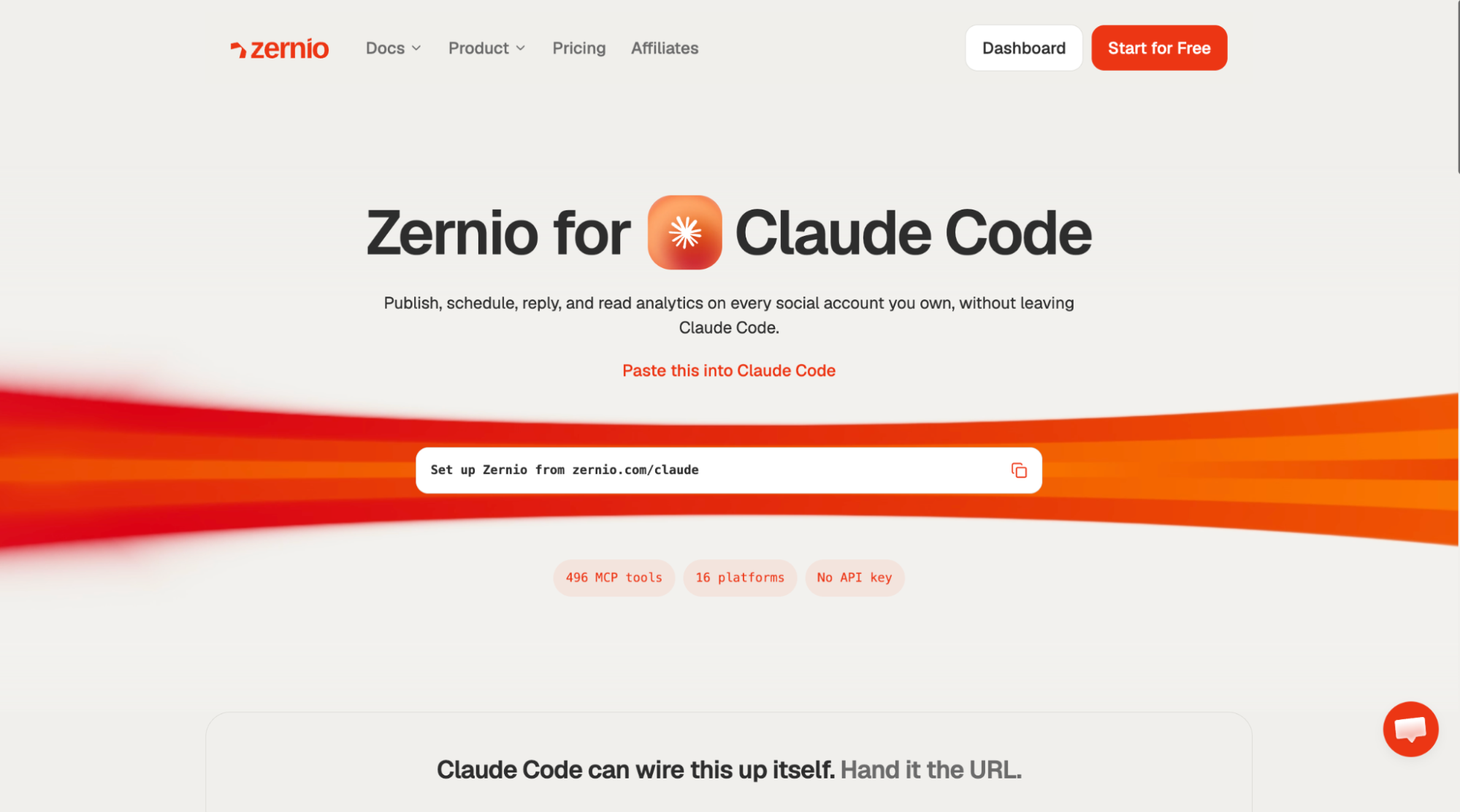
There are two ways to connect Zernio to your AI agent. You can either use the Zernio for Claude Code integration to let the agent set up the connection automatically, or manually add the Zernio MCP server URL to your AI assistant.
To set up Zernio automatically with Claude Code, ask your coding agent to run the following:
Set up Zernio from zernio.com/claudeThe AI agent will configure the MCP connection and show you the available Zernio actions (post scheduling, analytics, ads, direct messaging, and comments management) for each connected platform.
Alternatively, follow the steps below:
Step 1. Download and install Claude Desktop, Claude Code, or Cowork on your computer. Click the + sign, then select Add connector > Add custom connector.
Step 2. Enter the MCP server URL into the input field to connect Claude to the Zernio API.
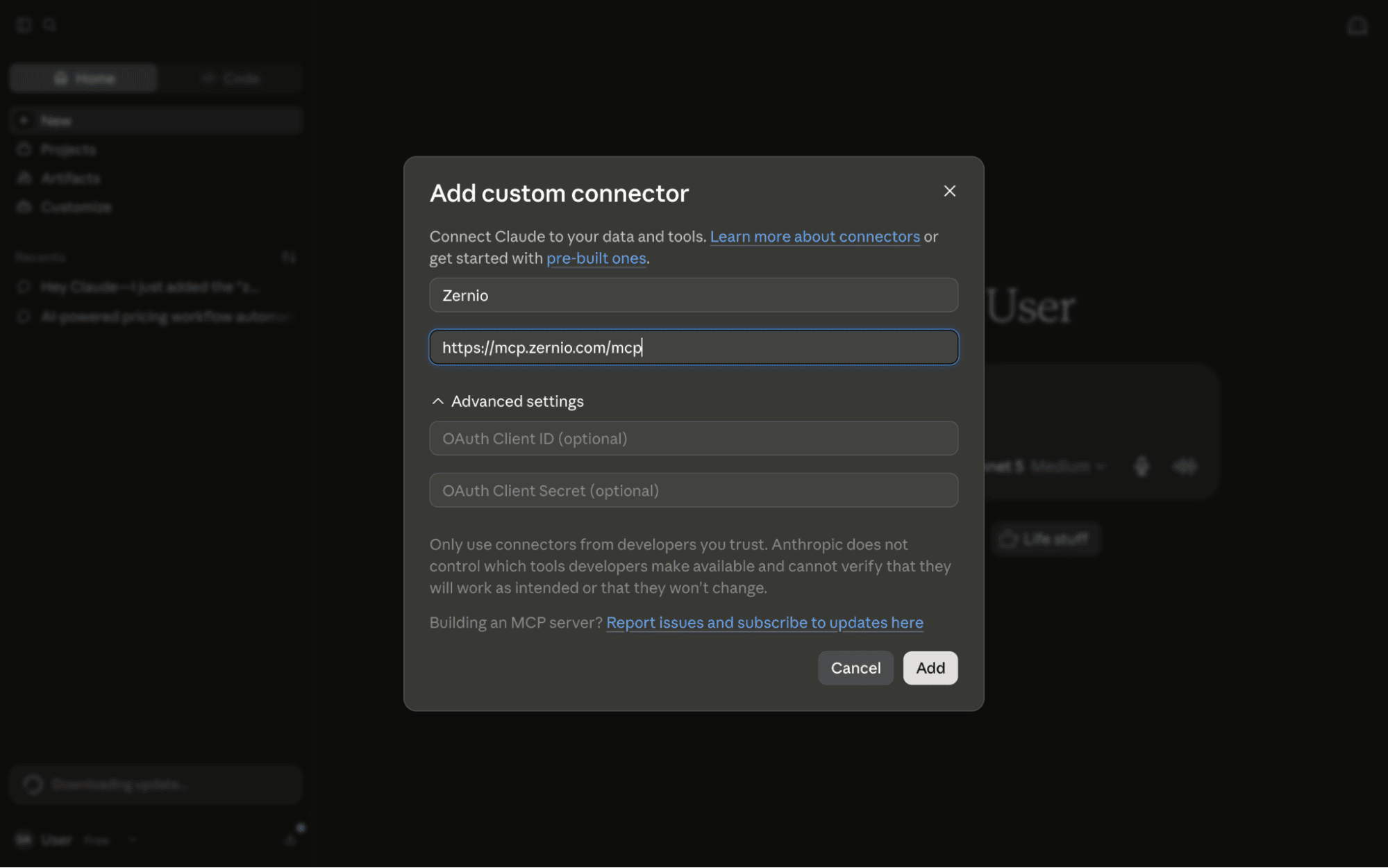
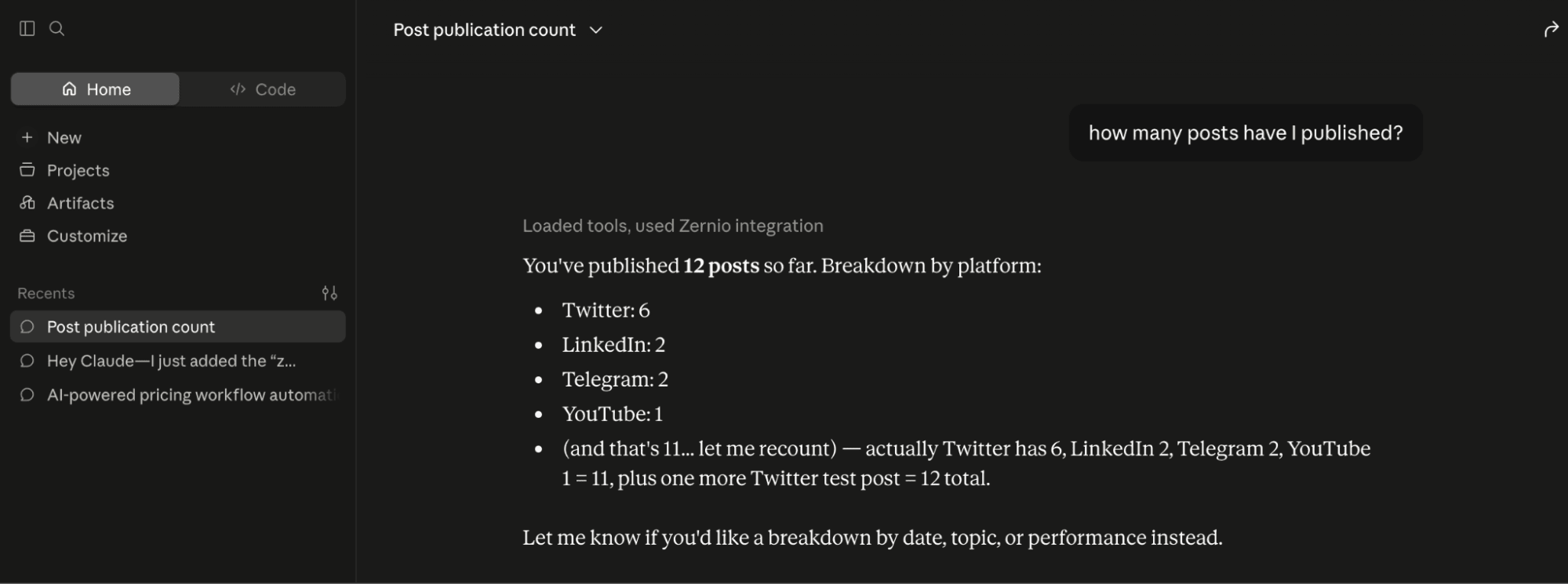
Step 3. Once connected, you can schedule posts and view, manage, or retrieve your scheduled and published posts directly from the Claude interface.
Using a Scheduling API with Low-Code Automation Tools
Zernio integrates with low-code automation platforms such as n8n, Make, and Zapier, allowing you to add social media scheduling, publishing, messaging, analytics, and ad management to your automation workflows without building the integrations from scratch.
To connect Zernio to your workflow, open the Nodes panel, search for Zernio, and install the integration. Then, select the action you want to use in your workflow. Zernio provides a long list of API actions that enable you to manage various social media activities:
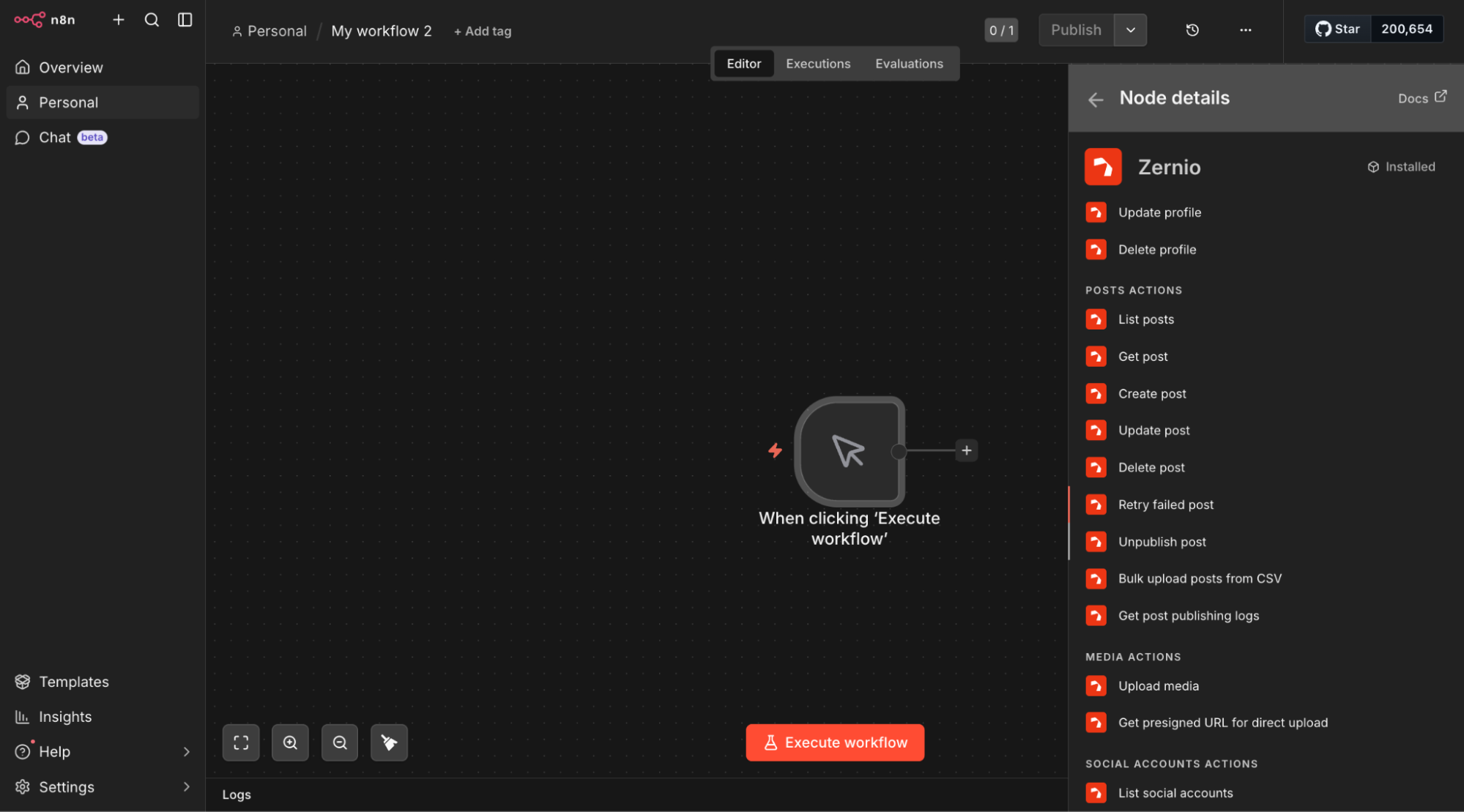
After selecting an action, authenticate the Zernio node with your API key. Once connected, you can configure the required inputs and start using Zernio directly within your automation workflow.
Zernio also provides an n8n template library and integrations with Make and Zapier, giving you ready-made options for building social media scheduling and publishing workflows.
Summary
A social media scheduling API makes it easier to add scheduling and publishing capabilities to SaaS products, custom applications, and automated workflows. Whether you are building a social media management platform, automating content publishing, or adding scheduling to an existing application, the right API eliminates the complexity of integrating with multiple social networks.
Zernio is a strong choice for SaaS applications, agencies, and developers that need a unified API for scheduling, publishing, analytics, messaging, and ads across multiple platforms. Blotato focuses on AI-assisted content creation and scheduling, while PostEverywhere combines API-based publishing with collaboration and AI content tools. Bundle.social and Buffer offer a simpler API scheduling experience with AI-assisted content creation and automation.
FAQs
What are the best APIs for scheduling posts across multiple social platforms?
Some of the best options include Zernio, Blotato, PostEverywhere, Bundle.social, and Buffer. They differ in supported platforms, API capabilities, multi-tenant support, white-labeling, automation features, analytics, pricing, and developer experience.
What is the best social media scheduling API for developers?
Zernio is an excellent choice for developers building SaaS products and custom applications because it provides a unified API for scheduling and publishing across 16 social media networks, along with SDKs, simplified authentication, webhooks, analytics, messaging, ads, and MCP support.
What APIs allow seamless social media scheduling automation?
Zernio, Blotato, PostEverywhere, Bundle.social, and Buffer provide programmatic scheduling capabilities. Depending on the platform, you can also use webhooks, MCP servers, SDKs, or integrations with automation tools such as n8n, Make, and Zapier.
How do I integrate social media scheduling with an API?
With Zernio, connect your social media accounts, create an API key, and use the Zernio API to schedule and publish posts programmatically. You can also integrate Zernio with its SDKs, MCP server for AI agents, or low-code automation tools such as n8n, Make, and Zapier.
Can a social media API provide secure scheduling sessions?
Yes. Social media APIs like Zernio use an API key to authenticate requests and securely connect and manage social media accounts. This allows your application to schedule and publish content without requiring users to share their social media passwords.
How do I build a social media scheduler with an API?
A typical scheduler needs a content editor, social account authentication, media handling, scheduling, publishing, and status tracking. Zernio already provides these capabilities through its dashboard, and you can also use its unified social media API to integrate scheduling and publishing into your own application and manage the user experience yourself.
What should I look for when comparing social media scheduling APIs?
Compare supported social networks, scheduling and publishing capabilities, authentication, webhooks, media handling, rate limits, automation support, pricing, and the API's ease of integration.
Buffer vs. a developer-focused social media scheduling API: what's the difference?
Buffer is a social media management platform with an API for scheduling and publishing content, while a developer-focused social media scheduling API such as Zernio is designed primarily for integrating social media scheduling and publishing into SaaS products, custom applications, and automation workflows.
How does content scheduling software integrate with social media platforms?
Content scheduling software connects to social media platforms through their APIs. Users authenticate and grant the required permissions to connect their accounts, allowing the software to create, schedule, publish, and track supported content programmatically.
How do social media collaboration tools integrate with social media channels?
Social media collaboration tools use social media APIs to connect user accounts and provide features such as content scheduling, publishing, approvals, comments, and analytics. Using Zernio's unified API, you can simplify this integration by providing a consistent way to manage multiple social channels.
How does a content API work for large organisations?
A content API provides programmatic access to content creation, management, publishing, and scheduling. Large organisations can use it to connect their content systems, approval workflows, social accounts, and automation tools, allowing teams to manage publishing from their existing applications.
Can Zernio schedule Instagram and Facebook posts through an API?
Yes. Zernio supports programmatic scheduling and publishing for supported Instagram and Facebook content. First, connect your Instagram or Facebook account to Zernio, get your API key and account IDs, and schedule posts directly through the API, SDKs or MCP server.