Marketing agencies, business owners, and social media managers often manage 2 or more Instagram accounts and need to publish content consistently across all of them. However, switching between accounts manually or using multiple social media management tools can quickly become time-consuming, repetitive, and difficult to manage.
The smarter approach is to use a social media management tool that lets you manage and publish content to multiple Instagram accounts from one place. In this guide, you'll learn why you need a social media management tool, which types of Instagram content you can publish, and how to post to 2 or more Instagram accounts effectively using the Zernio dashboard, API, and AI agents through its MCP server.
Why Post to Multiple Instagram Accounts?
Posting to multiple Instagram accounts from one social media platform can save time, simplify content management, and make it easier to maintain a consistent publishing schedule. This is particularly useful for developers integrating social media features, agencies managing client accounts, and businesses operating multiple Instagram profiles.
Some of the reasons why you might need to post to multiple Instagram accounts at once include:
1. You Build a Product that Integrates Instagram Posting
If you're building a SaaS product or marketing tool, you may want to allow customers to publish content to their Instagram accounts directly from your product. An Instagram API integration lets you add content publishing features to your application, enabling users to manage their social media accounts without leaving your platform.
2. You Manage Instagram Accounts for Multiple Clients
Social media managers and marketing agencies often manage Instagram accounts for several clients. Each client may have their own content calendar, publishing schedule, and account credentials. You might want to schedule and publish content for multiple clients without repeatedly switching between Instagram profiles.
3. You Manage a Business with Multiple Accounts for Different Locations
Businesses with multiple locations, brands, products, or audiences may operate separate Instagram accounts for each one. For example, a restaurant chain might have an account for each location, while a company may maintain separate profiles for different markets.
4. You Need to Publish the Same Content to Multiple Accounts
You may need to publish the same announcement, promotion, campaign, or other content across two or more Instagram accounts. This is useful when different accounts share similar audiences, promote the same campaign, or represent different parts of the same organisation.
5. You Want to Cross-Post Content to Other Social Platforms
Instagram may be only one part of a broader social media strategy. You may also want to publish the same content to multiple social media platforms, such as Facebook, LinkedIn, X (Twitter), or TikTok. A unified social media management tool can help you manage these posts from one place and adapt the content to each platform's requirements.
Types of Instagram Content You Can Post
Instagram supports several content formats that you can use to engage your audience, promote your products or services, and share updates. When posting to multiple Instagram accounts, the content format you choose may depend on your campaign, audience, and publishing goals.
Here are the three main types of Instagram content you can publish:
Instagram Reels
Reels are short-form vertical videos designed for engaging and discoverable content on Instagram. You can use them to share product demonstrations, tutorials, behind-the-scenes content, announcements, or other video-based content. If you manage multiple Instagram accounts, you can publish or schedule Reels across the accounts that are relevant to your campaign.
Instagram Stories
Instagram Stories are temporary posts that appear in users' feeds for 24 hours. They are useful for sharing timely updates, promotions, announcements, polls, and other content that encourages quick engagement. For businesses managing multiple accounts, Stories can help you share account-specific updates.
Instagram Image and Video Posts
Instagram feed posts allow you to publish images and videos directly to your profile. You can use them for product photos, promotional graphics, educational content, announcements, and other evergreen content.
Instagram Reels vs Stories vs Posts
Instagram Reels, Stories, and feed posts serve different purposes and have different media requirements. Understanding these differences can help you choose the right format for your content and ensure your media meets Instagram's publishing requirements.
The table below compares the main differences between Instagram feed posts, Reels, and Stories.
| Feature | Feed Posts | Reels | Stories |
|---|---|---|---|
| Best for | Images, carousels, educational and evergreen content | Short-form video, tutorials, discovery, and reach | Temporary updates, promotions, and daily interactions |
| Image formats | JPEG, PNG | — | JPEG, PNG |
| Video formats | MP4, MOV | MP4, MOV | MP4, MOV |
| Recommended resolution | 1080 × 1350 px (portrait) or 1080 × 1080 px (square) | 1080 × 1920 px | 1080 × 1920 px |
| Aspect ratio | 4:5, 1:1, or 1.91:1 | 9:16 | 9:16 |
| Maximum duration | 60 minutes (videos under 15 min auto-share as Reels) | Up to 20 minutes | 60 seconds per clip |
Best Tools for Posting to Multiple Instagram Accounts
1. Zernio
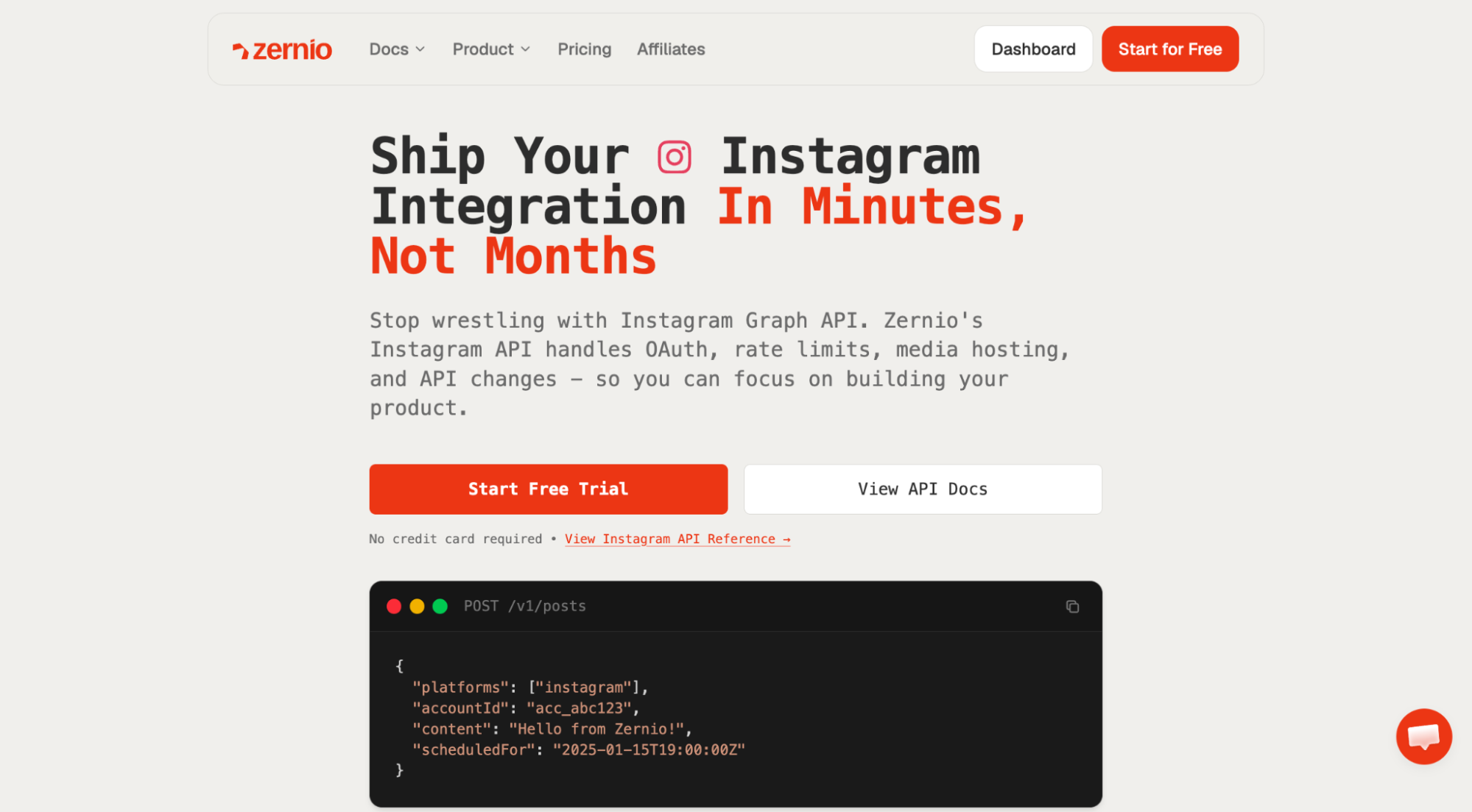
Zernio is a unified social media management and messaging platform that lets you schedule and publish Instagram posts, Reels, Stories, and carousels, manage ads and messages, and track performance analytics across multiple accounts through a single dashboard or API.
Zernio also offers best-time-to-post recommendations based on previous content performance and engagement, a visual content calendar for managing cross-platform content, a unified inbox for comments and DMs, and built-in comment-to-DM automation with AI agents for handling inbound messages and customer interactions.
Best for: Zernio is best suited for SaaS developers and founders who need to integrate social media publishing and scheduling into their products, agencies that need team collaboration features, and content creators who want to manage social media with AI assistants such as Claude, ChatGPT, and other AI tools.
Key Features
- Supports multiple Instagram accounts and publishing formats, including posts, Stories, carousels, and Reels
- Cross-posting, content scheduling, and publishing across Instagram, Facebook, X (Twitter), Telegram, and 12 other social media platforms
- Unified API for Instagram content scheduling, direct messaging, comments, analytics, and ads management
- Best-time-to-post recommendations based on audience engagement
- Inbound messaging and workflow automation with integrations for tools such as n8n, Zapier, and Make
- Built-in API rate-limit handling, smart queuing, and retry mechanisms
- MCP integrations for AI assistants and agent-based automation
- Unified Ads API for managing paid campaigns across 7 platforms
Pricing
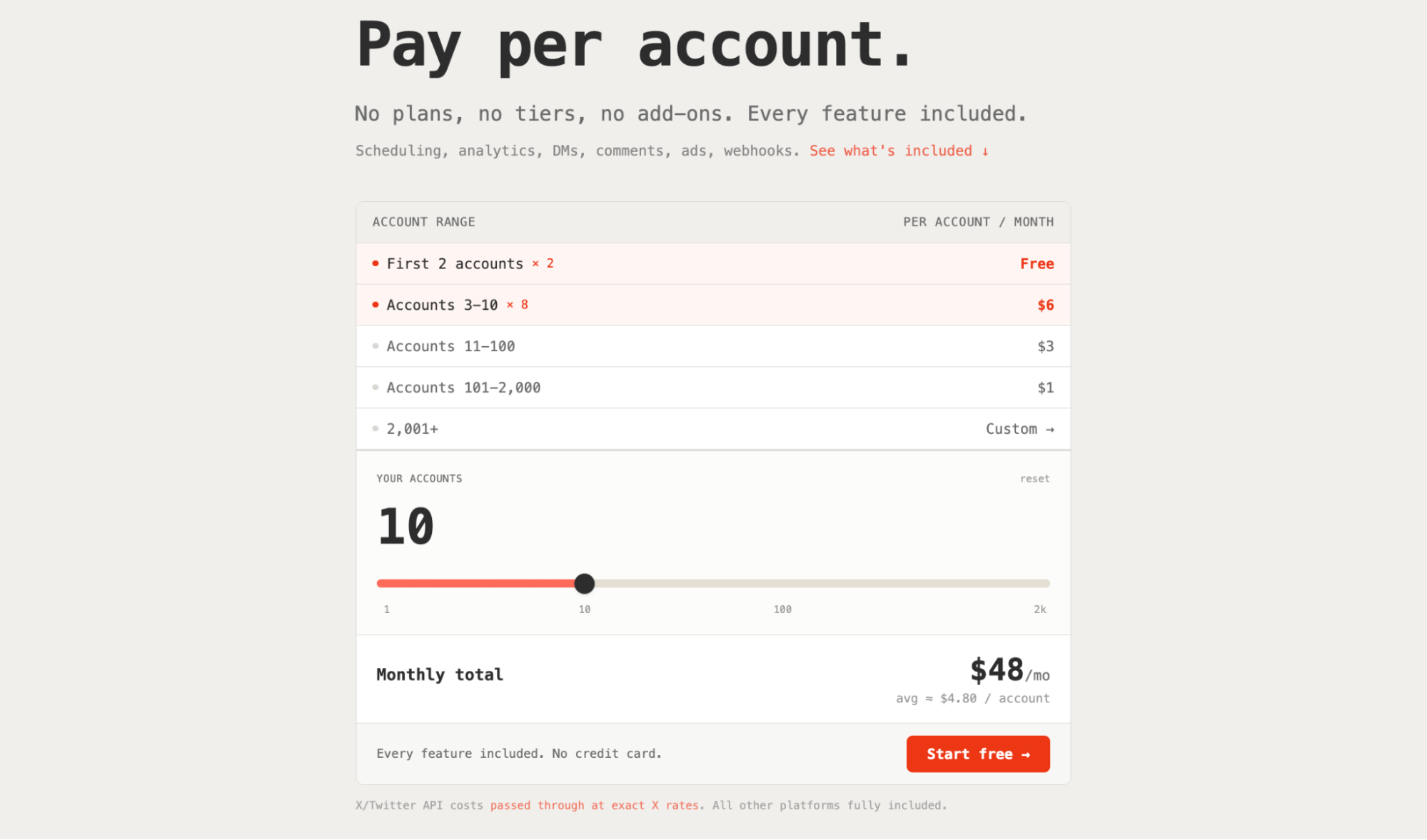
Zernio offers a free plan that includes up to 2 Instagram or social accounts with access to features such as Instagram post scheduling and publishing, analytics, inbox management (messages and comments), ads, and API access for social media automation workflows and SaaS integration.
If you need more than two accounts, you now pay per account, starting at $6/month for 3 social accounts (the per-account rate drops with volume).
In addition to Instagram, the same integration also works across other social media platforms, including Twitter (X), Facebook, Threads, Slack, Telegram, WhatsApp, Pinterest, TikTok, LinkedIn, Reddit, Bluesky, Snapchat, Discord, YouTube, and Google Business.
2. Storrito
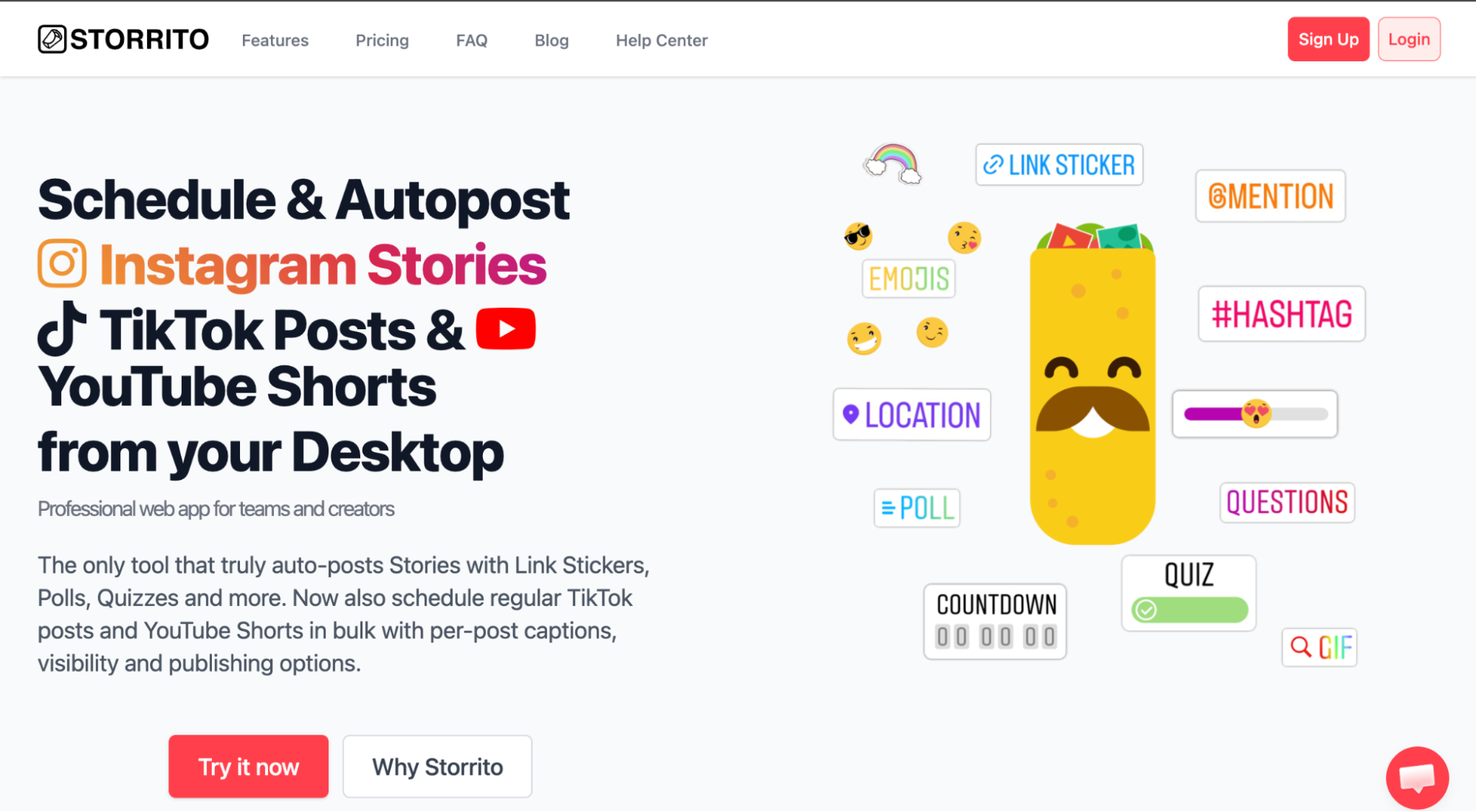
Storrito is an Instagram Stories and Reels scheduling and auto-posting tool that lets you add stickers such as polls, links, and quizzes directly from its dashboard. It includes a web editor for creating, scheduling, and managing Stories and Reels across multiple Instagram accounts.
Storrito allows multiple Instagram account connections, bulk uploads, and bulk scheduling for Stories and Reels. It also supports scheduling and publishing short-form visual content on platforms such as TikTok and YouTube Shorts.
Best for: Storrito is a good option for content creators and business owners who need to schedule and auto-post Instagram Stories and Reels across multiple accounts from the dashboard.
Key Features
- Supports Instagram Stories and Reels scheduling and auto-posting from a single platform
- Supports managing multiple Instagram accounts from one dashboard
- Native Instagram Stories stickers, including Link, Poll, Quiz, Location, Mention, and Hashtag stickers
- Bulk scheduling for Instagram Stories and Reels
- Supports media uploads and scheduling from a centralised dashboard
Pricing
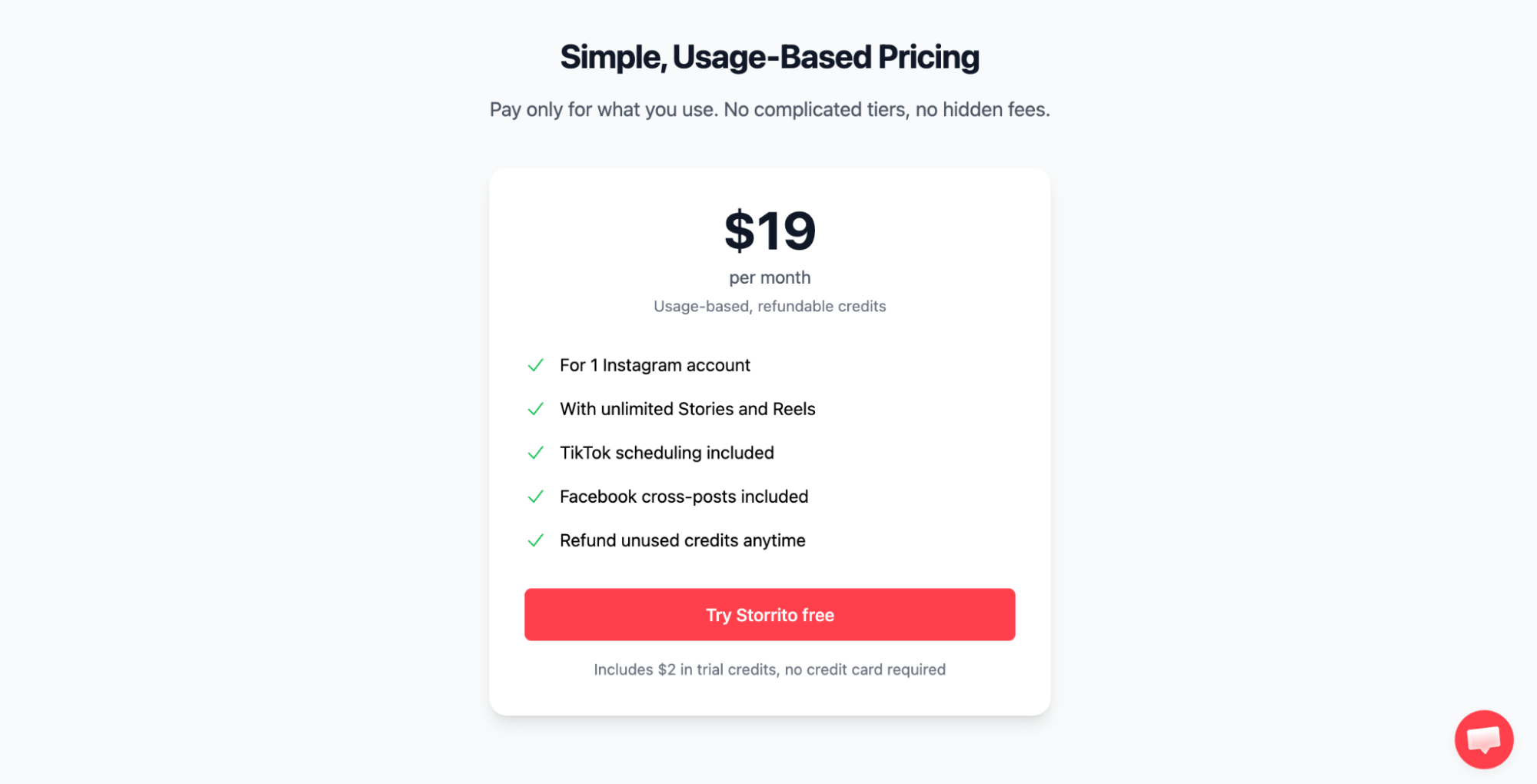
Storrito costs $19/month per Instagram account for auto-posting and scheduling Instagram Stories and Reels. If you need to manage multiple Instagram accounts, you must pay the monthly subscription for each connected account.
Learn more: Instagram Story Scheduling with Storrito and Its Alternatives
3. Later
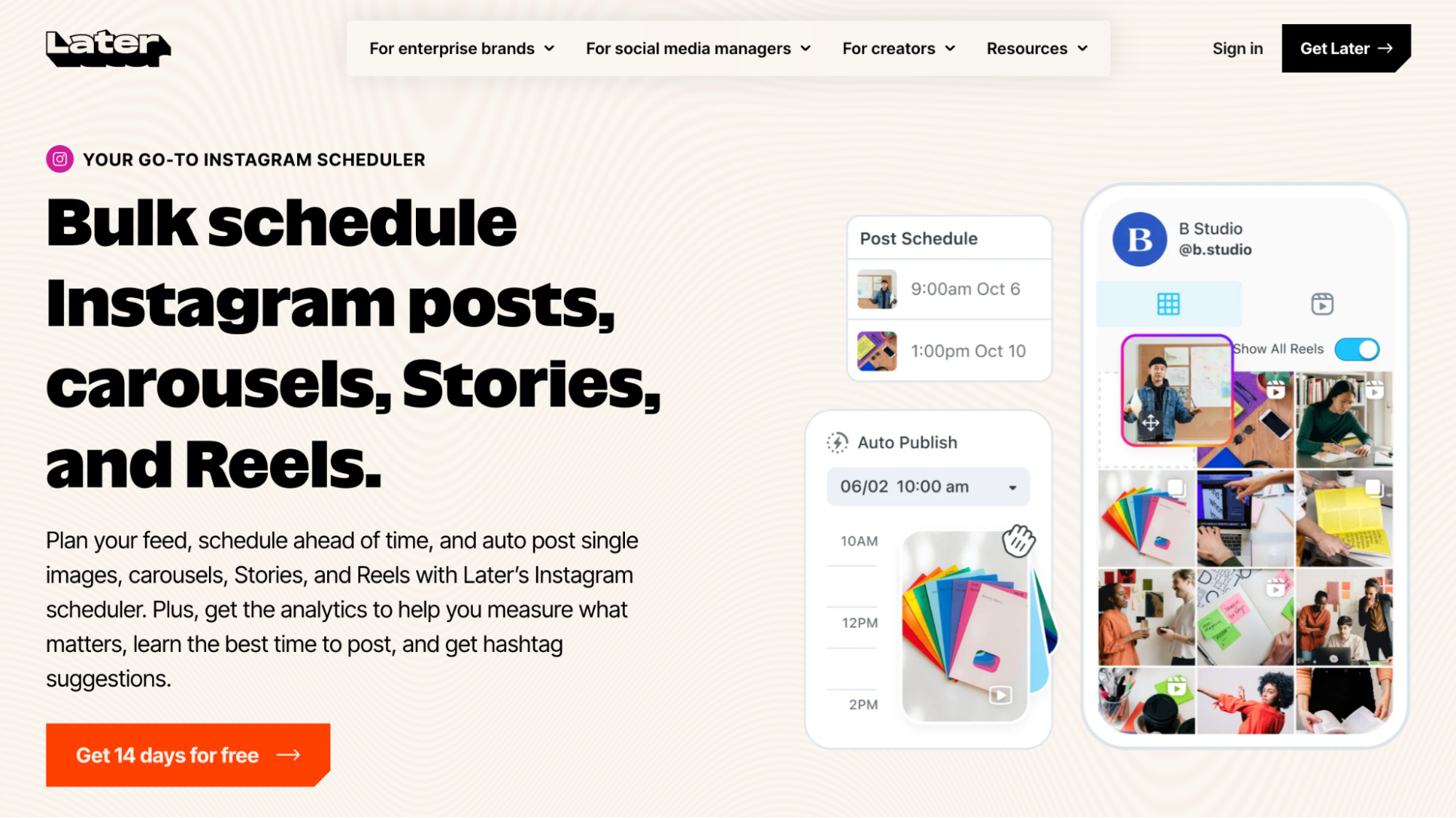
Later is a social media management platform for creators, marketers, and businesses to plan and schedule Instagram posts, carousels, Stories, and Reels. It focuses heavily on visual content planning while also supporting other major social platforms.
Later also provides features such as AI caption generation and hashtag suggestions, on-brand stock photography, photo editing tools, and customisable links for your Instagram bio to help turn followers into customers.
Best for: Later supports creators, enterprises, and marketing teams that need visual Instagram planning, team and client collaboration, content approval workflows, and social media analytics.
Key Features
- Bulk scheduling for Instagram posts, carousels, Stories, and Reels
- Visual Instagram planner with post previews
- Built-in tools for trimming videos and resizing images for Stories
- AI-powered tools for optimising captions, hashtags, mentions, and tags
- Custom link-in-bio page for Instagram, TikTok, and Snapchat
- Best-time-to-post recommendations based on audience engagement
- Post performance metrics and audience analytics for Reels and Stories
- Provides trend insights, including hashtag and topic recommendations
Pricing
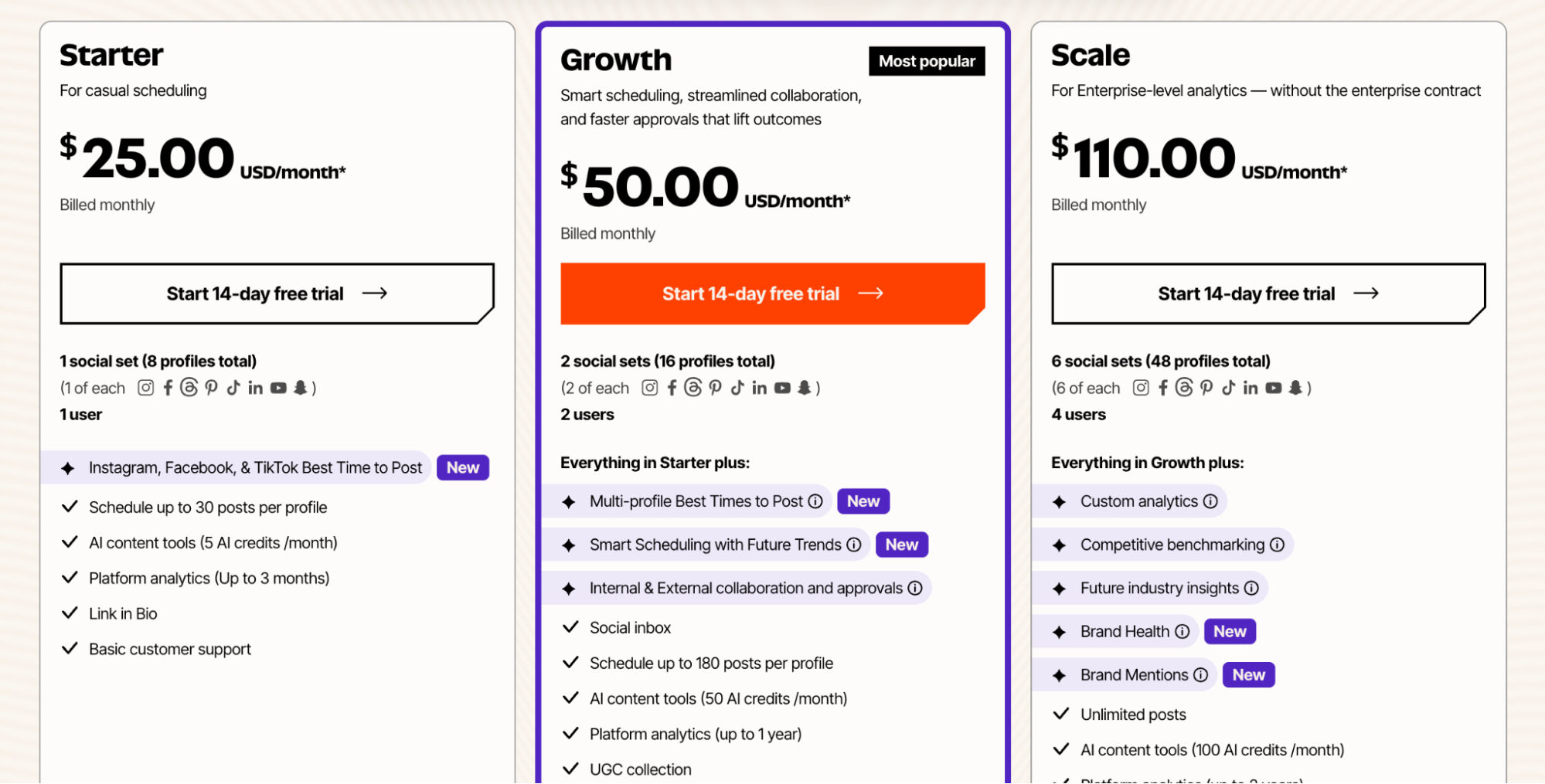
Later offers a 14-day free trial, with paid plans starting at $25 per month. The entry-level plan supports 1 user and up to 8 social profiles across platforms such as Instagram, Facebook, Threads, Pinterest, TikTok, LinkedIn, YouTube, and Snapchat.
4. Metricool
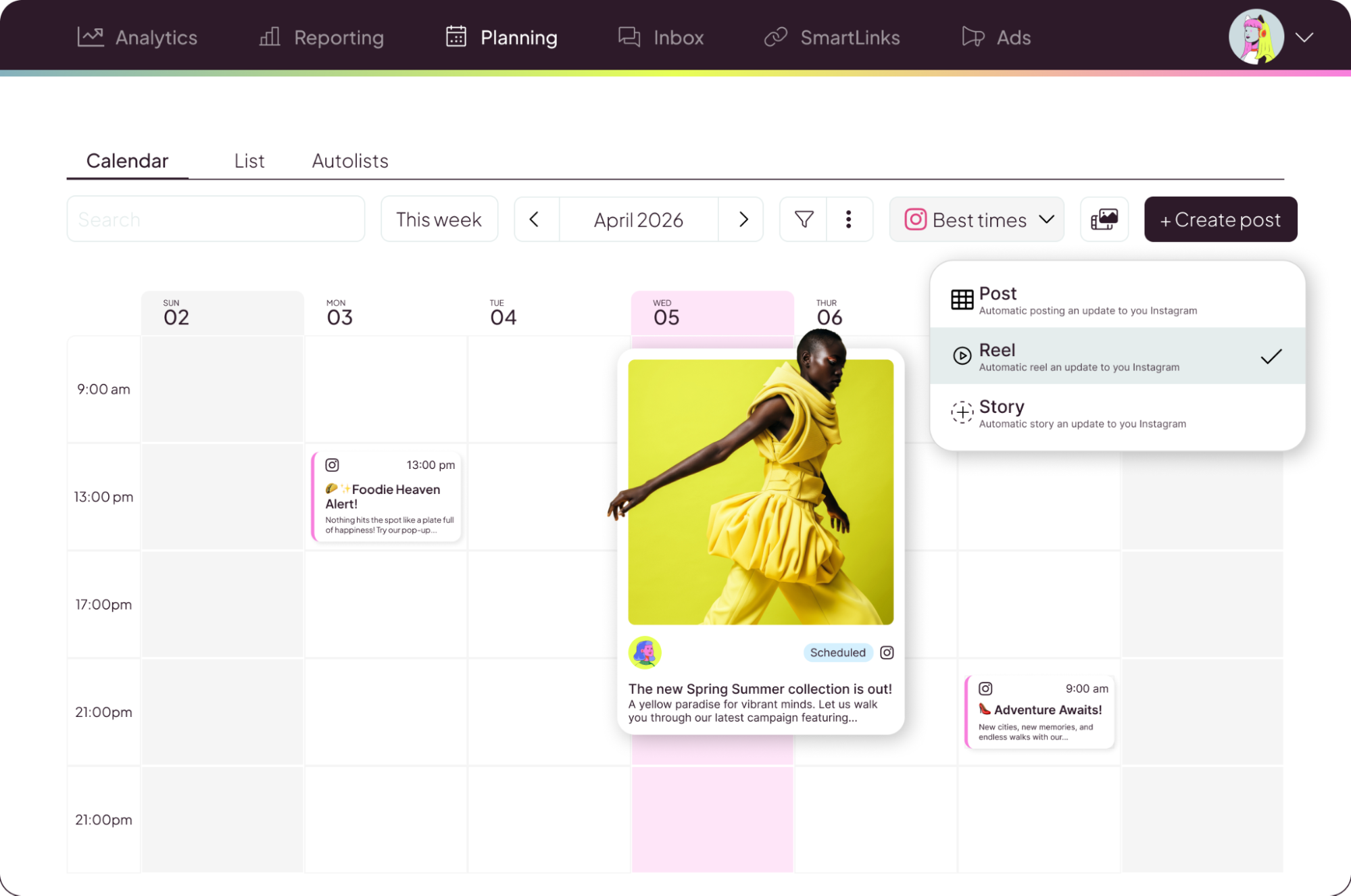
Metricool brings content planning, scheduling, analytics, reporting, and advertising tools into one workspace. It lets you plan, schedule, and manage Instagram content (including posts, Stories, Reels, and carousels), create and manage Instagram ads, analyse post performance, generate reports, and manage Instagram DMs and comments through its unified inbox.
Metricool is built for teams and agencies that need collaborative content planning, content approval workflows, and detailed reporting tools for tracking ad campaigns and analysing competitor performance.
Best for: Metricool supports content marketers, teams, and agencies that need detailed analytics and reporting to measure content performance across scheduled and published posts, make data-driven decisions, and collaborate on social media publishing workflows.
Key Features
- Unified social inbox for managing Instagram DMs and comments
- Supports scheduling and publishing across major platforms, including Facebook, Instagram, TikTok, LinkedIn, Pinterest, and YouTube
- Customisable link-in-bio page for connecting followers to your website, online store, social channels, and other brand content
- Advanced analytics for tracking engagement and content performance
- Reporting tools with export options such as PDF and PowerPoint reports
- Unified dashboard for monitoring organic content and paid advertising performance across Meta, Google, and TikTok
- MCP integrations for AI agents and social media workflow automation
Pricing
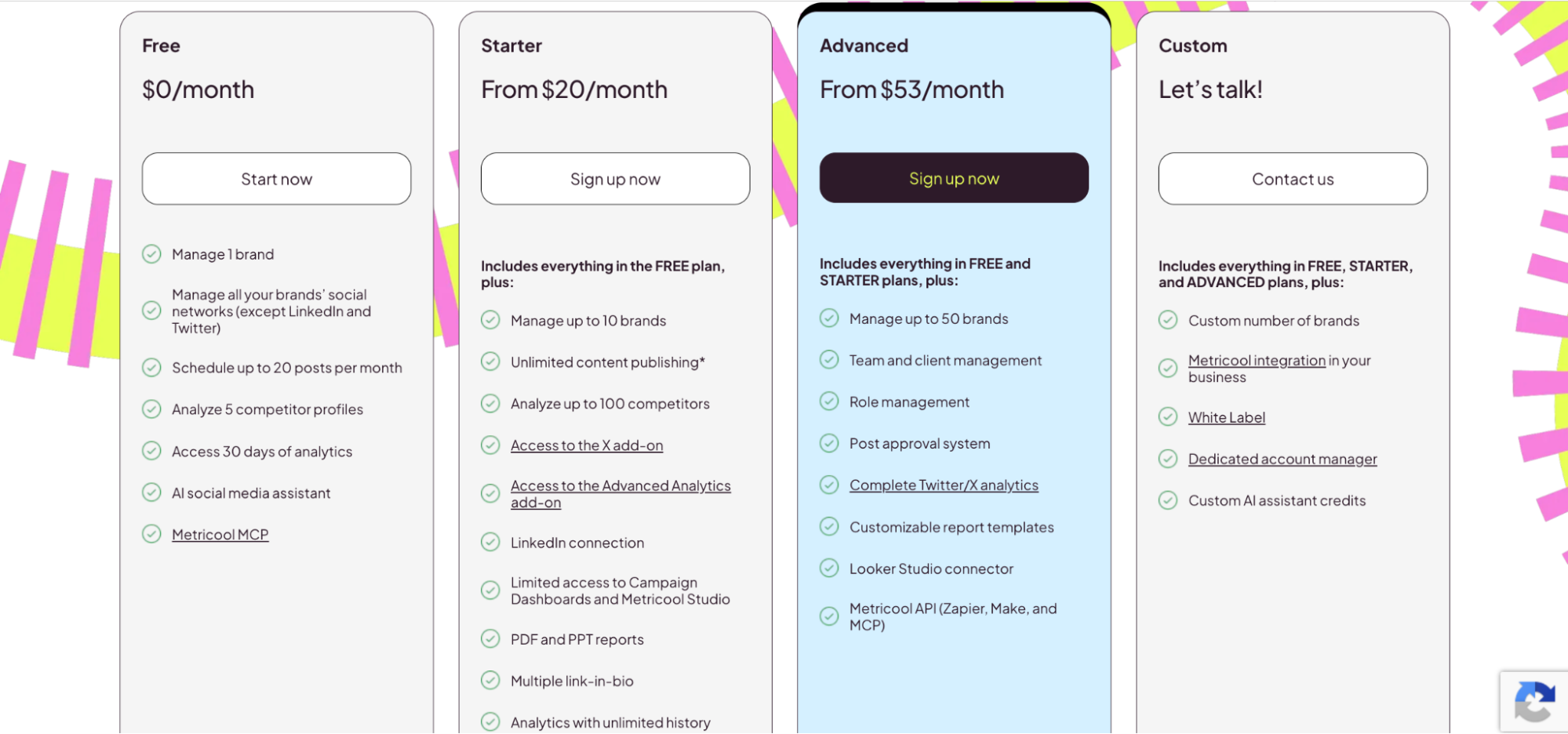
Metricool offers a free plan that includes access to 1 social account and up to 20 posts per month. Paid plans start at $25 per month and include support for up to 10 brands, plus unlimited content publishing and access to advanced analytics features.
5. Agorapulse
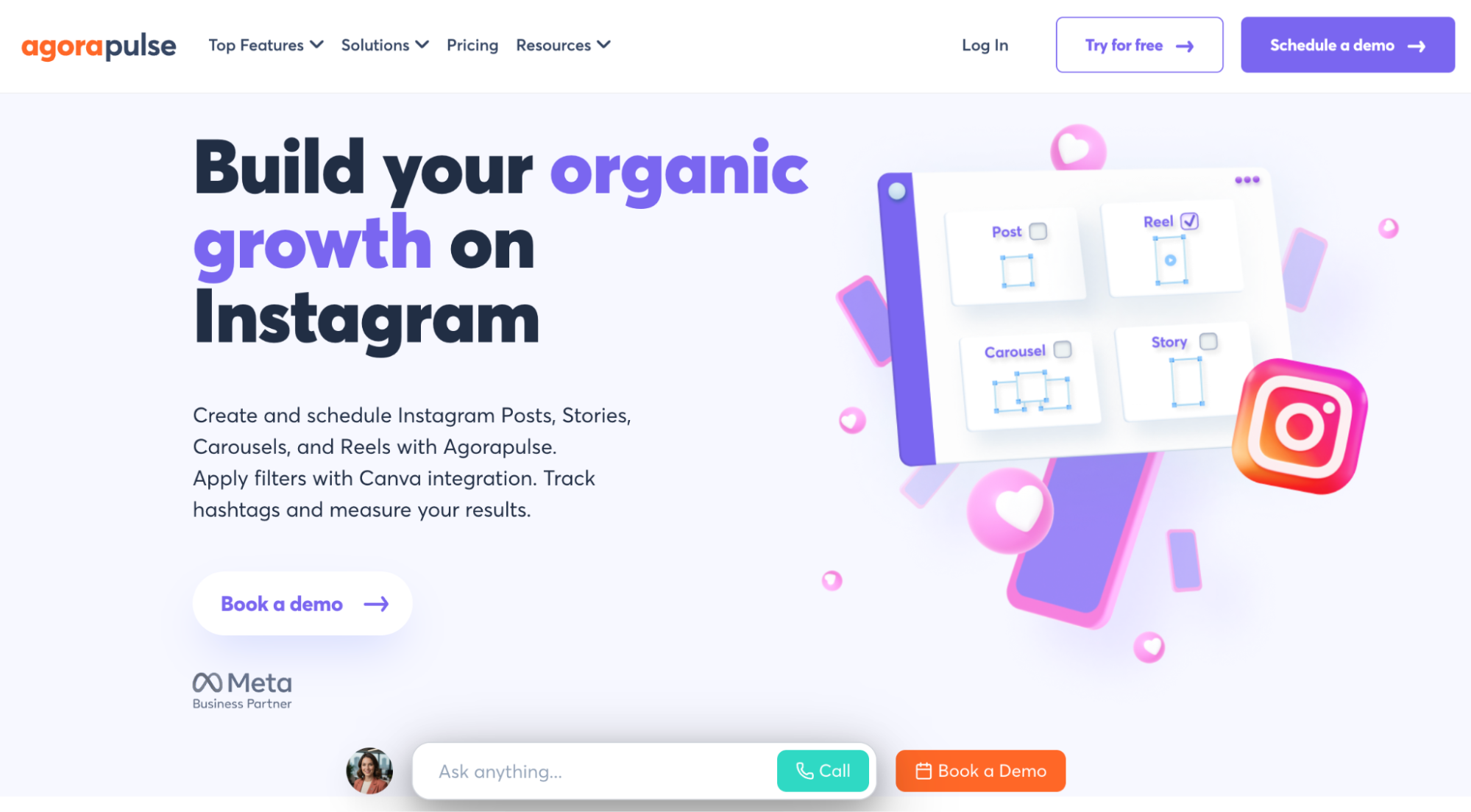
Agorapulse is a social media management platform built for teams and agencies that need a unified system for content publishing, engagement, monitoring, and reporting across multiple channels, including Instagram Posts, Stories, Carousels, and Reels. It combines scheduling, inbox management, social listening, and analytics in a single dashboard, making it easy for teams to manage both organic and paid social media activity.
Agorapulse is an all-in-one platform that enables you to use advanced social listening to understand brand perception and competitor activity, measure the impact of your social media strategy and ad campaigns, and generate detailed reports across multiple social profiles based on your chosen metrics.
Best for: Teams and organisations that manage multiple social media accounts and need content approval workflows, reporting, and social listening capabilities.
Key Features
- Unlimited scheduling and publishing for Instagram posts, stories, carousels, and reels
- Team collaboration with centralised communication and role-based access
- Advanced Instagram reporting, including hashtag analysis and community management metrics
- Best-time-to-post recommendations based on audience engagement data
- AI writing assistant for captions, posts, and alt text generation
- Social inbox for managing comments, mentions, DMs, and reviews across organic and paid content
- Social listening and monitoring for brand sentiment tracking
- Competitor analysis and reporting for Facebook and Instagram
Pricing
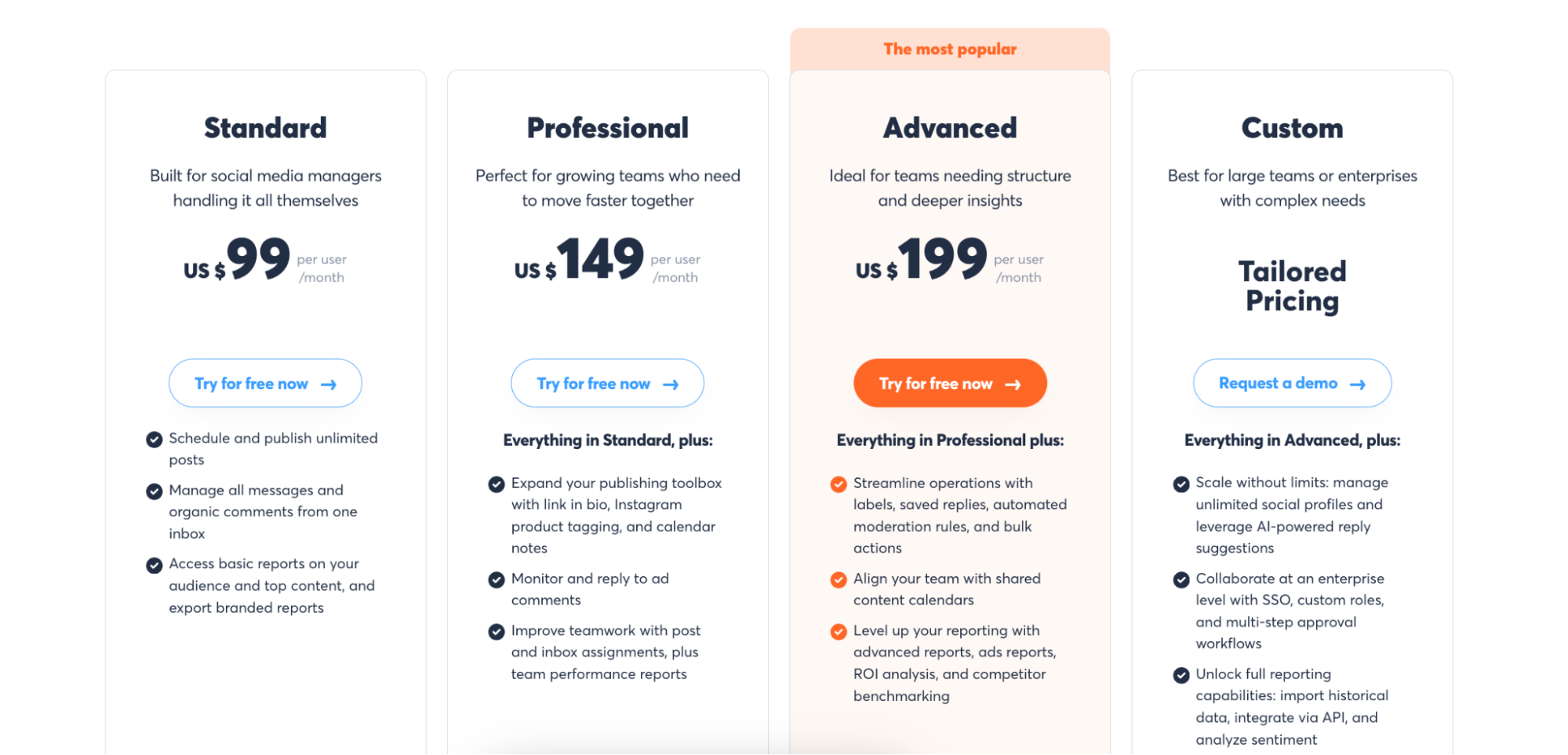
Agorapulse offers a 30-day free trial. Paid plans start at $99 per user per month with access to a unified social inbox, basic reporting features, and branded report exports. Higher-tier plans unlock more advanced analytics, collaboration features, and social listening capabilities.
Stop building social integrations from scratch.
One API call to publish, schedule, and manage posts across 16 platforms.
How to Post to Multiple Instagram Accounts with Zernio
Zernio lets you post to multiple Instagram accounts from its dashboard, programmatically through its API, or automatically using AI agents. In this section, you'll learn how to schedule and publish content across 2 or more Instagram accounts using the Zernio dashboard, API, and MCP server integration.
Post to Instagram with the Zernio Dashboard
Step 1: Connect your Instagram accounts to Zernio
Log in to your Zernio account, then navigate to Connections in the sidebar to connect your first Instagram account. You can connect your Instagram account through Facebook or directly through Instagram.
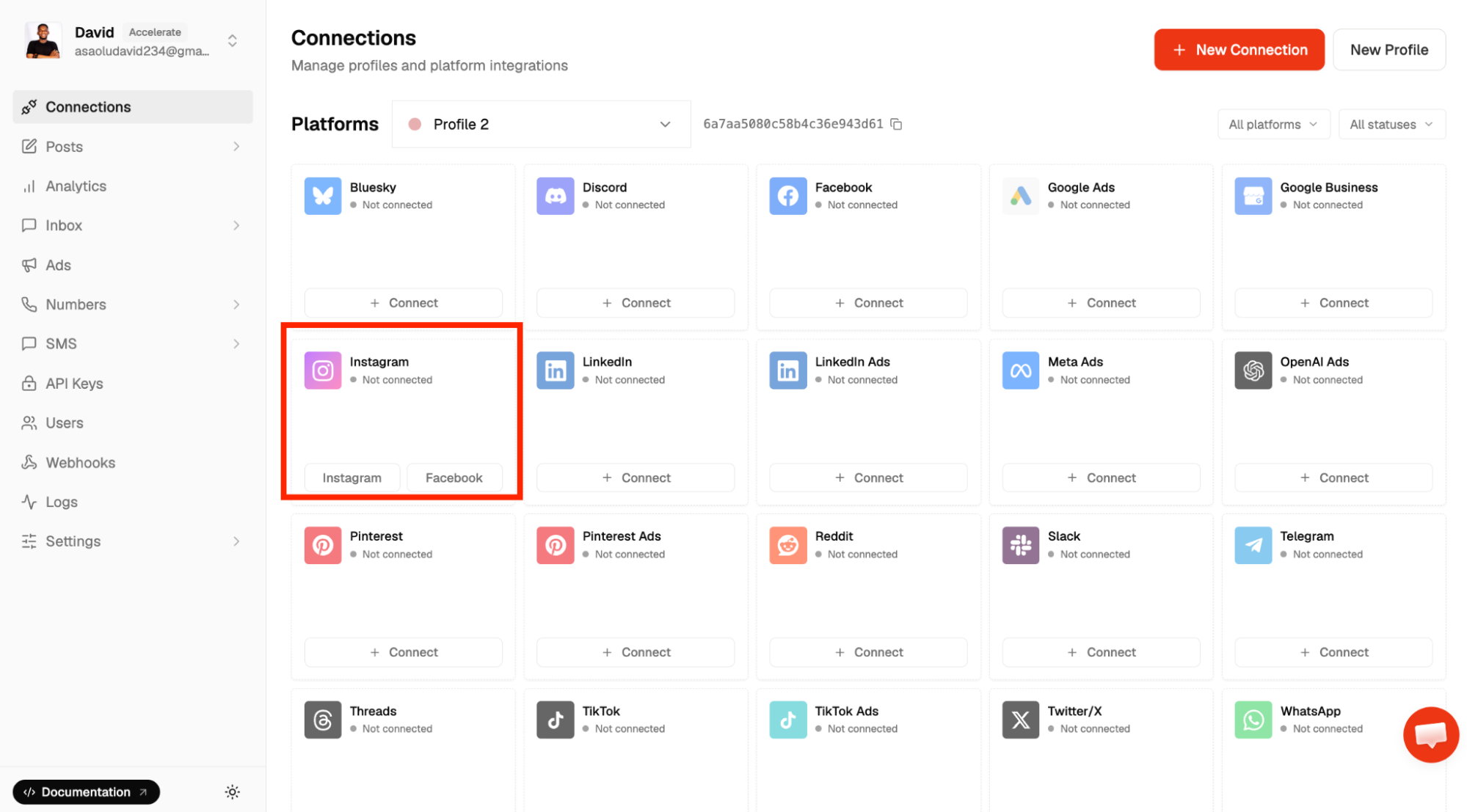
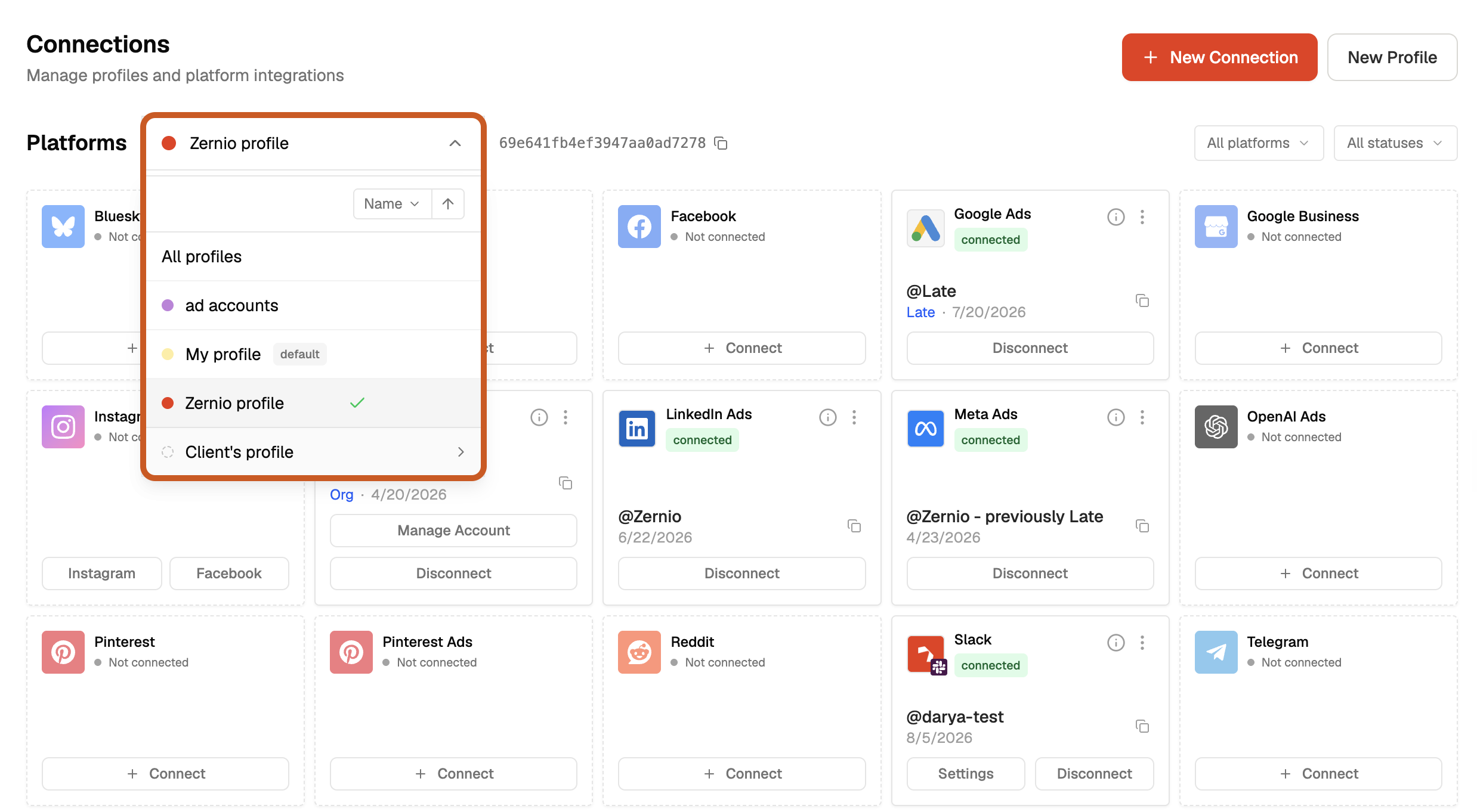
To connect additional Instagram accounts, open the All Profiles dropdown and create a new social profile. You can create multiple social profiles and connect the social media accounts you need to manage within each profile. A social profile in Zernio is a collection of the 16 supported social media platforms.
Step 2: Schedule and publish posts from the dashboard
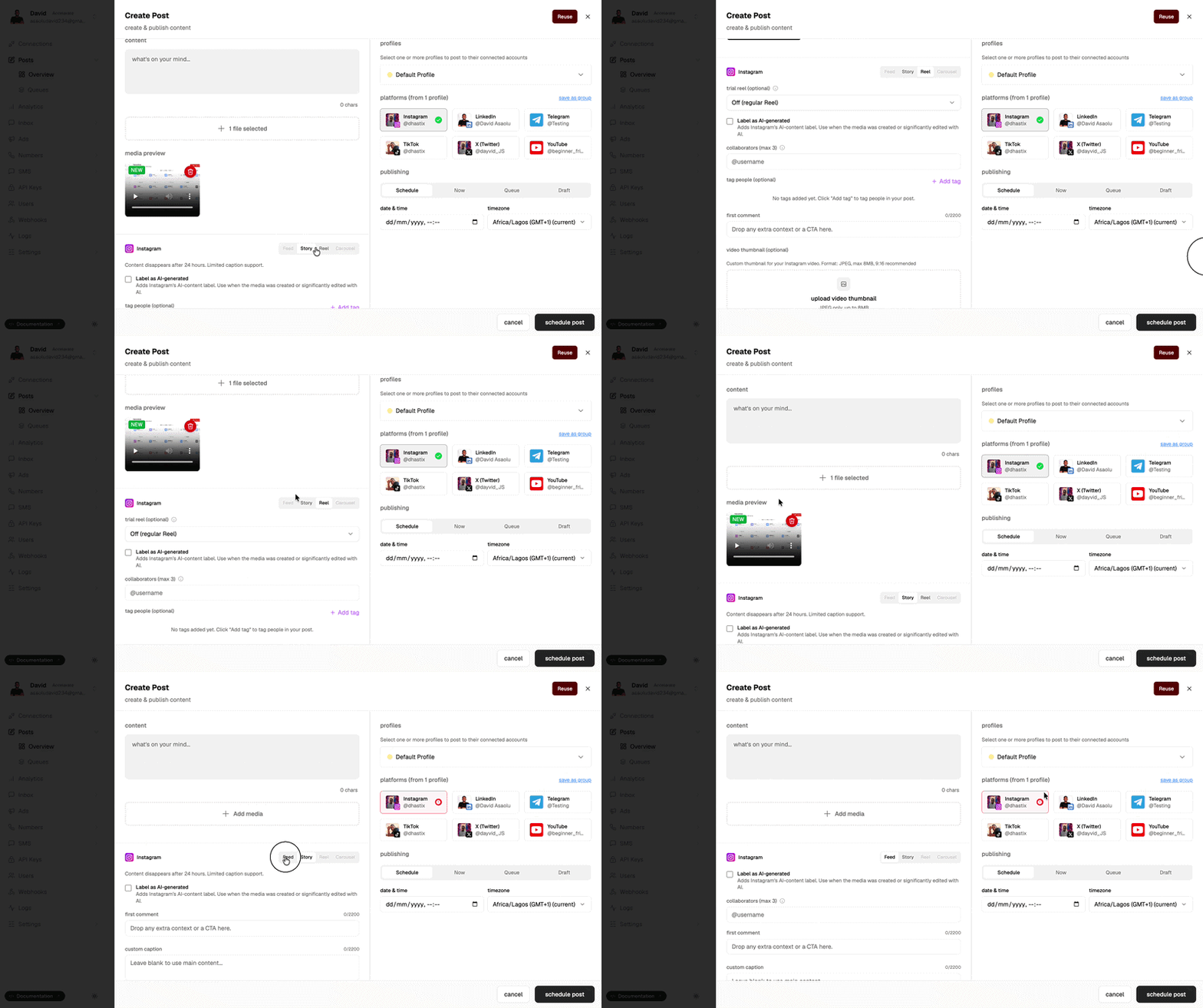
Select Posts from the sidebar and click Create Post.
In the Create Post section, select the Instagram accounts you want to publish to, then upload an image or video and choose the content type, such as Feed, Story, Reel, or Carousel. You can also add a caption, tag up to 3 collaborators, and leave the first comment on the post before scheduling or publishing it.
Post to Instagram via API with Zernio
If you're building a SaaS application or integrating social media posting into your applications, you can use the Zernio API to schedule and publish social media posts programmatically. The unified social media API lets you publish to multiple social media platforms using the same request format and authentication method.
Step 1: Create a Zernio API key
Select API Keys from the sidebar menu to create a new API key and save it somewhere on your computer. Before making API requests, ensure that your Instagram social media accounts are already connected to Zernio.
Step 2: Schedule and publish posts using the Zernio API
To publish Instagram Posts, Reels, Stories, or Carousels to multiple Instagram accounts, send a POST request to the Zernio Posts API endpoint:
curl -X POST https://zernio.com/api/v1/posts \
  -H "Authorization: Bearer $ZERNIO_API_KEY" \
  -H "Content-Type: application/json" \
  -d '{
    "content": "Hello from Zernio API!",
    "mediaItems": [
      { "type": "image", "url": "https://cdn.example.com/photo.jpg" }
    ],
    "platforms": [
      {
        "platform": "instagram",
        "accountId": "69c784cb**********",
        "platformSpecificData": { "contentType": "story" }
      },
      {
        "platform": "instagram",
        "accountId": "6a7aa5c5d0********"
      }
    ],
    "publishNow": true
  }'
The request authenticates using your Zernio API key, then sends the post to the Instagram accounts specified by their accountId values. You can also replace "publishNow": true with a scheduledFor timestamp (for example, "scheduledFor": "2026-03-15T10:00:00Z" with "timezone": "America/New_York") to schedule the post for later.
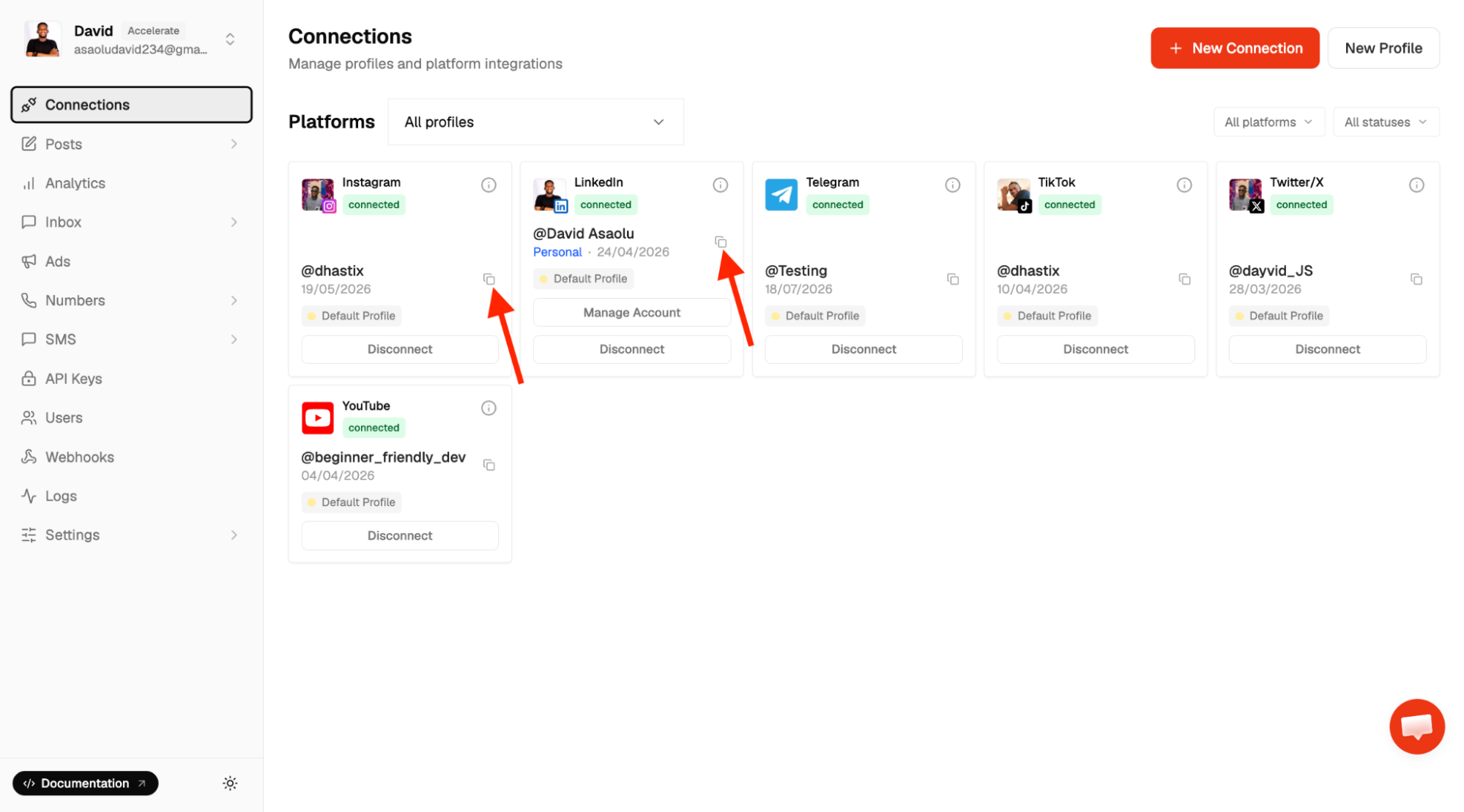
Get your Instagram account ID by clicking the Copy icon next to the connected Instagram account in your Zernio dashboard.
The type of Instagram content Zernio publishes depends on the media you provide and the contentType settings you specify. Here are the rules for publishing Feed Posts, Stories, Reels, and Carousels:
- Instagram feed posts: You do not need to specify a contentType when publishing a single image or video with a supported aspect ratio of 4:5 (portrait), 1:1 (square), or 1.91:1 (landscape). Zernio automatically treats the content as a feed post.
- Instagram Reels: A single video with a 9:16 aspect ratio and a maximum duration of 90 seconds is automatically treated as a Reel when no contentType is specified. To share the Reel to the Instagram feed, add
shareToFeed: trueinside the platformSpecificData object. - Instagram Story: Set contentType to "story" inside the platformSpecificData object to publish the media as an Instagram Story.
- Instagram carousel: Add up to 10 images or videos with the same aspect ratio to publish them as a carousel.
Zernio also provides official SDKs for Node.js, Python, Go, Ruby, Java, PHP, .NET, and Rust, allowing you to integrate the API into your application using your preferred programming language, without making HTTP requests to the API endpoints directly.
Post to Instagram with AI agents and Zernio MCP
If you use Claude or another MCP-compatible AI assistant, you can connect it to the hosted Zernio MCP server to schedule and publish posts, retrieve scheduled content, post analytics, and manage your social media accounts using natural language.
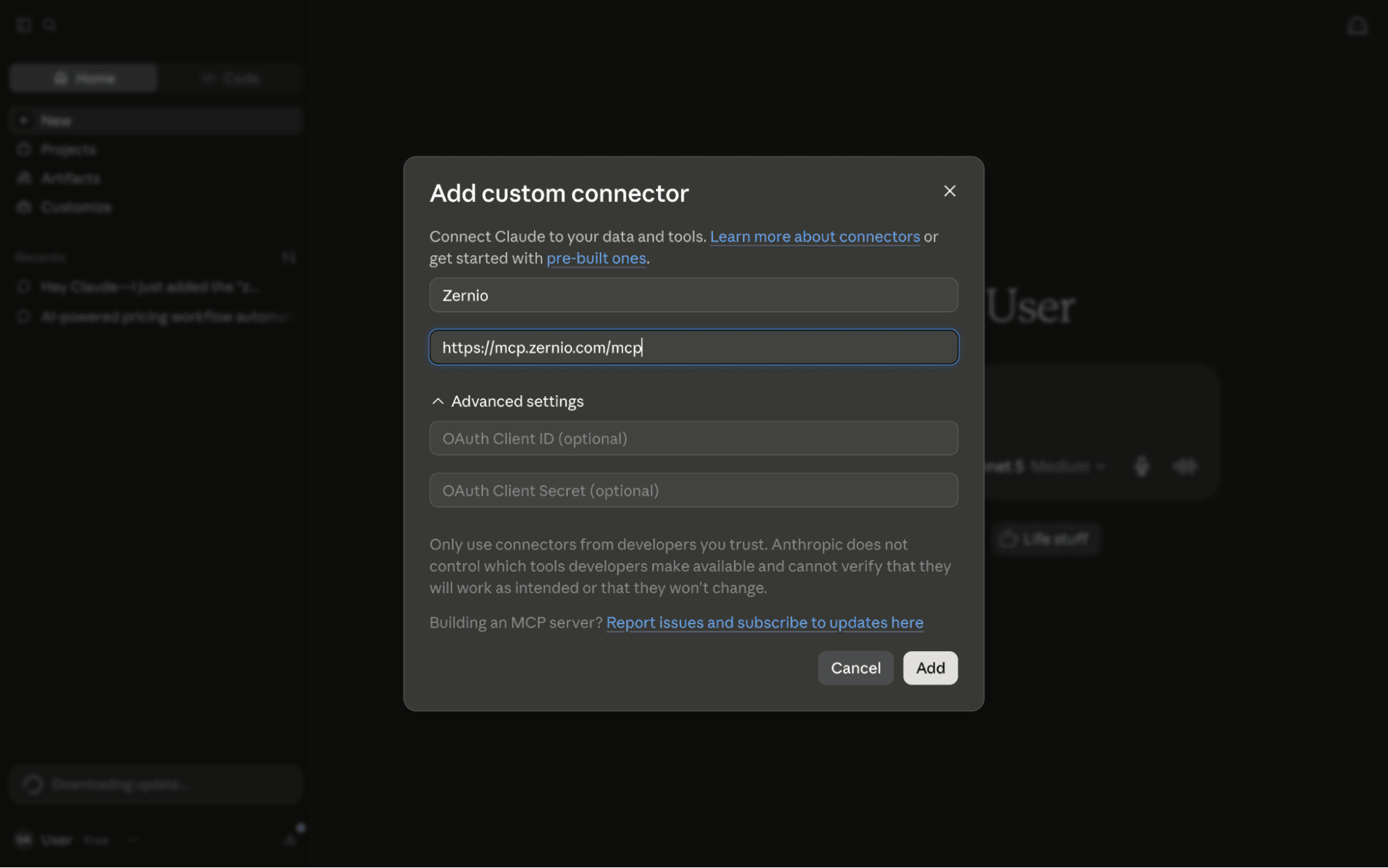
Step 1. Download and install Claude Desktop, Claude Code, or Cowork on your computer. Click the + sign, then select Add connector > Add custom connector.
Step 2. Enter the MCP server URL into the input field to connect Claude to the Zernio API.
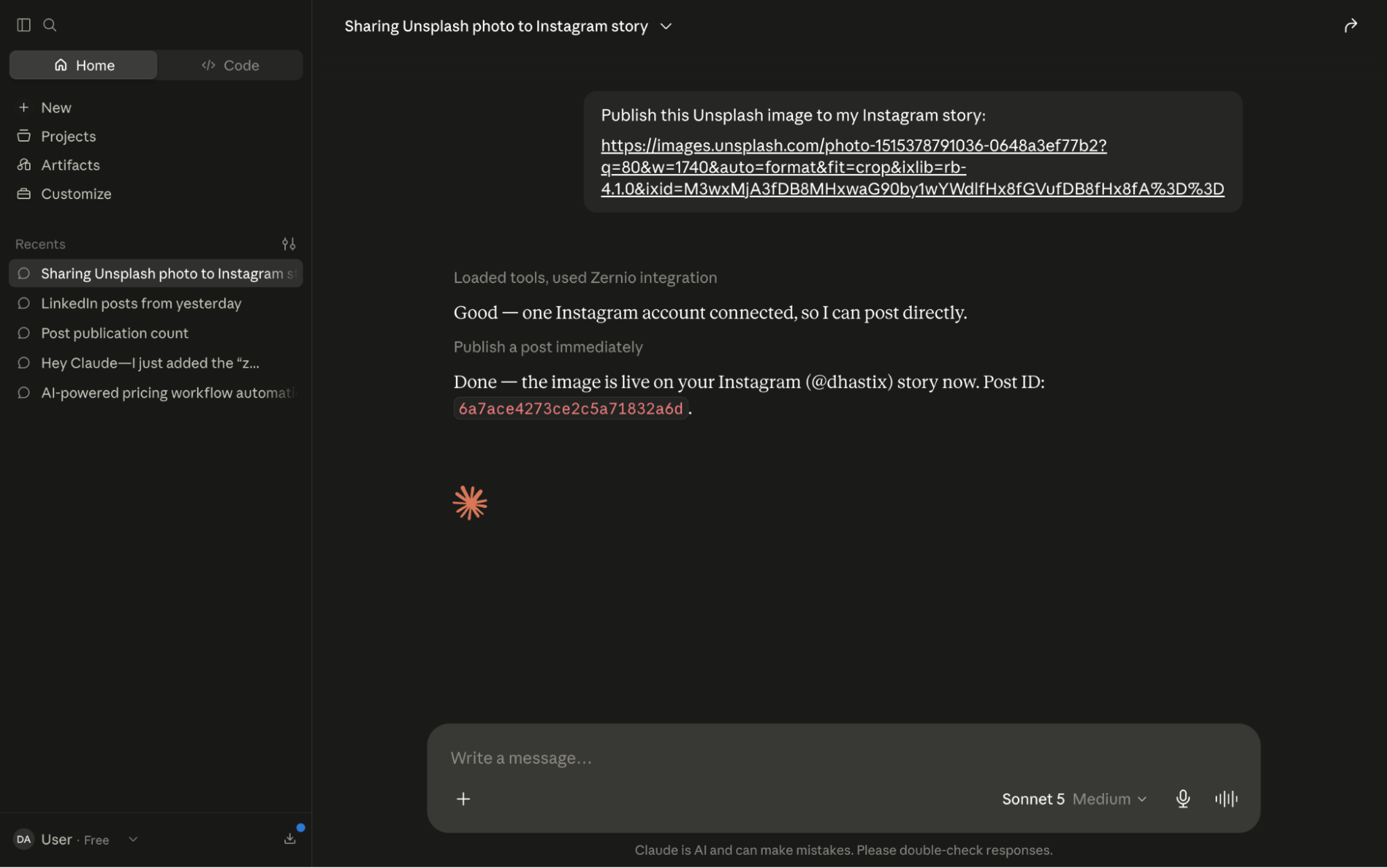
Step 3. Once connected, you can schedule posts and view, manage, or retrieve your scheduled and published posts directly from the Claude interface.
Summary: Post to Multiple Instagram Accounts the Smart Way
Managing multiple Instagram accounts does not have to mean switching between accounts or manually publishing the same content. Tools such as Zernio let you connect multiple Instagram accounts and schedule or publish content to them programmatically.
Zernio also provides cross-platform publishing, a content calendar, social media analytics, messaging, and AI-powered automation, making it easier to manage multiple Instagram accounts and scale your social media workflows from one place.
FAQs
Can I post to two Instagram accounts at the same time?
Yes. You can publish the same content to two Instagram accounts at once using a multi-account social media management platform, such as Zernio. Connect both Instagram accounts, select them when creating a post, and publish or schedule the content once from a unified dashboard or API endpoint.
Can I post the same Instagram Story or Reel to two accounts?
Yes. You can publish the same Story or Reel to multiple Instagram accounts using a tool that supports multi-account Instagram content publishing. With Zernio social media posting API, you can select multiple connected Instagram accounts when creating and scheduling a Story.
Can I post the same video or image to multiple Instagram accounts?
Yes. You can publish the same image or video to multiple Instagram accounts, provided the content meets Instagram's publishing requirements. A tool such as Zernio lets you upload the media once and select multiple Instagram accounts as publishing destinations.
How do I manage multiple Instagram accounts in one place?
You can manage multiple Instagram accounts through a social media dashboard such as Later or programmatically through an API or MCP integration such as Zernio. Zernio lets you connect multiple Instagram accounts, organise them into social profiles, and schedule, publish, and manage content from its dashboard, API, or MCP server without switching between accounts.
Is there an Instagram scheduler for multiple accounts?
Yes. Several social media scheduling tools support multiple Instagram accounts. Zernio provides multi-account scheduling for Instagram posts, Stories, Reels, and Carousels, along with analytics, a unified social inbox for DMs and comments management, AI agent and SaaS integration, and cross-platform publishing.
Can I create multiple Instagram accounts?
Yes. Instagram allows you to create and manage multiple accounts. You can add multiple accounts to the Instagram app and switch between them without logging out of each account.
Can I transfer Instagram posts to another account?
Instagram does not provide a native feature for transferring all posts from one account to another. You can manually repost content to the other account or use a social media management tool to publish content to multiple connected accounts.
What is the best app for managing multiple Instagram accounts?
The best tool depends on your needs. Zernio is a strong choice if you need multi-account scheduling, publishing, analytics, messaging, and cross-platform management through a unified dashboard or API. Later is a good option for visual content planning and team collaboration; Metricool for detailed analytics and reporting; Agorapulse for team-based publishing, engagement, and social listening; and Storrito if you mainly need to schedule Instagram Stories and Reels.
Can I post to multiple social media accounts at once?
Yes. Multi-platform social media tools allow you to create content once and publish it to multiple connected platforms. Zernio supports cross-platform publishing across Instagram and 15 other major social networks through its dashboard and unified API.