If you've ever wondered, "How much does Buffer actually cost for my needs?" you're not alone. Understanding Buffer's pricing upfront can help you choose the right plan and avoid paying for features you may not need.
In this guide, we'll break down every Buffer pricing plan, its features, and limitations. We'll also compare it with the best social media alternative to help you decide whether Buffer is the right fit for your team, business, and social media workflow.
Let's begin.
Table of contents
- Buffer Review: What It Offers and Where It Falls Short
- Buffer Pricing Breakdown: What's Included in Each Plan
- Zernio: A Buffer Alternative for AI Agents and Developers
- Buffer vs Zernio: Which Platform Fits Your Needs?
- FAQs
Buffer Review: What It Offers and Where It Falls Short
Buffer is a social media management platform designed for content creators, small businesses, and agencies to schedule posts, track performance, collaborate with teams, and manage audience engagement across multiple social media platforms.
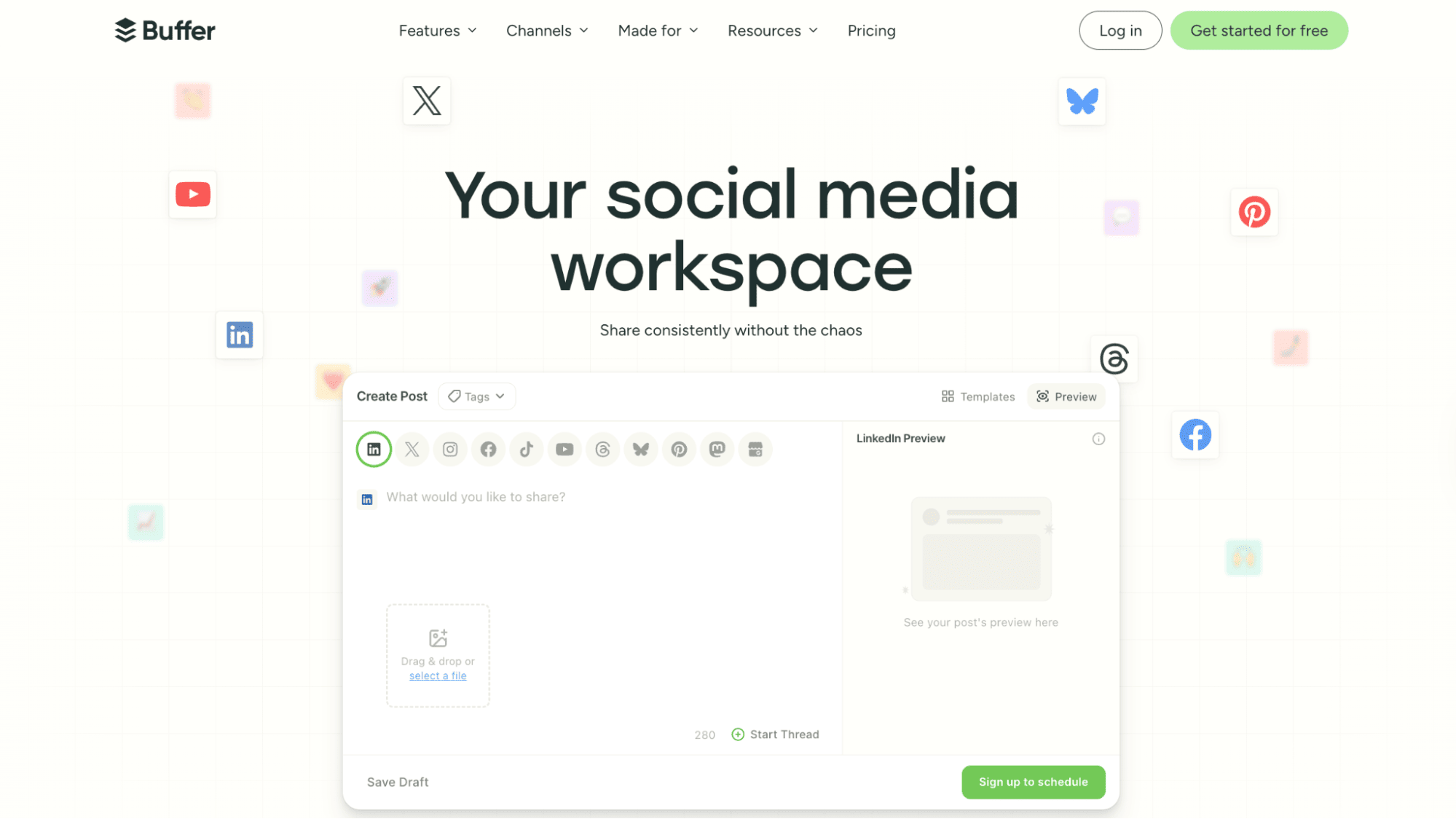
Below are some of Buffer's core features:
What Buffer Offers
Multi-Platform Post Scheduling
Buffer supports publishing across 11 social media platforms, including Bluesky, Facebook, Instagram, X (Twitter), Mastodon, Google Business Profile, Pinterest, Threads, TikTok, LinkedIn, and YouTube. It supports multiple content formats, including images, carousels, videos, and text posts, and helps users schedule content based on the optimal posting times for each platform.
Content Planning and Creation
Buffer includes built-in tools for content planning and post creation, making it easier to tailor content for different social platforms. Features such as reusable content templates, an AI assistant for optimisation and review, and a post preview tool help ensure content looks polished before publishing.
Social Media Analytics and Reporting
Buffer offers an intuitive analytics dashboard for tracking post and profile performance across platforms. Metrics are visualised through easy-to-understand charts, and users can export branded PDF reports for performance reviews or client reporting.
Community Inbox
Buffer centralises post comments into a single inbox, making it easier to manage conversations across platforms. Users receive notifications for new comments and can filter conversations by platform, unanswered comments, newest, or oldest interactions.
Link-in-Bio Page
For creators, Buffer includes a customisable link-in-bio page that can house links to social profiles, products, forms, videos, and other content.
Team Collaboration Tools
Buffer includes collaboration features for small businesses and agencies managing content together. Teams can invite collaborators, assign permissions, leave feedback, and add notes before content goes live.
Where Buffer Falls Short
Expensive as You Scale
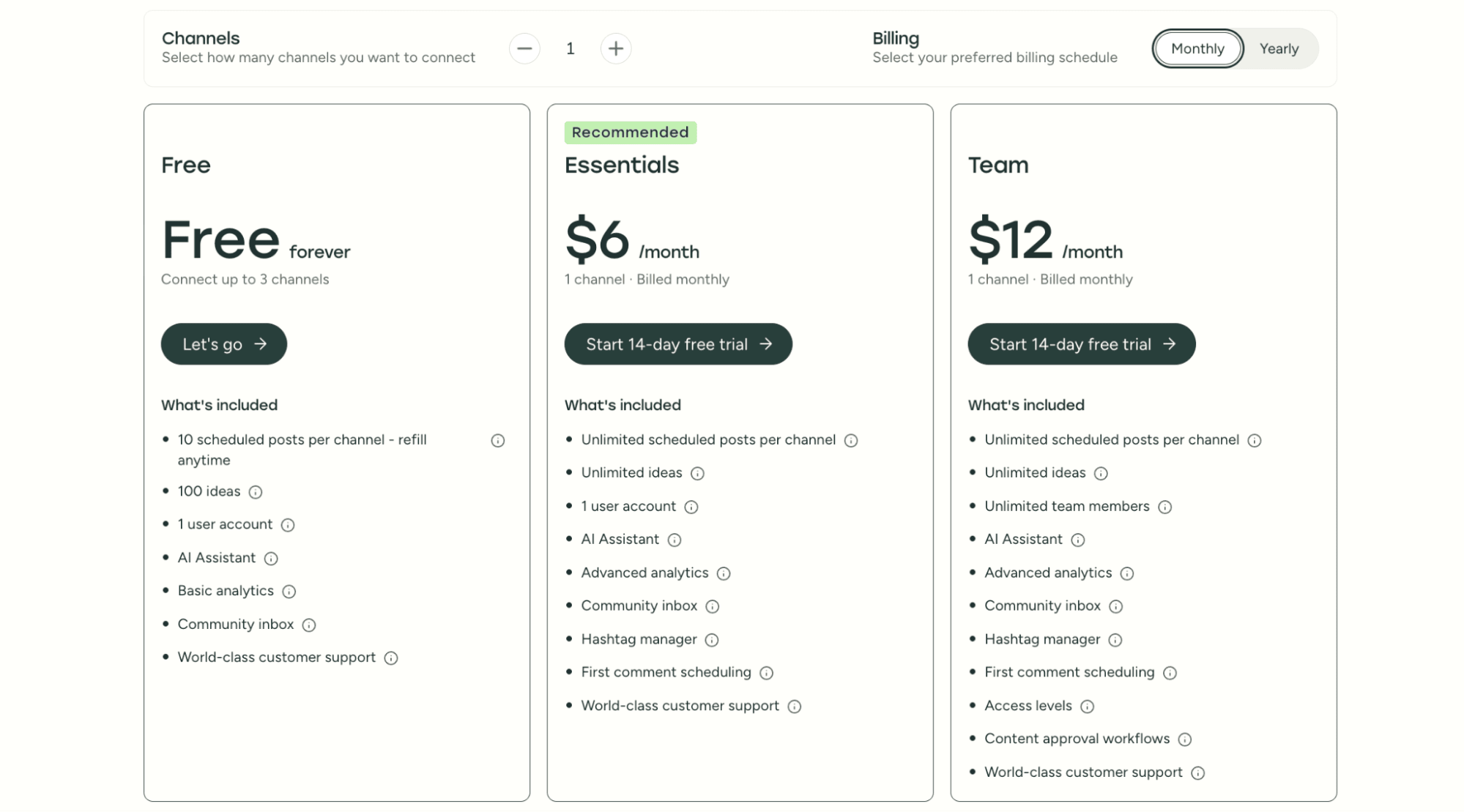
Buffer uses a per-channel pricing model. Each connected social account is billed separately, and paid plans start at $6 per channel per month.
While this is affordable for individuals or small teams, costs can increase quickly as usage grows, especially for teams managing multiple social platforms per brand and several client accounts.
For agencies and scaling startups, this pricing structure makes budgeting less predictable compared to tools that offer bundled or flat-rate pricing.
Limited Use Cases and Scalability
Buffer is well-suited for social media managers and small teams that primarily need simple scheduling, publishing, and basic engagement tools. It works best in lightweight workflows where automation and system-level integration are not required.
However, as teams grow and require more advanced capabilities, such as workflow automation, API-driven integrations, or multi-system social media infrastructure, Buffer becomes less suitable. It is not designed for scalable automation systems or supporting complex, developer-led social media workflows.
No Built-in Social Media Ads Management
As social media strategies mature, many businesses need more than just content scheduling; they also need to manage paid campaigns alongside organic content.
This often includes:
- creating and managing ads
- boosting posts
- tracking ad performance
- running paid campaigns across platforms
Buffer is primarily focused on publishing, analytics, and engagement. It does not support creating or managing social media ads directly within the platform, making it less suitable for teams that run both organic and paid campaigns.
Buffer Pricing Breakdown: What's Included in Each Plan
Buffer uses a tiered pricing model, with each plan offering different features and limits depending on your needs.
In this section, we'll break down what each Buffer plan includes, who it is best suited for, and how to choose the right option for your workflow or business.
Buffer Plans At a Glance
| Feature | Free Plan | Essentials Plan | Team Plan |
|---|---|---|---|
| Price | Free | $6/month per channel | $12/month per channel |
| Users | 1 user | 1 user | Unlimited users |
| Connected Channels | Up to 3 | Pay per channel | Pay per channel |
| Scheduled Posts | 10 per channel (30 total max) | Unlimited | Unlimited |
| Content Ideas Storage | Up to 100 ideas | Unlimited | Unlimited |
| Analytics | Basic analytics | Advanced analytics | Advanced analytics |
| First Comment Scheduling | Not available | Available | Available |
| Team Collaboration | Not available | Not available | Available |
| Best For | Solo creators and beginners | Small businesses and growing creators | Teams and agencies |
Free Plan
Buffer's Free plan is designed for solo creators and individuals just getting started with social media scheduling. It supports a single user account and lets you connect up to 3 social channels at no cost, making it a practical option for managing a personal brand or a small online presence.
With the Free plan, you can schedule up to 10 posts per channel at a time (30 scheduled posts total across three channels). Once a scheduled post goes live, you can add another to the queue.
Users also get access to up to 100 saved content ideas, unlimited AI assistance for creating and refining posts, a visual content calendar, basic analytics, a community inbox, link shortening, and customer support.
Essentials Plan
The Essentials plan is built for creators and small businesses that need more publishing flexibility. Pricing starts at $6 per month per channel, with support for a single user account. Unlike the Free plan, Essentials removes scheduling limits, allowing users to publish unlimited posts across connected social accounts.
In addition to unlimited post scheduling, the plan includes unlimited content ideas and advanced analytics, such as engagement insights and channel performance tracking. Users also gain access to features like first-comment scheduling, which is especially useful for platforms such as Instagram and LinkedIn, where additional context or hashtags are often added in the comments.
Team Plan
The Team plan is designed for businesses and agencies managing content collaboratively. It costs $12 per month per channel and includes unlimited post scheduling, unlimited content ideas, and support for unlimited team members.
Teams can assign channel-level permissions to control access, while approval workflows make it easier to manage who drafts, reviews, and publishes content. This makes the Team plan better suited for organisations with multiple stakeholders involved in content creation.
Buffer API Pricing
Buffer offers a GraphQL API that enables developers to schedule and publish posts programmatically, making it possible to build custom social media workflows or connect Buffer with automation tools such as Make, n8n, and Zapier.
The API is currently in beta and does not have separate pricing. Instead, usage is included within standard Buffer subscription plans but governed by tier-based limits. These limits include the number of API keys and OAuth clients (ranging from 1 to 5), as well as request caps across 15-minute, 24-hour, and 30-day windows. As the API is evolving, both access rules and available features may change over time.
For example, the Free plan (up to 3 social channels) allows 100 requests per 24 hours and 3,000 requests per 30 days. The Essentials plan ($6 per channel/month) increases this to 250 requests per 24 hours and 7,500 per 30 days, while the Team plan ($12 per channel/month) further raises the limits to 500 requests per 24 hours and 15,000 per 30 days.
API access is bundled into Buffer's standard per-channel subscription. The cost of using the Buffer API is the cost of the Buffer plan you're on, plus the per-channel charge for every connected account.
Stop building social integrations from scratch.
One API call to publish, schedule, and manage posts across 16 platforms.
Zernio: A Buffer Alternative for AI Agents and Developers
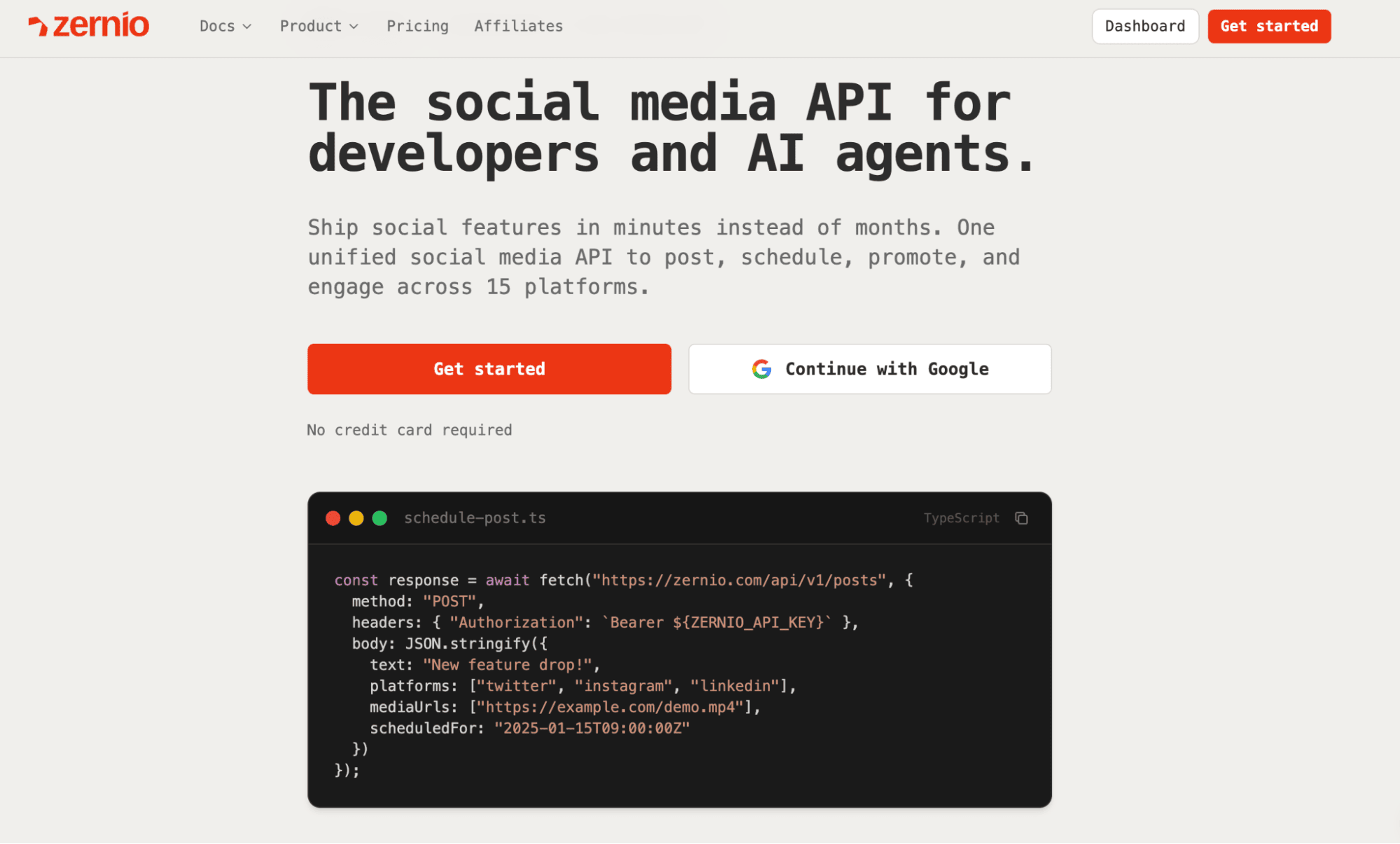
Looking for a Buffer alternative with a full-featured API, cross-platform publishing, and support for automated workflows? Zernio is designed for teams and developers who need more flexibility than traditional social media tools typically offer.
Unlike Buffer, which focuses primarily on scheduling and publishing, Zernio is built for extensibility. It provides a comprehensive API that supports comments, direct messaging, analytics, and social ads, making it easier to integrate social media workflows into your applications, automation tools, and AI-driven systems.
Key Features
Unified Social Media API
Zernio provides a unified social media API that lets you publish, schedule, comment, send direct messages, promote content, and retrieve analytics across 15 platforms (including Reddit, Snapchat, WhatsApp, Telegram, and Discord) through a single endpoint.
To access the API, you need to create an API key from your Zernio dashboard. Once configured, you can interact with the API programmatically using the official SDKs or via standard HTTP requests documented in the API reference.
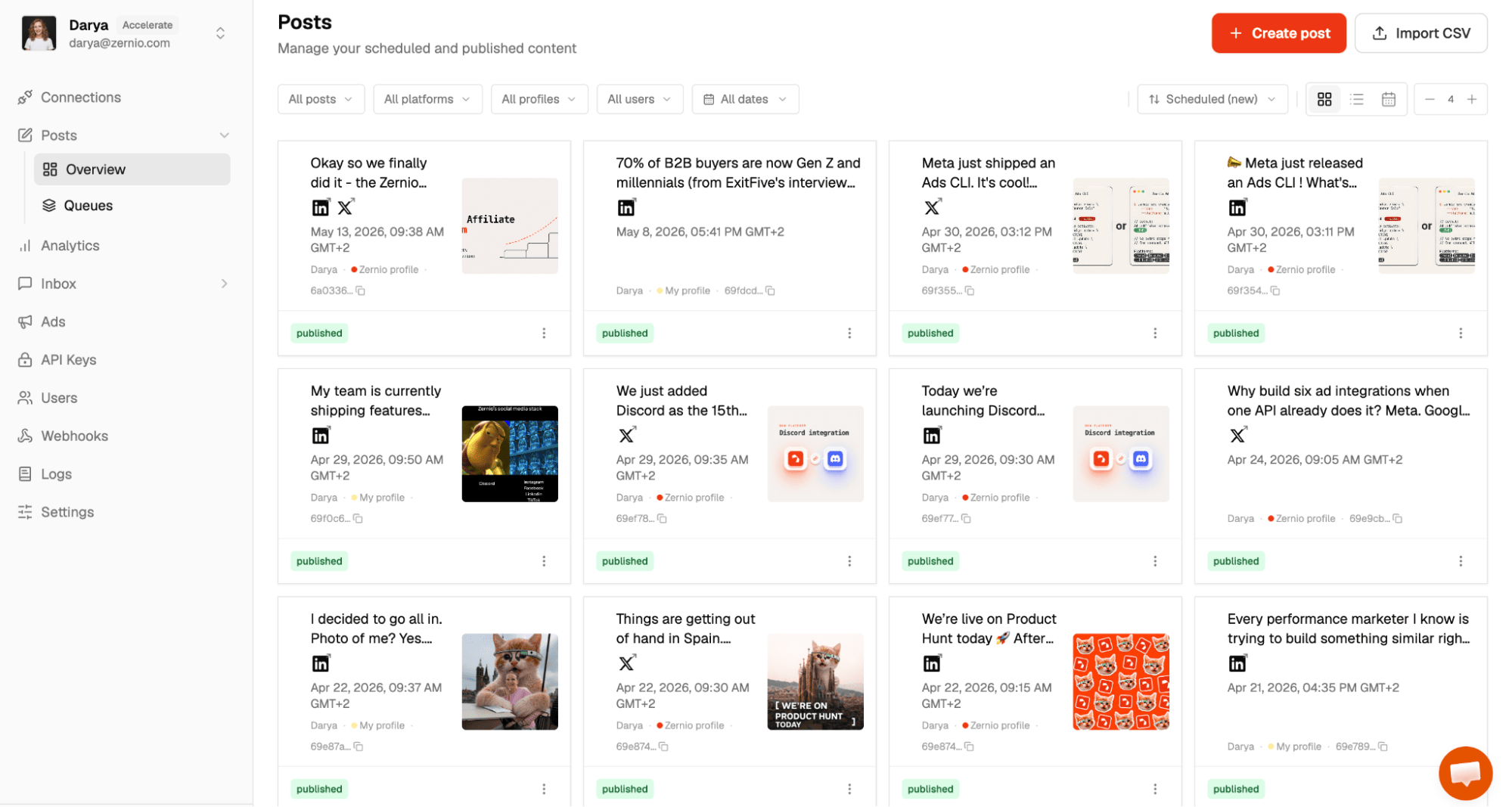
While Zernio is primarily built as an API-first platform, it also includes a lightweight dashboard where users can schedule posts, respond to comments, reviews, and messages, manage ads, and view their profile and post analytics.
Content Scheduling and Publishing
Zernio's API supports publishing and scheduling content across multiple formats, including images, videos, LinkedIn documents, carousels, stories, and reels. It also includes timezone-aware scheduling, recurring queues, and CSV-based bulk uploads for managing content at scale.
The code below creates a scheduled post using the Zernio Node.js SDK and publishes it across multiple social media platforms in a single request. It sends the same content to Twitter (X), LinkedIn, and Bluesky, while allowing each platform to be targeted through its respective account ID.
import Zernio from "@zernio/node";

const zernio = new Zernio({ apiKey: process.env.ZERNIO_API_KEY });

const { post } = await zernio.posts.createPost({
  content: 'Cross-posting to all my accounts!',
  scheduledFor: '2024-01-16T12:00:00',
  timezone: 'America/New_York',
  platforms: [
    { platform: 'twitter', accountId: 'acc_twitter123' },
    { platform: 'linkedin', accountId: 'acc_linkedin456' },
    { platform: 'bluesky', accountId: 'acc_bluesky789' }
  ]
});
Comments API
Zernio provides a comments API that allows you to read, reply to, hide, delete, and moderate comments across multiple social media platforms. This makes it easy to integrate comment management into SaaS products or custom dashboards.
You can also build automated responders that reply to comments based on keywords or predefined rules. For Instagram and Facebook, Zernio includes a dedicated Comment-to-DM automation feature that sends a private message when a user comments with specific keywords.
You can fetch comments using the following example:
const res = await fetch(
  `https://zernio.com/api/v1/inbox/comments/${POST_ID}?accountId=${ACC_ID}`,
  {
    headers: {
      Authorization: `Bearer ${YOUR_API_KEY}`,
    },
  },
);
You can also respond to comments using the following example:
await fetch(`https://zernio.com/api/v1/inbox/comments/${POST_ID}`, {
  method: "POST",
  headers: {
    Authorization: `Bearer ${YOUR_API_KEY}`,
    "Content-Type": "application/json",
  },
  body: JSON.stringify({
    accountId: ACC_ID,
    commentId: COMMENT_ID,
    message: "Thanks for your feedback!",
  }),
});
Messaging API
Zernio offers a direct messaging API that enables businesses to build customer support systems, conversational workflows, lead nurturing tools, or AI-powered social assistants. The API allows you to send and receive DMs programmatically across supported social media platforms.
In addition to sending and receiving messages, Zernio supports real-time webhooks that instantly notify your application whenever a new message is received or delivered. This makes it easier to build live chat experiences, automated responses, and centralised messaging dashboards.
You can list messages in a conversation using the following example:
const res = await fetch(
  "https://zernio.com/api/v1/inbox/conversations?accountId=ACC_ID",
  {
    headers: {
      Authorization: "Bearer YOUR_API_KEY",
    },
  },
);
const { data, pagination } = await res.json();
console.log(data);
You can also send messages programmatically using the following example:
await fetch(
  `https://zernio.com/api/v1/inbox/conversations/${CONV_ID}/messages`,
  {
    method: "POST",
    headers: {
      Authorization: "Bearer YOUR_API_KEY",
      "Content-Type": "application/json",
    },
    body: JSON.stringify({
      accountId: ACC_ID,
      message: "Hey! How can I help you today?",
    }),
  },
);
Analytics API
With the social media analytics API, you can retrieve post and profile engagement metrics across multiple social media platforms. You can access performance data such as likes, impressions, reach, clicks, views, engagement rates, and other platform-specific metrics programmatically.
The analytics API enables you to build custom reporting dashboards, monitor campaign performance, and automate analytics workflows. It also supports date-based filtering, allowing you to retrieve analytics for specific time ranges.
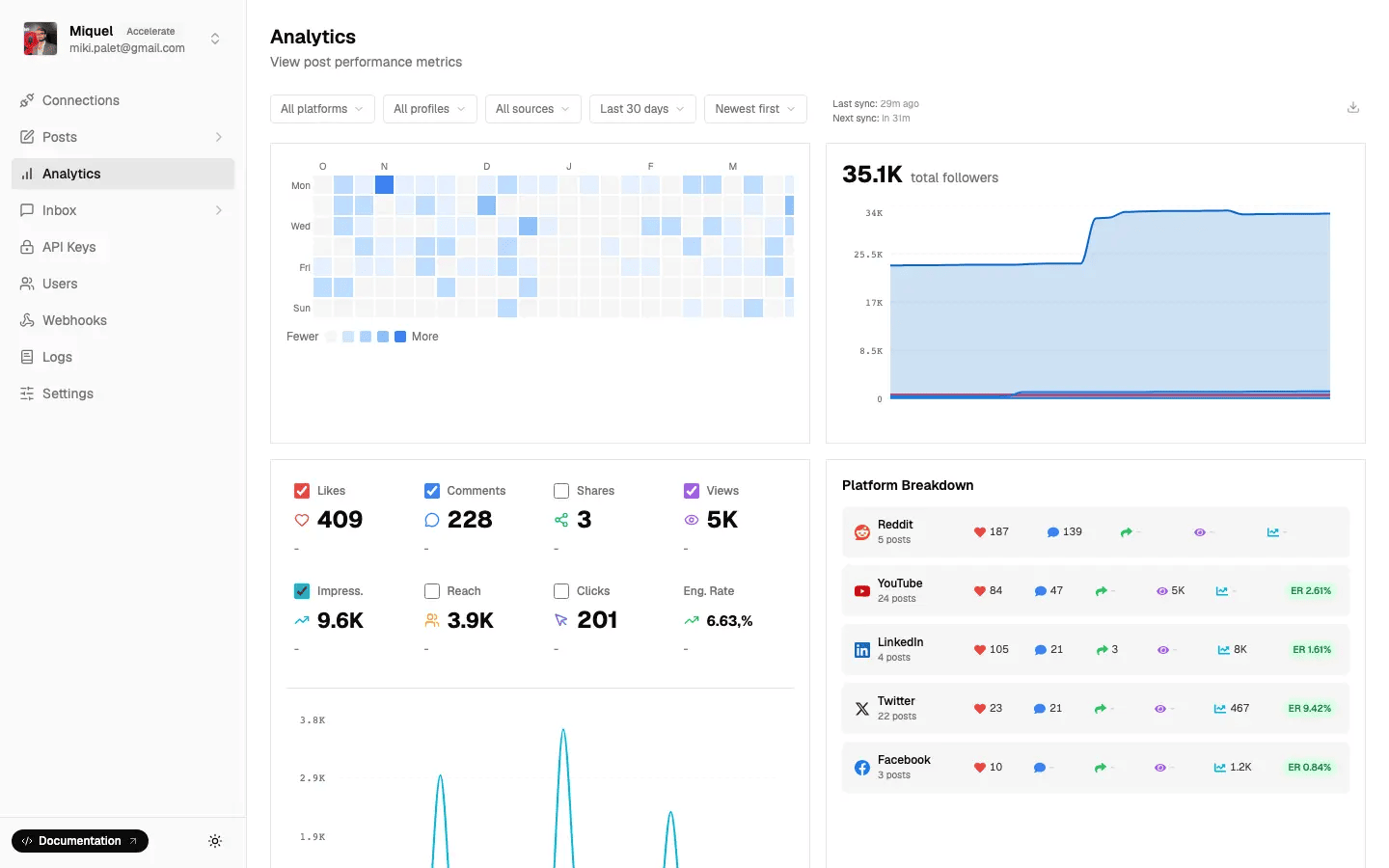
You can retrieve post analytics using the following example:
const response = await fetch(
  `https://zernio.com/api/v1/analytics/${POSTID}`,
  {
    method: "GET",
    headers: {
      Authorization: `Bearer ${YOUR_API_KEY}`,
    },
  },
);
You can also retrieve account-level analytics for a specific date range:
const url = `https://zernio.com/api/v1/analytics/account/${accountId}?startDate=2026-01-01&endDate=2026-04-31`;
const response = await fetch(url, {
  method: "GET",
  headers: {
    Authorization: `Bearer ${apiKey}`,
  },
});
Social Ads API
Zernio is the only unified social media API that provides programmatic control over social media ads on top of organic posts. It allows you to boost organic posts and create ad campaigns for targeted audiences across Meta Ads, Google Ads, LinkedIn Ads, TikTok Ads, Pinterest Ads, and X Ads.
With the API, developers and businesses can automate ad creation, configure campaign goals, define budgets, schedule campaigns, and apply audience targeting based on demographics and location. This is especially useful for SaaS platforms, agencies, and marketing automation tools that need to manage social advertising workflows at scale.
You can boost an existing post using the following example:
const response = await fetch("https://zernio.com/api/v1/ads/boost", {
  method: "POST",
  headers: {
    Authorization: `Bearer ${apiKey}`,
    "Content-Type": "application/json",
  },
  body: JSON.stringify({
    postId: "POST_ID",
    accountId: "ACCOUNT_ID",
    adAccountId: "act_123456789",
    platform: "facebook",
    name: "Summer sale boost",
    goal: "traffic",
    budget: {
      amount: 25,
      type: "daily",
    },
    schedule: {
      startDate: "2025-01-15",
      endDate: "2025-01-22",
    },
    targeting: {
      age_min: 25,
      age_max: 55,
      countries: ["US", "GB"],
    },
  }),
});
You can also retrieve ad analytics and campaign performance metrics for a specific date range:
const url = `https://zernio.com/api/v1/analytics/account/${accountId}` +
  `?startDate=2026-01-01&endDate=2026-04-31`;
const response = await fetch(url, {
  method: "GET",
  headers: {
    Authorization: `Bearer ${apiKey}`,
  },
});
Model Context Protocol (MCP) Support
Zernio allows you to connect AI assistants such as Claude to your social media workflows to perform various actions, including publishing posts, retrieving analytics, managing comments, or sending messages using natural language.
This is useful for developers building AI-powered automation, internal tools, or agent-based workflows where AI assistants need direct access to social media operations.
To connect Zernio to Claude Desktop, first copy your API key from your dashboard.
Next, open Claude Desktop Settings → Developer → Edit Config, then update your claude_desktop_config.json file:
~/Library/Application Support/Claude/claude_desktop_config.json  # macOS
%APPDATA%\Claude\claude_desktop_config.json  # Windows
Add the following MCP server configuration:
{
  "mcpServers": {
    "zernio": {
      "url": "https://mcp.zernio.com/mcp",
      "headers": {
        "Authorization": "Bearer your_api_key_here"
      }
    }
  }
}
Once configured, restart Claude Desktop to begin interacting with Zernio through MCP.
Zernio Pricing Plans: A Complete Breakdown
Zernio offers unlimited publishing and scheduling, a visual content calendar for easier content management, social analytics, direct messaging, comment and review management, and social ads across supported social media platforms.
Zernio uses a pay-per-account pricing model, allowing users to connect up to two social media accounts for free. All features are available to every user, with pricing based only on the number of connected social accounts rather than feature restrictions.
As your needs grow, additional social media accounts are discounted based on volume:
- Up to 10 accounts — $6 per account
- 11–100 accounts — $3 per account
- 101–2,000 accounts — $1 per account
- 2,001+ accounts — Custom pricing (contact the team)
However, only X (Twitter) API access is billed separately. Charges are applied per API request as follows:
- Reads (posts, analytics, lists): $0.005 per request
- User reads & follows: $0.010 per request
- Posts and direct messaging: $0.015 per request
- Posts with URLs: $0.200 per request
Buffer vs Zernio: Which Platform Fits Your Needs?
The right choice between Buffer and Zernio depends on your use case and needs.
Businesses that need simple content scheduling, basic analytics, and team collaboration tools may find Buffer sufficient for day-to-day social media management. It works best in lightweight workflows where deep automation or system-level integrations are not required.
However, if you are a developer, SaaS founder, or automation-focused team, Zernio is the better choice. It provides a unified API for content publishing, messaging, analytics, engagement, and ads across 15+ platforms, making it suitable for scalable automation and multi-platform social media workflows.
For teams that want the best balance of developer access, automation, scalability, multi-platform support, messaging capabilities, ad management, and long-term flexibility, Zernio remains the most complete and future-ready Buffer alternative in 2026.
FAQs
1. What is Buffer API pricing in 2026?
Buffer API is currently available in beta at no additional cost, but usage is subject to plan-based limits. These limits vary depending on the number of API keys and OAuth clients (ranging from 1 to 5), as well as request caps across 15-minute, 24-hour, and 30-day windows.
For example, the Free plan allows up to 100 requests per 24 hours and 3,000 per 30 days, while the Team plan increases these limits to 500 per 24 hours and 15,000 per 30 days.
2. What are Buffer Free Plan limits in 2026?
The Buffer free plan supports up to 3 social channels and allows up to 10 scheduled posts per channel (30 total max).
3. Does Buffer's free plan support TikTok and Instagram?
Yes, Buffer supports both TikTok and Instagram on its free plan, along with other platforms like LinkedIn, Facebook, and X (Twitter).
4. What is the best alternative to Buffer?
Zernio is the best alternative for developers, SaaS and automation-focused teams that need a unified API for content scheduling and publishing, analytics, ads, and automation across multiple platforms via dashboard access and API integration. For other use cases, these alternatives may be more suitable depending on your workflow, budget, and feature requirements.