If you manage a business that receives multiple DMs, customer enquiries, and follow-up messages daily, responding to every conversation manually can quickly become time-consuming.
Instagram DM automation helps you handle these interactions automatically, from answering common questions and sending product links to following up with potential customers.
In this guide, you will learn when to automate Instagram DMs, the limitations of popular automation tools, and how Zernio overcomes them. You will also learn about the different ways to automate Instagram DMs for your business or application using Zernio.
When Should You Automate Instagram DMs?
You can automate Instagram DMs in response to specific user actions, allowing you to send relevant messages, share resources, generate leads, and respond to customer enquiries without handling every conversation manually.
Common scenarios where Instagram DM automation is useful include:
1. When someone comments on a post or Reel
You can automatically send a DM when someone comments on your Instagram post or Reel with a specific keyword. For example, if you publish a tutorial and ask viewers to comment “GUIDE” to receive the full resource, an automation tool can send them a DM containing the link. This approach is useful for sharing product links, discount codes, downloadable resources, and promotional offers.
2. When someone sends a specific keyword in your DMs
You can trigger an automated conversation when someone sends a predetermined keyword or phrase in your Instagram DMs. For example, a customer who messages “PRICING” could receive your price list, while someone who sends “BOOK” could receive a link to your appointment page. This enables businesses to answer common enquiries and direct users to relevant information quickly.
3. When someone mentions your account in their Story
When someone mentions your Instagram account in their Story, you can automatically send them a message thanking them for the mention or sharing a relevant offer. For example, a clothing brand could thank a customer for featuring one of its products and invite them to explore its latest collection.
4. When someone new follows your account
You can use a follow-to-DM feature to send a welcome message to new followers. For example, a business could welcome new followers, introduce its products, or share a link to its catalogue.
5. When someone clicks an Instagram direct ad
If you run Instagram ads that open a Direct conversation, you can automate the conversation that starts when someone clicks the ad and sends a message. Instead of directing potential customers to a separate landing page, you can ask qualifying questions, explain your services, recommend products, or direct interested prospects to a sales representative.
6. When someone replies to your Story
You can automate responses to specific replies to your Instagram Stories. For example, if you post a Story showcasing a product and someone replies asking for more details, an automated workflow can provide product information or a purchase link, provided the interaction meets the trigger conditions supported by your tool.
7. When someone asks a frequently asked question
You can automate replies to recurring questions about pricing, product availability, delivery, business hours, and return policies. For example, when a customer asks whether you deliver to their location, an automated response can share your delivery information or direct them to the appropriate page. For questions that require individual attention, the workflow can also route the conversation to a human agent.
8. When you need to follow up on an enquiry
You can automate certain follow-up messages after a customer expresses interest in a product, requests information, or starts a booking process. For example, a business could send a permitted follow-up with booking details or additional information when the conversation and messaging window allow it.
9. When your business receives a high volume of DMs
During product launches, giveaways, promotions, and viral campaigns, your business may receive more messages than your team can handle manually. You can automate repetitive replies, share links, answer common questions, and route complex enquiries to the right team member, helping your team handle more conversations without responding to every message individually.
Common Limitations of Instagram DM Automation Tools
Instagram DM automation tools help businesses automate customer conversations, but their capabilities vary. Limitations in automation triggers, API access, and AI agent integrations can restrict the workflows businesses and developers can build.
Some of the common limitations include:
1. Limited automation triggers
Some tools support common triggers, such as keyword-based replies, post comments, and Story mentions, but offer limited support for custom events and conditions, such as triggering an automation when a message contains specific information or combining multiple conditions for more specialised business needs.
2. Limited API access
Some providers offer APIs for managing existing resources but do not expose the full functionality needed to create and manage Instagram DM automations programmatically. For example, Manychat’s API supports resources such as flows, subscribers, tags, and custom fields, but does not provide a public REST API for creating flows, triggers, or keyword-based automations.
3. No built-in MCP server for AI agents
Without a built-in MCP server, connecting AI agents to an Instagram DM automation platform may require developers to build custom integrations and manually configure workflows. This involves creating individual nodes, setting their actions, and defining how they connect, rather than simply describing how they want to automate conversations and letting the AI agent generate an efficient workflow.
4. Limited context for AI agents
Some platforms limit the context available to AI agents through token limits, session boundaries, or restricted access to conversation history, making it harder to maintain context across lengthy, multi-day conversations. An agent may also receive a message without knowing which post the user commented on or which product they are asking about, resulting in irrelevant responses.
Stop building social integrations from scratch.
One API call to publish, schedule, and manage posts across 16 platforms.
How to Automate Instagram DMs with Zernio
Zernio is a marketing infrastructure platform for products and agents. It supports social media management, including post scheduling, analytics, ads management, and messaging through a unified inbox across Instagram, WhatsApp, Facebook, and 7 other channels.
Zernio also provides a built-in workflow automation feature for creating Instagram DM automations triggered by events such as post comments, Story mentions, incoming messages, ad clicks, and message reactions. Its messaging API lets developers trigger events programmatically from their code, while its MCP server connects to AI agents to automate messaging and manage conversations across multiple platforms.
You can automate Instagram DMs with Zernio in three ways:
1. Using Zernio Workflows
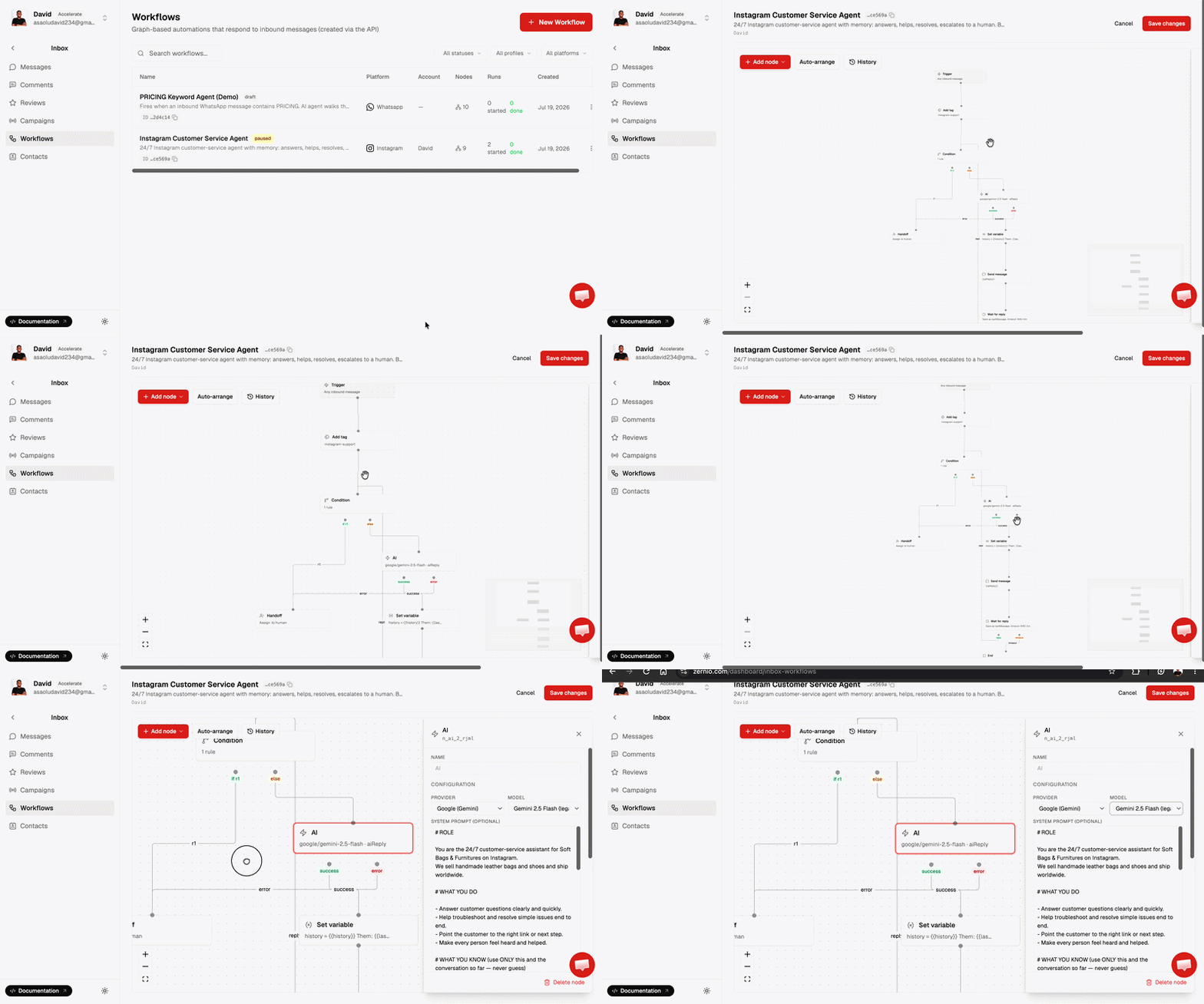
Zernio provides a node-based workflow builder that lets you create Instagram DM automations without building every interaction from scratch. You can configure triggers for supported events, such as incoming messages, Story mentions, and post comments, then connect message actions, conditions, delays, AI tools, and handoffs to define how each conversation should proceed.
Zernio Workflows also allows you to combine triggers and conditional branches to handle different customer interactions and automate messaging across supported platforms, including Instagram, Facebook, and WhatsApp. For example, you can check whether an incoming message contains a specific keyword, send a relevant reply, retrieve information using an AI tool, and route more complex enquiries to a human agent.
2. Integrating the Zernio API
Zernio provides unified API access to social media conversations, including direct messages and comments, which you can integrate into your own custom applications or use to build workflows on automation platforms such as n8n, Zapier, and Make.
For example, you can configure webhooks to notify your application when a new Instagram message or comment arrives, process the event using your own business logic, and send a reply through the API. This is particularly useful for developers building SaaS products, customer support systems, or custom chatbots that need programmatic control over messaging workflows.
3. Through Zernio MCP Server
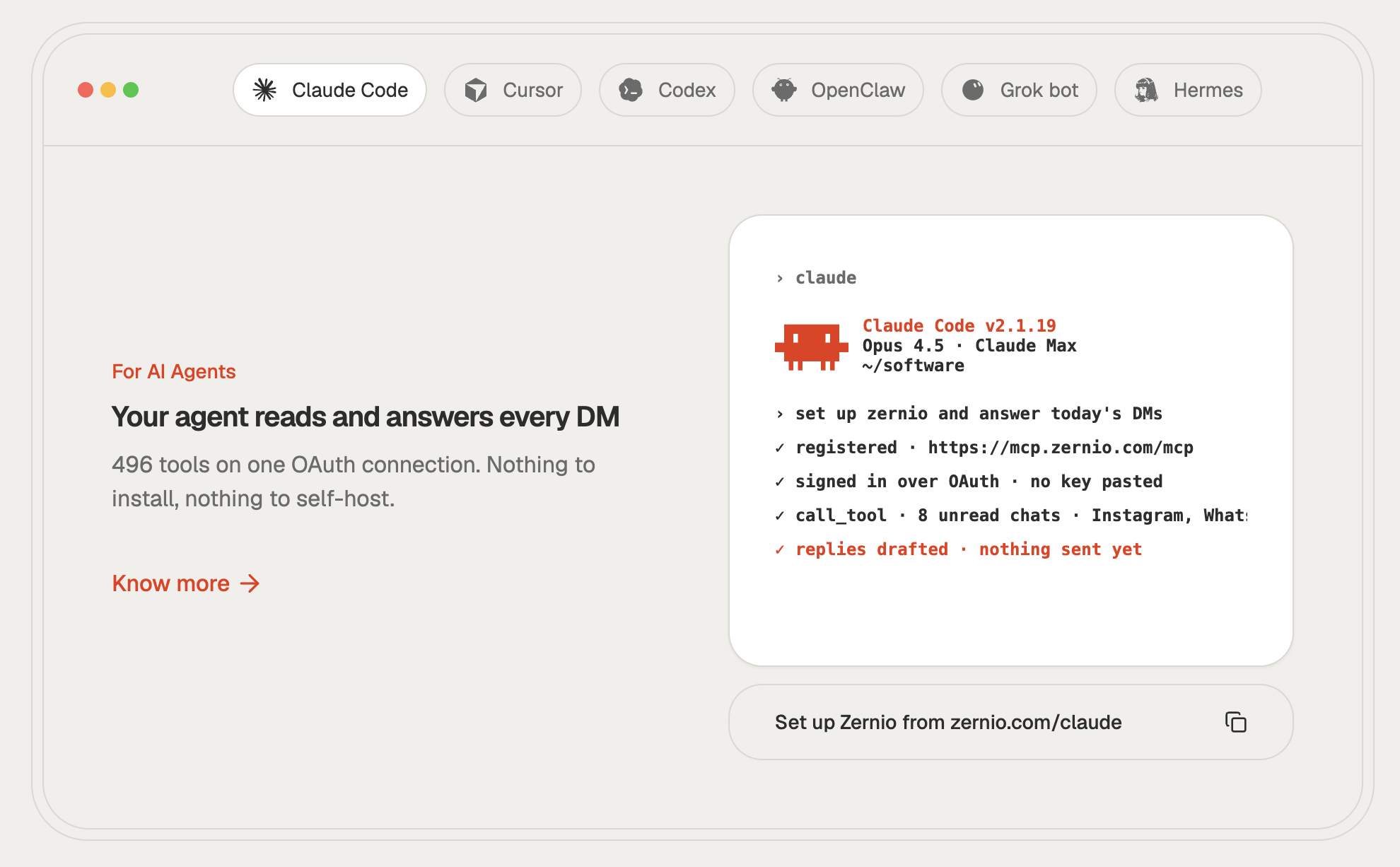
Zernio MCP Server connects AI agents to its social media capabilities through a structured set of tools. Once connected, an AI agent can use Zernio tools to read conversations, send messages, respond to comments, and perform other social media tasks automatically without requiring you to implement each API integration separately.
Instead of manually configuring every step in a visual workflow builder, you can describe the automation you want the AI agent to perform. The agent then uses the available MCP tools to carry out these actions, allowing agencies and businesses to build AI-powered messaging assistants and automate social media tasks through Claude, Cursor, and other MCP-compatible clients.
Manychat vs Zernio for Instagram DM Automation
Manychat and Zernio both support Instagram DM automation, but they differ in how developers build, manage, and integrate these automations.
The major differences between Manychat and Zernio for Instagram DM automation are:
| Feature | Zernio | Manychat |
|---|---|---|
| Automation setup | Visual workflows, API for coding and MCP for agents | Visual, no-code flow builder |
| Developer API | REST API for supported social media operations | Public API does not support creating and managing automation flows |
| Social messaging coverage | Instagram, Facebook, TikTok, WhatsApp, Telegram, X, Bluesky, Reddit, Slack, and iMessage | Instagram, TikTok, Facebook Messenger, and WhatsApp |
| Webhooks support | Programmatic webhooks that trigger external systems on new messages, comments, or automation events | Action-based webhook only works within visual funnels |
| Pricing | Per connected social account, with outbound messages free up to 10,000 a month, then $1 per 10,000 | Based on plan limits and monthly Active Contacts, with potential overage charges |
Summary: How to Automate DMs on Instagram
Automating Instagram DMs helps businesses respond to customer enquiries, deliver links, capture leads, and manage conversations without replying to every message manually. You can set up basic automated replies using Instagram’s built-in features or use a third-party platform for more advanced workflows.
With Zernio, you can automate Instagram DMs in three ways: use the visual workflow builder to configure triggers and actions, integrate the API into your own applications, or connect AI agents through the MCP server. The best approach depends on whether you need simple auto-replies, custom integrations, or AI-powered messaging workflows.