You want to publish, schedule, or pull data from Buffer programmatically. The honest 2026 status: Buffer runs two API surfaces, and neither is a clean path for new third-party developers. The old REST API supports OAuth 2.0, but Buffer stopped accepting new developer app registrations, so you can't get a client_id. The new GraphQL API is in public beta with personal API keys, but third-party OAuth (the kind SaaS apps need to onboard end-users) isn't enabled yet. This guide covers what each API can and can't do, where the docs live, how to get an access token if you qualify, current pricing, rate limits, and the public alternatives developers use when Buffer's API doesn't fit.
→ Skip Buffer's beta. Ship a unified social API in under an hour with Zernio. 15 platforms, one bearer token, free for the first 2 connected accounts.
What is the Buffer API?
The Buffer API is the programmatic interface to Buffer's social media management platform. It lets you create, schedule, and manage posts across the social channels connected to a Buffer account, plus read account and channel metadata.
There are two Buffer APIs in 2026, and the distinction matters:
| API | Endpoint | Auth | Status for new developers |
|---|---|---|---|
| Old REST API | api.bufferapp.com | OAuth 2.0 | Closed in 2019. Buffer no longer accepts new developer app registrations. |
| New GraphQL API | api.buffer.com | Personal API key (Bearer) | Open in public beta. Third-party OAuth not yet enabled. |
Buffer is a social media publishing tool first and an API product second. The dashboard, mobile app, and AI Assistant are the main product. The API is a developer surface that exposes a subset of those capabilities, primarily for personal automation today.
If you're looking for a deep, multi-tenant social API to embed in a SaaS product or AI agent, the Buffer API isn't a usable option for new developers in 2026. If you have a pre-existing OAuth app registered with Buffer or you only need to script your own queue with a personal key, it can still work within those limits.
Is the Buffer API public in 2026?
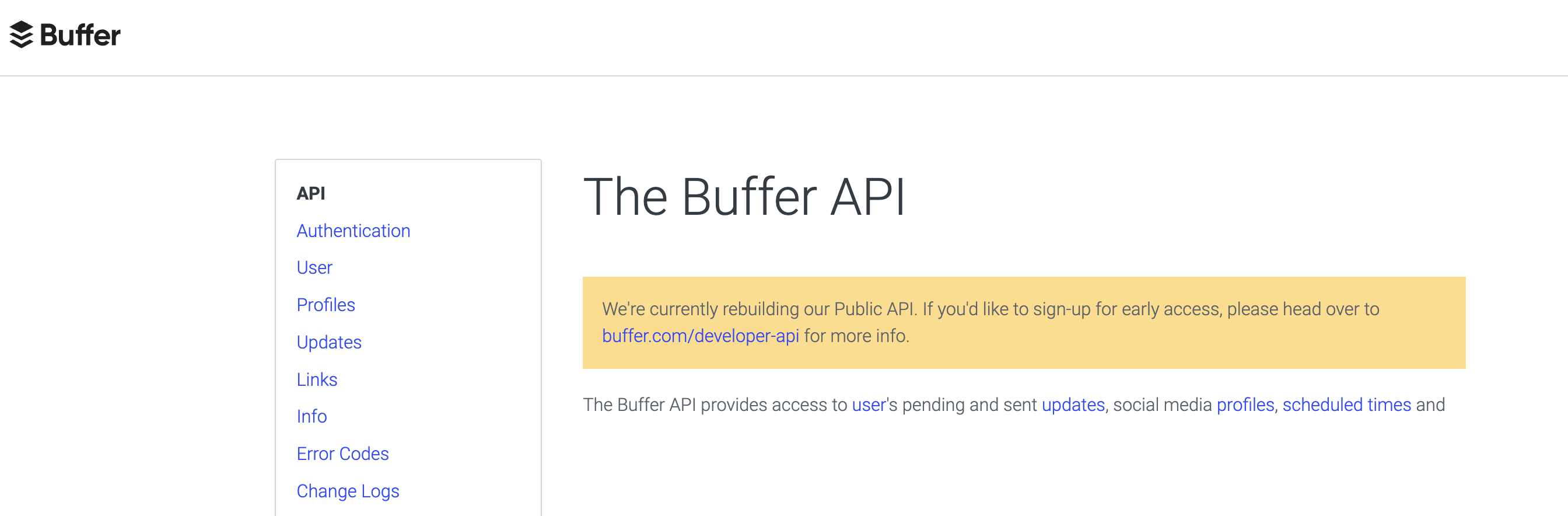
Partly. The answer depends on which API you mean and whether you're a new or existing developer.
Old REST API (api.bufferapp.com): OAuth 2.0 provider. Existing apps registered with Buffer keep working. Buffer's authentication docs explicitly state: "Buffer no longer supports the creation of new developer apps." That means a new developer cannot get a client_id and client_secret to register a new third-party OAuth app on the old API. Grandfathered apps still function.
New GraphQL API (api.buffer.com): Public beta. Anyone with a Buffer account (free or paid) can generate a personal API key from publish.buffer.com/settings/api. Third-party OAuth on the new API is documented but not yet enabled, so you can't use this path either to onboard end-users.
Net result for a new developer building a multi-tenant product in 2026: there's no working third-party OAuth path on Buffer. Personal keys work for personal use only. If you're building a SaaS that needs to publish for many users, treat this as a hard blocker and look at Buffer API alternatives that ship multi-tenant OAuth out of the box. If you have a legacy registered app, the old API still functions for that app.
Where is the Buffer API documentation?
Buffer maintains documentation for both API surfaces, hosted on different sites.
| API | Documentation | What's there |
|---|---|---|
| Old REST API | buffer.com/developers/api | OAuth 2.0 authentication, REST endpoints, code examples. New app registration is closed. |
| New GraphQL API | developers.buffer.com | Personal API key auth, GraphQL queries and mutations, scopes, rate limits, interactive API Explorer, changelog, public roadmap. |
| Status page | status.buffer.com | API uptime for both surfaces |
How do I get a Buffer API key?
The path depends on which API you're targeting.
For the new GraphQL API (most common in 2026):
- Sign in at
publish.buffer.com. - Navigate to Settings → API, or go directly to
publish.buffer.com/settings/api. - Click Generate API key.
- Copy the key. Buffer shows it once. Store it in a secrets manager.
- Use the key as a Bearer token in your GraphQL requests against
api.buffer.com.
For the old REST API: New developer app registration is closed. If you don't already have a client_id and client_secret, you can't get one. Existing apps continue to use the OAuth 2.0 flow described in buffer.com/developers/api.
Buffer API key limits per plan (new GraphQL API, 2026):
| Plan | Max personal API keys | Who can generate | Notes |
|---|---|---|---|
| Free | 1 | Org owner only | Personal use, low rate limits |
| Essentials ($5/channel/mo) | 5 | Org owner only | Personal automation |
| Team ($10/channel/mo) | 5 | Org owner only | Team API access requires org-level coordination |
Two important constraints on personal API keys:
- Only the organization owner can generate keys. Other users on the account, even on Team plans, can't create their own.
- Keys are user-scoped, not org-scoped. A key gives access to every organization the owner belongs to. There's no way to scope a key to one organization or to read-only access. Scoped keys are listed as "Exploring" on Buffer's public roadmap.
How does Buffer API authentication work?
Buffer supports two authentication patterns, one per API.
New GraphQL API: Bearer token with personal API key.
You pass your personal API key from publish.buffer.com/settings/api in the Authorization header on every GraphQL request to api.buffer.com. There's no token exchange step. The personal API key is your access token, and it doesn't expire on a fixed schedule.
Authorization: Bearer YOUR_BUFFER_API_KEY
Content-Type: application/json
Old REST API: OAuth 2.0 Authorization Code flow (existing apps only).
If you have an existing registered app with a client_id and client_secret, the OAuth 2.0 flow on the old REST API still works:
- Redirect the user to
https://bufferapp.com/oauth2/authorize?client_id=...&redirect_uri=...&response_type=code. - The user approves and gets redirected back to your callback URL with an authorization code as a query parameter.
- POST the code (within 30 seconds) to
https://api.bufferapp.com/1/oauth2/token.jsonalong withclient_id,client_secret,redirect_uri, andgrant_type=authorization_code. - Buffer returns a long-lived access token. Use it on every request as
?access_token=...in the query string, in the request body, or in theAuthorizationheader.
Buffer's docs note that registering a new developer app for this flow is closed. Anyone starting fresh in 2026 can't follow this path.
Auth scopes available on the new GraphQL API:
| Scope | What it grants |
|---|---|
posts:read | Read posts and queues |
posts:write | Create, update, delete posts |
ideas:read | Read content ideas |
ideas:write | Create and manage content ideas |
account:read | Read account and channel metadata |
account:write | Update account settings |
offline_access | Long-lived tokens (relevant once OAuth ships on the new API) |
OAuth 2.0 with Authorization Code + PKCE is documented for the new GraphQL API but not yet enabled for third-party apps. Until Buffer turns it on, there's no working third-party OAuth path on either API for new developers.
What can the Buffer API do today?
The Buffer API's current scope is post creation, scheduling, content ideas, and basic account/channel metadata. Here's the full surface area as of May 2026.
Supported operations:
- Create, schedule, retrieve, update, and delete posts (text, image, video via URL, draft)
- Retrieve channels and filter by type
- Create and manage content ideas (text only; video ideas not supported)
- Retrieve organization, account, and team membership data
- First comment on Instagram, Facebook, LinkedIn (added February 2026)
- TikTok title field (added January/February 2026)
Supported channels: Instagram, Facebook, LinkedIn, TikTok, X (Twitter), Threads, Bluesky, Pinterest, YouTube, Google Business Profile, Mastodon. Eleven channels total.
That's a usable feature set for personal automation: scripting your own publishing queue, syncing a content database to Buffer, or running a one-off cross-posting job. It's a thin feature set for anything beyond that.
If your product needs comments, DMs, ads, or analytics through an API, Buffer's API doesn't expose them. Some of those features exist in the Buffer dashboard, but they're not part of the public API surface in 2026. For programmatic access to those layers, see Zernio's social media analytics API, comments API, and DMs API.
What are the Buffer API rate limits?
Buffer enforces two layered rate limits on the new GraphQL API, plus GraphQL query complexity caps.
| Limit type | Cap | Window |
|---|---|---|
| Per third-party client | 100 requests | Rolling 15 minutes |
| Per account (all clients combined) | 2,000 requests | Rolling 15 minutes |
| GraphQL query complexity | 175,000 points | Per query |
| GraphQL query depth | 25 levels | Per query |
The rate limit is tied to the plan of the organization where the API client was created, not the user calling it. If you're testing on a free account, you'll hit the per-client cap fast.
Two things that bite developers in practice:
- The 100-request-per-15-minutes per-client cap is a hard ceiling for any production app trying to keep many accounts in sync. That's roughly 6.7 requests per minute.
- Rolling windows mean you can't queue a burst of work and wait for a fixed reset. Pacing logic has to be continuous.
Stop building social integrations from scratch.
One API call to publish, schedule, and manage posts across 16 platforms.
How much does the Buffer API cost?
Buffer's API doesn't have its own pricing. API access is bundled into Buffer's standard per-channel subscription. The cost of using the API is the cost of the Buffer plan you're on, plus the per-channel charge for every connected account.
Buffer pricing (May 2026):
| Plan | Price | API key limit | Channel limit |
|---|---|---|---|
| Free | $0 | 1 key | 3 channels, 10 scheduled posts/channel |
| Essentials | $6/channel/month (monthly) | 5 keys | Unlimited posts, 1 user |
| Team | $12/channel/month (monthly) | 5 keys | Unlimited team members, approval workflows |
What this means for API users:
- Buffer's pricing is per-channel, so cost scales linearly with how many social accounts you've connected. Ten channels on Essentials is $50/month. One hundred channels is $500/month.
- API access is included on every plan including Free. There's no separate API plan, no metered pricing, and no overage charges beyond the rate limits.
- Free plan has a lifetime cap of 8 unique channel connections (not active, ever-connected).
What can't you do with the Buffer API?
These are the confirmed gaps in Buffer's API as of 2026, pulled from the developer docs and public roadmap.
| Capability | Status | Why it matters |
|---|---|---|
| Third-party OAuth (new app registration) | Closed on old API. Not yet enabled on new API. | New developers can't run OAuth at all. SaaS apps can't onboard end-user Buffer accounts. |
| Image upload via API | Not supported | Media must be pre-hosted at a public URL |
| Video upload via API | Not supported | Same URL-only limitation |
| Analytics endpoints | Not exposed | No engagement, reach, or impressions data via API |
| Bulk scheduling endpoint | Not available | Each post is a separate mutation |
| Scoped API keys (read-only) | Not supported | Keys are all-or-nothing |
| Comments / DMs / inbox via API | Not exposed | Engagement is dashboard-only |
| Ads via API | Not supported | Boost or paid promotion is not exposed |
| Webhooks for post events | Not documented | No push notifications for delivery / failures |
The pattern: Buffer's API does the publishing half of social media management and skips the rest. That's fine for personal automation. It's not fine if your product needs to act on what happens after a post goes live (engagement, reporting, paid amplification).
When should you use a Buffer API alternative?
You should look at a Buffer alternative in any of these cases.
You're building a multi-tenant SaaS. If your end-users need to connect their own social accounts and have your product publish on their behalf, Buffer's API can't do that for new developers in 2026. The old REST API's OAuth 2.0 flow is closed to new app registrations, and the new GraphQL API hasn't enabled third-party OAuth yet. Asking every user to manually generate a Buffer personal API key and paste it into your app is a dealbreaker for most products.
You need analytics, comments, DMs, or ads. Buffer's API is post-creation only. Anything beyond that lives in the Buffer dashboard, not the API. If your product needs the full social loop, Buffer's API isn't enough on its own.
You're publishing media. No image or video upload via API. You have to host every asset on a public URL first. For most production apps, that's an extra storage and CDN integration just to satisfy Buffer's input requirements.
Your platform mix doesn't match Buffer's eleven. Buffer covers eleven platforms in 2026. If you need WhatsApp, Telegram, Snapchat, Reddit (with engagement), or Discord, those aren't in Buffer's API.
You're hitting the 100-request-per-15-minutes cap. Production workloads with many accounts or frequent updates blow past this fast. There's no way to buy more headroom.
You're an AI agent builder. Buffer doesn't have an MCP server, a CLI with structured JSON output, or LLM-native primitives. If you're building an autonomous agent that publishes content, Buffer's API isn't built for that workflow. Zernio's MCP server at mcp.zernio.com exposes 280+ tools across 15 platforms.
Buffer API vs Zernio: side by side
Both APIs help you publish to social platforms programmatically. They sit at different points in the developer-experience spectrum: Buffer is a consumer SaaS with an API attached, Zernio is API-first infrastructure built for developers and AI agents from day one.
| Capability | Buffer API (beta) | Zernio API |
|---|---|---|
| API status | Public beta | Generally available |
| Architecture | GraphQL (single endpoint) | REST (resource-based) |
| Third-party OAuth | Closed on old API. Not yet on new API. | Yes, OAuth-as-a-service for end-users |
| Platforms | 11 | 15 |
| Posting | Yes | Yes |
| Image / video upload via API | No (URL-only) | Yes (direct upload) |
| Comments API | No | Yes |
| DMs API | No | Yes |
| Analytics API | No | Yes |
| Ads API | No | Yes (Meta, Google, TikTok, LinkedIn, Pinterest, X) |
| Webhooks | Not documented | Yes (post status, comments, DMs) |
| Bulk scheduling | No | Yes (CSV upload) |
| MCP server | No | Yes (mcp.zernio.com, 280+ tools) |
| CLI | No | Yes (@zernio/cli, JSON output) |
| Pricing model | Per-channel | Per-account, volume-discounted |
| Cost at 100 connected accounts | ~$500/mo (Essentials annual) | $318/mo |
| Free tier | Yes (3 channels, 10 posts/channel) | First 2 accounts free |
| Auth | Bearer token (personal API key) | Bearer token (workspace-scoped) |
| SOC 2 / GDPR | GDPR (EU/US) | SOC 2 + GDPR |
Scheduling your first post with Zernio
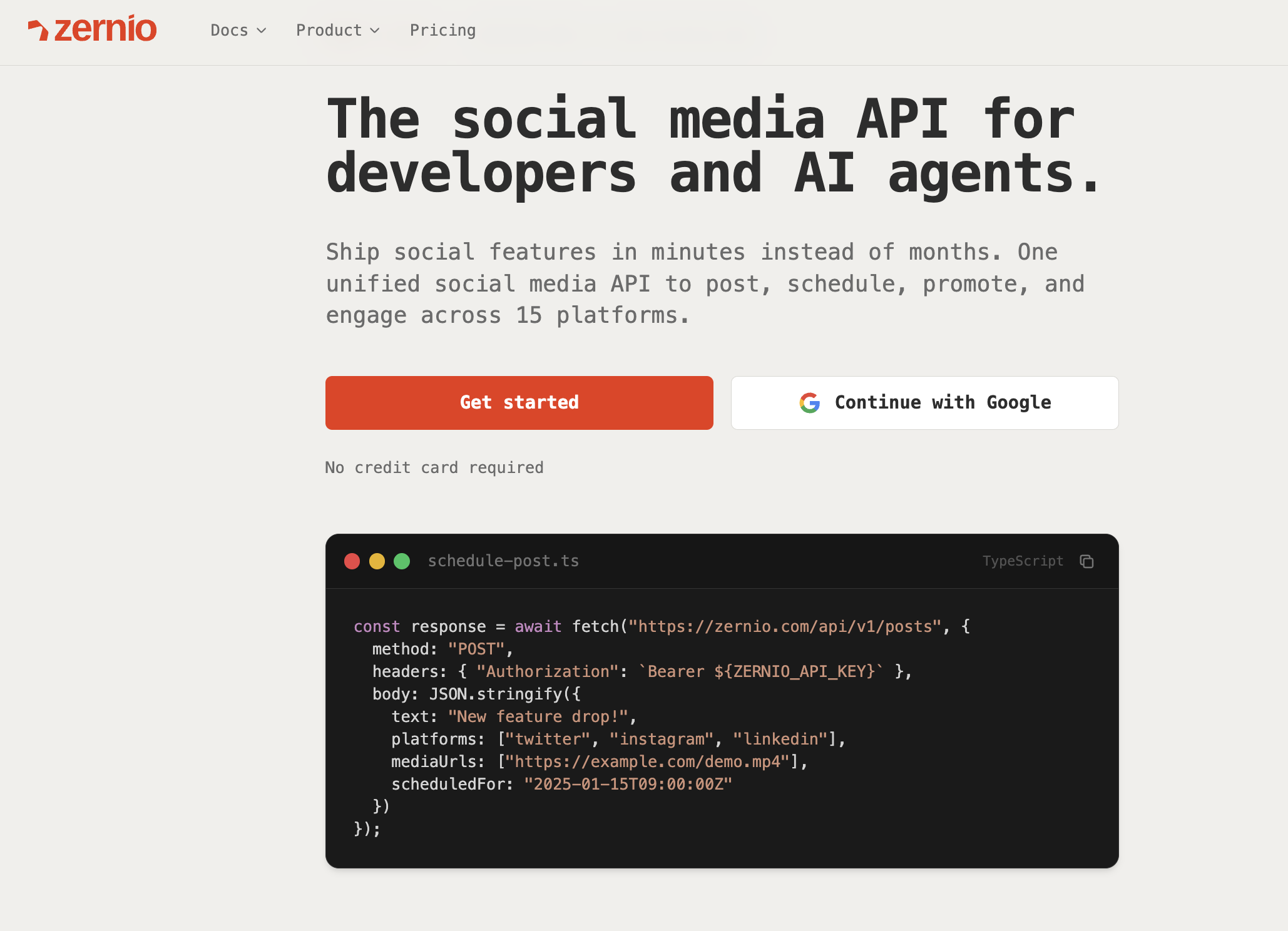
If Buffer's beta isn't enough, here's the equivalent workflow on Zernio. Same intent (schedule a post), no per-channel pricing, no missing OAuth, no media-upload workaround.
Sign up at zernio.com, connect a social account, and grab your API key from the dashboard.
Scheduling a Post with cURL
Right from your terminal, you can send a POST request to the /schedules endpoint. Just swap in your own profile ID, text, and API key.
curl -X POST https://api.late.dev/v1/schedules -H "Authorization: Bearer YOUR_API_KEY" -H "Content-Type: application/json" -d '{
  "post_at": "2024-12-01T10:00:00Z",
  "profile_id": "YOUR_PROFILE_ID",
  "text": "Hello, world! This is my first post scheduled via the Zernio API."
}'
Scheduling a Post with JavaScript
Building a web app? Integrating with JavaScript is just as clean. Here's a quick example using the fetch API.
const schedulePost = async () => {
  const apiKey = 'YOUR_API_KEY';
  const profileId = 'YOUR_PROFILE_ID';
  const url = 'https://api.late.dev/v1/schedules';

  const response = await fetch(url, {
    method: 'POST',
    headers: {
      'Authorization': `Bearer ${apiKey}`,
      'Content-Type': 'application/json'
    },
    body: JSON.stringify({
      profile_id: profileId,
      text: 'Scheduling from my JavaScript app!',
      post_at: '2024-12-01T10:00:00Z'
    })
  });

  const data = await response.json();
  console.log(data);
};

schedulePost();
One JSON shape, one bearer token, 15 platforms. Add an image, a video, or a carousel by attaching media in the request. Add comments, DMs, or analytics calls without a second integration. Full reference at docs.zernio.com.
→ Get your free Zernio API key. First 2 connected accounts are free, no credit card required.
Key takeaways
The Buffer API is in public beta in 2026. It's open to anyone with a Buffer account, but third-party OAuth is missing, media upload is URL-only, and analytics, comments, DMs, and ads aren't exposed. Pricing is per-channel, which scales badly for any product managing more than a handful of accounts. Rate limits cap third-party clients at 100 requests per 15 minutes.
For personal automation against your own Buffer queue, the API is fine. For production multi-tenant SaaS, AI agents, or anything that needs the full social layer (publish + engage + analyze + promote), a unified social API like Zernio is built for the job. One bearer token, 15 platforms, the full surface area.
FAQ
Is the Buffer API public?
Partly. Buffer runs two APIs in 2026. The new GraphQL API at api.buffer.com is in public beta. Anyone with a Buffer account can generate a personal API key from publish.buffer.com/settings/api. The old REST API at api.bufferapp.com supports OAuth 2.0 for existing registered apps, but Buffer no longer accepts new developer app registrations. Third-party OAuth on the new GraphQL API isn't yet enabled, so new developers have no working third-party OAuth path.
Does the Buffer API support analytics?
No. As of 2026, the Buffer API doesn't expose post engagement, reach, or impressions data. Analytics are dashboard-only. For programmatic analytics across platforms, see Zernio's social media analytics API.
How much does the Buffer API cost?
The Buffer API doesn't have its own pricing. Access is bundled into Buffer's standard per-channel plans: Free ($0, 3 channels), Essentials ($5/channel/month annual), and Team ($10/channel/month annual). Cost scales linearly with the number of connected channels.
What's the best Buffer API alternative?
For developers building multi-tenant products, AI agents, or anything beyond personal scripts, Zernio is a closer fit. 15 platforms, third-party OAuth out of the box, media upload via API, plus comments, DMs, analytics, and ads endpoints Buffer doesn't expose. First 2 accounts are free.