If you're building a social media automation workflow, you need two things: something to orchestrate the automation (OpenClaw) and something to handle the actual platform publishing (Zernio). Install the official Zernio skill from ClawHub, add your API key, and your agent can post to 15 platforms, like Twitter/X, LinkedIn, Instagram, TikTok, and more, using plain English and without managing per-platform OAuth or rate limits. This guide covers both.
Table of contents
- Why use OpenClaw for social media automation?
- Why does social media automation need an API layer?
- What do you need before you start?
- How do you set up Zernio?
- How do you install OpenClaw and the Zernio skill?
- How do you connect LinkedIn, Instagram, and other platforms?
- How do you post from OpenClaw?
- Can OpenClaw work as an AI agent for social media?
- What does Zernio actually abstract away?
- FAQ
Why use OpenClaw for social media automation?
Managing social media consistently is time-consuming, especially when you need to publish across multiple platforms while also building products, writing, or managing client work. Manual publishing breaks the moment you're busy with something else.
OpenClaw solves this by acting as an AI assistant that runs on your own infrastructure and takes action on your behalf. With the Zernio skill installed, it becomes a full social media automation layer that can generate, schedule, and publish content without you in the loop.
Here's why OpenClaw is well-suited for this:
Runs 24/7 on your own infrastructure. OpenClaw runs on a VPS, a laptop, or a Raspberry Pi. Your automation workflows stay active and trigger posts on schedule, whether you're at your desk or not.
Extensible through the skills system. OpenClaw uses a skills-based architecture. You install skills, small packages of knowledge and tools, to extend what it can do. The Zernio skill gives it full access to the Zernio social media API.
Chat-driven workflow. You can instruct OpenClaw directly from Telegram or Discord - tell it to generate a post, schedule an update, or publish immediately. Your AI assistant lives in your messaging app.
Human-in-the-loop publishing. Automation doesn't have to remove human control. You can configure OpenClaw to draft posts for review and only publish after approval. Treat it like a quality control without the manual publishing overhead.
Why does social media automation need an API layer?
Automating content creation is the easy half. OpenClaw can generate a post with an LLM, pull from a content queue, or take a chat command in seconds. What breaks social media automation in practice is the publishing step.
Each platform has its own API, its own OAuth flow, its own media upload format, and its own rate limits. If you're posting to LinkedIn, Instagram, Twitter, and TikTok, you're dealing with four completely different social media APIs and authentication systems, four different payload structures, and four different ways things can fail - before you've written a single line of automation logic.
This is where Zernio fits. Zernio is the social media API layer that sits between OpenClaw and the platforms. One bearer token, one JSON format, one set of error messages your agent can actually parse. OpenClaw handles the automation logic; Zernio handles the platform complexity.
Without a unified API layer, every new platform you add to your automation is a separate integration project. With Zernio, it's one more platform name in the request body.
This two-layer architecture is what makes the OpenClaw + Zernio combination work:
| Layer | Tool | What it handles |
|---|---|---|
| Automation orchestration | OpenClaw | Cron jobs, chat triggers, webhooks, agent logic, human-in-the-loop |
| Social platform publishing | Zernio | OAuth, platform APIs, rate limits, media uploads, scheduling, analytics |
What do you need before you start?
Three things:
- A working OpenClaw installation
- A Zernio account and API key
- At least one social media account connected in Zernio
How do you set up Zernio?
Zernio is the API layer that handles social account connections and publishing across 15 platforms. OpenClaw talks to Zernio; Zernio talks to the platforms.
Step 1: Create a Zernio account
Sign up at zernio.com. The first 2 social accounts are free.
Step 2: Create an API key
Go to zernio.com/dashboard/api-keys and create a key. It starts with sk_. Save it somewhere, as you'll need it in the next section.
Step 3: Connect your social accounts
From the Zernio dashboard, connect your social account. Zernio handles the authorization flow, you don't manage platform tokens directly.
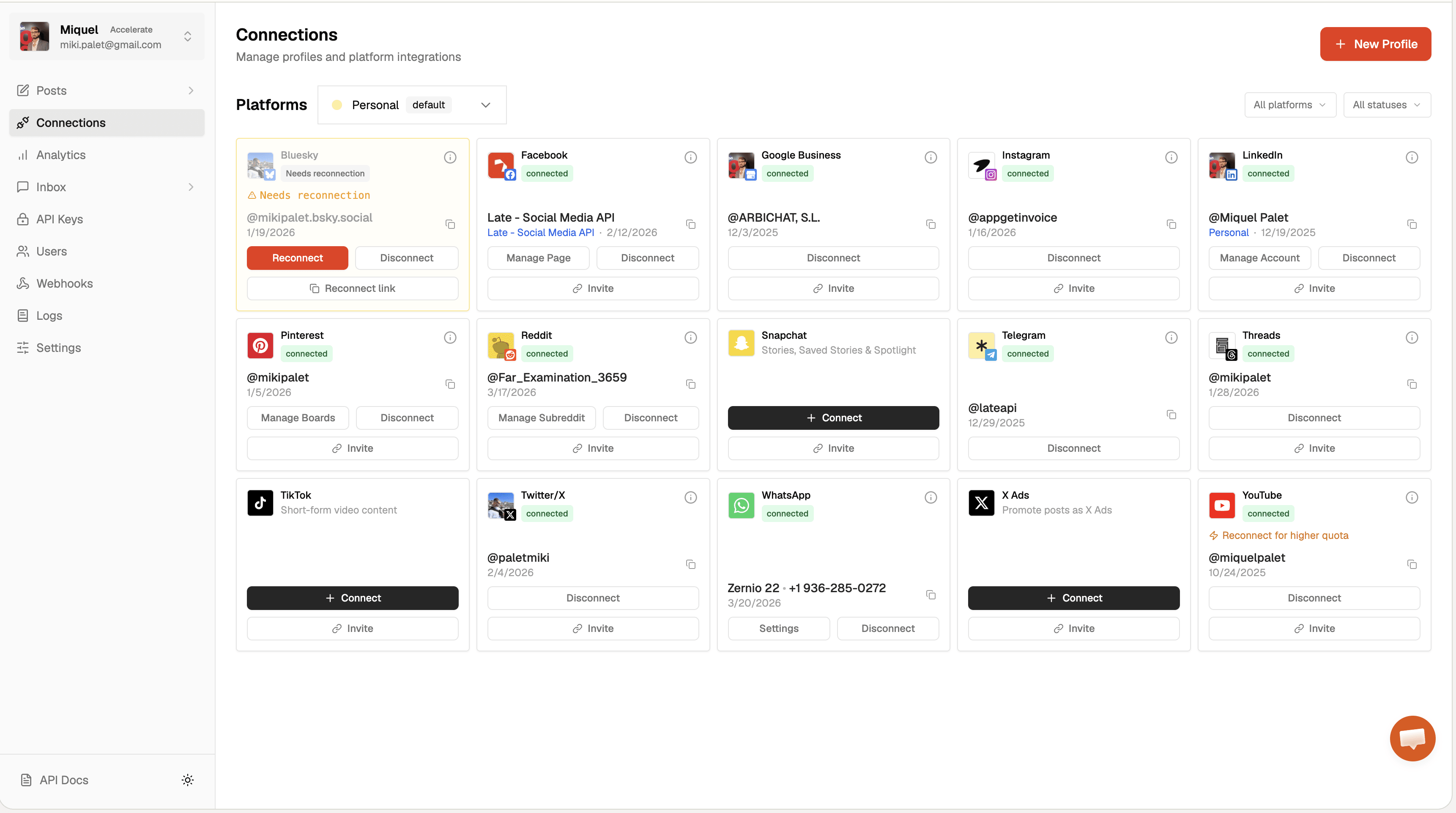
Once connected, you can write and schedule posts directly from the dashboard. OpenClaw will use the same connected accounts via your API key.
Stop building social integrations from scratch.
One API call to publish, schedule, and manage posts across 16 platforms.
How do you install OpenClaw and the Zernio skill?
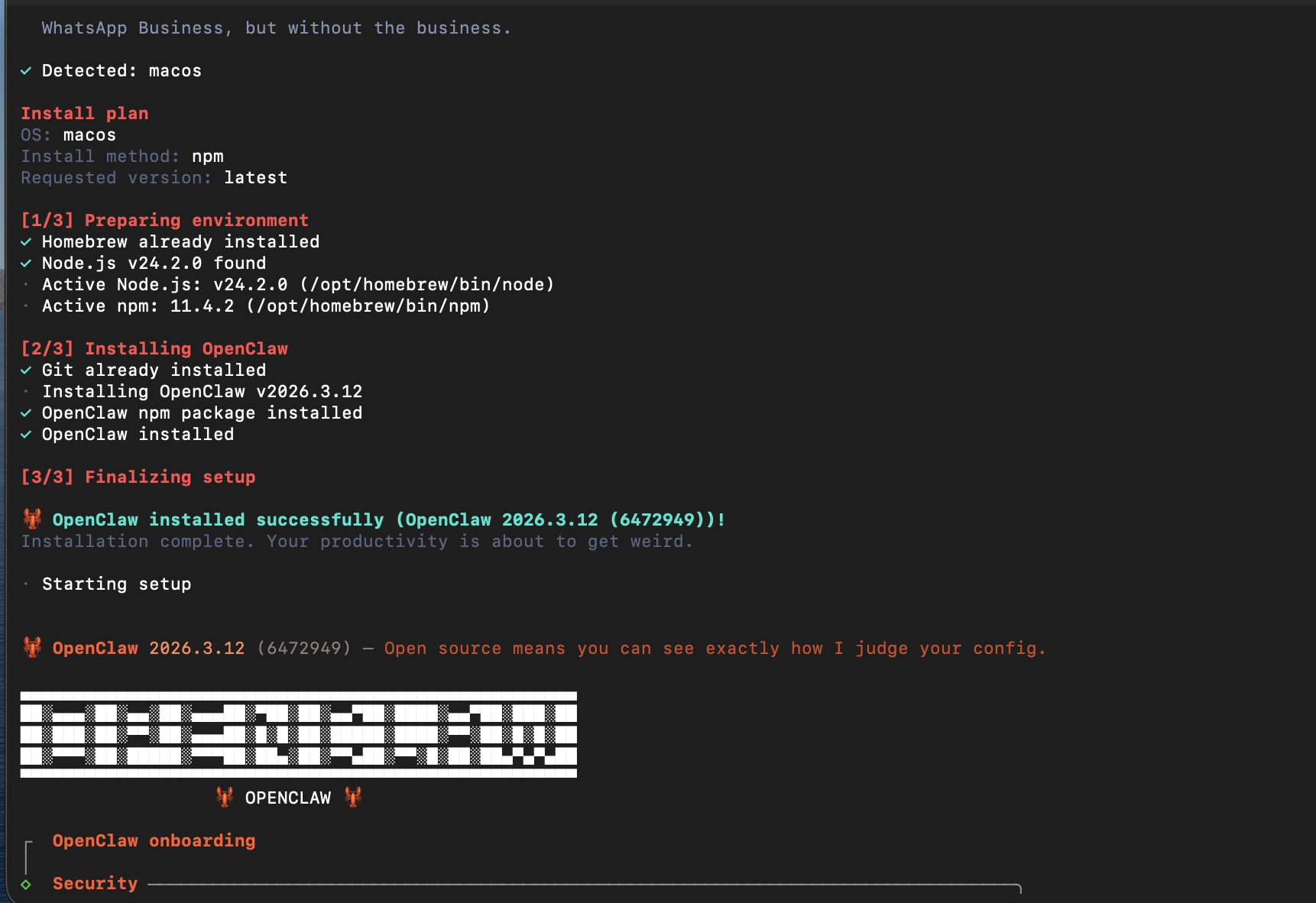
Step 0: Make sure you have OpenClaw installed on your computer:
Step 1: Install the Zernio skill from ClawHub
The official Zernio skill is available on ClawHub. Install it with one command:
npx clawhub@latest install mikipalet/zernio-apiThis downloads the skill and its rule files, covering authentication, posts, accounts, platforms, webhooks, analytics, and media - all into your local skills directory.
Step 2: Set your API key
Add your Zernio API key to your OpenClaw environment file:
echo 'ZERNIO_API_KEY=sk_your_api_key_here' >> ~/.openclaw/.envStep 3: Restart OpenClaw
openclaw restartOpenClaw picks up the new skill on restart. You're ready to post.
Here's what the skill gives your agent access to:
| Area | Capabilities |
|---|---|
| Posts | Create, schedule, bulk upload, cross-post, and retry |
| Profiles | Create and manage brand workspaces |
| Account connections | OAuth flows for connecting social accounts |
| Media | Upload images and video via presigned URLs |
| Queue management | Manage posting queues and time slots |
| Webhooks | Delivery and status event notifications |
| Analytics | Pull post-level performance data |
How do you connect LinkedIn, Instagram, and other platforms?
You connect platforms in Zernio, not in OpenClaw directly. Once an account is connected in Zernio, your OpenClaw agent can post to it using your API key, no additional setup per platform.
To connect a platform:
- Go to the Zernio dashboard
- Open your profile (or create one)
- Click "Connect account" and select the platform
- Complete the OAuth flow, while Zernio handles the authorization
Once connected, you reference platforms in OpenClaw commands by name, for example: "Post to LinkedIn: 'We just shipped a major update.'"
Zernio supports 15 platforms: Twitter/X, Instagram, TikTok, LinkedIn, Facebook, YouTube, WhatsApp, Threads, Pinterest, Reddit, Bluesky, Telegram, Google Business, Discord, and Snapchat.
For platform-specific details, see the LinkedIn API guide, Instagram API guide, and Twitter API guide.
How do you post from OpenClaw?
Once the Zernio skill is installed, posting uses plain English. OpenClaw interprets your intent, calls the Zernio social media API, and handles platform selection, content formatting, and scheduling.
- Publish immediately:
"Post to Twitter: 'Just launched our new feature. Try it at zernio.com'" - Schedule for a specific time:
"Schedule a LinkedIn post for tomorrow at 9am: 'Excited to share what we've been building.'" - Cross-post across platforms:
"Cross-post to LinkedIn, Twitter, and Instagram: [your content]" - Schedule with media:
"Post this image to Instagram at 6pm today with the caption: 'Behind the scenes.'"
For immediate publishing, posts go live in seconds. For scheduled posts, Zernio queues them and publishes at the specified time. You can check status, retry failed posts, and pull analytics from the same conversation.
How do you trigger posts with webhooks?
Webhook-triggered posting lets external systems fire posts into your social accounts automatically. A CMS publishing event, a new product launch, a CI/CD pipeline - anything that can make an HTTP POST can trigger OpenClaw to publish.
Add a webhook endpoint to your OpenClaw configuration:
{
  "webhooks": {
    "zernio-post": {
      "path": "/webhooks/zernio-post",
      "secret": "your_webhook_secret",
      "action": "Run the zernio-api skill to publish the post content from the payload"
    }
  }
}
Then trigger it from any external system:
curl -X POST "http://your-openclaw-host:port/webhooks/zernio-post" \
  -d '{
  "text": "Hello from a webhook!",
  "platform": "twitter"
}'
OpenClaw receives the event, invokes the Zernio skill, and publishes. You can extend this to cross-post to multiple platforms, attach media, or schedule for later by adjusting the payload or the action instructions.
Can OpenClaw work as an AI agent for social media?
Yes, and this is the most powerful configuration.
OpenClaw is an agent runtime. With the Zernio skill, it can run the full social loop autonomously:
- Generate or pull content (from an LLM, a data source, or a queue)
- Schedule and cross-post across platforms
- Monitor analytics after publishing
- Re-queue top performers or pass them for boosting via the Zernio Ads API
For developers building on Claude Desktop, Cursor, or Windsurf, Zernio also ships a hosted MCP server at mcp.zernio.com with 280+ tools. The MCP server is the faster path for interactive agent workflows. OpenClaw is better for long-running, cron-based automation on your own infrastructure.
What does Zernio actually abstract away?
You could wire OpenClaw directly to each platform's API. The problem is that every platform works differently: separate OAuth flows, different payload structures, unique media upload requirements, and their own rate limit logic. Each integration is a project on its own, and each platform update is a maintenance task.
Zernio absorbs all of that:
| Challenge | Direct platform integration | With Zernio |
|---|---|---|
| Authentication | Separate OAuth or API key setup per platform | One bearer token, all platforms |
| API request format | Different payload structure for each platform | Single standardized request format |
| Media uploads | Platform-specific multi-step upload workflows | Unified media upload interface |
| Rate limits | Must handle per-platform rate limit logic | Managed through Zernio |
| Maintenance | Multiple integrations to update when platforms change | One API integration - Zernio absorbs breaking changes |
FAQ
What is OpenClaw used for with Zernio? OpenClaw is an AI agent runtime. The Zernio skill gives it access to the Zernio social media API, so it can schedule and publish posts, manage queues, and pull analytics across 15 platforms, using natural language commands or automation triggers.
How do I connect LinkedIn to OpenClaw? Connect your LinkedIn account in the Zernio dashboard via OAuth. Then reference it in your OpenClaw commands by platform name or accountId. The Zernio skill handles the API calls. Both LinkedIn personal profiles and company pages are supported - see the LinkedIn API integration.
Does the Zernio OpenClaw skill support Instagram posting? Yes. Instagram is fully supported including feed posts, reels, and stories. Connect your Instagram account in the Zernio dashboard, then reference it in OpenClaw commands. See the Instagram API integration for media specs and format requirements.
How much does the Zernio OpenClaw integration cost? Zernio charges per connected social account with graduated pricing: first 2 accounts free, $6/account for accounts 3-10, $3 for 11-100, $1 for 101-2,000. All features are included - no plan tiers or add-ons. See full pricing.
What's the difference between OpenClaw and Zernio's MCP server? Both let AI agents post to social media through Zernio. OpenClaw is better for long-running cron-based pipelines on your own infrastructure. The Zernio MCP server at mcp.zernio.com is the faster path for interactive agent workflows in Claude Desktop, Cursor, or Windsurf.