Scheduling X (Twitter) posts via API is possible in 2026, but which approach works depends on which API you have access to and how much infrastructure you want to manage. The standard X API v2 has no scheduled_at parameter: calling POST /2/tweets publishes immediately. To schedule posts programmatically, you need to either build your own scheduling layer on top of X API v2 or use a third-party scheduling API. And if you're working in an advertising context, explore the X Ads API's scheduling endpoint.
This guide covers all these options with working code, honest trade-offs, and the common pitfalls that catch developers off-guard the first time they build a scheduling system.
Table of contents:
- Does X API v2 Support Tweet Scheduling?
- Option 1: Build a Scheduler on X API v2
- Option 2: Use a Third-Party Scheduling API (Recommended for Most Developers)
- Option 3: X Ads API Scheduled Tweets (For Advertisers)
- X API v2 vs. Third-Party API: Full Comparison
- How to Automate X Posting at Scale
- Common Pitfalls When Scheduling Tweets via API
- FAQ
Does X API v2 Support Tweet Scheduling?
Not natively. The standard POST /2/tweets endpoint creates tweets immediately upon request, so there's no scheduled_at, publish_at, or equivalent parameter in the X API v2 spec at the moment.
Here's a quick map of where scheduling actually lives across X's API surface:
| Option | Native Scheduling | Access Required | Practical For |
|---|---|---|---|
| X API v2 (standard) | ❌ No | Basic plan ($200/mo) | Build your own queue |
| X Ads API | ✅ Yes (scheduled_at) | X Ads account required | Advertiser workflows |
| Third-party API (e.g. Zernio) | ✅ Yes | API key | Most developer use cases |
The sections below walk through each option in full.
Option 1: Build a Scheduler on X API v2
This is the right path if you need full native control or are already paying for X API access.
What you need
- X API Basic plan ($200/month) at minimum, as the free tier does not support writing tweets via API
- An X Developer app with OAuth 2.0 credentials
- A scheduling layer: a job queue, a cron system, or a task runner
Step 1: Get X API access and credentials
Go to developer.x.com, create an app, and collect your:
- Client ID and Client Secret (for OAuth 2.0)
- Bearer Token (for app-only requests)
Set your app's callback URL and enable the tweet.write and offline.access scopes.
Step 2: Authenticate with OAuth 2.0, and handle token expiry
X API v2 uses OAuth 2.0 with PKCE. This is where most scheduling systems silently fail: access tokens expire after 2 hours. If your scheduler doesn't refresh the token before firing a scheduled post, the request returns a 401 and the tweet never goes out.
Here's a minimal token refresh pattern in Python:
import requests
import time

TOKEN_URL = "https://api.x.com/2/oauth2/token"

def refresh_access_token(client_id: str, client_secret: str, refresh_token: str) -> dict:
    response = requests.post(
        TOKEN_URL,
        auth=(client_id, client_secret),
        data={
            "grant_type": "refresh_token",
            "refresh_token": refresh_token,
        },
    )
    response.raise_for_status()
    return response.json()  # contains new access_token and refresh_token

# Always refresh before posting if your token is more than 90 minutes old
def get_valid_token(token_store: dict) -> str:
    token_age = time.time() - token_store["issued_at"]
    if token_age > 5400:  # 90 minutes - refresh before the 2-hour expiry
        new_tokens = refresh_access_token(
            token_store["client_id"],
            token_store["client_secret"],
            token_store["refresh_token"],
        )
        token_store.update(new_tokens)
        token_store["issued_at"] = time.time()
    return token_store["access_token"]
Store your refresh_token securely - it's the long-lived credential your scheduler depends on.
Step 3: Create the tweet
With a valid token, posting a tweet is straightforward:
def post_tweet(access_token: str, text: str) -> dict:
    response = requests.post(
        "https://api.x.com/2/tweets",
        headers={
            "Authorization": f"Bearer {access_token}",
            "Content-Type": "application/json",
        },
        json={"text": text},
    )
    response.raise_for_status()
    return response.json()
Step 4: Build the scheduling queue
Since X API v2 has no scheduled_at, you need to store the post and fire it at the right time. The pattern is straightforward in concept: persist the tweet text and target timestamp to a database, then run a process - a cron job, a task runner, or a dedicated job queue like BullMQ with Redis - that polls for due posts and calls POST /2/tweets when the time arrives.
Whatever you use, build in retry logic from the start. X's API returns transient 503s, and a scheduler with no retry will silently drop posts. Also ensure the queue worker refreshes the OAuth token before firing each job (see Step 2 above) - token expiry is the most common reason scheduled posts fail silently in production.
X API v2 pricing and posting limits
As of February 2026, X's pricing model for new accounts is pay-per-use. Fixed monthly plans are legacy and only available to existing subscribers who haven't been migrated.
| Plan | Availability | Post cap | Write cost |
|---|---|---|---|
| Pay-per-use | Default for new accounts | No hard cap | $0.015/post (text); $0.20/post (with URL) |
| Basic (legacy) | Existing subscribers only | 10,000 posts/month | Flat monthly fee |
| Pro (legacy) | Existing subscribers only | 1,000,000 posts/month | Flat monthly fee |
| Enterprise | Direct negotiation | Custom | ~$42,000+/month |
Note: the $0.20/post cost for URL-containing tweets was introduced in April 2026. For any workflow that regularly posts links, this makes native X API usage significantly more expensive to forecast.
Honest verdict: This approach gives you full control and keeps everything on native X infrastructure. It makes sense if you're already paying for X API access, need precise control over OAuth flows, or are building something deeply integrated with X-specific features. For most developers who want to schedule tweets as part of a broader posting workflow, the infrastructure rarely pays for itself.
Option 2: Use a Third-Party Scheduling API (Recommended for Most Developers)
Third-party APIs like Zernio handle the scheduling layer for you. You send one API call with a timestamp, and the post goes out at the right time without you managing a queue, Redis, or token refresh cycles.
Zernio works well for two distinct use cases. If you're building an app that posts on behalf of multiple users, Zernio handles multi-account OAuth authorization - users connect their X accounts through Zernio's OAuth flow and you get back an accountId to post on their behalf, with no X API approval process on your end.
If you're building an agent or automation for your own account only, it's even simpler: connect your one X account, grab an API key, and start scheduling.
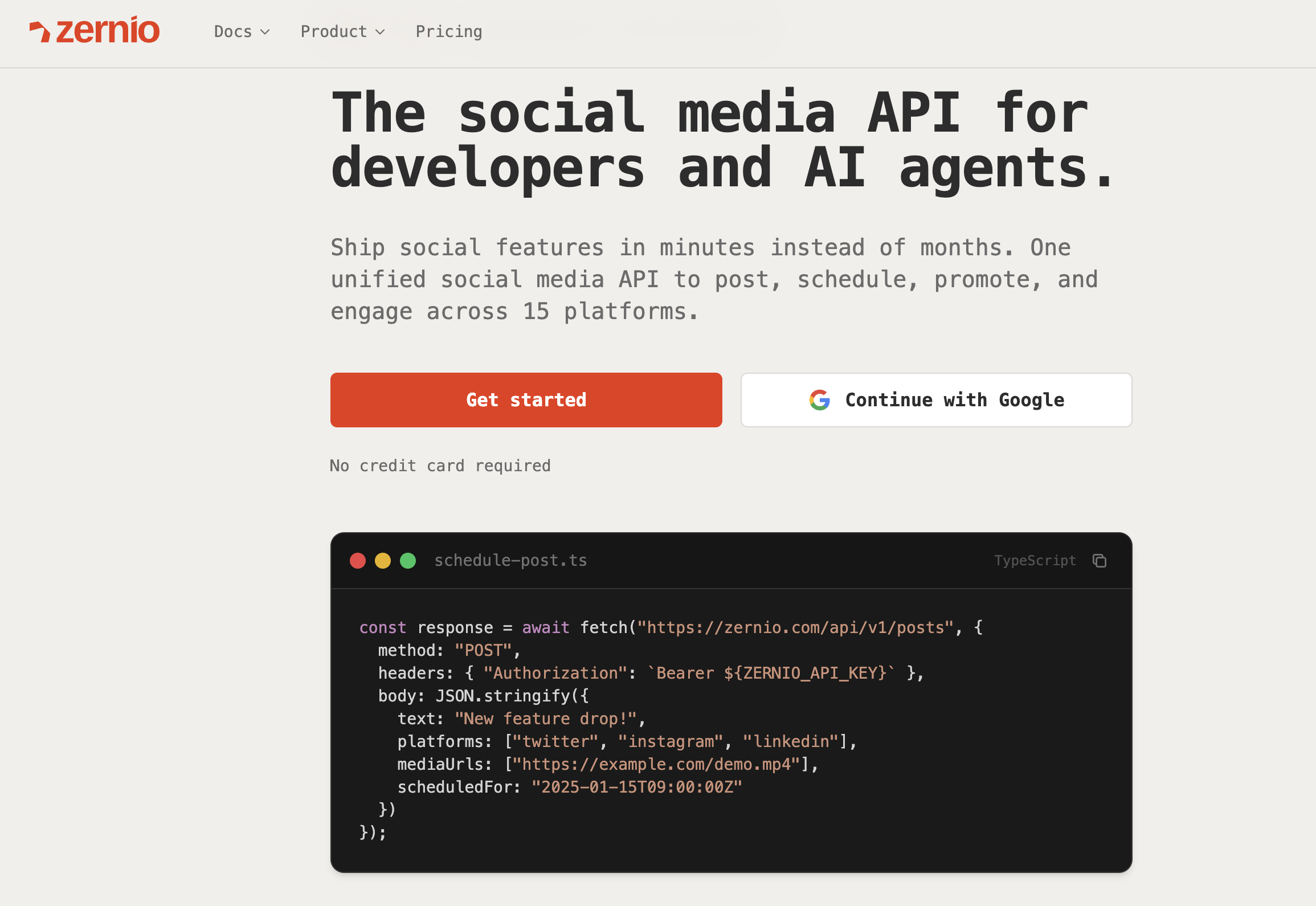
What you get with Zernio
- Native
scheduled_fortimestamp - no queue or cron to build - Twitter thread scheduling via a single
threadItemsAPI call - Cross-platform scheduling - post to X, TikTok, Reddit, LinkedIn and more in one request
- OAuth handling for multiple user accounts (for app builders)
- Automatic retries and delivery status on every post
- Analytics, inbox, and comment management included alongside the posting API
- SDKs for Python, Node.js, PHP, Ruby, and Go
How to get started with Zernio
Step 1. Sign up and create an API key
Go to zernio.com and create a free account (no credit card required). Then navigate to Dashboard → API Keys and generate your key. Set it as an environment variable:
export ZERNIO_API_KEY="your_api_key_here"Step 2. Connect your X account
In the dashboard, go to Accounts → Add Account and select X (Twitter). Authorise Zernio via OAuth - this is the only auth step you'll do manually. Zernio handles token refresh from this point on.
If you're building an app with multiple users, use the connect endpoint programmatically to generate a per-user OAuth URL:
GET https://zernio.com/api/v1/connect/twitter?profileId=YOUR_PROFILE_IDRedirect your user to that URL. Once they authorise, their accountId is returned to your callback and stored for future API calls.
Step 3. Schedule your first tweet
const { post } = await zernio.posts.createPost({
  content: 'Hello world! This is my first post from the Zernio API',
  scheduledFor: '2024-01-16T12:00:00',
  timezone: 'America/New_York',
  platforms: [
    { platform: 'twitter', accountId: 'acc_xyz789' }
  ]
});

console.log('Post scheduled:', post._id);
That's it. The post will go out at the specified UTC time with no additional infrastructure required.
Schedule a single tweet
Here's how to schedule a tweet with the Zernio API in Python:
result = client.posts.create(
    content="Hello world! This is my first post from the Zernio API",
    scheduled_for="2024-01-16T12:00:00",
    timezone="America/New_York",
    platforms=[
        {"platform": "twitter", "accountId": "acc_xyz789"}
    ]
)

print(f"Post scheduled: {result.post['_id']}")
Schedule a Twitter thread
X API v2 has no native endpoint to create threads, so to post a thread natively, you have to fire each tweet as a reply to the previous one, with delays between calls to preserve ordering. Third-party APIs handle this natively.
With Zernio's X API integration, a thread is a single API call using threadItems inside platformSpecificData:
const { post } = await zernio.posts.createPost({
  platforms: [{
    platform: 'twitter',
    accountId: 'YOUR_ACCOUNT_ID',
    platformSpecificData: {
      threadItems: [
        {
          content: '1/ Starting a thread about API design',
          mediaItems: [{ type: 'image', url: 'https://cdn.example.com/image1.jpg' }]
        },
        { content: '2/ First, always use proper HTTP methods...' },
        { content: '3/ Second, version your APIs from day one...' },
        { content: '4/ Finally, document everything! /end' }
      ]
    }
  }],
  publishNow: true
});
console.log('Thread posted!', post._id);
Make sure to consult with Zernio documentation for X platform for more details.
Schedule across X and other platforms at once
If you're posting to multiple platforms, add them to the platforms array in the same call:
const { post } = await zernio.posts.createPost({
  content: 'Cross-posting to all my accounts!',
  scheduledFor: '2024-01-16T12:00:00',
  timezone: 'America/New_York',
  platforms: [
    { platform: 'twitter', accountId: 'acc_twitter123' },
    { platform: 'linkedin', accountId: 'acc_linkedin456' },
    { platform: 'bluesky', accountId: 'acc_bluesky789' }
  ]
});
One request schedules the post across all three platforms simultaneously. This is the pattern behind the query "schedule thousands of posts across X, Threads, and Reddit via one REST API" - Zernio handles the platform-specific formatting and delivery for each.
Zernio pricing
Zernio doesn't cap posts. The pricing is based on the number of connected social accounts, with unlimited scheduling on every tier.
| Connected accounts | Price per account/month | Posts |
|---|---|---|
| First 2 accounts | Free | Unlimited |
| Accounts 1-10 | $6/account | Unlimited |
| Accounts 11-100 | $3/account | Unlimited |
| Accounts 101-2,000 | $1/account | Unlimited |
| 2,001+ | Custom | Unlimited |
Every connected account includes scheduling, analytics, inbox (comments + DMs), and full API access. X/Twitter API costs passed through at exact X rates, zero markup. All other platforms fully included.
Stop building social integrations from scratch.
One API call to publish, schedule, and manage posts across 15+ platforms.
Option 3: X Ads API Scheduled Tweets (For Advertisers)
If you're working within an advertising workflow and already have X Ads API access, there is a native scheduling endpoint worth knowing about.
The X Ads API provides POST accounts/:account_id/scheduled_tweets with a scheduled_at parameter. By default, it creates a promoted-only tweet (not visible on your timeline, used in ad campaigns). To create an organic scheduled tweet, set nullcast=false:
curl -X POST "https://ads-api.x.com/12/accounts/ACCOUNT_ID/scheduled_tweets" \
     -H "Authorization: OAuth ..." \
     -d "text=This tweet will go live at the scheduled time" \
     -d "scheduled_at=2026-06-15T09:00:00Z" \
     -d "nullcast=false"
The caveats to know before going this route:
- Ads API access requires a separate X Ads account - it's not available to standard API developers
- Scheduling is capped at 30 tweets within any 15-minute window
- This endpoint is designed for staging ad creatives in advance of campaigns, not for general-purpose post scheduling
Use this if: you're a developer building ad tooling and need to schedule promoted tweets as part of a campaign workflow. Don't use this as your primary scheduling strategy for organic content.
Using Zernio for X Ads: If you want a simpler path into X advertising workflows, Zernio supports the X Ads API directly, without requiring you to navigate X Ads API approval or handle OAuth 1.0a request signing (which X Ads uses, unlike v2's OAuth 2.0). Any post you've scheduled through Zernio can be promoted with a single additional API call, using the same accountId and no separate pipeline. Campaigns support awareness, engagement, video view, website-click, and app-install objectives, with spend and impression reporting included.
X API v2 vs. Third-Party API: Full Comparison
| X API v2 (DIY) | X Ads API | Zernio API | |
|---|---|---|---|
| Native scheduling | ❌ Build your own | ✅ scheduled_at | ✅ scheduled_for |
| Twitter threads | Manual reply chain | ❌ Not supported | ✅ Native threadItems |
| Multi-platform | ❌ X only | ❌ X only | ✅ 15 platforms |
| OAuth management | You handle it | You handle it | Handled for you |
| Token refresh | You build it | You build it | Handled for you |
| X Ads API support | ❌ Separate setup | ✅ Native | ✅ Via Zernio Ads API |
| Access requirements | X Developer account | X Ads account | API key |
| Cost | $0.015/post (pay-per-use) | X Ads fees | Free for first 2 accounts, X/Twitter API costs passed through at exact X rates. |
| Setup time | Hours to days | Hours to days | Minutes |
How to Automate X Posting at Scale
Scheduling individual posts is table stakes. Here's what to think about when you're automating tweets at volume.
Spacing posts to avoid spam signals
X's algorithm deprioritises accounts that post in bursts. If you're scheduling 20 tweets for the day, spread them across the day rather than queuing them back-to-back. A minimum gap of 30 minutes between posts is a reasonable baseline.
For automated content pipelines (RSS-to-tweet, event-triggered posts), add randomised jitter to your scheduledAt timestamps rather than posting at identical times each day.
Handling recurring posts
For content that needs to go out on a schedule - like weekly roundups, status updates, product announcements - build a recurrence layer on top of your scheduling API or use a unified social media API. Store the template, generate the next post's timestamp at publish time, and re-queue automatically.
Webhook confirmation
For high-stakes posts, use a webhook to confirm delivery rather than assuming success. Configure your endpoint in Zernio or poll GET /api/v1/posts/{id} to confirm status: "published" before marking the job complete in your system.
Common Pitfalls When Scheduling Tweets via API
These are the failure modes that aren't obvious until they happen in production.
OAuth token expiry
Access tokens expire every 2 hours. If your scheduler was built and tested on short cycles, this won't surface during development, but it shows up as silent failures at 3am when a scheduled post doesn't go out. Always refresh before posting (see the get_valid_token pattern in Option 1 above).
Duplicate content rejection
X rejects tweets with identical text to a recently posted tweet from the same account. This catches developers building RSS-to-tweet pipelines where the same story might resurface, and anyone testing scheduling with placeholder text. Add variation via templates, timestamps, or hashtag rotation if you're posting similar content repeatedly.
Thread race conditions
If you're building your own thread poster on X API v2 (posting each tweet as a reply to the previous), race conditions occur when the delay between replies is too short or the first tweet's ID hasn't propagated before the second request fires. Use a minimum 1-second delay between thread tweets and verify the previous tweet's ID before posting the next.
Timezone handling
scheduledAt parameters expect UTC. A post intended for 9am New York time needs to account for the UTC offset: 2026-06-15T13:00:00Z in summer (UTC-4). Build timezone conversion into your scheduling layer from the start, not as an afterthought. Or use the third party API that handles that for you.
Frequently Asked Questions
Does X API v2 have a native tweet scheduling endpoint? No. The POST /2/tweets endpoint in X API v2 publishes tweets immediately. There is no scheduled_at parameter. To schedule tweets via X API v2, you need to build your own scheduling infrastructure.
What's the difference between X API v2 and X Ads API for tweet scheduling? X API v2 (the standard developer API) has no scheduling functionality. The X Ads API has a dedicated POST accounts/:account_id/scheduled_tweets endpoint with a scheduled_at parameter, but it requires a separate X Ads account and is designed for advertising workflows. It's not a general-purpose scheduling solution.
Can I schedule Twitter threads via API? Not natively via X API v2 - there's no "create thread" endpoint. You have to fire each tweet as a reply to the previous one, with delays between calls. Third-party APIs like Zernio handle threads natively via a threadItems array in a single API call.
Can I schedule the same post to X and other platforms simultaneously? Yes, via third-party APIs that support multiple platforms. With Zernio, you add multiple platforms to the platforms array in a single POST /api/v1/posts call, and the post is scheduled across all of them at once.
What happens if a scheduled tweet fails to post? On X API v2 with a DIY queue, you need to build your own retry and alerting logic. Third-party APIs like Zernio handle retries automatically and surface delivery status via post status field or webhooks.
Is it safe to use a third-party API to post to X? Reputable third-party APIs connect to X via OAuth, so they never receive your X password and access can be revoked at any time from your X settings. Review any third-party's privacy policy and data handling before connecting accounts.