Your customers' work happens in their inbox and their calendar. Now your product and your agents can work there too.
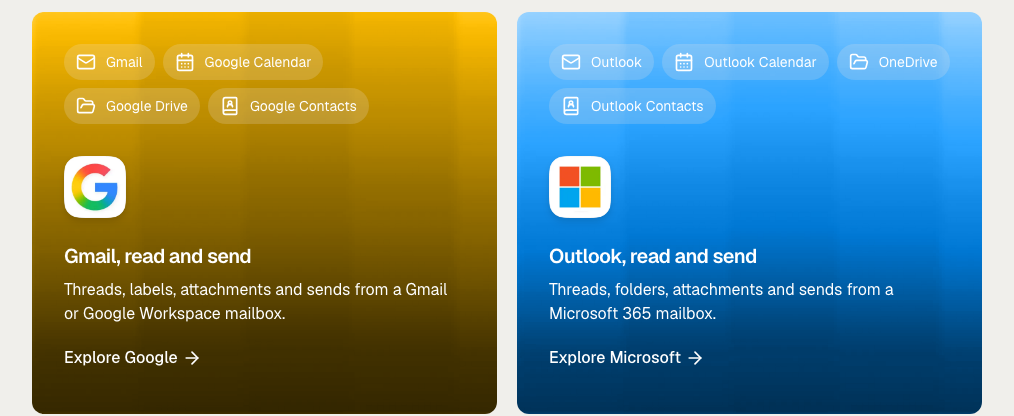
We added Google and Microsoft accounts to Zernio last week. Connect one, and you can read and send email, manage calendars, work with files and sync contacts through one API. Gmail and Outlook use the same endpoints, and a webhook fires when something changes.
If you've tried building this yourself, you know why it's a big deal for us and our users. Connecting your own Gmail takes a few minutes. Connecting your customers' Gmail means Google's restricted-scope verification, a security assessment, then a second integration for Microsoft. Zernio did it for you, so if your product needs Google or Microsoft capabilities, you can add them the same day.
So I'll walk you through what's new, what you can build with it and how it compares with the Google Workspace CLI.
Start for free or read the Google and Microsoft docs.
What do the Google and Microsoft integrations add to Zernio?
A connected Google or Microsoft account gives your Zernio API key access to four areas of that person's account. You pick the areas when they connect the account.
| Area | Microsoft | What you can do | |
|---|---|---|---|
email | Gmail | Outlook mail | List, search, read, send, reply, organize and trash |
calendar | Google Calendar | Outlook Calendar | Create events, RSVP, check free-busy, find open slots |
files | Google Drive | OneDrive | List, upload, download, share, use as post media |
contacts | Google Contacts | Outlook contacts | Read-only sync into /v1/contacts |
Each account is one mailbox, and every call needs its accountId. Google and Microsoft take the same request, apart from a few differences I cover below.
New mail, calendar changes and file changes arrive as ordinary Zernio webhooks. Zernio sets up the push notifications with Google and Microsoft and keeps them renewed, so you don't have to.
You can't post to social media from these accounts, but they use the same API key as your social, ads and messaging accounts in Zernio's marketing infrastructure.
What can you build with Google and Microsoft accounts?
Anything that needs to work from a real person's mailbox or calendar. When you send a message through the email API, it comes from that person's address and stays in the same thread.
Some of the possible use cases:
Book meetings
Your product or agent can look at people's calendars, find a time that works for everyone and send the invite with a Meet or Teams link.
You check availability for up to 10 connected mailboxes in one request, and they can be a mix of Google and Microsoft. You can also set working hours and gaps between meetings:
curl -X POST "https://zernio.com/api/v1/calendar/availability" \
  -H "Authorization: Bearer $ZERNIO_API_KEY" \
  -H "Content-Type: application/json" \
  -d '{
    "participants": [{ "accountId": "ACCOUNT_ID_1" }, { "accountId": "ACCOUNT_ID_2" }],
    "from": "2026-11-02T00:00:00Z",
    "to": "2026-11-06T00:00:00Z",
    "durationMinutes": 30,
    "defaultOpenHours": [{ "days": [1, 2, 3, 4, 5], "timezone": "Europe/Madrid", "start": "09:00", "end": "17:00" }]
  }'
See email and chat messages in one place
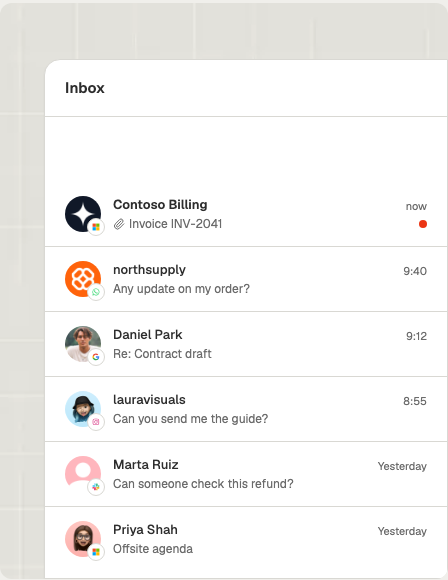
A support team or an agent can see a customer's email and their WhatsApp messages together, without switching tools.
Once an account is connected, new emails show up in the unified inbox, next to WhatsApp, Instagram and SMS conversations.
Log emails and meetings in your CRM
If you build a CRM, every email and meeting can end up on the right deal without anyone adding it by hand.
Zernio sends your app a webhook when an email is sent or received, or when a meeting is created. Your app then saves it to the right deal. The webhooks to use are message.received, message.sent and calendar.event.created.
Keep one contact record per person
People reach you on different channels, and they should still be one person in your product.
Zernio syncs your user's Google or Microsoft contacts and matches people by email. If someone is already in your contacts from WhatsApp or SMS, their email gets added to that same contact, so you don't get duplicates.
Work with your users' documents
Your product can use the files people already have, like a contract attached to an email or a document in their Drive.
You can download email attachments, or let a user pick a Drive file and read it through the files API. Google Docs export as PDF and Sheets as XLSX.
Turn a file into a social post
Say your user has an approved video in Drive. You can send it straight to every social channel you publish to, with no download and re-upload.
Add the Drive or OneDrive fileId to the post's mediaItems. Zernio copies the file, so later edits don't change the post.
How is this different from the Google Workspace CLI?
The Google Workspace CLI (gws) connects your own Google account to your terminal or local agent, while Zernio connects your customers' Google and Microsoft accounts to your product. They do different jobs, and you might well use both.
gws is a good tool. It covers more of Google Workspace than Zernio does, including Sheets, Docs, Chat and Admin, and it picks up new API methods automatically. If you want Claude Code to sort your inbox or clean up your Drive, use it.
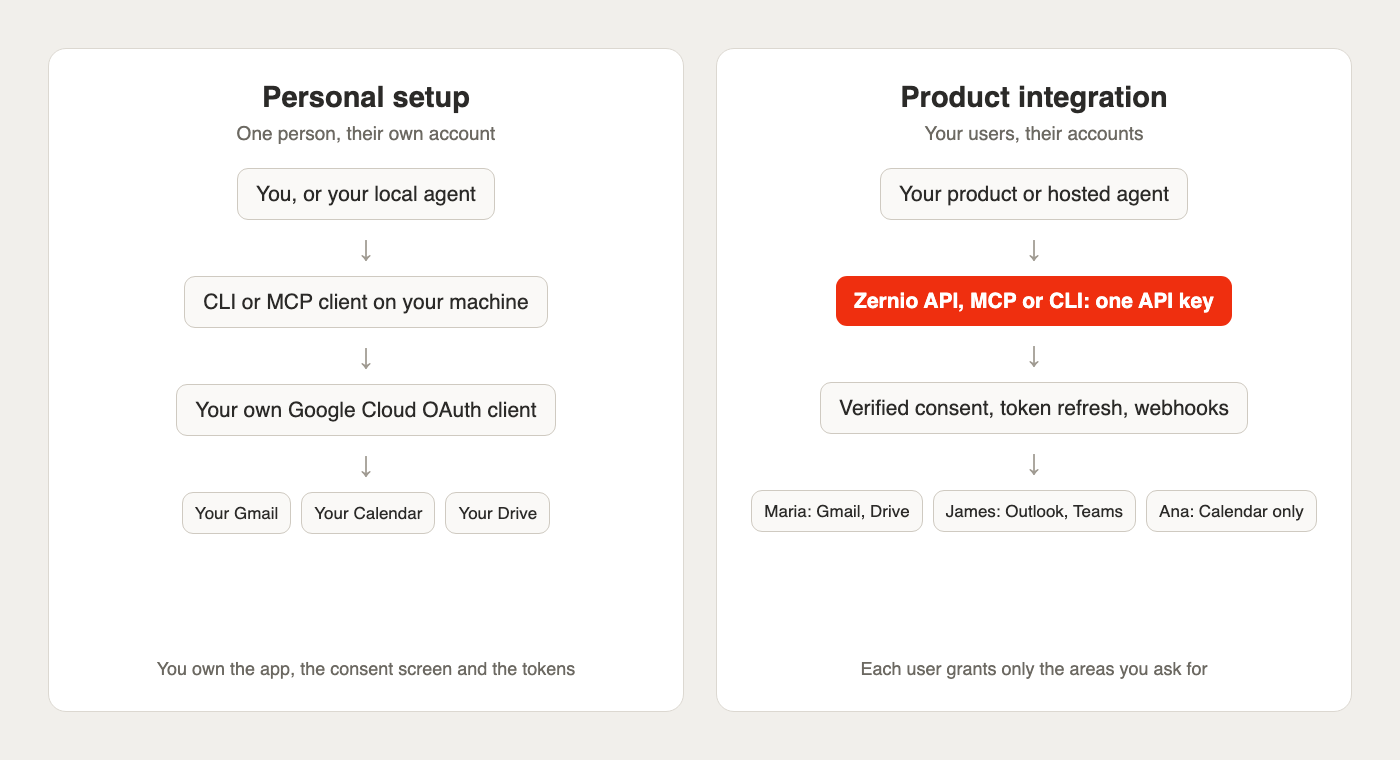
Going direct to Google makes sense when:
- You want Claude Code or another local agent to work in your own Gmail, Drive, Sheets or Docs.
- You need Google products Zernio doesn't cover, like Sheets, Docs or Chat.
- You only need Google, and you're ready to go through its verification yourself if other people will use your app.
You need Zernio when:
- Your customers connect their own accounts inside your product.
- You don't want to go through Google's verification and security assessment.
- Your users are on both Gmail and Outlook, and you want one integration for both.
- Your server needs a webhook when mail, calendars or files change.
Agents reach the same endpoints through Zernio's hosted MCP server, with tools for sending email, listing threads, responding to invitations and finding meeting slots. The same key also covers social, ads and voice calls, so one agent can handle the whole conversation.
Say someone emails you asking for a demo. Your agent reads it, finds a slot across two calendars, creates a Teams meeting, replies in the thread, then follows up on WhatsApp if nobody answers.
| Google Workspace CLI | Gmail MCP server (Google) | Zernio | |
|---|---|---|---|
| Built for | You, in a terminal, script or local agent | You, in an MCP client | Your product and its users |
| Whose accounts | Yours, or accounts you authorize | Yours | Any user you send through the connect flow |
| OAuth app | Yours | Yours | Zernio's verified app, or your own |
| Google verification for outside users | Yours to complete | Yours to complete | Handled on Zernio's app |
| Microsoft accounts | No | No | Yes, same endpoints |
| Sends email | Yes | Drafts only | Yes, within daily caps |
| Change notifications | Streamed to your terminal (gws gmail +watch) | No tool listed | Webhooks to your server, renewed for you |
| Other Google products | Sheets, Docs, Chat, Admin and more | Gmail only | Gmail, Calendar, Drive, Contacts |
The next section shows what going direct takes once other people use your app.
Stop building social integrations from scratch.
One API call to publish, schedule, and manage posts across 16 platforms.
What does it take to ship Gmail access to other people's accounts?
To give other people Gmail access through your app, you have to pass Google's verification, and usually a security assessment every year. Until then, your users see warnings and you hit limits. You don't run into this on a personal project, because you're the only user.
Here's what you're dealing with on Google's side:
- Apps in testing are limited to 100 test users, and their authorizations expire seven days after consent.
- An unverified app that requests restricted scopes shows a warning screen and is capped at 100 new users over the project's lifetime.
gmail.modify,gmail.readonlyand the other broad Gmail scopes are classed as restricted.- Apps requesting restricted scopes must pass a security assessment every year.
Microsoft asks for less, but it has its own rules. Without publisher verification, users can see an "unverified" warning, and some organizations stop them from consenting at all. Many tenants also let only an administrator approve apps that read mail.
Even after verification, you still have to keep refreshing tokens, renew push channels and handle two different data models.
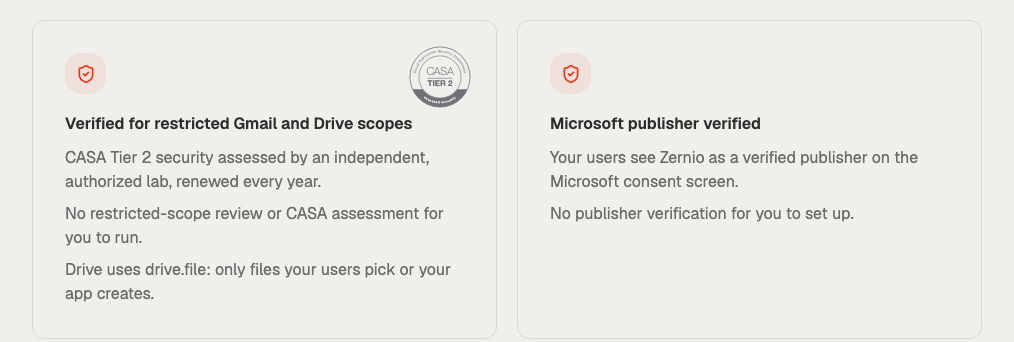
With Zernio, your users approve Zernio's app:
- Zernio has completed a CASA Tier 2 assessment.
- Zernio shows as a verified publisher on Microsoft's consent screen.
- You don't have to do the restricted-scope review, the CASA assessment or publisher verification yourself.
Want your own brand on the consent screen? You can bring your own OAuth app. You'll then have to go through Google's verification yourself, and you won't get Gmail push, the Drive picker or the Microsoft admin-consent link.
Where do Google and Microsoft differ, and what can't you do yet?
The endpoints are the same, but each provider has its own limits and permissions. The biggest difference is file access: Google accounts see only the files a user picks or your app creates, while Microsoft accounts reach the user's whole OneDrive.
| Microsoft | ||
|---|---|---|
| Accounts | Gmail, Google Workspace | Microsoft 365, Outlook.com, Hotmail |
| Sends per day, per mailbox | 200 (500 on Workspace) | 1,000 |
| Attachments | Up to 20, 25 MB total | Up to 20, 3 MB each, 25 MB total |
| File access | drive.file: picked or created files only | Files.ReadWrite: the user's OneDrive |
| User picks files | Google Picker session | No picker step |
| Meeting links | google_meet | teams |
| Organization approval | A Workspace admin can block third-party apps | Many tenants need admin consent |
A few things Zernio doesn't support, either for now or by design:
- Scheduled sends and drafts aren't available for now.
- Open and link tracking aren't available.
- This email API isn't for bulk mail. The same body sent to more than 50 distinct recipients in an hour pauses the mailbox, starting at 10 minutes and doubling up to 24 hours.
- Contacts are read-only and sync once a day, so contact webhooks can lag by up to a day.
- Mail from before the connection stays out of the inbox feed, though you can still reach it through the email endpoints.
Need an email API to send marketing or transactional emails, newsletters or product announcements? Use a dedicated sending service, like Resend. These mailboxes are for one-to-one email from a real person.
How much does it cost?
A Google or Microsoft account counts as one connected account, priced the same as any other channel in Zernio. Mail, calendar, files and contacts all come with that one account, so you don't pay separately for each product. The first 2 accounts are free, and the per-account rate drops as you grow.
Each mailbox also has daily send caps, in line with the one-to-one email these mailboxes are built for. See pricing for current rates.
Ready to try it? Connect your first Google or Microsoft account and see how it fits your product. The integration is brand new, so your feedback shapes what we build next: tell us what works, what's missing and what you'd like to do with it.