Bulk Schedule 500+ Posts
Upload a CSV or use the API to schedule hundreds of posts across 16 platforms in minutes. Save 10+ hours per week.
Key Features
CSV Upload
Ready-made template. Content, dates, platforms, media, and per-platform settings in one file.
Parallel Processing
500+ posts processed in parallel. Most batches complete in under 30 seconds.
Platform-Specific Columns
Twitter threads, Instagram first comments, YouTube tags, TikTok privacy.
Auto Media Processing
Include image/video URLs. We download, validate, optimize, and attach automatically.
Pre-Upload Validation
Character limits, image sizes, video duration checked row by row before scheduling.
REST API Alternative
Same features as CSV, fully programmable. Use from scripts, CI/CD, or no-code tools.
Timezone Per Post
Set timezone per row. Publish at exact local times for any audience.
Multi-Profile
Separate CSVs per profile or target different profiles via API.
How Bulk Scheduling Works
- 1.Prepare ContentDownload CSV template. Add content, dates, platforms, and media URLs.
- 2.Upload CSVDashboard or /api/v1/posts/bulk-upload endpoint.
- 3.Review ValidationRow-by-row validation report. Fix issues and re-upload if needed.
- 4.Confirm & ScheduleAll posts appear in your calendar. Edit or delete individually before publish.
Why Teams Choose Bulk Scheduling
Save 10+ Hours/Week
Schedule a month of content in under 5 minutes.
No More Gaps
Plan in a spreadsheet, upload everything at once.
Launch Campaigns
Coordinate across all channels with precise timing.
Scale Agency Ops
Manage 100+ client accounts efficiently.
E-Commerce Ready
Generate CSVs from your product catalog. Automate promos.
Developer-Friendly
REST API for custom workflows. Connect your CMS or pipeline.
Code Examples
content,scheduledFor,timezone,twitter,instagram,linkedin,tiktok,mediaUrls
"Announcing our new feature!",2026-03-01T10:00:00Z,America/New_York,true,true,true,false,https://example.com/img.jpg
"Behind the scenes",2026-03-02T14:00:00Z,Europe/London,false,true,false,true,https://example.com/bts.mp4content,scheduledFor,twitter,twitter_thread,instagram,instagram_first_comment,youtube_tags
"New tutorial!",2026-03-01T10:00:00Z,true,"Part 1|Part 2|Part 3",false,,"tutorial,howto"
"Blog post",2026-03-02T14:00:00Z,true,,true,"Drop a comment!",curl -X POST https://zernio.com/api/v1/posts/bulk-upload \
-H "Authorization: Bearer YOUR_API_KEY" \
-H "Content-Type: multipart/form-data" \
-F "file=@posts.csv" \
-F "profileId=PROFILE_ID"Bulk Schedule to 13 Platforms
See it in action
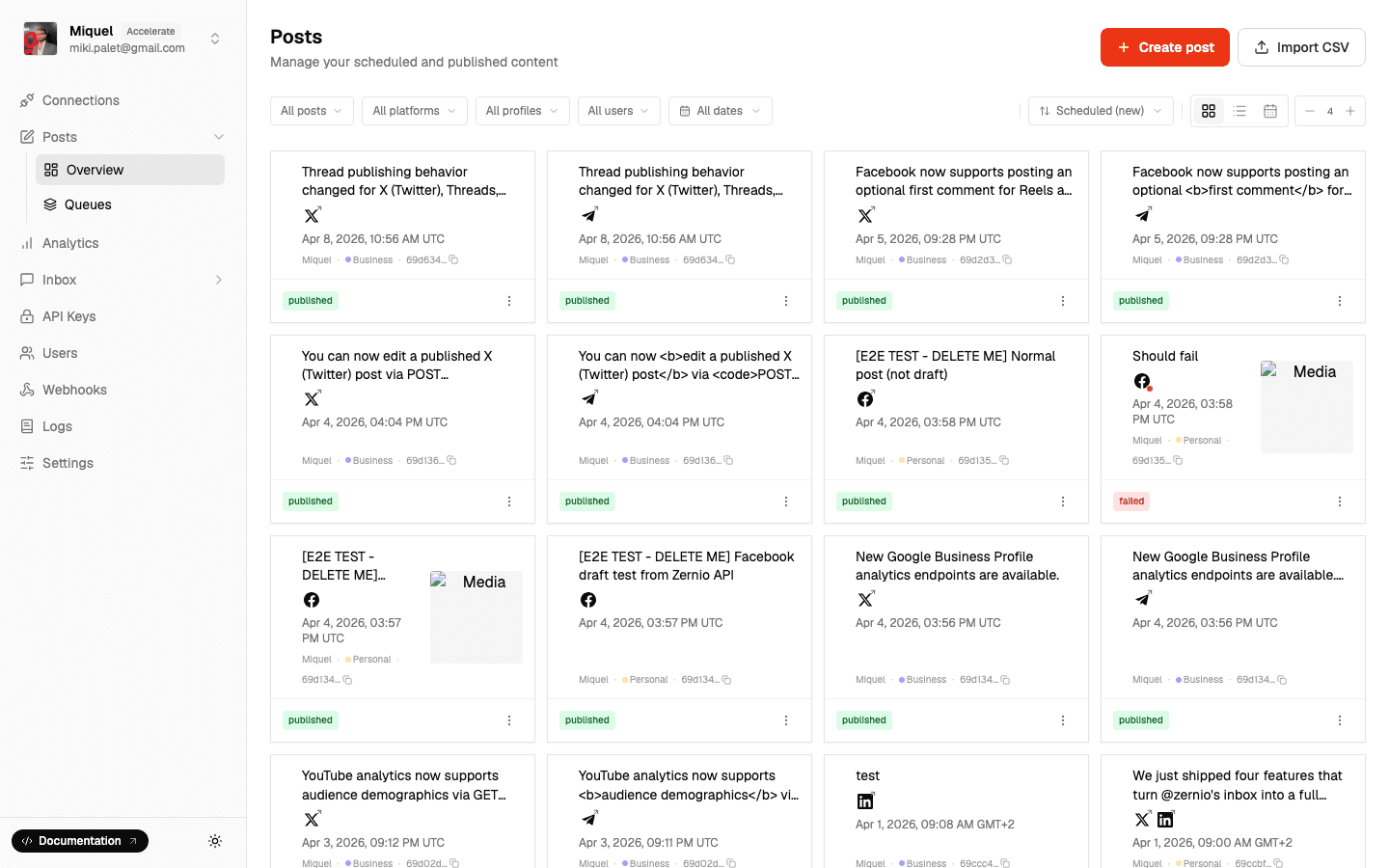
Upload a CSV and schedule hundreds of posts in seconds.
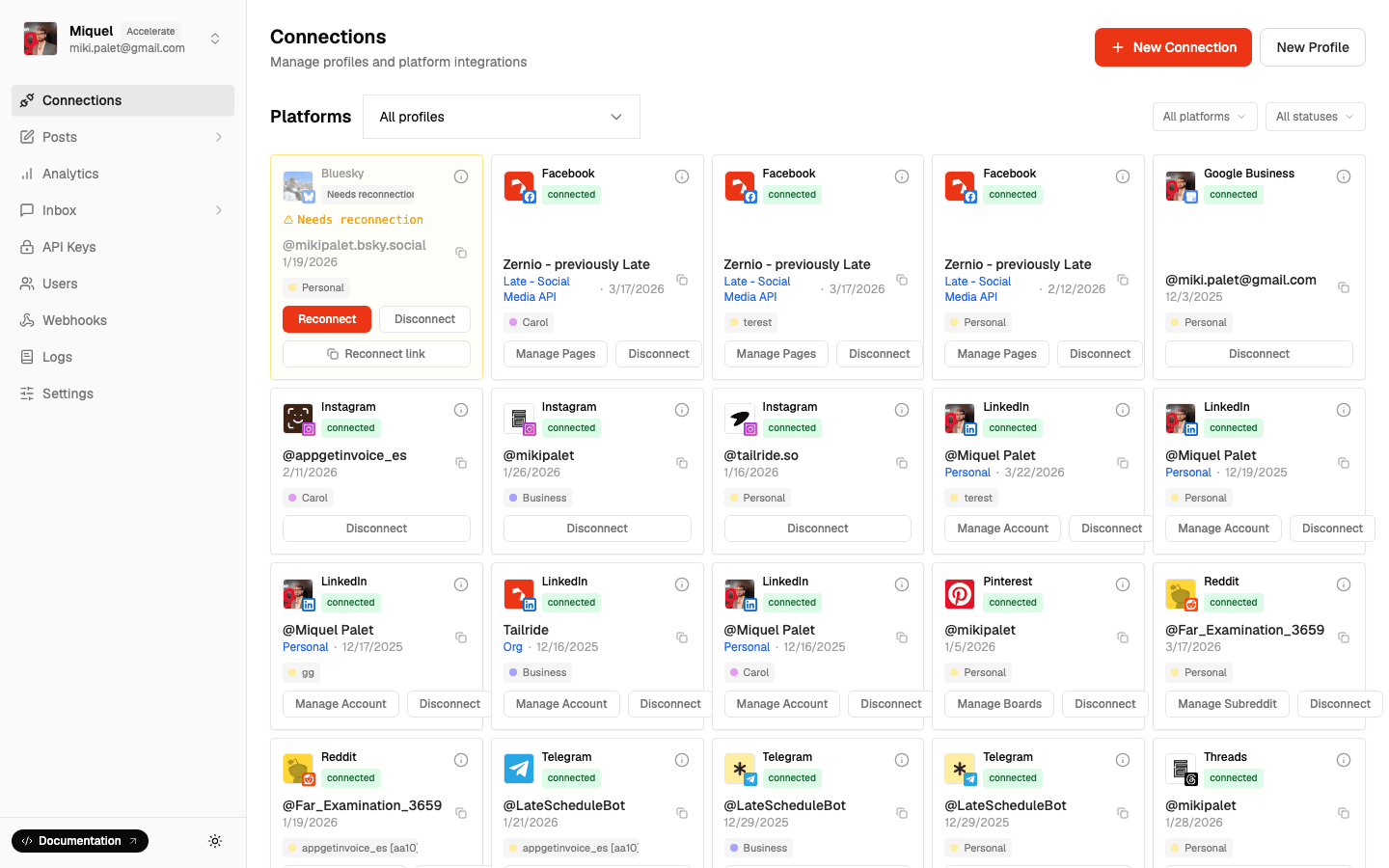
Bulk publish to any combination of platforms.
Bulk Scheduling FAQ
- How many posts per upload?
- └Up to 500 per CSV. No daily limit on uploads.
- Where's the CSV template?
- └Dashboard Bulk Upload page or docs.zernio.com.
- What if my CSV has errors?
- └Row-by-row validation report. Nothing is scheduled until the entire file passes.
- Where should I host media?
- └Any public URL: S3, Cloudflare R2, Dropbox (public link), or any CDN.
- Can I edit posts after upload?
- └Yes. Every post appears in your Posts tab for individual editing.
- Different platforms per post?
- └Yes. Each row has platform toggle columns (twitter=true, instagram=false, etc.).
- CSV or API?
- └CSV for spreadsheet workflows. API for automation and programmatic uploads.
- First comments in bulk?
- └Yes. Use 'instagram_first_comment' or 'firstComment' columns.
- Is this included in free plan?
- └Yes. Bulk scheduling is available on all plans including free.
Related Features
Stop Scheduling One by One
Upload a CSV, schedule your entire month in minutes.