Today we're adding WhatsApp Flows to Zernio. Flows are Meta's native interactive screens that run inside WhatsApp, so you can collect structured data with forms, surveys, and booking experiences without sending a customer to an external link.
Zernio's WhatsApp messaging API was already built in layers. Flows are the newest one, and they stack on what came before.
| Layer | What it does | Direction |
|---|---|---|
| Templates | Pre-approved message formats for anything you start outside the 24-hour window | Outbound |
| Broadcasts | Send a template to many recipients in one call | Outbound, at scale |
| Flows | Native interactive screens that collect structured input from the customer | Inbound, structured |
Why Flows matter if WhatsApp is part of your product
Zernio's API is for products that build WhatsApp in: a SaaS that gives users a WhatsApp channel, an AI agent that talks to customers there, an agency platform running chats for clients. Flows are one more feature you can ship through the API.
Without Flows, your users collect data the hard way. They read free-text replies and chase missing details by hand, or they send people to a web form and lose some on the way. Either way, the work lands on the customer.
Flows fix that. You create a form through the API, send it into a chat, and get back clean, labelled fields. No web form to host, no text to parse, and nothing the customer has to leave WhatsApp for. Each flow ties to one account, so you can run them per user and keep every answer attributed to the right one.
What you can build with Flows
Flow is like a mini app inside WhatsApp: a small set of interactive screens, built by Meta, that runs right in the chat. Here's what you can build into your product:
- Lead capture. Ask a new contact for their name, email, and what they need, all in one screen. The lead comes back as clean fields you drop straight into a CRM, ready to score and route.
- Booking. Let a customer pick a service, date, and time, then send the answer to a Workflow that checks availability and confirms the slot. A salon or clinic books appointments in WhatsApp, with no scheduling tool bolted on.
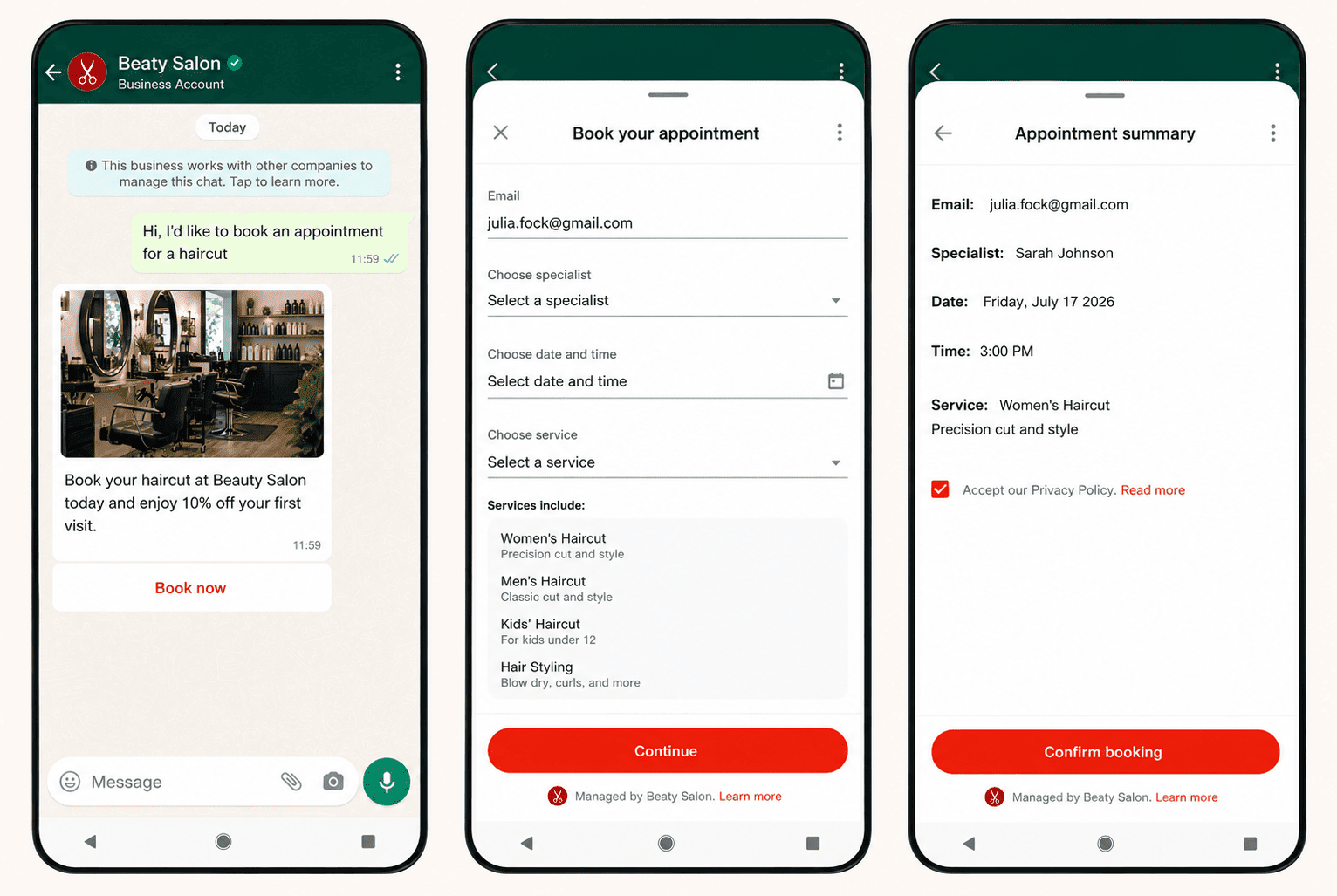
- Surveys and feedback. Send a quick rating form right after a purchase or a support chat. In-chat forms get far more replies than an emailed link, and the answers come back through one endpoint.
- Sign-ups and onboarding. Run event registration, waitlists, or new-account onboarding without a landing page. The customer stays in WhatsApp, so fewer drop off. An events platform could take registrations in a single screen.
- Order details. Let a customer choose options, sizes, or delivery details in set fields, so the order reaches you complete instead of pieced together from chat. A food or retail order arrives ready to fulfill.
- Support triage. Ask for issue type, order number, and urgency before the conversation starts, so your routing, or an AI agent, opens with real context instead of "how can I help?" A support tool sorts tickets before a human sees them.
Every finished Flow sends its data back as labelled fields through an nfm_reply webhook, so it can flow into your product or trigger a Workflow.
Each screen is built from simple parts: text inputs, dropdowns, date pickers, and buttons, set in a Flow JSON file. You control the fields, the rules, and what counts as a finished submission.
What Zernio adds on top of Flows
Sending a Flow is the table stakes. Zernio adds the pieces you need to run them in production.
Flow responses in one place. Pull every submission for an account through a single endpoint, filtered by flow, so you can report on completions, export customer data, and analyze results without stitching together webhook logs.
Automatic response attribution. Send a Flow without managing a flow_token and Zernio generates one for you, so every submission links back to the flow that produced it. No manual token bookkeeping.
Preview links before you publish. Generate a web preview URL for any flow, drafts included, that renders the real experience without a login. Embed it for QA before a single customer sees it.
Version history and lineage. A published Flow is immutable, so iterating means cloning. Zernio tracks each clone as a version in the same lineage, so a flow that evolves from v1 to v3 reads as one family instead of a pile of disconnected copies. You get proper version control for customer-facing experiences.
How to create and send a Flow with Zernio API
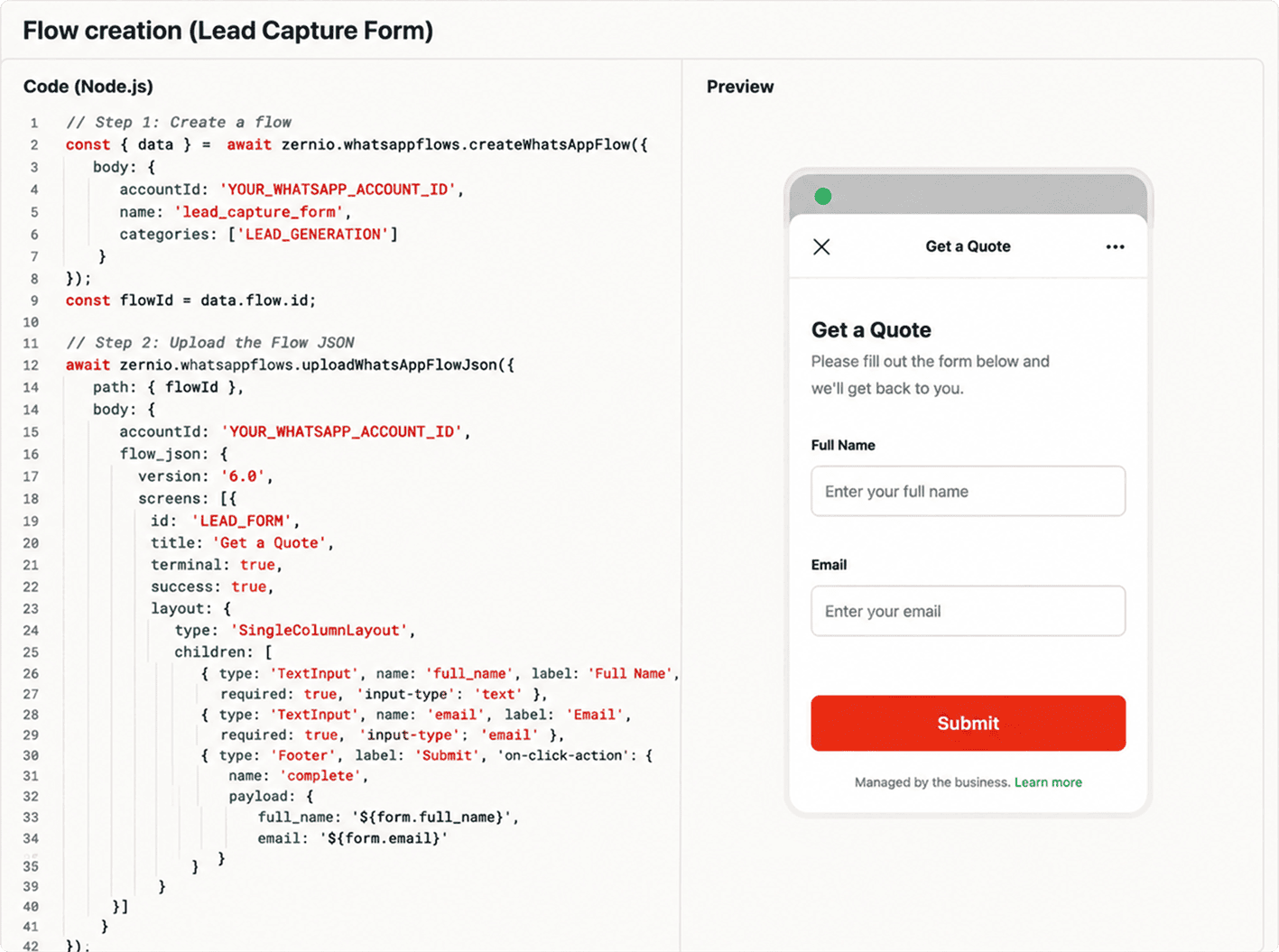
Flows are API-first, so you build them in three steps and send them into any conversation. Create the flow, upload its JSON definition, then publish.
// Step 1: Create a flow
const { data } = await zernio.whatsappflows.createWhatsAppFlow({
  body: {
    accountId: 'YOUR_WHATSAPP_ACCOUNT_ID',
    name: 'lead_capture_form',
    categories: ['LEAD_GENERATION']
  }
});
const flowId = data.flow.id;

// Step 2: Upload the Flow JSON
await zernio.whatsappflows.uploadWhatsAppFlowJson({
  path: { flowId },
  body: {
    accountId: 'YOUR_WHATSAPP_ACCOUNT_ID',
    flow_json: {
      version: '6.0',
      screens: [{
        id: 'LEAD_FORM',
        title: 'Get a Quote',
        terminal: true,
        success: true,
        layout: {
          type: 'SingleColumnLayout',
          children: [
            { type: 'TextInput', name: 'full_name', label: 'Full Name', required: true, 'input-type': 'text' },
            { type: 'TextInput', name: 'email', label: 'Email', required: true, 'input-type': 'email' },
            { type: 'Footer', label: 'Submit', 'on-click-action': { name: 'complete', payload: { full_name: '${form.full_name}', email: '${form.email}' } } }
          ]
        }
      }]
    }
  }
});

// Step 3: Publish (irreversible)
await zernio.whatsappflows.publishWhatsAppFlow({
  path: { flowId },
  body: { accountId: 'YOUR_WHATSAPP_ACCOUNT_ID' }
});
Before you publish, generate a preview to check the experience. The link renders drafts and works without a login.
const { data } = await zernio.whatsappflows.getWhatsAppFlowPreview({
  path: { flowId },
  query: { accountId: 'YOUR_WHATSAPP_ACCOUNT_ID' }
});
console.log(data.preview_url); // embed as <iframe src="...&interactive=true" />
Once published, send the flow into a conversation, and read submissions back from the responses endpoint.
const { data } = await zernio.whatsappflows.listWhatsAppFlowResponses({
  query: { accountId: 'YOUR_WHATSAPP_ACCOUNT_ID', flowId: 'YOUR_FLOW_ID' }
});
data.responses.forEach(r => {
  console.log(`${r.from} @ ${r.receivedAt}:`, r.data); // r.data = submitted fields
});
The same calls are available through the Zernio SDKs, the MCP server, and the CLI.
Stop building WhatsApp from scratch.
One API for numbers, messaging, calling, and automation on the official WhatsApp Business API.
Get started today
WhatsApp Flows bring native forms, surveys, and booking screens to the WhatsApp number you already use for messaging, with structured responses, previews, and version history built in.
Flows are included in Zernio's flat pricing with every feature in the box. Visit the WhatsApp page or read the Flows docs to build and send your first flow.