Today we're launching WhatsApp Workflows, a visual builder for chatbots, support flows, and AI agents that run on your connected WhatsApp accounts.
Until now, Zernio gave you the WhatsApp building blocks: send and receive messages, manage templates, handle media, all through one API. Workflows is the layer that connects those blocks into a running automation. You drag nodes onto a canvas, wire them together, and publish. Each workflow attaches to a WhatsApp account and fires the moment a customer sends a message.
The automation you build here runs on the same WhatsApp infrastructure that already handles your messaging, so there's nothing new to wire up.
Here's what you can build, and three ways to build it.
What you can build with Workflows
Workflows covers the automations most businesses actually run on WhatsApp:
- FAQ and support bots that answer instantly
- Appointment booking that checks availability before it confirms
- Lead qualification that scores inbound chats and routes them to a person
- WhatsApp AI agents that draft replies using your own LLM key
You assemble these from a set of building blocks. Each node does one job, and you wire them together to create the conversation.
| Node | What it does |
|---|---|
| Message | Sends text, media, or a WhatsApp template |
| Wait for reply | Pauses the flow until the customer responds |
| Delay | Holds the flow for a set time |
| Condition | Branches the flow with if/else logic |
| Set variable | Stores a value for later steps (for example, name) |
| Webhook | Calls your database, CRM, or any API to fetch or update data |
| AI | Sends the conversation to an LLM (OpenAI, Anthropic, Gemini, Mistral or Groq) and returns the response |
| A/B split | Branches to test variations |
| Enroll in sequence | Adds the contact to a sequence |
| Handoff | Transfers the chat to a human operator |
| Add / remove tag | Tag the contact for future filtering and remove the tags |
How to create a Workflow
Every workflow follows the same path from idea to running automation.
Trigger. A workflow starts on an event. At launch, any inbound WhatsApp message can kick one off, with more trigger conditions on the way.
Build. Drop in nodes and connect them. Mix messages, conditions, webhooks, AI, and calls until the conversation does what you want.

Test. Walk the flow before customers do. Check the branches, confirm the AI responses read well.
Publish. Turn it on. The workflow runs against the connected WhatsApp account from that moment.
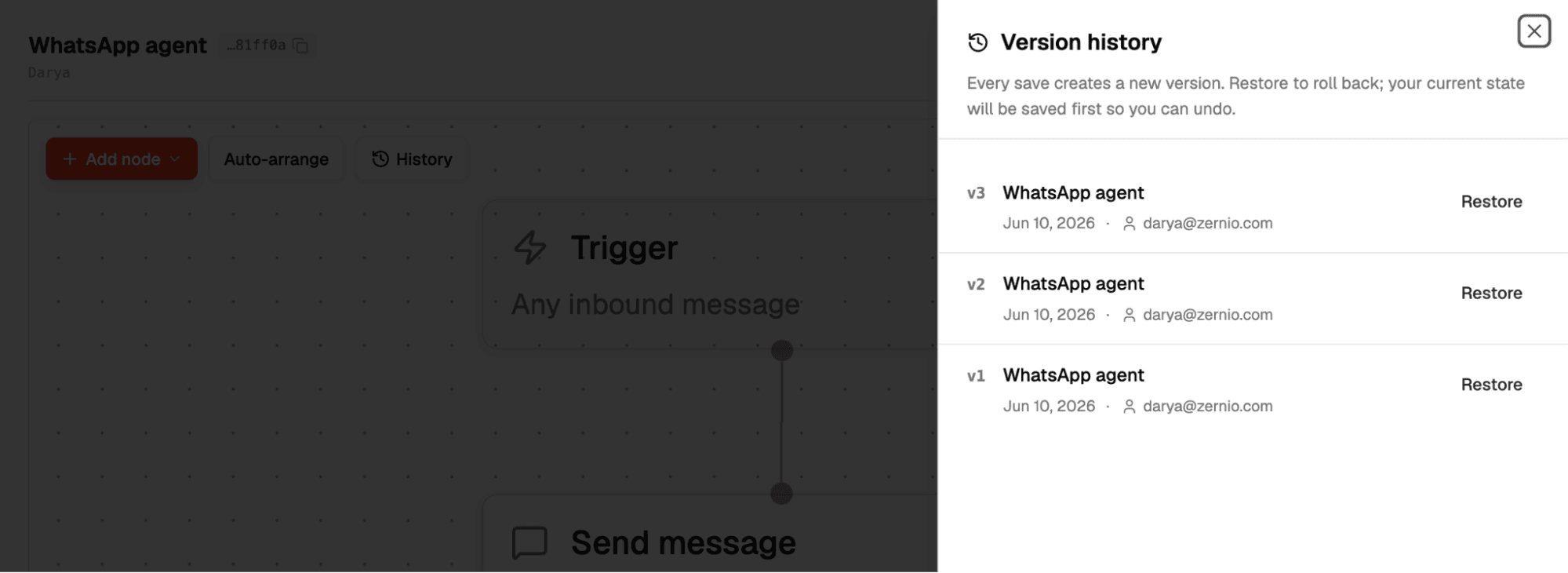
Manage. Version history keeps every revision. Restore an earlier version, compare changes, and keep large flows readable as they grow.
Three ways to build a workflow
Same builder, same output, three entry points. Pick the one that fits how you work.
Dashboard: drag-and-drop, no code

Open the canvas, drop in nodes, connect them, and publish. No code, no deploy step.
The editor handles the housekeeping. Auto-arrange cleans up a tangled canvas into a readable layout. Version history tracks every revision, so you can compare iterations and restore a previous one if a change goes wrong.
API: wire it into your own product
We designed Workflows to be developer-first. The entire Workflow experience is available via the API or through the Dashboard, to let you build in the way that best fits your team. Create and manage workflows programmatically, so your own users get WhatsApp automation without ever leaving your app.
A workflow is just structured data: a set of nodes and the connections between them. You define it once and trigger it on inbound messages.
In this release note we're focusing on WhatsApp automation, but the same workflow structure is also supported by Zernio for Instagram, Facebook, Telegram, X (Twitter), Bluesky, and Reddit.
This is the path for developers embedding workflow creation inside a product, where each end-user spins up their own automation under the hood.
Visit our API Docs for code reference.
Stop building WhatsApp from scratch.
One API for numbers, messaging, calling, and automation on the official WhatsApp Business API.
Claude, or any MCP client: let an agent build it for you
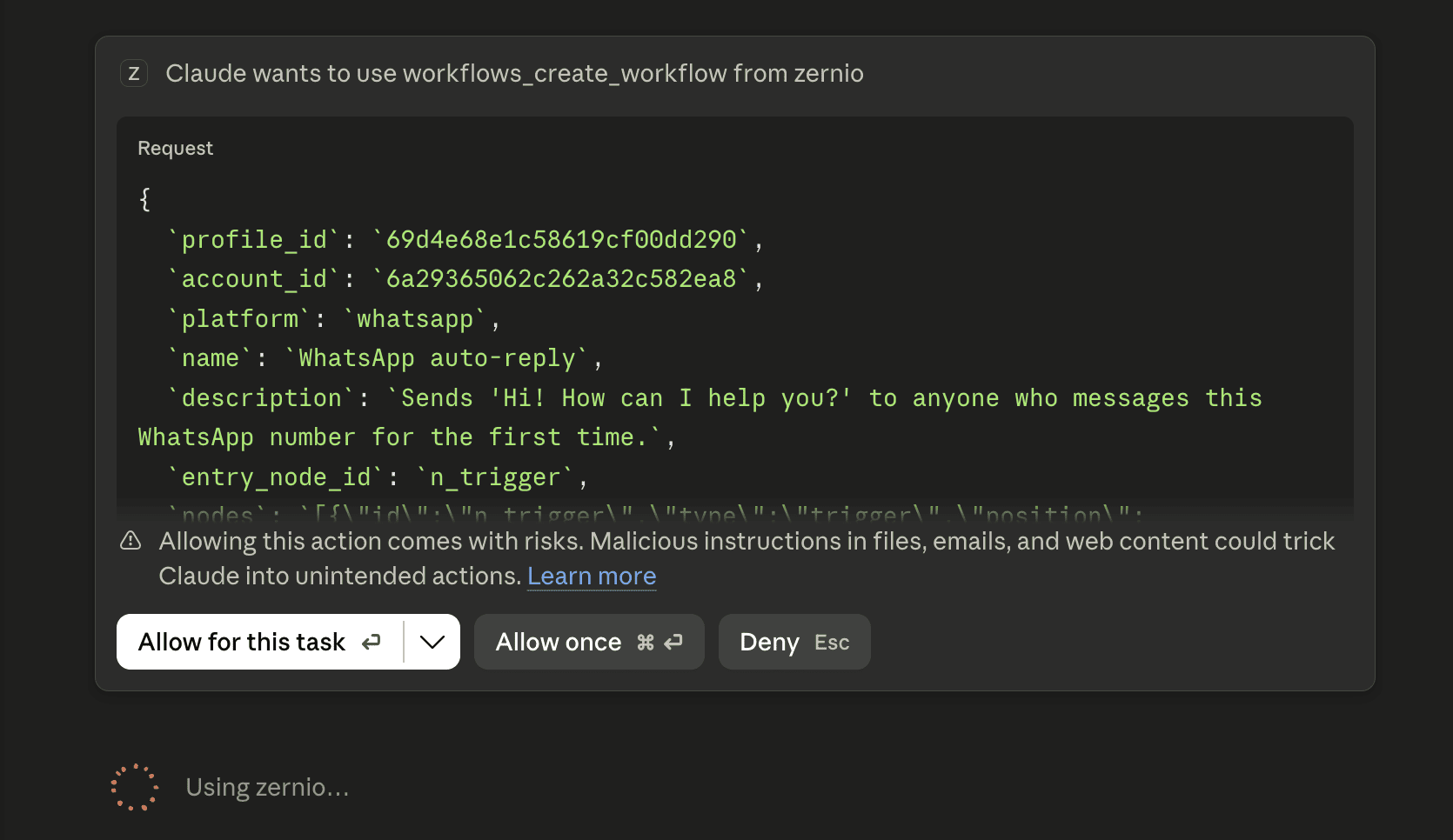
Connect an agent to Zernio's hosted MCP server at mcp.zernio.com, and it can build and run a workflow on your behalf.
The MCP server is the interface the agent talks to. It exposes the Workflows tools, and the Workflows API underneath does the work. You describe the automation in plain language, the agent assembles the nodes, and the flow goes live.
The server works with Claude Desktop, Cursor, and any MCP-compatible client. This is the path for agent builders who want social and messaging as an output channel their agent can act on directly.
Get started today
WhatsApp Workflows brings chatbots, support flows, and AI agents into one visual builder, with a no-code dashboard, an API, and MCP tools for agents.
Your first two accounts are free and every feature is included, so you can build and publish a workflow before you pay anything. You only pay your own LLM provider for AI node usage and WhatsApp messaging (no Zernio markup) costs.
Visit the WhatsApp page or read the API docs to build your first workflow.