Ask Claude to plan a TikTok campaign and it'll hand you targeting, budgets, and a week of creative in one reply. Ask it to launch that campaign and it stops cold, because it has no way into your ad account.
Since June 2026, that's fixable. TikTok opened its ad platform to AI agents over MCP, so Claude can create, manage, and optimize campaigns directly once you connect it. The bridge is an MCP connector: TikTok's official for-Business MCP Server, or a third-party one like Zernio.
If you build AI marketing tools, run an agency, or wire agents into ad ops, this is the setup you want. Here's how both routes work, what Claude can run once it's connected, and where the limits are.
Connect Claude to TikTok Ads through Zernio's MCP server →
What does it mean to integrate Claude with TikTok Ads?
Claude has no built-in access to your TikTok ad account. Integration means giving it a connector, an MCP server, that translates its instructions into actions on the TikTok Ads platform.
There are two ways people use this:
- Conversational management: you chat with Claude Desktop and ask it to check performance or bump a budget.
- Agentic automation: Claude Code or an autonomous agent runs unattended, pausing weak ad groups and scaling winners on a schedule.
Both use the same connector underneath. The difference is whether a human is in the loop on every action or only at approval points.
What are TikTok's Agentic Hub and for-Business MCP Server?
On June 30, 2026, TikTok launched two pieces that make agent-driven advertising official.
Agentic Hub is the discovery layer: a marketplace where advertisers find and install AI Skills, built by TikTok or by developer partners.
TikTok for Business MCP Server is the connectivity layer: a standardized bridge that exposes campaign management, performance reporting, audience configuration, and creative operations as tools an agent can call.
An AI Skill, in TikTok's terms, is a packaged building block that guides an agent through a specific goal, like onboarding an advertiser end to end or rotating creative when it fatigues. Launch partners publishing Skills include HubSpot, Wix, and Constant Contact, among others.
The takeaway for setup: the MCP Server is the connection standard, and you reach it two ways. Through TikTok's official route, or through a third-party connector. That choice is the next section.
How do you set up the TikTok Ads MCP?
Setting up the TikTok Ads MCP takes three steps: choose an MCP connector, authenticate your TikTok ad account, then add the connector to your AI client. For the connector, you can use TikTok's official for-Business MCP Server, or a third-party integrator like Zernio that connects the same TikTok Ads capabilities plus six other ad platforms in one setup.
| Connector | Setup | Coverage | Best for |
|---|---|---|---|
| TikTok for Business MCP Server (official) | Zero-code, connect ad account, no developer credentials | TikTok Ads only | Teams running TikTok ads only |
| Zernio (third-party integrator) | One bearer token, one MCP server | TikTok + 6 other ad platforms + 14 platforms for organic | Agents and products that need more than TikTok |
Route A: TikTok's official for-Business MCP Server
TikTok built its MCP Server for zero-code setup. You don't manage developer credentials or API keys. You connect your ad account, add the server to your MCP client, authenticate, and start giving Claude plain-language instructions. Everything runs against TikTok Ads. For the exact connection settings, follow TikTok's integration guide.
This is a strong route if TikTok is the only ad platform you touch.
Route B: Zernio, a third-party connector
Zernio connects Claude to TikTok Ads through its own MCP server, and the same connection reaches six other ad platforms and 14 platforms for organic posting. You set it up once.
- Create a Zernio account and connect your TikTok ad account through OAuth-as-a-service.
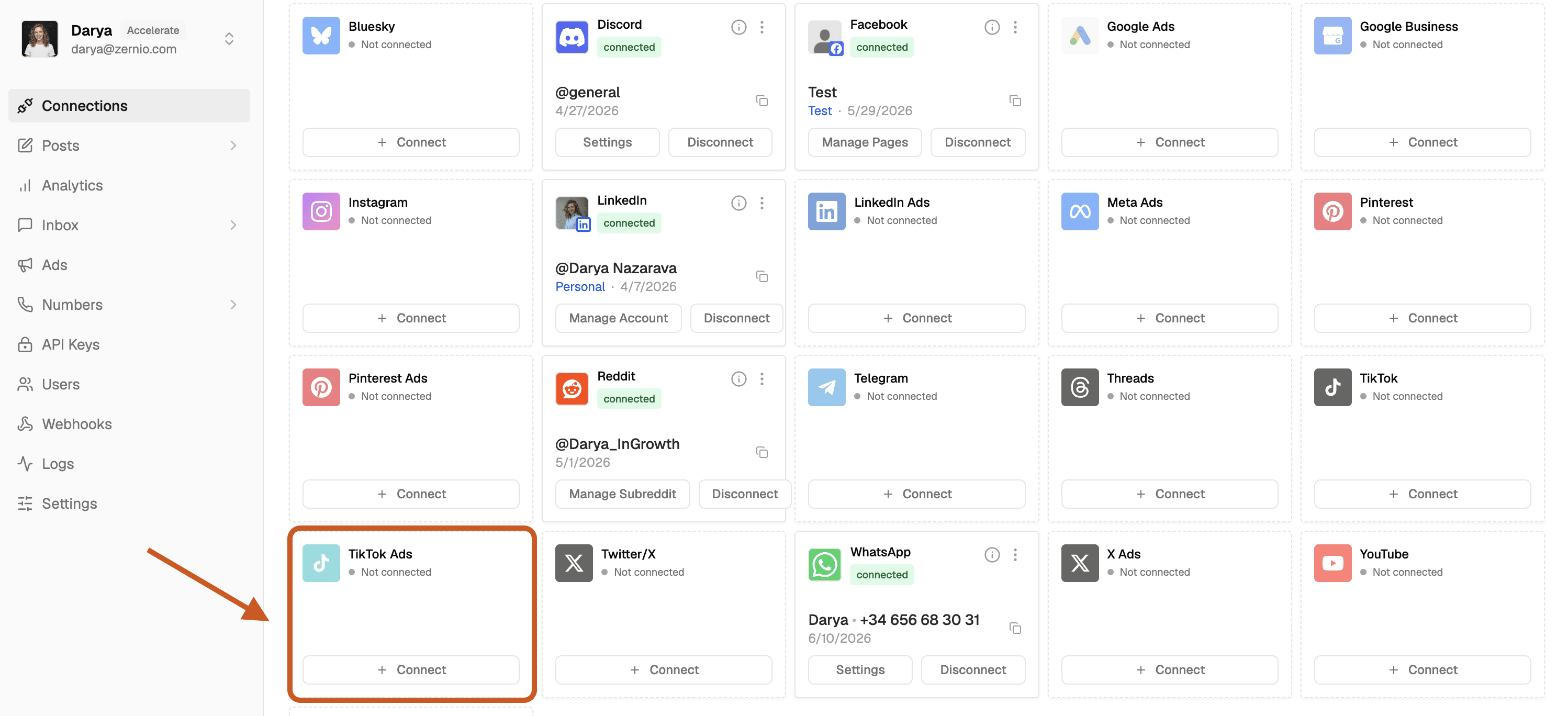
- Add Zernio's MCP server to Claude Desktop, Cursor, or Claude Code.
- Ask Claude in plain language, for example: "Boost my top TikTok video from last week as a Spark Ad, $100 over three days."
- Claude calls the relevant Zernio Ads tool, Zernio calls the TikTok Marketing API, and the ad goes live.
- Optional: If you want to run ads across multiple platforms like TikTok and Meta ads with Claude you can do it with Zernio's universal Ads API.
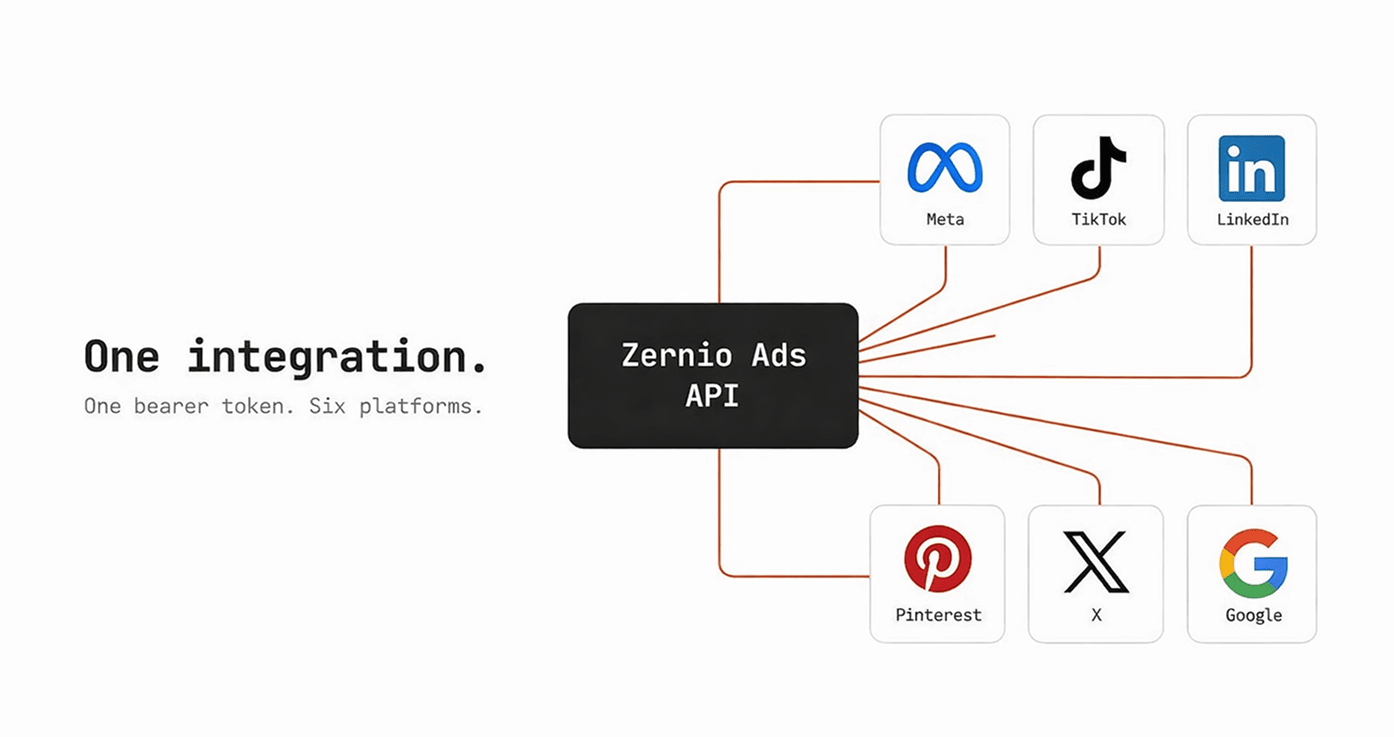
That's the whole setup. Authenticate once with a bearer token, and Claude can create campaigns, boost videos, sync audiences, and pull performance.
Prefer the terminal for agentic automation? Zernio also ships a CLI with structured JSON output that agents parse cleanly.
npm install -g @zernio/cliStop building social integrations from scratch.
One API call to publish, schedule, and manage posts across 16 platforms.
What can Claude do with TikTok Ads once connected via Zernio API?
Once Claude has a connector, it can run the full ad lifecycle in plain language. Here's what that covers through Zernio's Ads API for TikTok.
| Ad capability | What Claude can do on TikTok |
|---|---|
| Spark Ads (boost) | Promote an existing organic TikTok video as a paid Spark Ad |
| Standalone ads | Build a net-new ad from scratch, not tied to an organic post |
| Campaign management | Create, update, duplicate, pause, and resume campaigns and ad groups |
| Ad audiences | Create and sync custom and lookalike audiences for targeting |
| Ad analytics | Pull spend, impressions, CTR, and campaign-level performance |
| Cross-platform | Run the same actions on Meta, Google, LinkedIn, Pinterest, X, and ChatGPT |
One TikTok quirk worth calling out: TikTok has no native way to copy a campaign. Zernio handles that for you by reading the source campaign and rebuilding it, ad groups, ads, targeting, and Spark Ad linkage included. You ask Claude to duplicate a winning campaign, and it works the same as it would on any other platform.
A few workflows this makes routine:
Auto-boost the best organic video. Claude reads engagement from the analytics API, finds last week's top performer, and boosts it as a Spark Ad with a set budget. That closes the publish, measure, promote loop without anyone opening the dashboard.
Manage TikTok ads based on performance. Claude pauses ad groups under a performance threshold and raises budgets on the winners.
Launch from a brief, hold for approval. Claude turns a short brief into a creative and campaign, left paused so a person signs off before spend starts.
Report on a schedule. Claude pulls a weekly performance summary and drops it wherever your team reads updates.
Examples of how to use Claude with TikTok Ads and Zernio
Once the connector's in, these work as plain-language starting points. Copy one, swap in your own numbers, and run it in Claude.
Analyze recent performance
Use my Zernio connector and check my TikTok Ads account. Analyze campaign performance over the past 28 days, including the best-performing campaigns, ad groups, and audiences. Flag anything with rising cost per result.
Boost the top organic video as a Spark Ad
Find my best-performing organic TikTok video from the last 7 days by engagement, then boost it as a Spark Ad with a $100 daily budget for 3 days, driving traffic to zernio.com. Leave it paused for me to approve.
Prune and scale on performance
Look at my active TikTok ad groups. Pause any with a CPA above $25, and draft a plan to raise budgets 20% on the top 3 by ROAS. Show me the changes before applying them.
Duplicate a winner
Duplicate my best TikTok campaign from last month, keep the targeting and creative, and set it up as paused so I can adjust the budget before launch.
Run the cross-platform loop
Compare last week's ad performance across TikTok, Meta, and LinkedIn. Tell me which platform got the cheapest conversions, and boost the best organic post on that platform with a $50 test budget.
Keep the "leave it paused" or "show me before applying" part in prompts that spend money. It lets Claude do the work while you keep the final call.
What are the limitations of the TikTok Ads MCP, and how does a connector handle them?
Some limits come from TikTok's platform and apply to every connector, official or third-party. Others are operational, and a managed connector can smooth them. Here's the honest map.
| Limitation | What it means | How Zernio handles it |
|---|---|---|
| Not every TikTok endpoint is exposed | Coverage is bounded by TikTok's public API. Things like watch-time depth, Go Live, and edit-after-publish sit outside it | Same boundary. This is a TikTok API constraint every connector shares |
| Rate limits per tool, per user | Raw API callers have to manage throttling themselves | Zernio abstracts it. Retry and backoff run internally |
| Authorization expires | Tokens time out, which can cause silent failures | Zernio adds account health monitoring and an account.disconnected webhook, so you're warned before a token lapses |
| Availability varies by region and account | Some capabilities differ per account setup | Zernio exposes a creator-info endpoint that returns allowed privacy levels, posting limits, and content types before you post |
The pattern: the first and last rows are TikTok platform realities you live with either way. The middle two are where a managed connector saves you the operational work of monitoring rate limits and expiring tokens.
TikTok's official MCP or a third-party connector: which should you use?
Use the connector that matches how many platforms your agent needs to touch.
TikTok's official MCP Server is a strong fit if TikTok is the only platform you run ads on and you want the most direct, zero-setup route. It's free, first-party, and built for exactly that.
A third-party connector like Zernio fits if your product or agent needs TikTok ads plus other ad platforms, or the organic loop where you publish, measure, then promote the winner. One integration covers all of it, so you're not stitching a separate setup for each network.
How much does each cost?
TikTok's official MCP Server is free. You pay only for ad spend. The scope is TikTok, so covering other networks or organic means adding separate tools on top.
Zernio uses pay-per-account pricing with every feature included from the first account, ads among them. The first two TikTok accounts are free, and the per-account rate drops as you grow.
| Connected accounts | Zernio per account / month |
|---|---|
| First 2 | Free |
| Accounts 3–10 | $6 |
| Accounts 11–100 | $3 |
| Accounts 101–2,000 | $1 |
Integrating Claude with TikTok Ads comes down to choosing an MCP connector and adding it to your AI client. TikTok's official for-Business MCP Server is the direct, TikTok-only route. A third-party connector like Zernio links the same TikTok Ads capabilities plus six other ad platforms and the organic loop through one integration. Pick based on how many platforms your agent needs to run.
Give your agent TikTok ads and the full social layer with Zernio →