Team Collaboration
Invite unlimited team members. Share profiles, manage clients, and collaborate on content at no extra cost.
Included in All Plans
Unlimited team members on every plan, including free. No per-seat charges.
Key Features
Unlimited Team Members
No per-seat pricing. Invite your entire team.
Profile-Based Access
Users see only their assigned profiles. Perfect client separation.
Email Invites
Invite by email. One-click to join shared profiles.
Shared Accounts
All profile members can post to the same social accounts.
Unified Usage
Post limits tracked at account level, not per user.
Client Isolation
Separate profiles per client. Assign different team members.
How Collaboration Works
- 1.Create ProfilesOne profile per client or brand.
- 2.Invite MembersUsers tab > invite by email > assign to profiles.
- 3.CollaborateSchedule, view analytics, and manage content together.
Benefits for Teams & Agencies
No Per-Seat Pricing
Save thousands vs tools that charge per user.
Built for Agencies
Multi-client management with separate profiles.
Streamlined Workflow
Same platform, same posts, same calendar for everyone.
Secure Access
Users only see their assigned profiles.
Collaborate Across All Platforms
See it in action
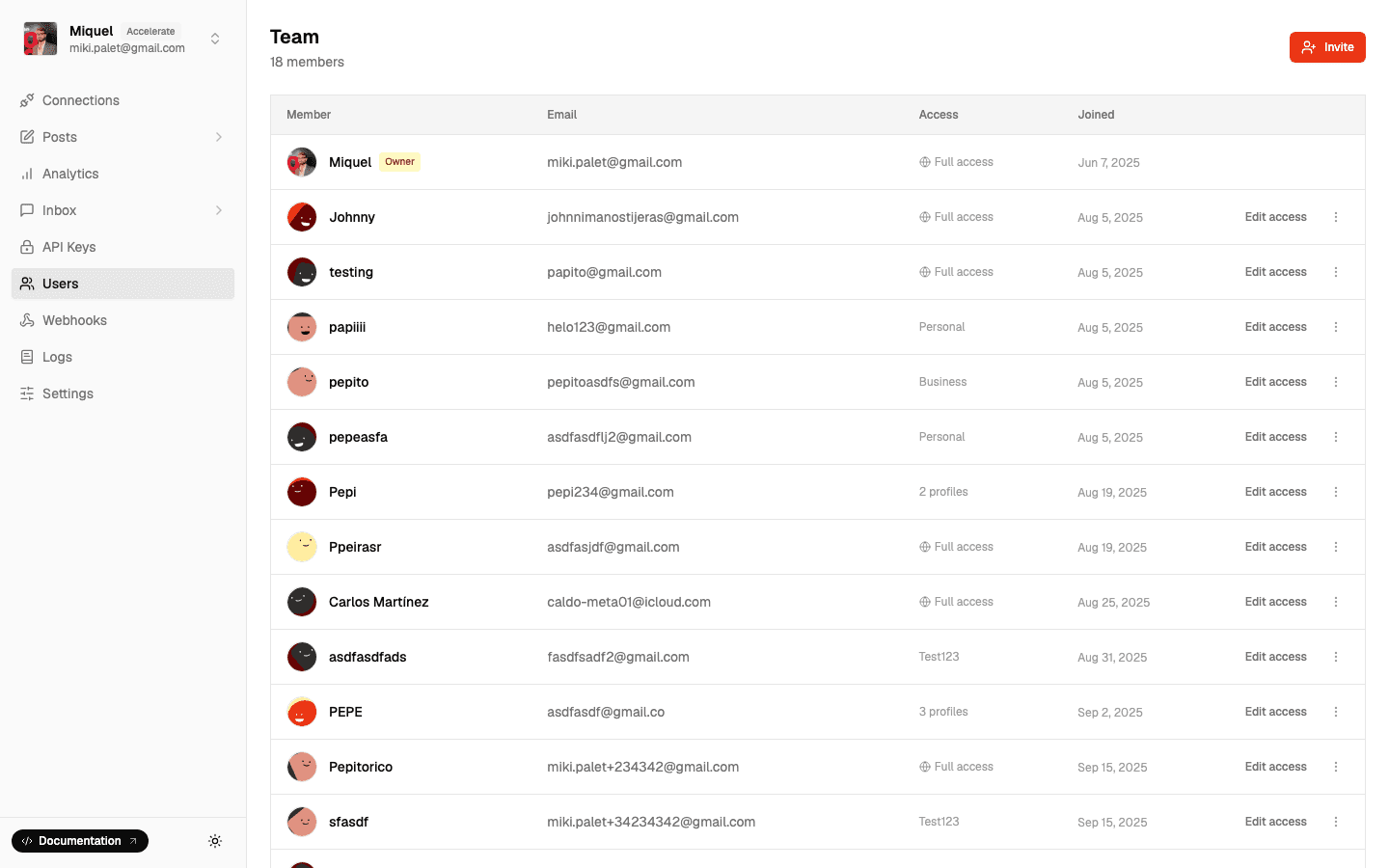
Unlimited team members on every plan. No per-seat fees.
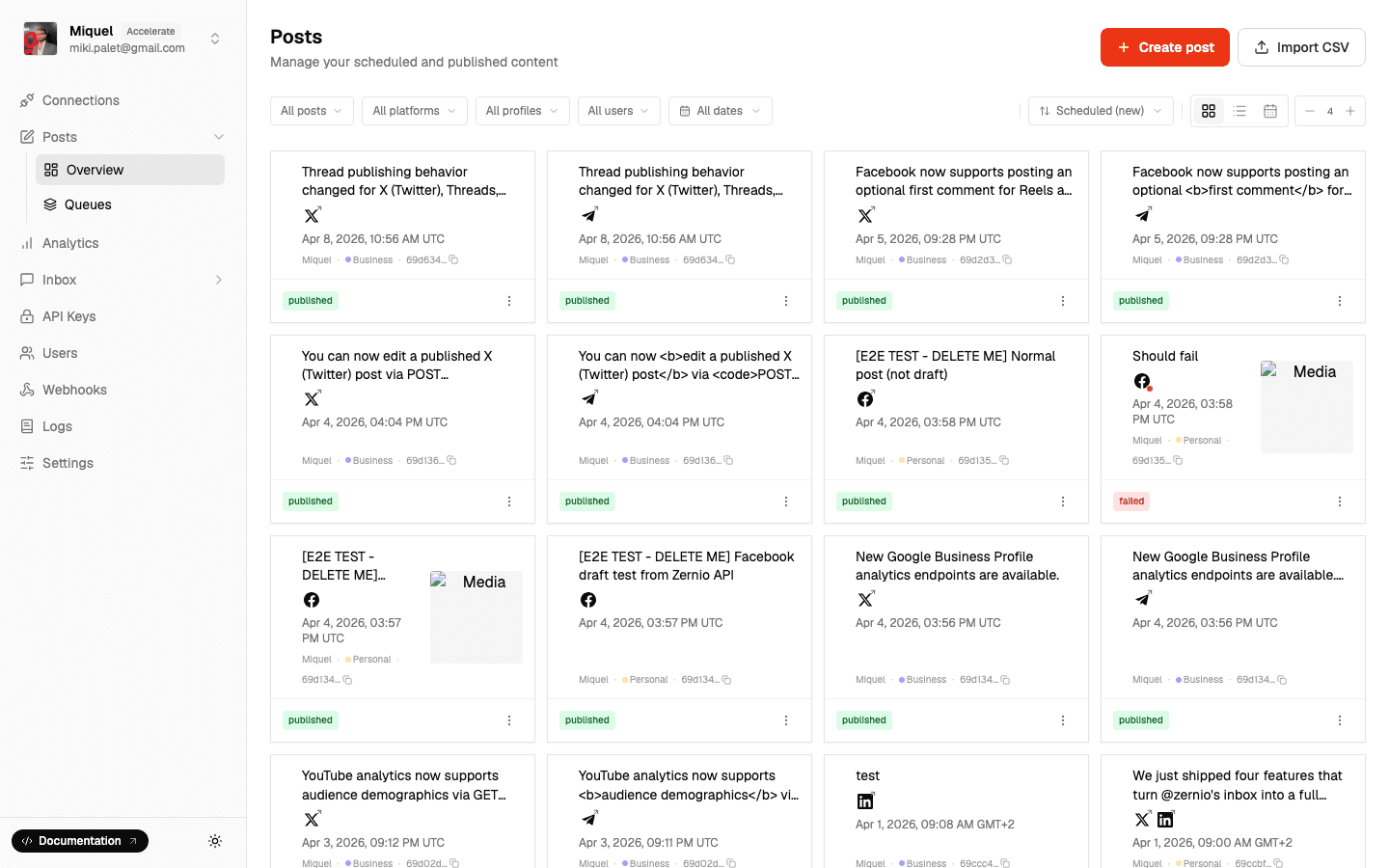
Everyone sees the same queue. No more content collisions.
Frequently Asked Questions
- How many members can I invite?
- └Unlimited on all plans, including free.
- Can I set permission levels?
- └All profile members have full access. Granular permissions coming soon.
- Can clients access their profile?
- └Yes. Invite them and assign to their profile only.
- Can I remove members?
- └Yes, instantly from the Users tab.
- Are limits per user or per account?
- └Per account. All members share the same pool.
Related Features
Start Collaborating
Unlimited users, all plans, no extra cost.