If you run Meta Ads for a SaaS product, an agency, or your own brand, you know the daily routine: open Ads Manager, check ad spend, pause underperforming campaigns, and scale what is working. An AI agent can automate much of this routine once it is connected to your ad account.
There are two main ways to connect AI agents to Meta Ads Manager: use the Meta Ads CLI, which creates campaigns in a paused state by default, or a unified third-party API such as Zernio, which lets you automatically create and manage live campaigns across Meta and 6 other advertising platforms.
In this guide, you’ll learn how to connect AI assistants like Claude and Cursor to Meta Ads Manager, why you might want to do so, and how a unified Ads API like Zernio makes it easier to manage Meta Ads.
Ways to Connect an AI Assistant to Meta Ads Manager
You can connect an AI assistant to Meta Ads Manager in two ways: using the Meta Ads CLI or a third-party advertising API, such as the Zernio Ads API.
1. Meta Ads CLI
Meta Ads CLI is a command-line tool that lets developers and operations teams automatically create paused campaigns, manage ad creatives and product catalogues, and query performance insights. Since the CLI does not create live campaigns by default, it lacks support for end-to-end campaign automation. You still need to review and activate campaigns before they can run.
The Meta Ads CLI requires an access token from a Meta system user with the necessary permissions and an ad account containing the assets you want to manage. To connect to Meta Ads, you must first install the CLI package and set up the required environment. Once configured with the appropriate access and permissions, an AI agent can use the CLI to perform supported advertising tasks from the command line.
Best for: Developers and teams that want to automate Meta Ads creation, management, and performance analysis while retaining manual review and campaign activation.
2. Zernio Ads API
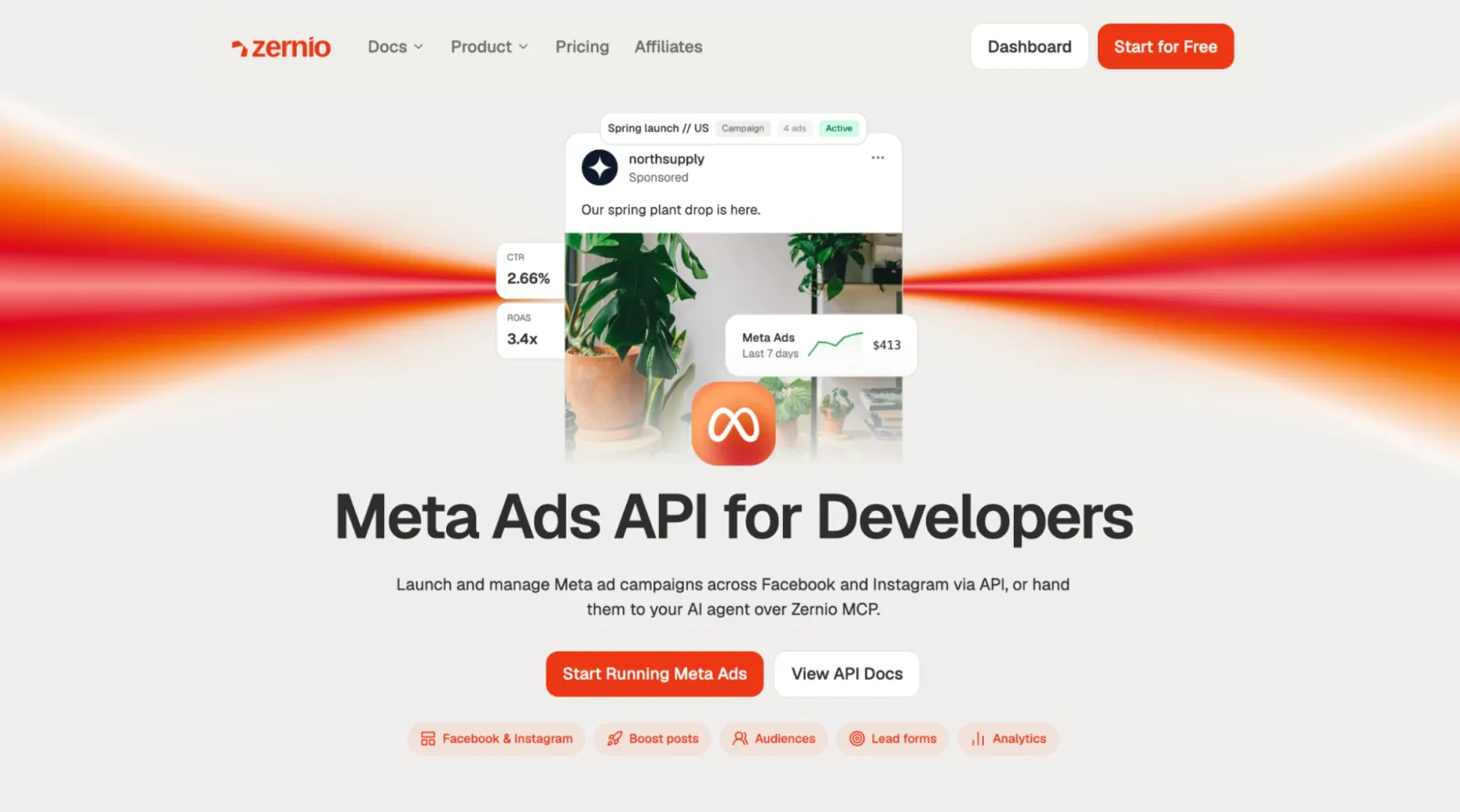
Zernio Ads API is a unified API for creating and updating ads across Meta, Google, TikTok, LinkedIn, Pinterest, X, and OpenAI. It allows you to manage ads across multiple platforms and compare campaign performance through a single API endpoint or MCP server for Meta Ads.
Zernio is an approved Meta partner that enables you to automatically create and manage campaigns, adjust budgets and ad spend, manage audiences and ad creatives, and create instant lead forms. With Zernio, you can access detailed reporting and performance data and create live campaigns automatically without manual intervention or activation.
Best for: Teams and founders who want to manage Meta Ads and cross-platform campaigns through automation workflows or a centralised dashboard, and developers who want to integrate and compare advertising data across multiple platforms through a single API.
Why Connect AI Agents to Meta Ads Manager?
AI agents can automate repetitive advertising tasks and interact with Meta Ads Manager based on given instructions and predefined rules. When connected to Meta Ads Manager, they can help teams create and manage campaigns, monitor performance, control ad spend, and make routine adjustments.
Some of the reasons advertisers and teams connect AI agents to Meta Ads Manager include:
1. Automatically generate optimised ad copy
AI agents can generate and optimise ad headlines, primary text, descriptions, and calls to action based on a campaign’s objective, target audience, product information, or previous campaign data. This helps teams create multiple ad variations quickly and identify copy that aligns with their campaign goals.
2. Research high-performing competitor ads
AI agents can analyse publicly available competitor ads and identify patterns in their messaging, offers, creative formats, and calls to action. This can help advertisers research the market and identify ideas for developing their own campaigns.
3. Monitor ad spend and set spending limits
AI agents can regularly track campaign and ad set spending, compare it with predefined limits, and alert teams or pause ads when campaigns approach their set budgets. They can also automatically adjust budgets when specific spending conditions are met.
4. Monitor and optimise campaign performance
AI agents can continuously monitor key performance metrics, such as clicks, conversions, cost per result, and return on ad spend. Based on campaign performance, they can identify underperforming ads, suggest improvements, and take supported actions such as pausing campaigns or adjusting budgets. This allows teams to monitor and optimise campaigns around the clock without manually checking the Ads Manager dashboard.
5. Generate campaign reports and custom dashboards
AI agents can collect campaign data, analyse performance trends, and turn the results into readable reports or custom dashboards, highlighting important changes and AI-generated insights in a single interface tailored to your team’s needs.
Step-by-step Guide to Connecting AI Agents to Meta Ads Manager
Zernio provides MCP tools that allow AI agents to create and manage campaigns, boost posts, control budgets and campaign status, manage audiences, analyse performance, and handle conversions and lead forms.
In this section, you will learn how to connect AI agents to Meta Ads Manager with Zernio to create, update, pause, and track Meta Ads.
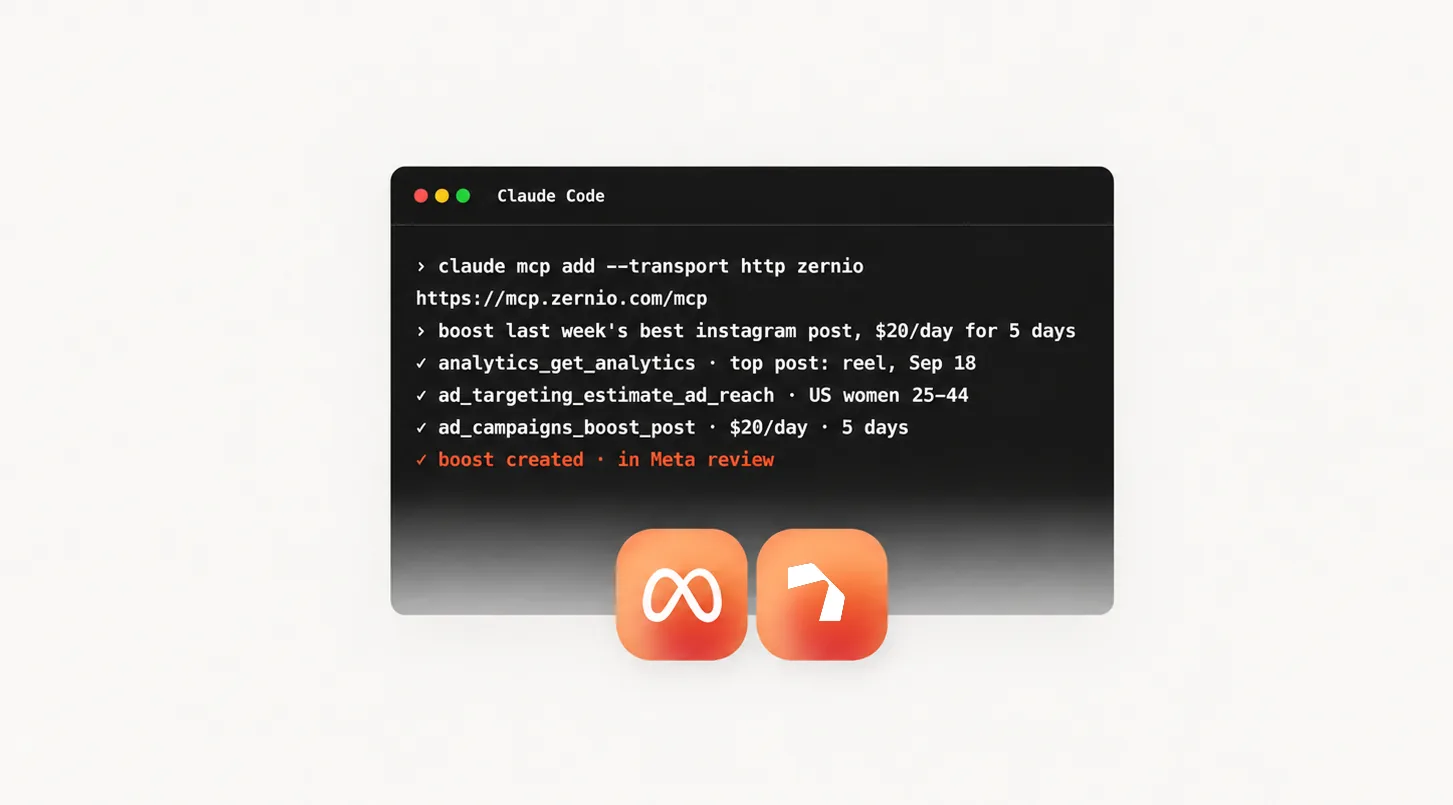
Before you proceed, make sure you have an AI tool installed on your computer. Zernio supports multiple AI agent tools, including Claude Code, Cursor, Codex, OpenClaw, Grok, and Hermes. We’ll use Claude for this tutorial.
There are two ways to connect AI assistants to Meta Ads Manager through Zernio: using your Zernio API key or connecting to the Zernio MCP server with OAuth.
Using Zernio API Key
Log in to your Zernio account and select API keys from the sidebar to create a new API key. Zernio lets you set the API key permissions and restrict its access to specific supported features.
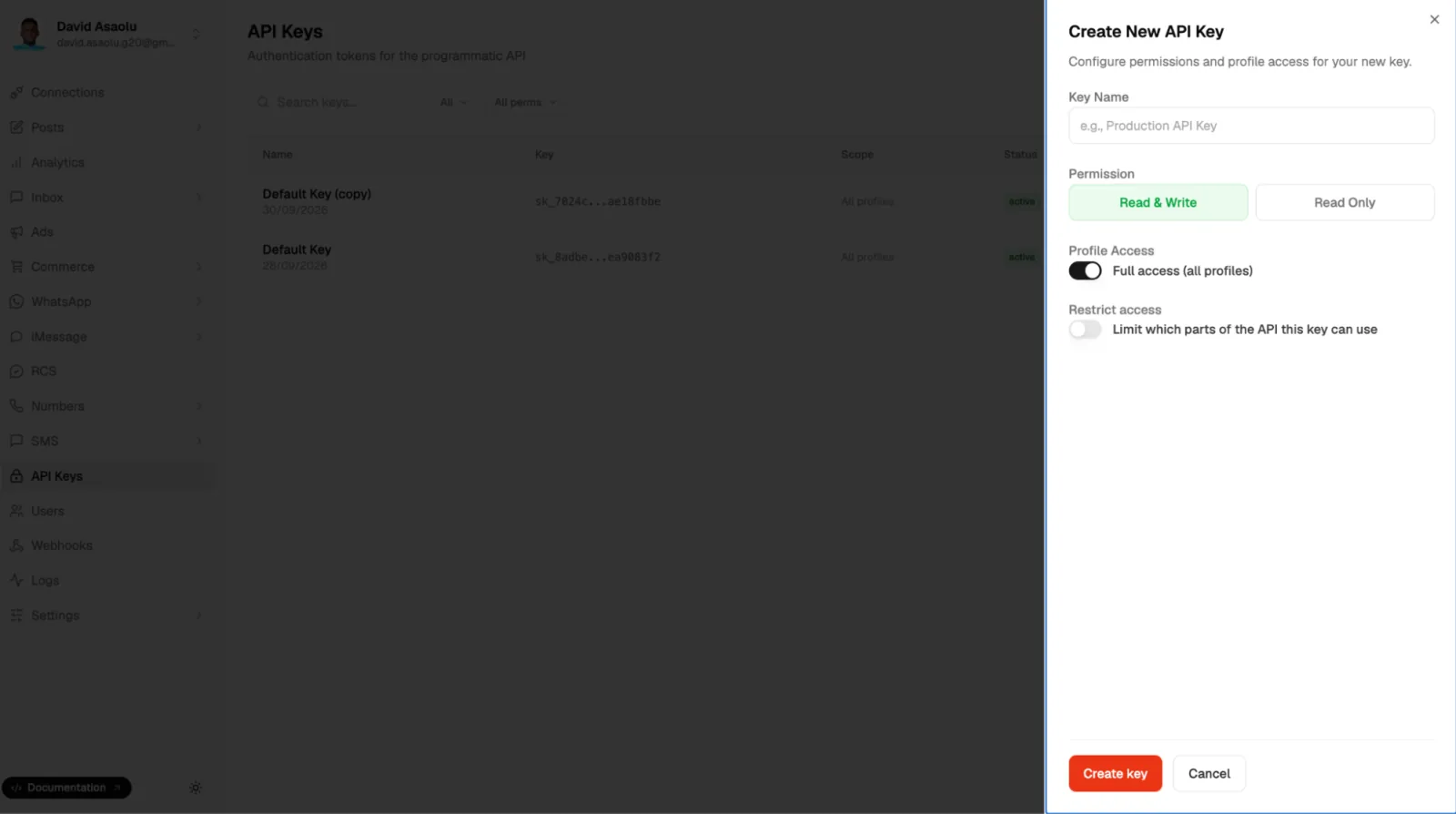
Run the following command in your Claude Code terminal to connect your AI assistant to the Zernio MCP server using your API key:
claude mcp add --transport http zernio https://mcp.zernio.com/mcp \
  --header "Authorization: Bearer $ZERNIO_API_KEY"
Using Zernio OAuth Sign-in
Step 1. Connect your Meta Ads account to Zernio
Select Connections from the sidebar on your dashboard to connect your Meta Ads account to Zernio. You can connect using either your Meta Business account or personal Facebook profile.
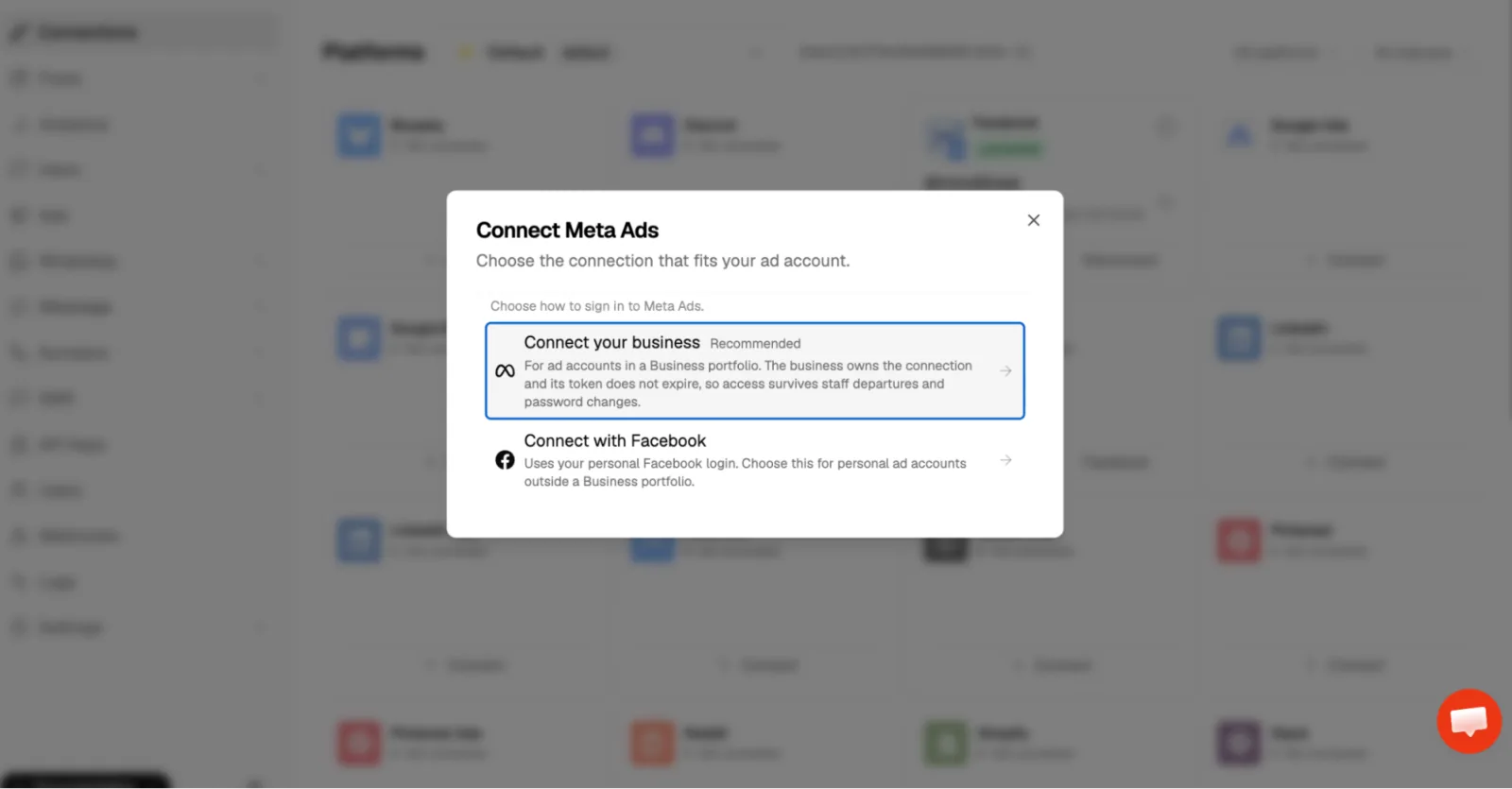
Step 2. Add the Zernio MCP server to your connectors
Select the + icon in the Claude chat interface and add a new connector. Enter the Zernio MCP URL (https://mcp.zernio.com/mcp) and a name for the connector.
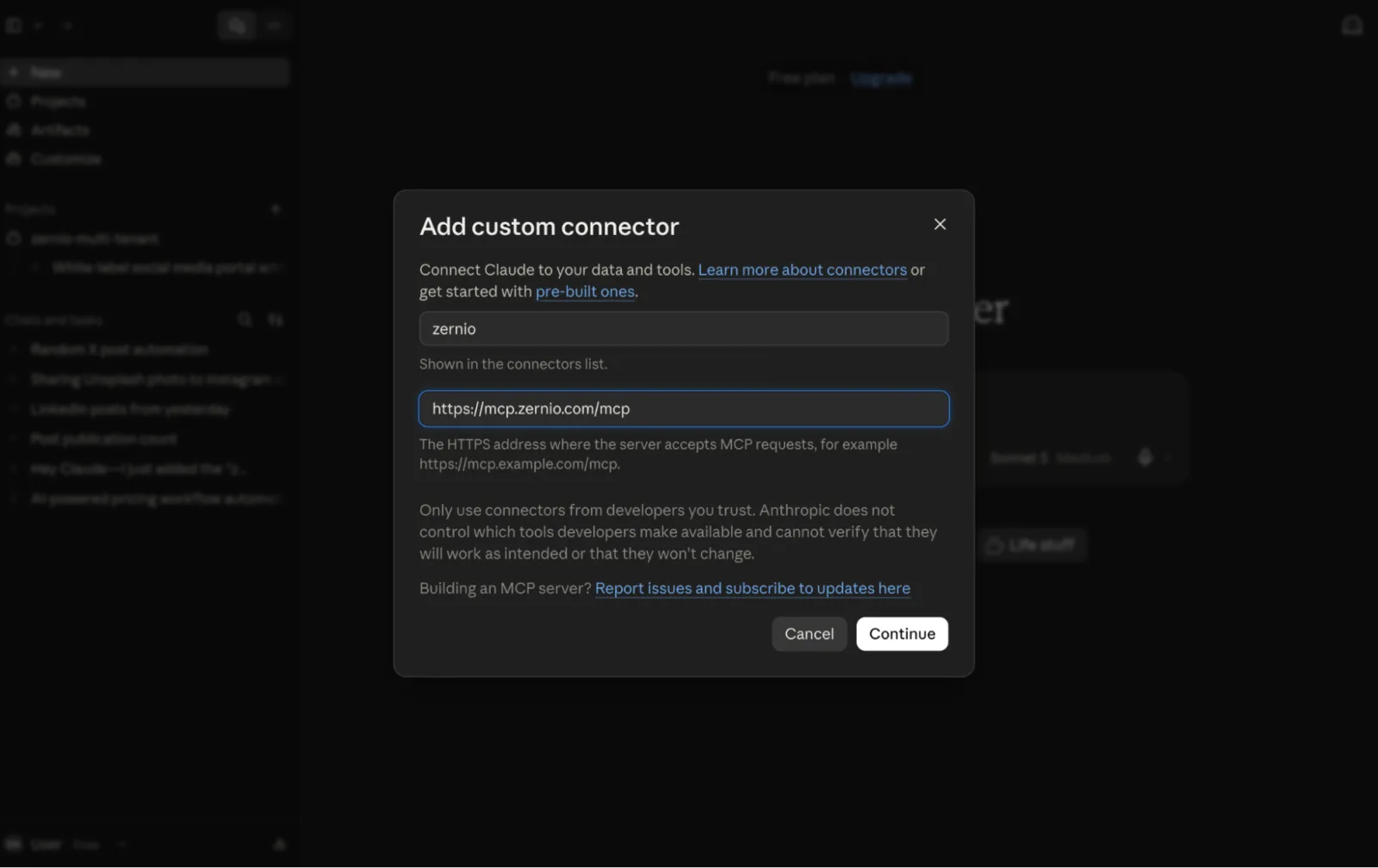
Once connected, you can start creating and updating ads and querying campaign data directly from your AI chat interface.
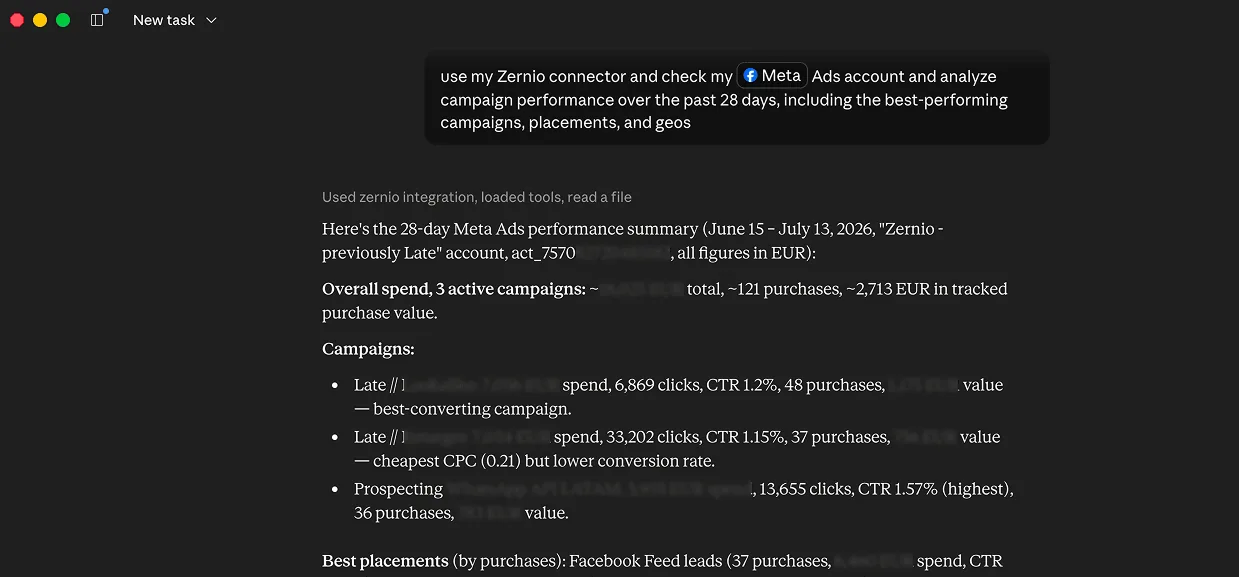
How to Connect Meta Ads API to Claude
Stop building social integrations from scratch.
One API call to publish, schedule, and manage posts across 17 platforms.
Why You Should Manage Meta Ads with Zernio
Zernio provides a unified API and MCP server for managing Meta Ads and campaigns across 6 other platforms. Meta also provides the Meta Ads CLI and MCP server for managing Meta Ads and accessing detailed performance data. However, the two approaches differ in their integration process and capabilities.
| Feature | Meta Ads CLI | Zernio Ads API + MCP server |
|---|---|---|
| Provider | Meta developer tool with CLI commands | Third-party unified advertising API |
| Supported networks | Meta platforms | Meta, Google, TikTok, LinkedIn, Pinterest, X, and OpenAI |
| AI agent integration | Designed for AI-assisted terminal workflows | Designed for AI agents through API and MCP integrations |
| Authentication | Meta access token and required permissions | OAuth connection through Zernio |
| Campaign deployment | Ads created through the CLI are paused by default | Ads can be created as live by default through AI agents and API integrations |
| Automation workflows | Suitable for terminal-based automation | Suitable for AI agents, automation workflows, dashboards, and SaaS applications |
| MCP support | MCP server integrations may require Meta App setup and approval | Ready-to-use MCP server for AI agent integrations |
Summary: How to Connect AI Assistants to Meta Ads Manager
Connecting AI assistants to Meta Ads Manager allows you to automate campaign management, monitor performance, control ad spend, generate reports, and make routine campaign changes using natural-language instructions.
You can connect AI assistants to Meta Ads using the Meta Ads CLI or a unified advertising API such as the Zernio Ads API. Zernio Ads API goes beyond creating, updating, and managing Meta Ads by supporting 6 other advertising platforms, enabling teams and developers to manage cross-platform campaigns, analyse performance, and compare ads through one unified integration without building separate integrations for each platform.
If you’re looking to automate Meta Ads management or build AI-powered advertising features into an application, Zernio provides a unified way to connect AI agents to Meta Ads and manage campaigns through a single integration.
FAQs
Can AI assistants manage Meta Ads?
Yes. AI assistants can manage Meta Ads when they are connected to Meta’s advertising tools through an API, MCP server, or CLI tool. Depending on the integration and permissions, an AI assistant can create and update campaigns, retrieve performance data, adjust budgets, and perform other advertising tasks.
Can I connect Meta Ads to Claude?
Yes, you can connect Meta Ads to Claude. Zernio lets you connect your ads data from Meta, Google, TikTok, LinkedIn, Pinterest, X, and OpenAI to Claude and other AI tools to automatically launch, update, and manage ads.
Can AI create Meta Ads?
Yes. AI assistants can create Meta Ads when connected to the appropriate advertising tools and given the required permissions. With Zernio, you can create, update, and analyse ads using natural-language prompts.
Can AI analyse Meta Ads performance?
Yes. AI assistants connected to Meta advertising data can retrieve campaign metrics and analyse performance.
Can I automate Meta Ads with an AI agent?
Yes. An AI agent can automate tasks such as monitoring campaign performance, generating reports, adjusting budgets, and pausing campaigns when predefined conditions are met, provided the connected tools support those actions and the agent has the required permissions.