Developers, agencies, and content creators all hit the same wall with free social media tools: the pricing page looks generous, then posts, profiles, or platforms get capped the moment you actually rely on the tool.
We tested 12 free options against their real limits instead of their marketing pages. Zernio led for API access across 15 platforms, Buffer for the simplest queue if you're just starting out, Zoho Social for a complete single-brand free plan, and Metricool for free analytics.
Below is what each tool actually gives you for free, where it breaks down, and who it's built for.
1. Zernio
Zernio is a premier choice among the best free social media management tools, particularly for developers, agencies, and technically-inclined marketers seeking reliability and integration flexibility. Zernio offers a unified REST API that consolidates scheduling across 15 platforms: Twitter/X, Instagram, TikTok, LinkedIn, Facebook, YouTube, Threads, WhatsApp, Pinterest, Reddit, Bluesky, Telegram, Google Business, Snapchat, and Discord. That makes it the widest platform coverage of any tool on this list. This API-first approach is its core strength, removing the need to build and maintain separate, often fragile, integrations for each network.
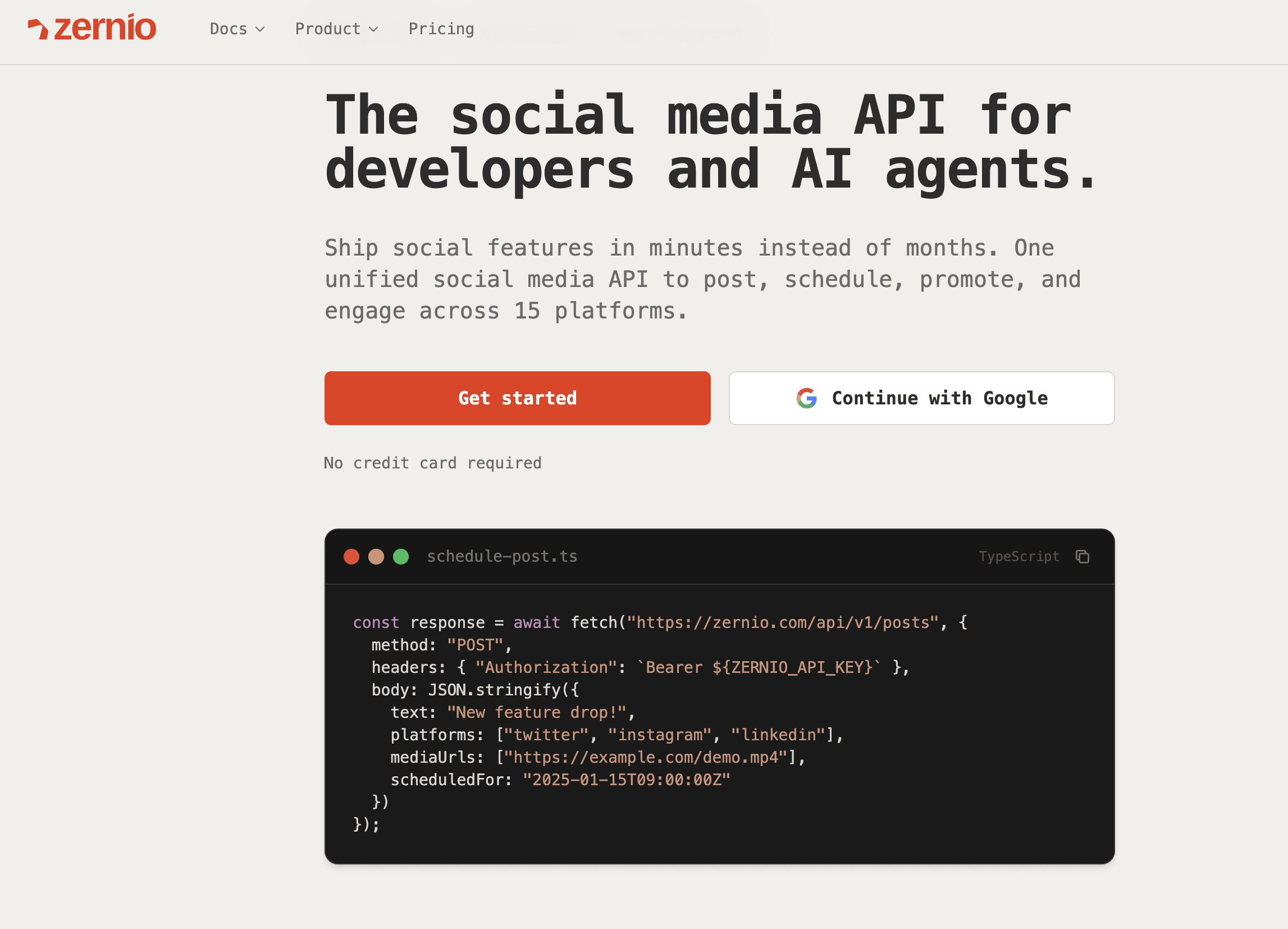
The platform is engineered for performance, with 99.7%+ uptime and sub-50ms response times. This ensures that scheduled posts are delivered consistently and without delay, a critical factor for time-sensitive marketing campaigns and maintaining brand presence. For businesses looking to build custom social media tools or integrate scheduling directly into their existing workflows, Zernio saves months of development effort.
Key features & use cases
Zernio's standout feature is its versatile integration capability. Users can interact with the service in multiple ways, catering to different technical comfort levels.
- REST API: Developers can make direct API calls to schedule, manage, and track posts, building custom solutions or embedding social functionality into their applications.
- No-Code Integrations: It connects with Zapier, n8n, and Make.com, allowing non-developers to create sophisticated, automated posting workflows triggered by actions in other apps like Airtable or Google Sheets.
- Dashboard Uploads: For quick, one-off posts, users can use the simple, intuitive web dashboard, which developers also use for managing API keys and monitoring usage.
- MCP server for AI agents: Zernio ships a hosted MCP server (280+ tools at mcp.zernio.com) and a CLI with structured JSON output, so AI agents built in Claude Desktop, Cursor, or Windsurf can publish, check analytics, and boost posts without custom API wiring.
This flexibility makes it ideal for digital agencies managing multiple client accounts at scale or for creators wanting to automate content distribution from a central source. Users report getting fully integrated in under an hour, a testament to its excellent documentation and design.
What Zernio supports, by platform
| Platform | Posting | Comments | DMs | Analytics | Ads |
|---|---|---|---|---|---|
| ✓ | ✓ | ✓ | ✓ | ✓ | |
| ✓ | ✓ | ✓ | ✓ | ✓ | |
| X/Twitter | ✓ | ✓ | ✓ | ✓ | ✓ |
| TikTok | ✓ | ✓ | — | ✓ | ✓ |
| ✓ | ✓ | — | ✓ | ✓ | |
| ✓ | — | ✓ | — | — |
Full breakdown for all 15 platforms at docs.zernio.com.
Pricing and limitations
Zernio doesn't use pricing tiers or plans. It's pay-per-connected-account with graduated volume discounts, and every feature (posting, comments, DMs, analytics, ads) is included from account #1, no add-ons, no feature gates.
- First 2 accounts: free.
- Accounts 3–10: $6/account/month.
- Accounts 11–100: $3/account/month.
- Accounts 101–2,000: $1/account/month.
The cost per account drops as you scale, the opposite of per-profile pricing models.
The main tradeoff: Zernio is API- and CLI-first. If you want a polished visual dashboard as your primary workflow rather than an API you build on top of, tools further down this list will feel more immediately familiar.
- Pros: Unified API for 15 platforms, full social layer (posting, comments, DMs, analytics, ads) in one integration, pay-per-account pricing that gets cheaper as you scale, MCP server for AI agents, fast setup (working in under an hour).
- Cons: API-first, no polished visual dashboard as the primary workflow; best suited to teams comfortable building on an API rather than clicking through a UI.
- Website: https://zernio.com
Stop building social integrations from scratch. Zernio's unified API covers 15 platforms — posting, comments, DMs, analytics, and ads — in a single integration. Start free today.
2. Buffer
Buffer has long been a favorite among the best free social media management tools, primarily for its exceptional ease of use and streamlined interface. It's an ideal starting point for individuals, content creators, and small businesses just beginning to formalize their social media strategy.
The platform's strength lies in its simplicity. The core function is a content queue where you can add posts and set a predefined schedule, and Buffer handles the rest. This "set it and forget it" approach removes the complexity often found in more advanced tools, making it perfect for maintaining a consistent presence without a steep learning curve. The free plan is quite generous, allowing one user to connect up to three social channels and schedule 10 posts per channel at any given time.
Key features & limitations
What We Like:
- Intuitive Queue: The visual, drag-and-drop post queue is incredibly easy to manage.
- Strong Integrations: Works with Canva, Dropbox, and Zapier, simplifying content creation and workflow automation.
- Reliability: Buffer is known for its stability and dependable post-scheduling, a crucial factor for any social media manager.
What to Consider:
- Limited Analytics: The free plan's analytics only cover the past 30 days, which isn't sufficient for in-depth performance tracking.
- Per-Channel Pricing: As you grow, the paid plans are priced per channel, which can become expensive compared to competitors that offer channel bundles.
Buffer's free tier is perfect for establishing a baseline social media presence. For those looking to take their strategy further, it's a great tool to pair with techniques to boost social media engagement organically.
Website: https://buffer.com/pricing
3. Zoho Social (Free Edition)
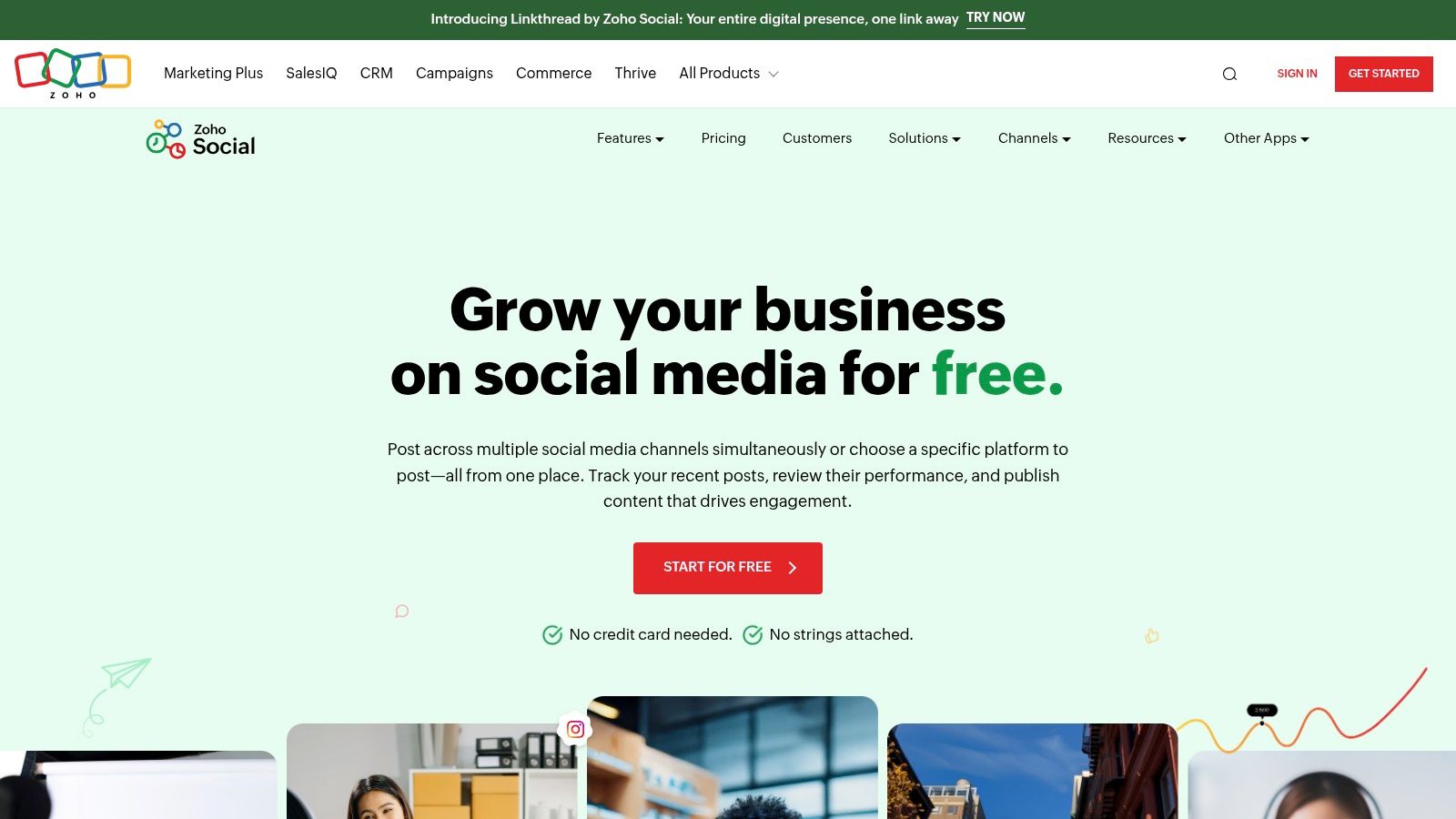
Zoho Social positions itself as one of the best free social media management tools for those who need a comprehensive, yet contained, solution for a single brand. It offers a surprisingly complete feature set for a permanently free plan, going beyond simple scheduling to include engagement tracking and basic reporting, making it ideal for small businesses or solo entrepreneurs managing one complete online presence.
The platform provides a unified dashboard where you can manage publishing calendars, monitor conversations, and analyze performance across six key social networks. Unlike some competitors that heavily restrict posting volume, Zoho Social's free edition does not list a specific monthly post cap, allowing for more active scheduling. This makes it a powerful starting point for users who want a taste of a full-featured suite without an immediate financial commitment.
Key features & limitations
What We Like:
- Truly Free Plan: The "Free Forever" plan is practical and not just a limited trial, offering core functionality for one brand.
- Broad Network Support: Connects to Facebook, X (Twitter), Instagram, LinkedIn, Pinterest, and Google Business Profile.
- Simple Onboarding: The user interface is clean, and the setup process is straightforward, getting you started quickly.
What to Consider:
- Solo User Only: The free plan is strictly limited to one user and one brand, making it unsuitable for teams or agencies.
- Basic Reporting: While analytics are included, they are less in-depth compared to paid plans and advanced competitors.
Zoho Social's free tier is an excellent, all-in-one solution for an individual managing the social media for a single business. It provides the essential tools needed to maintain a professional and organized presence without overwhelming new users.
Website: https://www.zoho.com/social/free-edition.html
4. Metricool
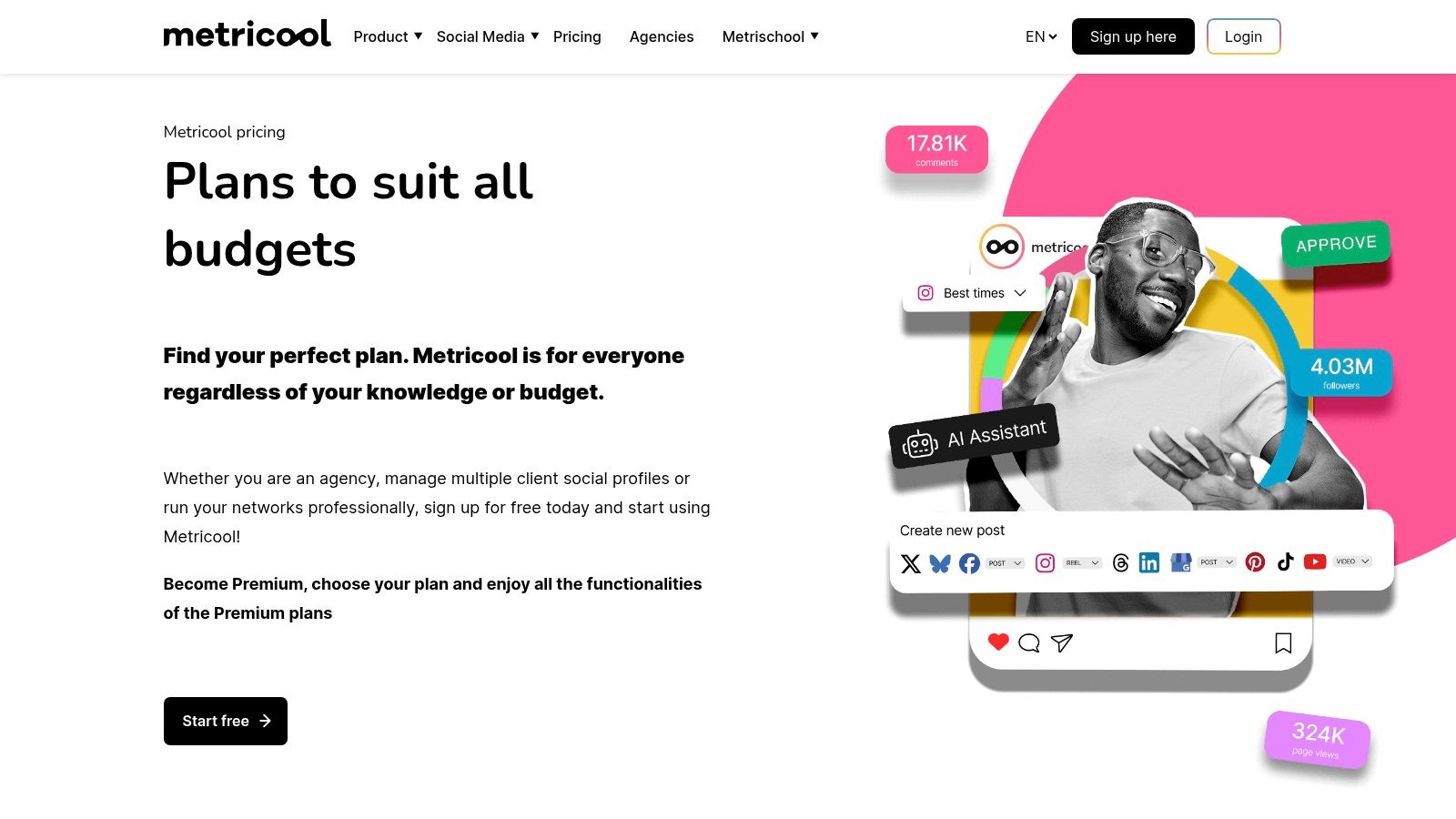
Metricool stands out among the best free social media management tools for its powerful combination of scheduling and robust analytics, even on its free plan. It's an excellent choice for data-driven marketers, small businesses, and agencies who need to manage a wide array of platforms and demonstrate performance without an immediate budget.
The platform goes beyond simple scheduling by integrating website analytics and ad account performance alongside social data, providing a fuller picture of your digital marketing efforts. Its free plan is notably generous, allowing one brand to connect a profile from Facebook, Instagram, TikTok, Pinterest, YouTube, and even Google Business Profile. With a cap of 50 scheduled posts per month, it provides a solid foundation for maintaining an active presence while tracking key metrics.
Key features & limitations
What We Like:
- Comprehensive Analytics: The free plan offers a solid three-month data history, including basic competitor tracking, which is rare for a free tool.
- Broad Platform Support: It covers major social networks and includes Google Business Profile, making it ideal for local businesses.
- Unified Dashboard: Combining social, web, and ad analytics in one place simplifies performance reporting and strategic planning.
What to Consider:
- Key Platform Omissions: The free tier notably excludes connections for X (formerly Twitter) and LinkedIn, which are critical for many B2B and news-focused brands.
- Watermarked Reports: Any analytics reports exported from the free plan will contain a Metricool watermark, which may appear unprofessional for client work.
Metricool's free offering is perfectly suited for users who need more than just a scheduler and want to dive into performance data without a financial commitment. It strikes an impressive balance between content planning and analytical insight.
Website: https://metricool.com/pricing
5. Publer
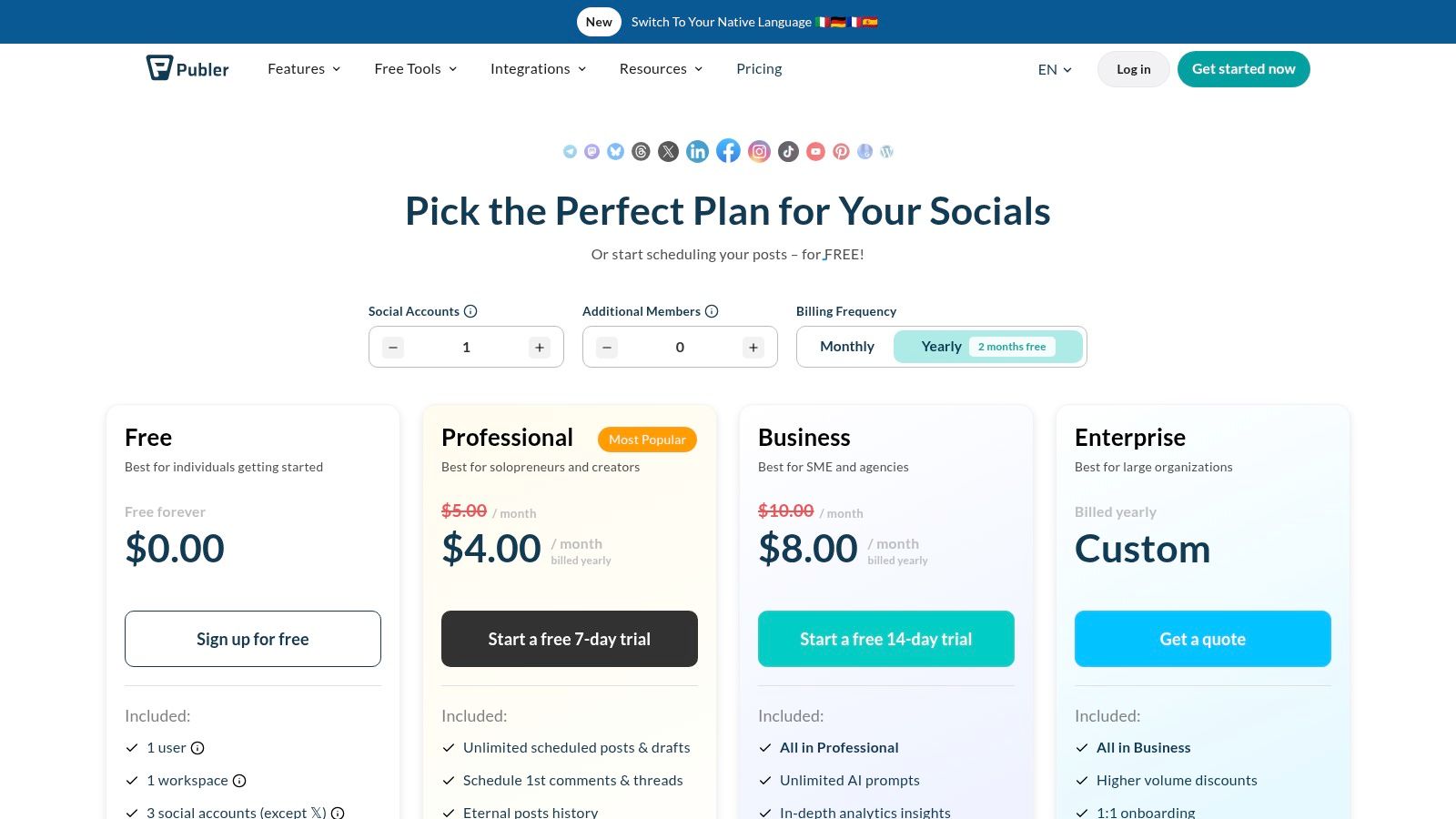
Publer has emerged as a surprisingly robust option among the best free social media management tools, celebrated for its generous free-forever plan and a host of thoughtful features often reserved for paid tiers. It's an excellent choice for creators and small businesses who need more than just basic scheduling, offering advanced functions like link tracking and in-depth post customization from the start.
The platform excels at providing quality-of-life enhancements that streamline content workflows. Its free plan supports up to three social accounts with 10 scheduled posts per account, which is competitive. What makes Publer stand out are the value-added features included for free, such as UTM tracking, a link-in-bio page builder, and a built-in Canva integration, which significantly simplifies the content creation and performance measurement process without an initial investment.
Key features & limitations
What We Like:
- Generous Free Tier: Includes advanced features like a link-in-bio tool, Canva integration, and UTM parameters that competitors typically charge for.
- Per-Network Customization: Easily tailor posts, captions, and media for each specific social network within a single composition window.
- Helpful Automation: Features like content shortcodes and preset signatures save time and ensure brand consistency across posts.
What to Consider:
- Limited Post History: The free plan only retains 24 hours of post history, making it difficult to review past content performance within the app.
- Platform Restrictions: Specific limitations apply to certain networks; for example, the free plan allows only one Twitter/X account and has restrictions for Pinterest.
Publer's free plan is ideal for users who want to implement a more data-driven strategy from day one. Its features complement a broader marketing stack, and many of its automation capabilities can be enhanced with other powerful no-code automation tools.
Website: https://publer.io/pricing
6. Meta Business Suite
For businesses heavily invested in the Meta ecosystem, using the native Meta Business Suite is a logical and powerful choice. As one of the best free social media management tools available directly from the source, it provides unified control over Facebook Pages and Instagram accounts without any third-party costs or complications. It is designed to be an all-in-one hub for posting, messaging, and performance tracking.
The platform's greatest advantage is its direct integration. Features like cross-posting to both Facebook and Instagram, A/B testing for posts, and a consolidated inbox for messages and comments simplify day-to-day management. Since it's a native tool, you often get access to new features like specific Reel formats or sticker options before third-party apps do. This makes it ideal for brands whose primary audience resides on these two major networks.
Key features & limitations
What We Like:
- Completely Free: There are no hidden costs or premium tiers; all features are available with a connected business account.
- Unified Inbox: Manage Facebook messages, Instagram DMs, and comments from both platforms in a single, streamlined interface.
- Native Analytics: Provides detailed, reliable insights and performance data directly from the source, which is often more accurate than third-party estimates.
What to Consider:
- Platform-Locked: It only supports Facebook and Instagram, making it unsuitable for managing a multi-platform strategy that includes Twitter, LinkedIn, or TikTok.
- Clunky User Experience: Users frequently report a slow interface, occasional bugs, and scheduling glitches that can disrupt workflow.
Meta Business Suite is a strong native option for organic management within its ecosystem. For those looking to master its scheduling capabilities, our guide offers tips on how to schedule a Facebook post effectively.
Website: https://business.facebook.com
7. Tailwind
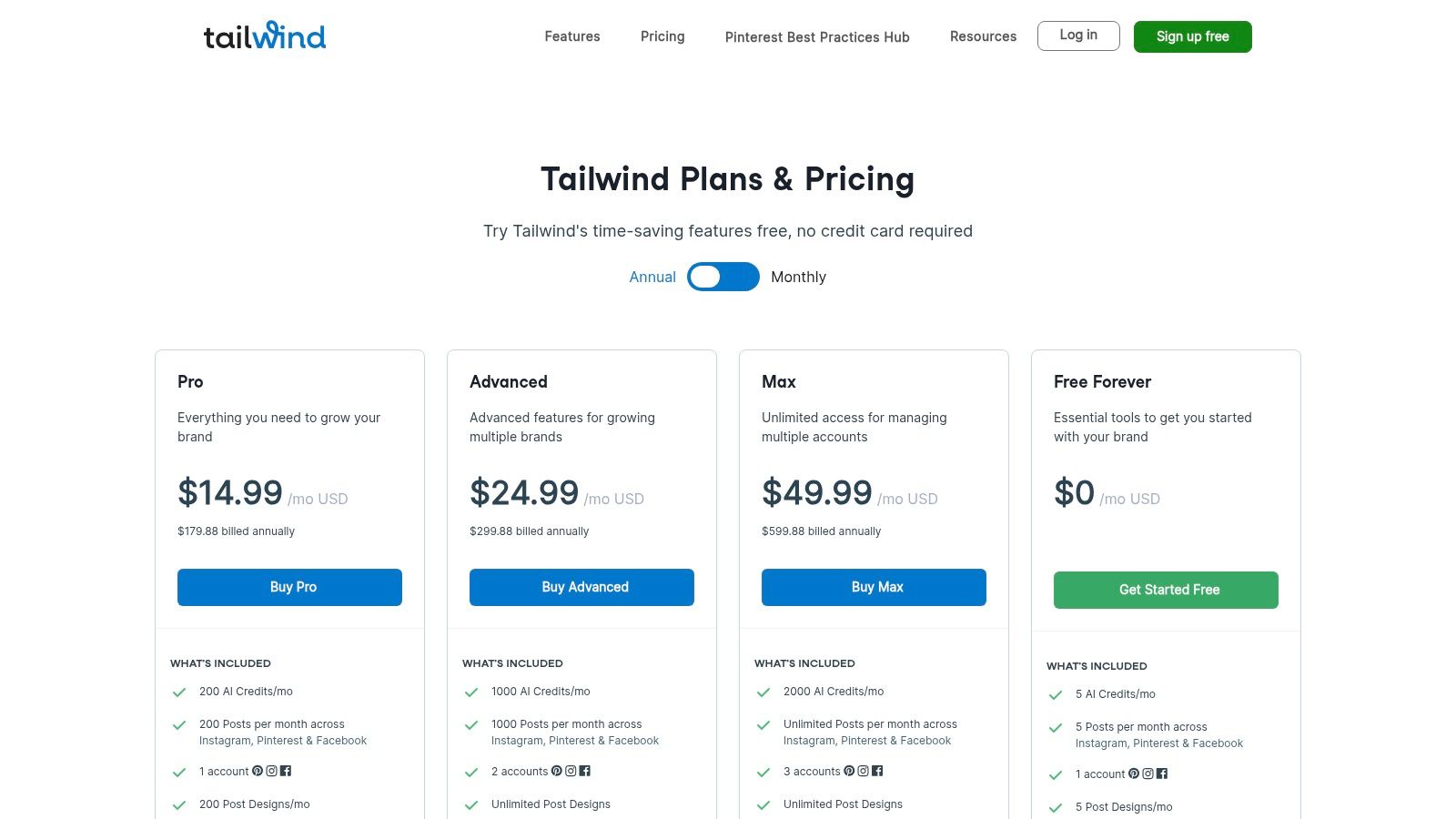
Tailwind has carved out a niche as one of the best free social media management tools, especially for creators and businesses focused on visual platforms. Originally celebrated for its powerful Pinterest scheduling, it has since expanded to support Instagram and Facebook, making it a valuable asset for brands where visual discovery is key.
Its strength lies in its specialized features designed to optimize visual content. The "Free Forever" plan, while limited, provides an excellent entry point for users to explore these unique capabilities. It offers smart scheduling suggestions based on when your audience is most active, helping to maximize reach even with a small number of posts. This focus on data-driven visual marketing sets it apart from more generalized schedulers.
Key features & limitations
What We Like:
- Strong Pinterest optimization: Dedicated tools for scheduling pins, including interval pinning and board list creation.
- Tailwind Communities: Access to niche groups to share your content and discover others, amplifying reach beyond your own followers.
- Smart.bio Link Tool: The free plan includes a customizable link-in-bio tool to drive traffic from your social profiles.
- AI and Design Credits: Includes a small number of credits to experiment with AI-powered caption generation and design templates.
What to Consider:
- Very Low Posting Limit: The free plan's allowance of just five posts per month is extremely restrictive and may not be enough for maintaining a consistent presence.
- Limited Network Support: Focuses solely on Pinterest, Instagram, and Facebook, so it's not a solution for managing a presence on platforms like X (formerly Twitter) or LinkedIn.
Tailwind's free tier is best suited for individuals or small businesses dipping their toes into Pinterest and Instagram marketing. It provides a taste of its powerful visual-first features without any financial commitment.
Website: https://tailwindapp.com/pricing-overview
Stop building social integrations from scratch.
One API call to publish, schedule, and manage posts across 16 platforms.
8. Preview App
Preview App is a visually-focused tool designed almost exclusively for Instagram, making it a dedicated resource for creators, influencers, and brands where feed aesthetic is paramount. Its primary function is to help you design the perfect grid, offering an intuitive drag-and-drop interface to rearrange upcoming posts until your profile looks exactly how you want it. This mobile-first approach makes it incredibly convenient for on-the-go content planning.
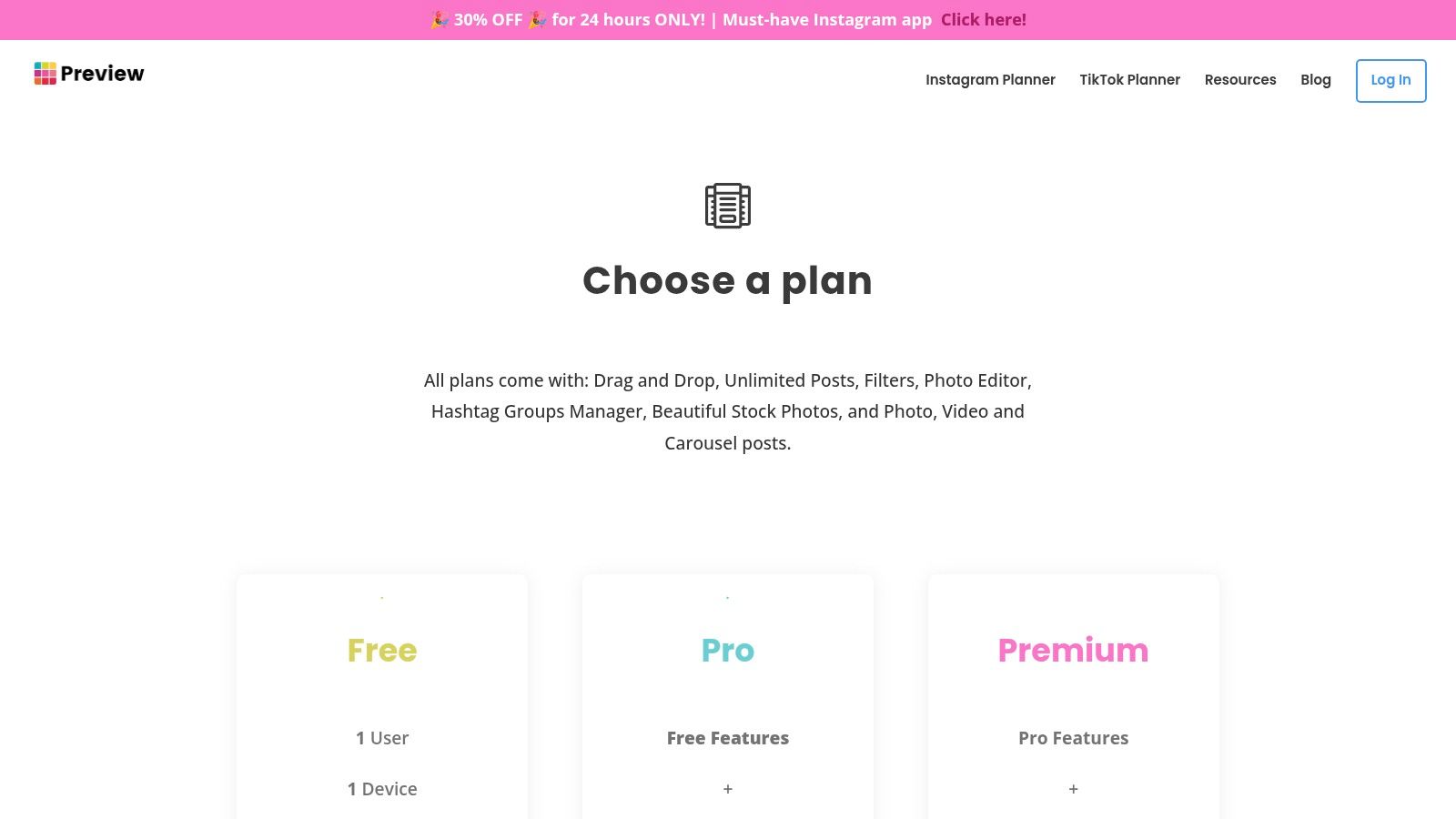
What makes Preview stand out among the best free social media management tools is its generous free plan, which offers unlimited post planning, basic analytics, and even includes planning for Reels and TikTok. While it lacks the multi-network power of other platforms, its deep focus on Instagram provides solid utility for users who prioritize visual storytelling. The free version does not auto-post, but serves as an excellent planner to organize your content strategy visually before publishing manually.
Key features & limitations
What We Like:
- Grid planning: The visual, drag-and-drop grid preview is a strong option for curating a cohesive Instagram feed.
- Generous Free Tier: Planning unlimited posts, reels, and stories without a subscription is a massive benefit for creators on a budget.
- Mobile-First Design: The app is extremely user-friendly and built for managing your Instagram presence directly from your phone.
What to Consider:
- Instagram-Centric: It offers very limited support for other social networks, making it unsuitable as an all-in-one solution.
- No Free Auto-Posting: To unlock automatic posting to Instagram, you must upgrade to a paid plan.
Preview App is the perfect free tool for solo creators and small businesses that live and breathe Instagram. It's one of the more focused approaches to visual feed curation among free tools.
Website: https://thepreviewapp.com/pricing
9. Planable
Planable distinguishes itself among the best free social media management tools by focusing intensely on collaboration and content approval workflows. It's built for teams, agencies, and freelancers who need to present social media content to clients or stakeholders for feedback and sign-off before it goes live.
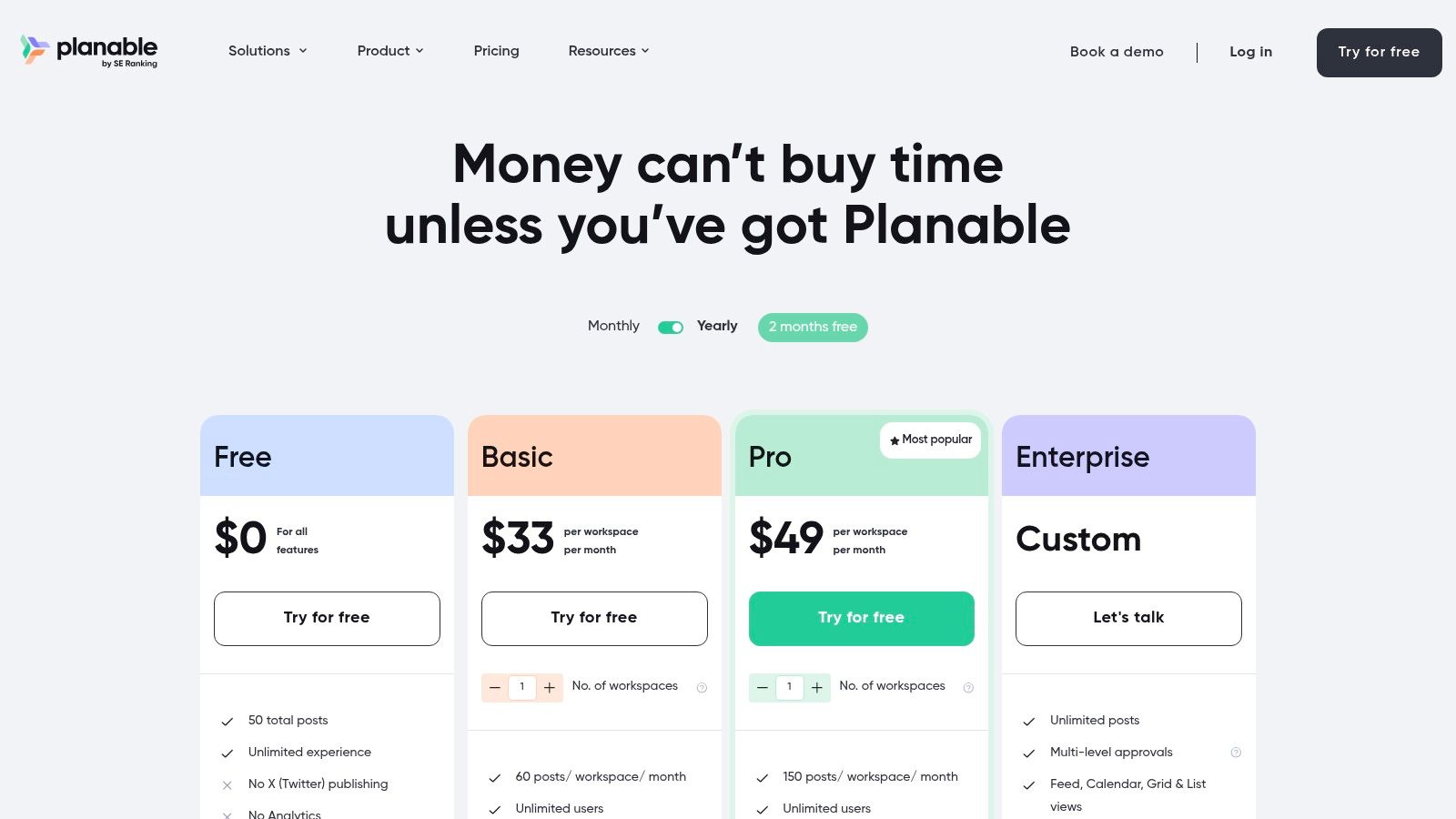
Its platform mimics the look and feel of live social media feeds, giving collaborators a pixel-perfect preview of how posts will appear. The free plan is structured as a full-featured trial, allowing unlimited users and workspaces to experience the entire premium toolset. This makes it an excellent choice for teams wanting to test a robust approval system without any initial financial commitment.
Key features & limitations
What We Like:
- Collaboration-First Design: The entire user experience is built around team feedback, with multi-level approvals and comment threads directly on mock-up posts.
- Unlimited Users: The free plan allows you to add your entire team and clients to test the workflow, which is a rare and valuable feature.
- Visual-Centric Planner: Its calendar and feed views provide realistic previews for platforms like Instagram, Facebook, and TikTok, reducing errors and miscommunication.
What to Consider:
- Hard Post Limit: The free plan is capped at a lifetime total of 50 posts. Once you hit this limit, you must upgrade, making it a trial rather than a permanent free solution.
- Not Ideal for Solo Users: While usable, the core value is in its team features. A solo creator may find other tools with more generous free plans to be a better fit.
Planable's free tier is best viewed as an extended, comprehensive test drive. It allows an entire agency or marketing team to fully vet its premium approval and planning capabilities before committing to a paid plan.
Website: https://planable.io/pricing
10. CoSchedule (Free Calendar)
CoSchedule is widely respected as a comprehensive marketing calendar, and its Free Calendar tier offers a fantastic entry point into its ecosystem. While primarily a calendar tool, it includes essential social publishing features, making it one of the best free social media management tools for those who value organization and planning above all else. Its strength lies in providing a unified view of all marketing activities, not just social posts.
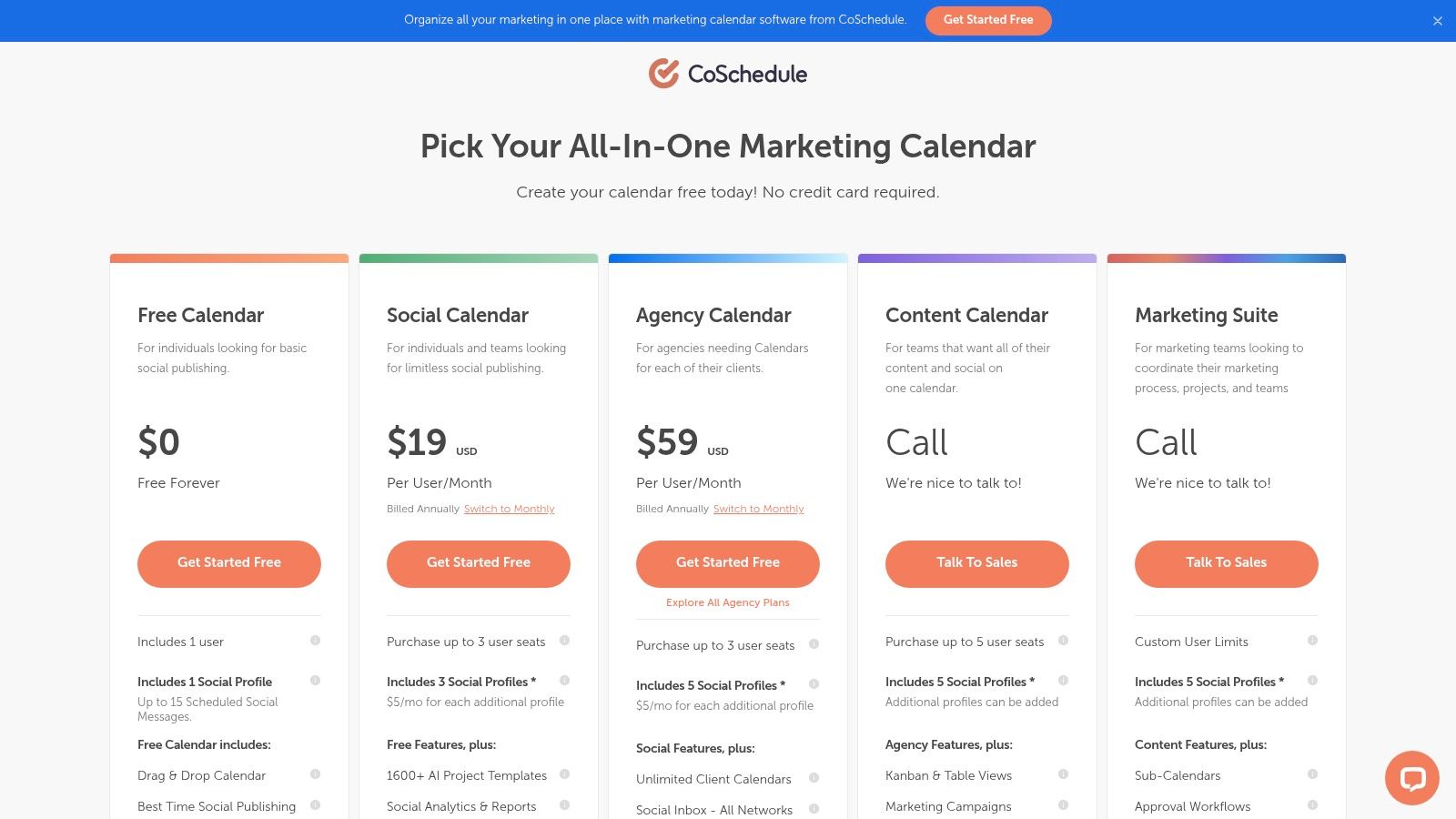
The platform's drag-and-drop calendar is intuitive and powerful, allowing users to visualize their content schedule clearly. The free plan is designed for individuals, allowing one user to connect one social profile and schedule up to 15 messages. This focused approach is ideal for solopreneurs or content creators who need to maintain a consistent presence on a single primary platform while managing other marketing tasks like blog posts or email newsletters within the same calendar.
Key features & limitations
What We Like:
- Excellent Calendar Experience: The drag-and-drop interface makes rescheduling and planning straightforward.
- "Best Time" Scheduling: The tool provides data-backed suggestions for the optimal time to post, maximizing potential reach.
- Clear Upgrade Path: CoSchedule makes it easy to understand what features are unlocked in paid tiers, providing a smooth growth trajectory for scaling businesses.
What to Consider:
- Only One Social Profile: The free plan's limitation to a single profile is a significant constraint for anyone managing a multi-platform presence.
- Limited Platform Support: X/Twitter integration is notably absent from the free plan and is reserved for paid subscribers.
CoSchedule's free calendar is perfect for marketers who need a robust organizational tool first and a social scheduler second. It excels at unifying a content strategy in one place.
Website: https://coschedule.com/pricing
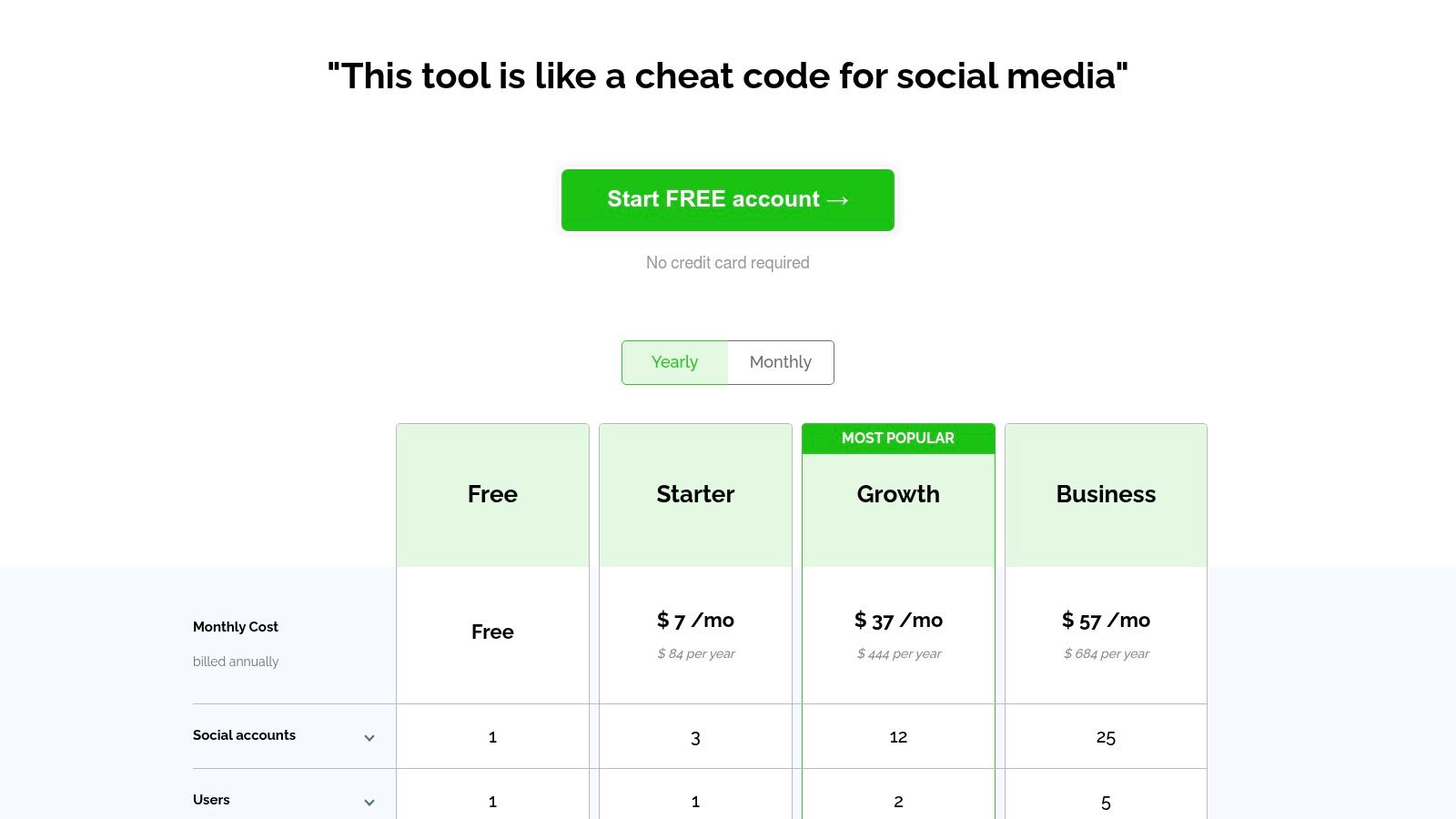
11. Post Planner
Post Planner carves out a niche for itself among the best free social media management tools by focusing on budget-friendly automation and content curation. It's an excellent choice for solopreneurs or small businesses who need help not just with scheduling, but also with discovering engaging content to share.
The platform's free plan is designed to be a practical entry point, offering more than just basic scheduling. Users get access to automation features like post recycling and CSV uploads, which are often reserved for paid tiers elsewhere. It also includes daily AI credits, allowing users to experiment with AI-assisted content generation without a financial commitment. This makes it a powerful tool for maintaining an active presence with minimal manual effort.
Key features & limitations
What We Like:
- Generous Free Features: The inclusion of post recycling, bulk scheduling via CSV, and AI credits provides significant value in the free tier.
- Content Curation: Post Planner helps you find proven, high-engagement content within your niche to share, solving the "what to post" problem.
- Affordable Scaling: Its entry-level paid plans are competitively priced, making it an accessible step up for growing accounts.
What to Consider:
- Limited Free Accounts: The free plan only supports one social account and has a tight cap of 15 total scheduled posts.
- Basic Analytics: You won't find in-depth performance analytics on the free plan, which is necessary for strategic adjustments.
- Restricted Curation: Some of the most powerful content discovery and curation tools are behind the paywall.
Post Planner's free plan is ideal for users who prioritize automation and content discovery over deep analytics. It provides a solid foundation for building a consistent and engaging social media feed on a budget.
Website: https://postplanner.com/plans-signup
12. Friends+Me
Friends+Me positions itself as a streamlined and efficient content distribution tool, making it a solid choice among the best free social media management tools for users focused primarily on cross-posting. It is particularly effective for those who need to push content from a central source, like a blog or Google+ collection, out to various social channels without a lot of manual effort.
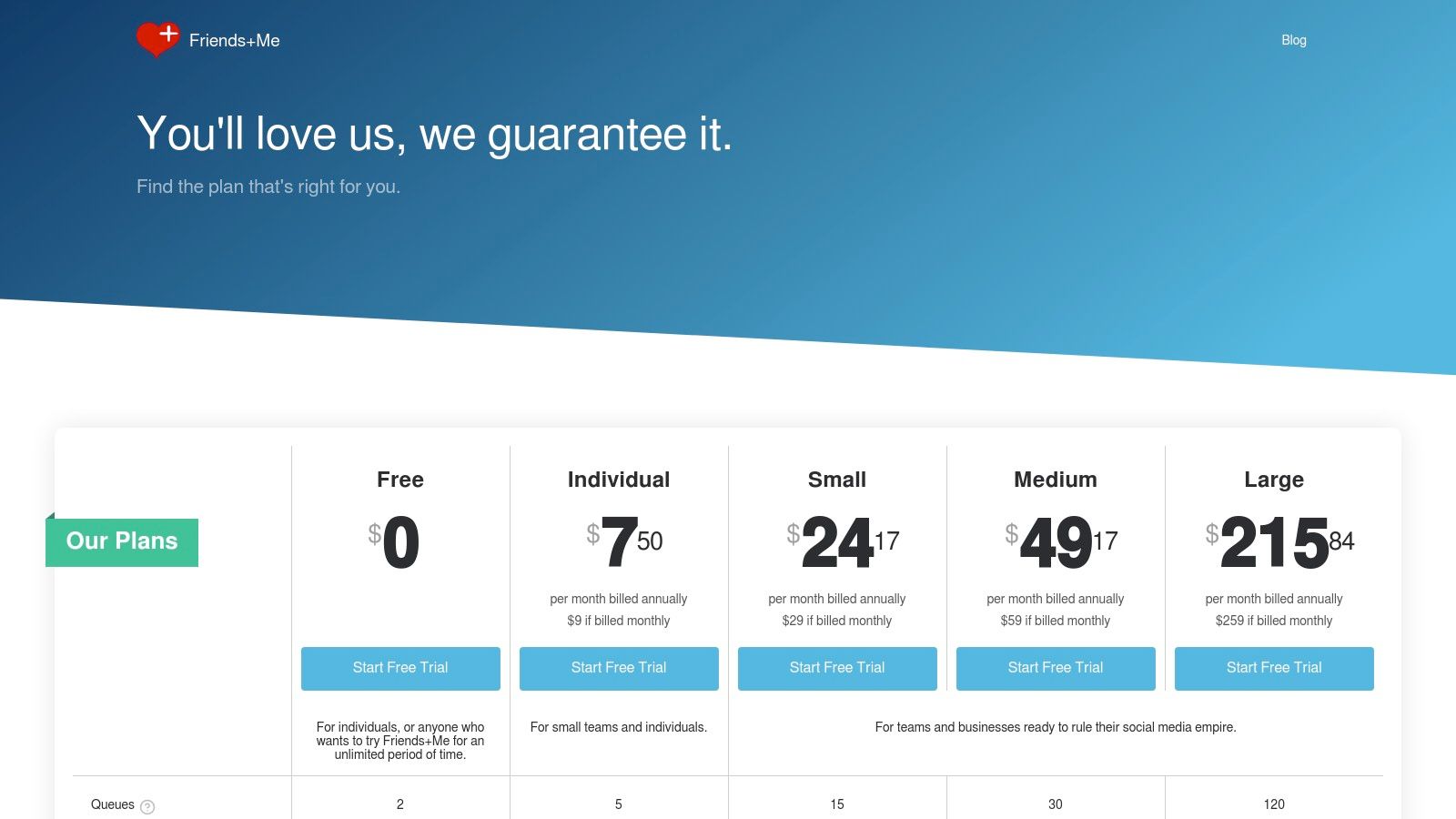
The platform is designed around the concept of "queues," which act as content buckets you can schedule to post across connected profiles. This simplicity is its core strength; setup is quick, and the user interface is clean and straightforward, avoiding the feature overload common in larger platforms. The free plan is quite minimal but functional for basic needs, supporting two queues with up to five scheduled posts per queue.
Key features & limitations
What We Like:
- Simplicity and Speed: The user interface is exceptionally clean, allowing for a very quick setup and easy day-to-day management.
- Cross-Platform Availability: With browser extensions and mobile apps for both iOS and Android, scheduling on the go is simple and accessible.
- Effective Cross-Posting: Ideal for users whose main goal is to share the same content across networks like X/Twitter, LinkedIn, and Facebook with minimal fuss.
What to Consider:
- Very Limited Free Plan: The cap of five scheduled posts per queue is highly restrictive and may require daily management for an active presence.
- Narrow Feature Set: Lacks the advanced analytics, team collaboration features, and social listening tools found in more comprehensive free alternatives.
Friends+Me is best suited for individuals or small projects that need a no-frills, lightweight scheduler for basic content distribution. While the free plan is constrained, its ease of use makes it a viable starting point.
Website: https://friendsplus.me/pricing
Top 12 free social media management tools: comparison
| Product | Core features | Pricing | Unique selling point |
|---|---|---|---|
| Zernio 🏆 | Unified API for 15 platforms; posting, comments, DMs, analytics, ads; REST, dashboard & no-code integrations; MCP server for AI agents | First 2 accounts free; then $6→$1/account/month (graduated) | Widest platform coverage + full social layer in one API; gets cheaper as you scale |
| Buffer | Content queue scheduling; Canva, Dropbox & Zapier integrations; basic analytics | Free (3 channels, 10 posts/channel); paid per channel | Simplest queue-based scheduler; ideal for starting out |
| Zoho Social (Free) | Publishing calendar, engagement monitoring, basic reporting across 6 networks | Free forever (1 brand, 1 user, no post cap) | Most complete free plan for a single brand with no posting limits |
| Metricool | Scheduling + 3-month analytics history; competitor tracking; web & ad analytics | Free (50 posts/month, 1 brand); paid for X/LinkedIn | Analytics depth rarely found on free plans |
| Publer | Scheduling, UTM tracking, link-in-bio, Canva integration, content shortcodes | Free (3 accounts, 10 posts/account); paid tiers available | Advanced features like UTM tracking included on the free plan |
| Meta Business Suite | Cross-posting to Facebook & Instagram, unified inbox, A/B testing, native analytics | Free (native Meta tool) | Direct source access; features and formats before third-party apps |
| Tailwind | Pinterest & Instagram scheduling, interval pinning, Tailwind Communities, Smart.bio | Free (5 posts/month); paid for more volume | Best Pinterest-native scheduling tools available for free |
| Preview App | Instagram grid planning, drag-and-drop preview, Reels & Stories planner | Free (unlimited planning, no auto-post); paid for auto-publish | Unlimited visual feed planning before you commit to posting |
| Planable | Team collaboration, multi-level approvals, feed previews for Instagram/Facebook/TikTok | Free (50 posts lifetime, unlimited users); paid for more | Full agency approval workflow available to unlimited users for free |
| CoSchedule | Marketing calendar, drag-and-drop scheduling, "best time" AI suggestions | Free (1 profile, 15 messages); paid for more channels | Unified marketing calendar that goes beyond social posts |
| Post Planner | Post recycling, CSV bulk upload, AI credits, content curation | Free (1 account, 15 posts total); paid for volume | Content curation + AI credits included on the free plan |
| Friends+Me | Queue-based cross-posting, browser extension, iOS & Android apps | Free (2 queues, 5 posts each); paid for more queues | No-frills cross-posting with the fastest setup on this list |
Choosing the right free tool for your goals
Navigating the landscape of the best free social media management tools can feel overwhelming, but as we've explored, the "best" tool is entirely subjective. It hinges on your specific context, workflow, and long-term objectives. The ideal platform for a freelance content creator is vastly different from the one needed by a marketing agency or a developer building a custom application. The key is to move beyond a simple feature-for-feature comparison and instead focus on which tool solves your most pressing problems.
The most critical takeaway from our analysis is that free tiers are designed as strategic entry points, not as permanent, all-encompassing solutions. They excel at handling core tasks like basic scheduling and content planning, but often come with limitations on user seats, connected profiles, or advanced analytics. Your goal should be to find a free plan that not only serves your immediate needs but also provides a clear, affordable, and logical upgrade path as you scale.
A quick recap: matching tools to your needs
To help crystallize your decision, let's categorize the top contenders based on their ideal user profiles:
- For the Visual-First Creator: If your strategy is heavily centered on Instagram aesthetics and visual planning, Preview App and Tailwind are strong choices. Their grid planning and visual-centric workflows are built for content creators who need to curate a cohesive feed.
- For the Small Business or Solopreneur: If you manage a single brand across a few key platforms, Zoho Social's free edition offers a surprisingly complete feature set, including reporting tools often reserved for paid tiers. Buffer and Publer also shine here with their user-friendly interfaces and straightforward scheduling capabilities.
- For Pure Scheduling Simplicity: When your primary need is a no-frills content calendar to organize and schedule posts, CoSchedule's Free Calendar and Planable provide excellent organizational frameworks. They focus on the planning process, making them great for teams that need to visualize their content strategy.
- For Community Engagement and Content Curation: Tools like Post Planner are designed for those who want to discover and share high-performing content, making them a strong choice for social media managers focused on driving engagement through curated posts.
How to make your final decision
Your next step is to move from reading to doing. Select the two or three tools from this list that most closely align with your goals and dedicate a week to testing each one. Don't just schedule a few posts; immerse yourself in their ecosystem. Do you find the user interface intuitive? Does the workflow save you time or create friction? How responsive is their customer support, even for free users? Answering these questions through hands-on experience is the only way to find your perfect fit.
Furthermore, as you evaluate these platforms, consider how they handle different content types, such as video, carousels, or platform-specific formats like Instagram Stories. Ultimately, the right free tool is the one you will consistently use, the one that simplifies your process so you can focus on creating great content rather than wrestling with software.
Ready to move beyond the limitations of off-the-shelf tools? If you're a developer or agency looking to build your own social media management solution or integrate scheduling directly into your product, Zernio provides a single, unified API for all major platforms. Stop maintaining multiple integrations and start building with a powerful, scalable foundation by exploring the Zernio developer-first platform.
Frequently asked questions
What is the best free social media management tool for developers?
Zernio is the strongest option for developers because it's API-first: one REST API covers posting, comments, DMs, analytics, and ads across 15 platforms, with the first 2 connected accounts free and pay-per-account pricing after that. Buffer and Publer are built for manual, dashboard-based use rather than integration into a product.
Which free social media tools support the most platforms?
Zernio supports the most platforms in this list at 15, including WhatsApp, Telegram, and Discord, which other solutions omit. Zoho Social and Metricool each cover 6 platforms on their free plans; single-platform tools like Preview App and Tailwind focus on Instagram or Pinterest only.
Do free social media management tools include analytics?
Some do. Metricool's free plan includes 3 months of analytics history with basic competitor tracking, and Zoho Social includes basic reporting. Zernio's Analytics API is included at every account tier, not gated behind a paid plan, and covers impressions, reach, engagement, and follower tracking across platforms.
Can I use a free social media scheduler for agency or client work?
Planable's free plan supports unlimited users and is built for agency approval workflows, but caps out at 50 lifetime posts. Zoho Social's free plan is limited to one user and one brand, so it doesn't work for agencies. For agencies managing several client accounts programmatically, Zernio's pay-per-account model with volume discounts scales more predictably than per-seat agency tools.
What's the catch with free social media management tools?
Free tiers are built as trial funnels, not permanent solutions. The most common limits are posting caps (Tailwind: 5 posts/month, Post Planner: 15 posts total), single-profile restrictions (CoSchedule, Zoho Social), or missing platforms (Metricool's free plan excludes X and LinkedIn). Check the specific caps before committing your workflow to a free plan.