A two-way SMS API lets your product send text messages from a real phone number and receive the replies as data it can act on. Zernio has supported SMS and MMS since August 2026. You send with one API call, and every reply lands in the same inbox as your WhatsApp, iMessage and social DM conversations.
That inbox part is where most SMS setups were messy before. A common pattern was to add SMS through a separate provider, so texts live in one system and DMs in another, each with its own webhooks and conversation IDs. Your support team (or your AI agent) then checks two places for the same customer.
This guide covers what Zernio SMS API supports, how to go from a number to your first text in three steps, how US carrier registration works, and how it lives in one unified inbox.
What Zernio's SMS API supports
Zernio's SMS API sends and receives SMS and MMS from numbers you own or purchase in Zernio, with US carrier registration handled through the same API. It's available on the same API key you already use for social posting and DMs, WhatsApp and voice calls.
Here's the full scope of SMS API at a glance:
| Capability | What you get |
|---|---|
| Message types | SMS (text) and MMS (images, with or without a caption) |
| Message length | Up to 10 segments: 1,530 standard characters or 670 Unicode characters |
| Who it's from | Any SMS-enabled number, or a branded sender ID for one-way international texts |
| Numbers | Buy a new number, port an existing one, or turn on SMS for a number you already have |
| Replies | Threaded into the unified inbox, plus a webhook for every inbound message |
| Delivery status | Webhooks for delivered and failed messages |
| US compliance | 10DLC and toll-free registration through the API, reusable across numbers |
| Opt-outs | STOP replies blocked by the carrier and exposed as a list you can sync |
| Number lookup | Carrier and line type (mobile, landline, VoIP) before you send |
| Safe retries | Idempotency keys, so a retried request doesn't send a second text |
| Ways to build | REST, 8 SDKs, and the MCP server for AI agents |
You can send from your own numbers in the US, Canada, the UK, Australia, Puerto Rico and several European countries, including Belgium, the Netherlands, Poland and Sweden. The current list lives on the SMS API page.
What teams build with SMS API
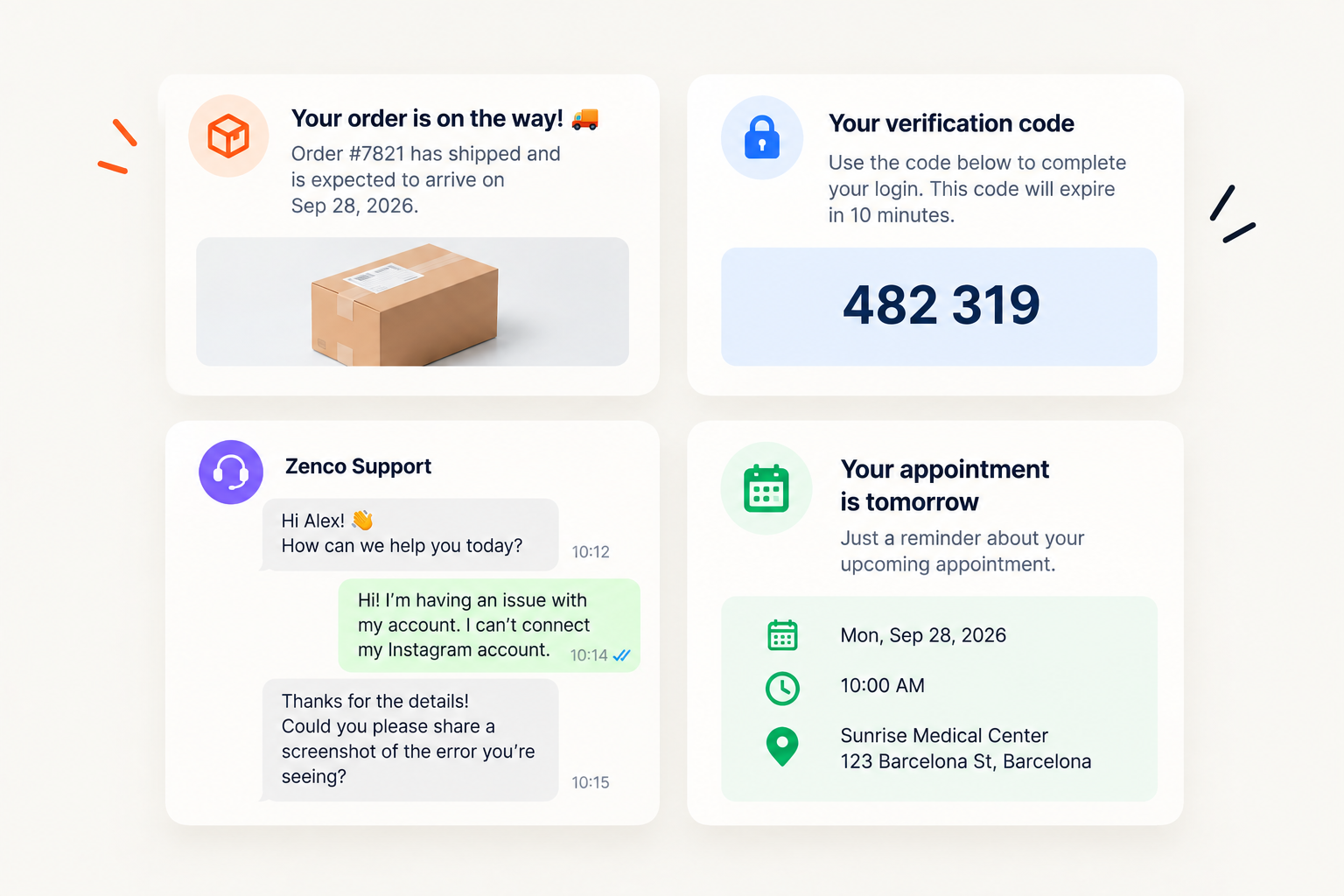
Most SMS traffic falls into four jobs:
- Order and shipping alerts with a tracking link and a STOP line in every message.
- One-time codes for login and two-factor authentication, sent from a registered number so they deliver.
- Two-way support, where customers reply by text and the thread sits in the same inbox as their other conversations.
- Appointment reminders that customers confirm, reschedule or cancel with a one-word reply.
How to send SMS with the API (3 steps)
Sending SMS through the API takes three steps: get a number that can text, register it if it's a US number, and call the send endpoint. Outside the US, you skip step two.
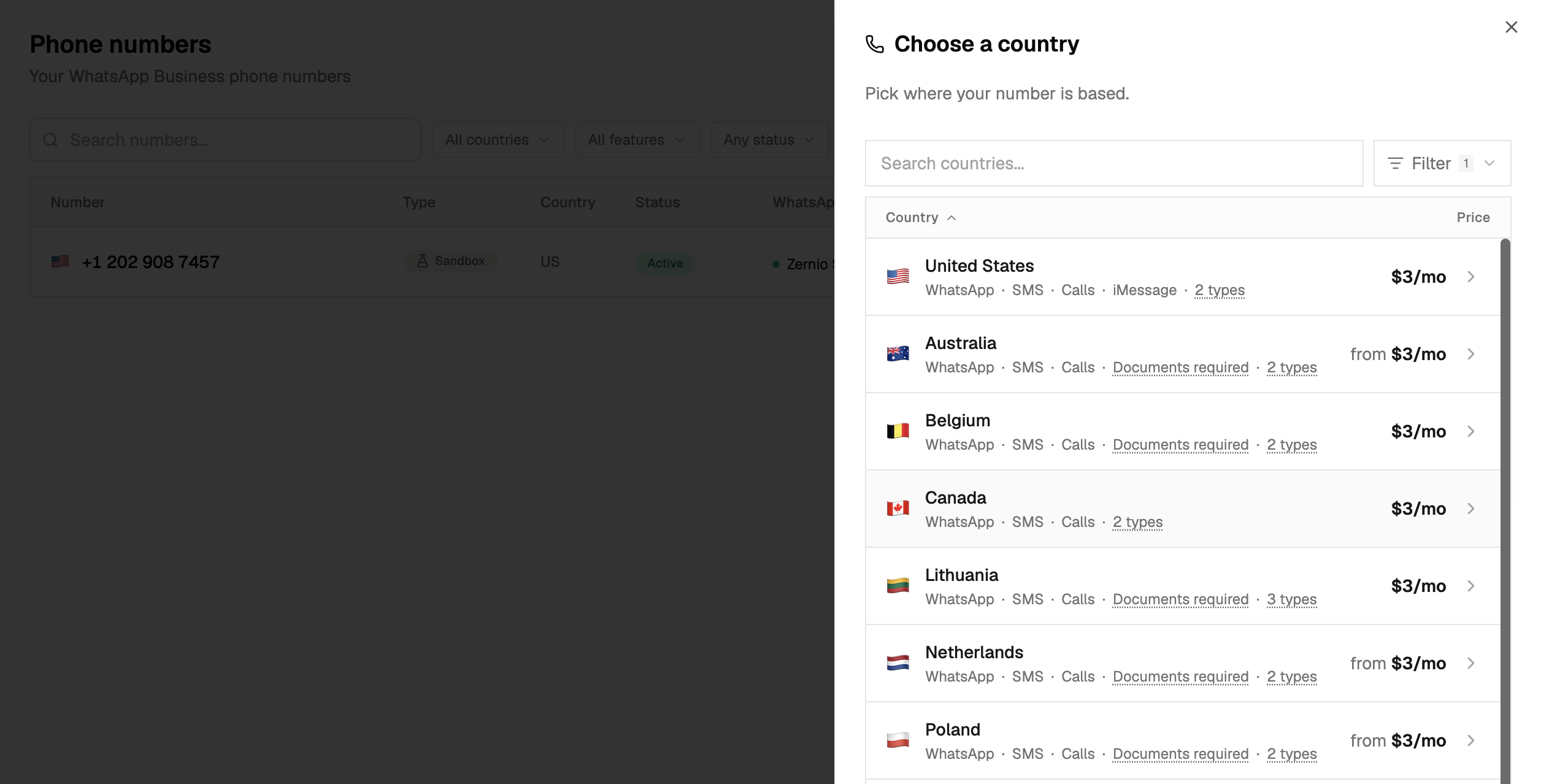
Step 1. Get a number that can text
Not every phone number supports SMS, so start with one that does. You have three options:
- Search available numbers filtered to SMS capability and buy one.
- Port a number you already own, so customers keep texting the number they know.
- Turn on SMS for a number that's already on your account.
When you turn SMS on, we check the number's real carrier capability. The response tells you whether it can text, whether it can send MMS, and which registration path applies.
Step 2. Register the number (US only)
US carriers block business texts from unregistered numbers. You file the registration through the API, and delivery starts once it's approved. We cover the details in the 10DLC section below.
Numbers in every other country send as soon as SMS is on.
Step 3. Send the message
A text is one request with a from, a to and the message body. Add mediaUrls and it becomes an MMS:
const { data } = await zernio.sms.sendSms({
  body: {
    from: '+14155551234',
    to: '+13105559999',
    text: 'Your order has shipped!',
  },
});
The response returns the message ID, its status, and the ID of the inbox conversation the message was threaded into. The same call works from Python, Go, Ruby, Java, PHP, .NET and Rust, or as a plain REST request.
One detail worth knowing: if you send from a US number whose registration isn't approved yet, the API returns a 403 before the message reaches the carrier. The compliance gap shows up in your logs at send time.
Texting from an AI agent with the MCP server
The full SMS API is on the Zernio MCP server, so AI agents in Claude Code, Cursor or Codex can send texts without you writing integration code. You connect the server over OAuth, with no API key pasted into a config file.
Ask your agent to text a customer and it picks the number, checks the registration, and queues the message. If a new number needs registering and you already hold an approved campaign, it can attach the number to that campaign.
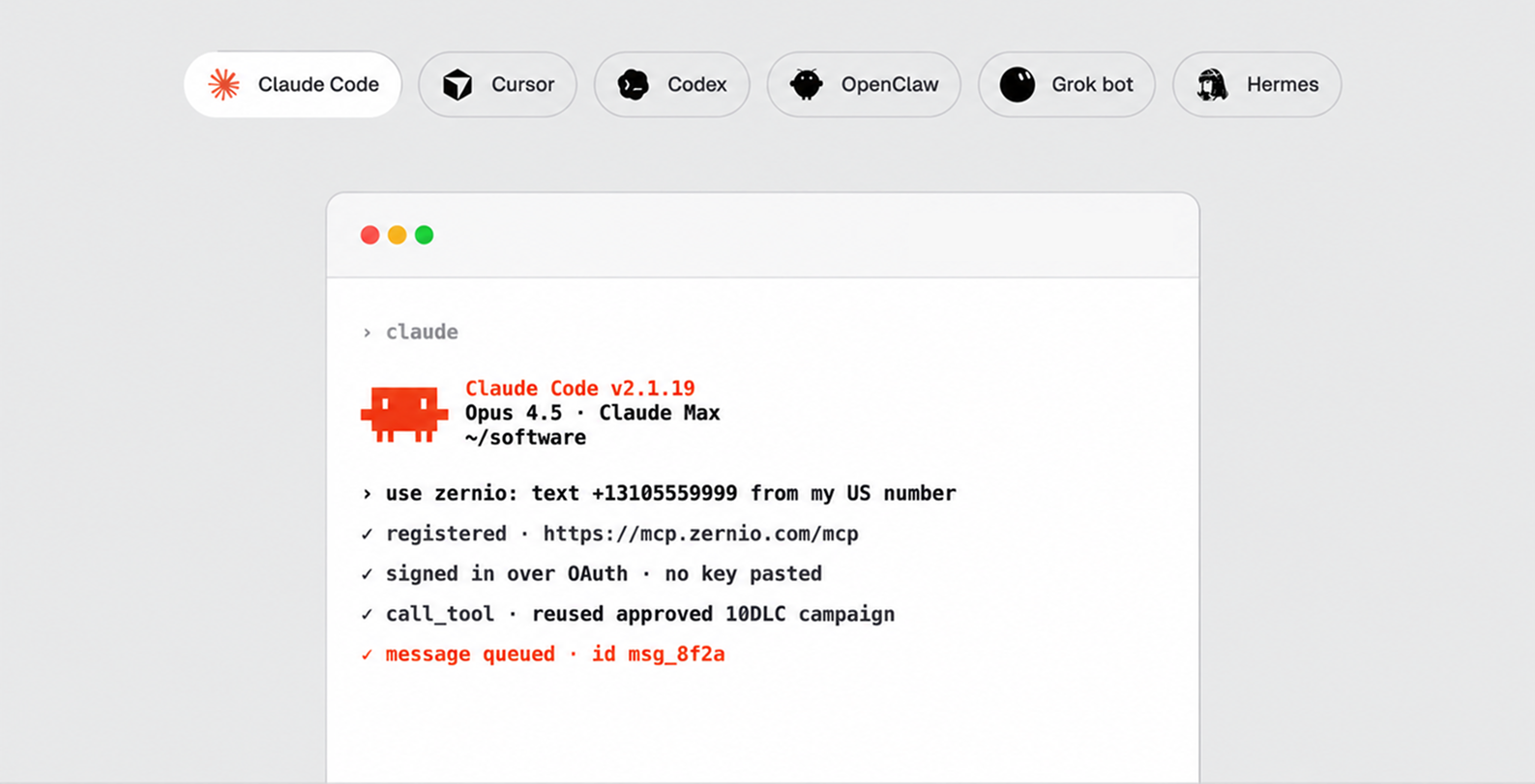
This matters most for agents that do more than one job. The same agent can publish a launch post, answer the comments, and text the waitlist, all through one server.
Stop building social integrations from scratch.
One API call to publish, schedule, and manage posts across 17 platforms.
US 10DLC registration, handled through the API
US carriers require every business number to be registered before it sends SMS. You can file, track, reuse and appeal that registration through the API.
10DLC stands for 10-digit long code, the standard local number format. Registrations go to The Campaign Registry, and carriers review them against the CTIA Messaging Principles and Best Practices. There are two paths:
- 10DLC registration for local numbers, as a standard company or a sole proprietor.
- Toll-free verification for toll-free numbers, reviewed by the toll-free aggregator.
A 10DLC filing has two parts. The brand covers who's sending: legal name, website, address and tax ID. The campaign covers what you'll send: the use case, a description, a link to where people opt in, opt-in and opt-out keywords, and two sample messages.
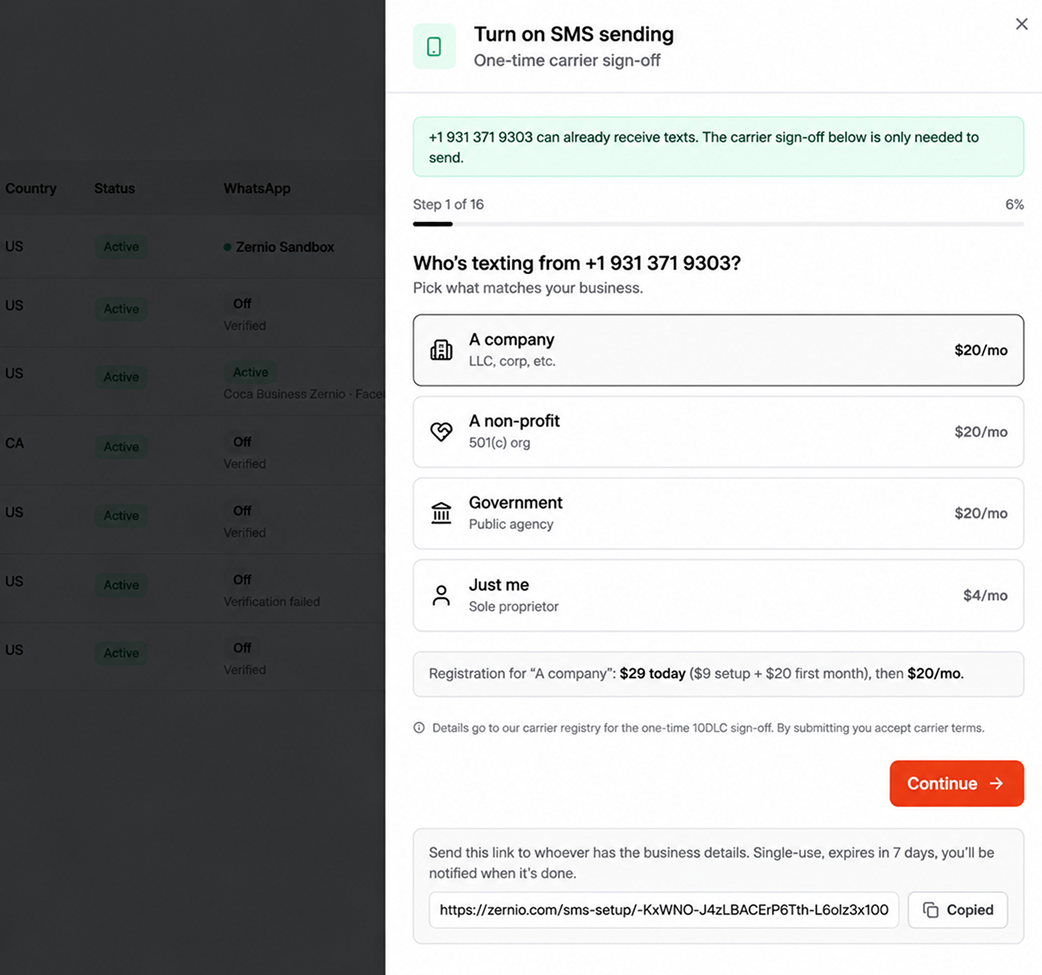
Four things make the process easier with Zernio:
- Reuse one approval. Attach new numbers to an approved campaign with no new brand, no new campaign and no extra carrier fee.
- Send your customer a form. If your customer holds the business details, generate a single-use link (valid for 7 days). They fill it in without logging in to our dashboard, and the registration lands under your team.
- Appeal without starting over. If carriers reject a 10DLC campaign, fix the flagged fields and appeal in the same call. You can host a screenshot of your opt-in form with us and reference it in the filing.
- Track status in code. Poll the registration for
pending,approvedorrejected. An approved campaign can drop back topendingif the registry suspends it, so treat status as current state.
Sending international SMS from a brand name
An alphanumeric sender ID lets your texts arrive from a name like "ZERNIO" (your brand here) instead of a phone number, the way banks and airlines message customers. You create the name once and pass it as the sender on the regular send endpoint.
What you need to know about sender IDs:
- Names are 3 to 11 characters (letters, digits and spaces) with at least one letter.
- They're one-way messaging. Recipients can't reply.
- They work for international destinations only, never the US, Canada or Puerto Rico.
- They send text only, no MMS.
- Each team starts with 500 sender ID messages a day, and you can request up to 25,000.
Country rules vary. Most of Europe shows the name as-is, some countries swap in a numeric sender to guarantee delivery, and a few (India and the UAE, for example) require the name to be pre-registered with local carriers.
How SMS replies land in the same inbox as your other channels
Every SMS reply is threaded into Zernio's unified inbox, the same place your product reads WhatsApp, iMessage, Telegram, and social DM conversations across Facebook, Instagram, X (Twitter), Bluesky, and Reddit.
Each reply also fires a message.received webhook, so you can react in real time.
For builders, a shared SMS inbox with your other channels means less code to maintain:
- Your support tool renders SMS threads with the same components it already uses for WhatsApp and DMs.
- An AI agent reads and answers texts through the inbox endpoints it already calls for other channels.
- Delivered and failed events arrive through the webhook setup you configured once.
- Inbound MMS arrives with its attachments, in the same message format.
SMS API pricing
SMS on Zernio is billed per segment on usage-based billing, starting at $0.008 per outbound message. US numbers add carrier registration fees.
| Item | Cost |
|---|---|
| Outbound messages | From $0.008, billed per segment, varies by destination |
| US local number | $3/month, calls included |
| US campaign (standard 10DLC or toll-free) | $20/month |
SMS belongs in the same conversation model as every other channel. When a customer texts you after a WhatsApp chat, your product should answer from the same inbox, with the same code, on the same number. That's why we built SMS as another channel on your existing key and left the 10DLC paperwork to the API.