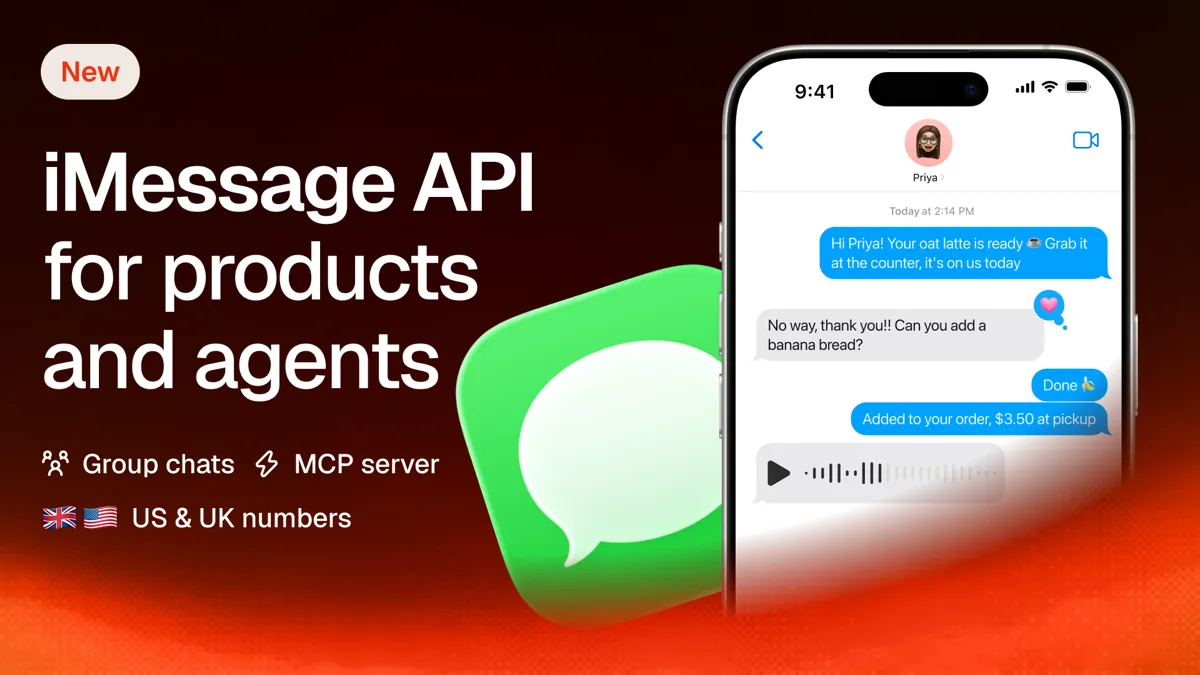
Zernio now supports iMessage. You can order a dedicated US or UK number, send and receive iMessages through the same REST API you use for WhatsApp and SMS, and answer every reply from one unified inbox.
That matters if you build a CRM, a support tool or an AI agent that texts customers. Adding iMessage to a product has meant running Mac hardware and Apple IDs yourself, then monitoring numbers not getting flagged for outbound messages. With Zernio, the number, the pacing and the delivery are handled, and you write one API call.
What can you do with iMessage on Zernio?
You get the core of the Messages app as API calls: rich text, media, reactions, edits, group chats and a fallback for Android users. Here's the full list.
| Capability | What's supported |
|---|---|
| Sender | A dedicated US or UK number, or an email handle ordered through the API |
| Message types | Text, images, videos, files (up to 10 per message), voice notes, location pins, contact card |
| iMessage extras | Subject line, 13 screen and bubble effects, replies, tapbacks and emoji reactions, edit within 15 minutes, unsend within 2 minutes |
| Group chats | Create, rename, set a photo, add and remove participants |
| Fallback | SMS or RCS from the same number, plus call forwarding |
| New contacts | Start conversations with people who never wrote to you, within pacing and warm-up limits |
| Opt-in | Deep links, a hosted page, tracked links with your own parameters, automatic STOP and START |
| Automation | Broadcasts, workflows and sequences through the shared APIs, plus webhooks for delivery, reactions and inbound messages |
Typing indicators and read receipts work too, inside an active two-way conversation.
How do you get an iMessage number?
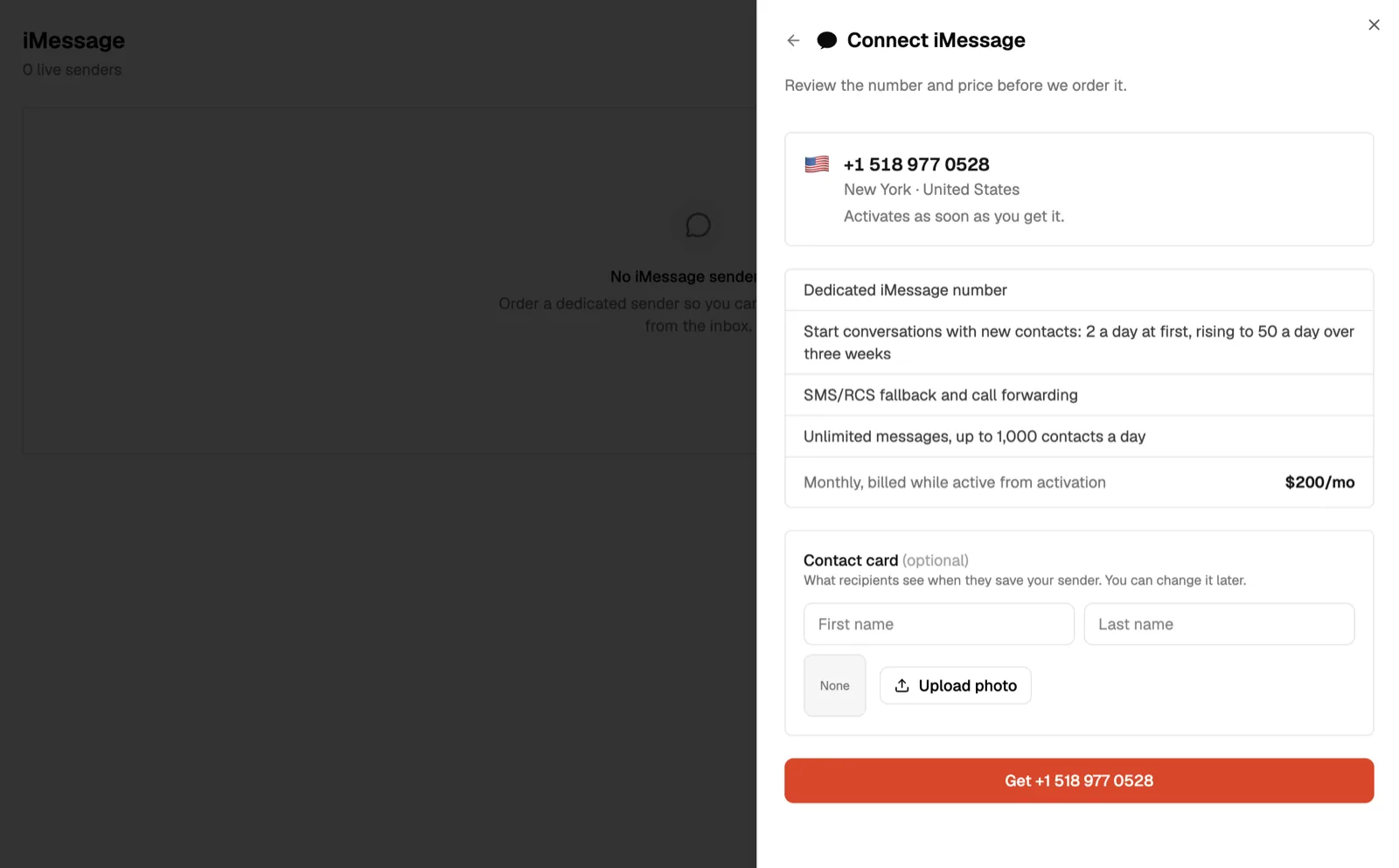
You order a sender, and Zernio provisions a dedicated number for you on Apple-registered infrastructure. A sender is one number on one profile, and it shows up as an imessage account in your inbox once it's active.
Order the number from the dashboard or with one API call. Some US numbers sit in an instant pool and go live the moment you order them. The rest are carrier-assigned and usually activate within a few hours. At the time of writing, UK numbers are carrier-assigned.
A few options worth knowing:
- Pull the list of instantly available numbers and reserve one for 3 minutes while your user decides.
- Ask for a US number near a specific ZIP code when you don't pick one from the pool.
- Order an email sender (like
support@yourbrand.com) through the API. The dashboard sells numbers only. - Register a sender you already hold with the provider and attach it to a profile.
- Set the display name and the contact card photo recipients see when they save your number.
One constraint: you can't convert a number you already own into an iMessage sender, and that includes numbers bought through Zernio phone numbers. Apple only registers numbers the delivery provider hosts.
How does iMessage work inside the unified inbox?
iMessage conversations land in the same unified inbox as WhatsApp, SMS, Telegram and your social media DMs, and you reply with the same endpoint. If you already send WhatsApp messages through Zernio, adding iMessage mostly means using a new accountId.
Here's a send with two iMessage-only extras, a subject line and a confetti effect:
POST /v1/inbox/conversations/{conversationId}/messages
{
  "accountId": "acc_8f2a",
  "subject": "Booking confirmed",
  "message": "Your table for 4 is set for 7:30 tonight.",
  "effect": "confetti"
}
Inbound messages fire the same message.received webhook as every other channel. The metadata tells you which channel the message arrived on, the message type, the reply thread, a detected language code, and the transcript when the contact sends a voice note. Delivery status comes through message.delivered and message.failed, and reactions arrive on reaction.received.
Inbound media gets copied to Zernio storage. Your stored URLs keep working after the provider's retention window closes.
Group threads arrive as their own conversation, flagged isGroup: true, and you reply with the normal send call. You can start a group from a sender, rename it, change its photo, and add or remove people through the API.
What happens when the contact doesn't have an iPhone?
The same message goes out as SMS or RCS from the same number, with no extra code on your side. The provider picks the right channel per contact.
If you need control, set channel to imessage, sms, rcs or whatsapp for a single send. Leave it unset and fallback handles itself. Every ordered number also includes call forwarding, so a contact who taps your number to call still reaches someone.
For plain text messaging without iMessage, Zernio's SMS and MMS API runs on its own numbers in more countries.
Stop building social integrations from scratch.
One API call to publish, schedule, and manage posts across 15+ platforms.
Can you iMessage people who haven't texted you first?
Yes, within rules that protect your number. Apple shows a stranger's message with a Report Junk button, and enough reports can block a sender for good. A blocked sender isn't refundable, so Zernio enforces the provider's rules before anything goes out.
The first message to a new contact has to be a short text message. It can't contain links, email addresses, phone numbers, prices, attachments or marketing. Zernio checks the fixed rules first, then has every first message reviewed for spam. A message that fails comes back as a 400 with a reason you can act on.
POST /v1/inbox/conversations
{
  "accountId": "68b2…",
  "participantId": "+15551234567",
  "message": "Hi Sarah, Derek from Acme here. You asked for a demo on our site. Is it okay if I text you here? Reply stop if not."
}
Until the contact replies, the thread accepts that one message. Senders are judged on reply rate (keep it above roughly 30%), and a second unanswered text to a stranger is exactly what gets reported.
New senders also warm up over three weeks, and each sender can open one new conversation every 15 minutes:
| Days since the sender went live | New conversations per 24 hours |
|---|---|
| Days 1 to 2 | 2 |
| Days 3 to 4 | 5 |
| Days 5 to 7 | 10 |
| Days 8 to 14 | 20 |
| Days 15 to 21 | 30 |
| After day 21 | 50 |
Replies to contacts who wrote within the last 24 hours are never paced. Messages to contacts who've gone quiet longer than that are spaced at least 2 minutes apart per sender.
Use cold outreach for warm leads who asked to hear from you. For everyone else, an opt-in link works better.
How do opt-in links and STOP handling work?
An opt-in link opens Messages on your sender with a prefilled text, so the contact starts the conversation. That thread needs no pacing, has no content rules and records consent.
Every sender comes with a deep link and a hosted web page that opens Messages from any Apple device (useful in emails, where deep links break). For campaigns, create a tracked link with your own parameters:
- Attach a campaign name, lead ID or any key you want to carry through.
- Set a custom opt-in code of 3 to 8 characters, or let Zernio generate one.
- Get back an iMessage link, an SMS link for Android and older iOS, a WhatsApp link, and a hosted URL that picks the right one per device.
- Turn the hosted URL into a QR code for print, packaging or a checkout page.
When the contact sends the prefilled message, the message.received webhook carries optIn: true and your parameters. You can attribute every new conversation to the campaign or lead that produced it. Unredeemed links expire after 24 hours.
STOP, UNSUBSCRIBE, CANCEL and similar keywords opt the contact out automatically and skip your automations for that message. START or a new opt-in link tap brings them back. The audience endpoint lists every contact per sender with their subscription state, so broadcasts only reach people who said yes.
Can an AI agent run iMessage through Zernio?
Yes. Zernio's MCP server exposes the iMessage endpoints as tools, so an agent in Claude Code, Cursor or Codex can order a sender, read conversations and draft or send replies. The MCP is the interface. The Zernio API behind it holds the sender, enforces pacing and handles opt-outs, so the agent receives a complete messaging infrastructure.
That makes iMessage a practical output channel for AI agents: a support agent answering customers, a sales agent following up on demo requests, a concierge bot running group chats.
For code, there are SDKs in Node, Python, Go, Ruby, Java, PHP, .NET and Rust. For scripts and agents that prefer the terminal, the Zernio CLI returns JSON.
Broadcasts, workflows and sequences run on the same shared APIs behind WhatsApp Workflows, so an automation you built for one channel carries over.
How is Zernio’s iMessage support different from Apple Messages for Business?
Apple Messages for Business is Apple's official brand channel, and it's built for customers who come to you, and covers inbound messages only. Zernio's iMessage sends from a real number, the way a person texts. They solve different problems.
Apple Messages for Business runs through approved messaging service providers. Customers start conversations from Maps, Safari, Siri, Search or a business's own website and apps. The business receives an anonymous ID instead of the customer's phone number, and messaging a phone number directly won't open a conversation. In 2026, Apple added Invitations, which let approved brands start conversations with customers who've opted in.
| Apple Messages for Business | iMessage on Zernio | |
|---|---|---|
| Sends from | A registered brand | A dedicated phone number or email handle |
| Who starts the conversation | Mostly the customer; approved brands can invite opted-in customers | Either side, with pacing for new contacts |
| You see the phone number | No, an anonymous ID | Yes |
| Non-iPhone contacts | Handled by your provider setup | SMS or RCS from the same number |
| Other channels | Depends on your provider | Same API and inbox as WhatsApp, SMS, Telegram and social DMs |
Pick Apple Messages for Business if you're a large consumer brand that wants presence in Maps and Search with Apple Pay inside the thread. Pick Zernio if you're building a product or agent that texts people one to one, from a number, next to every other channel you already run.
How much does the iMessage API cost?
Each sender costs $200 per month, with no per-message fees. Here's what that covers:
| Item | Cost |
|---|---|
| Dedicated sender (phone) | $200 per sender per month |
| Messages | $0 per message |
| Daily reach | Up to 1,000 unique contacts per sender per day |
| Connected account | The imessage account counts like any other connected account |
| Included | SMS/RCS fallback with call forwarding, and messaging contacts who haven't written first |
Billing starts at activation and renews on the 1st of each month. Canceling stops billing at the end of the current month, with no proration. To order, your workspace needs usage-based billing and a card on file.
If you're adding texting to a product or giving an agent a way to reach people, start with the iMessage API page, then order a sender.