Today we added Slack to the Zernio API. Slack is the 16th platform you can publish to through the same bearer token you already use for Instagram, LinkedIn, WhatsApp and the rest.
If your product pushes release notes or alerts into Slack, that has meant building a Slack app first. Slack is now the fourth channel in Zernio's messaging line, alongside WhatsApp, Telegram and Discord. You authorize Zernio's bot in your workspace, pick a channel, and publish through the API you already call. No app to build, no bot to host, no tokens to rotate.
What shipped
Slack is now a new messaging platform in the Zernio posting API and in the unified inbox.
The integration lets your product write into Slack channels and read the replies addressed to it, through the same posting and inbox endpoints you already call for WhatsApp and Telegram.
Here is what the integration does:
- Publish to a connected channel immediately or on a schedule
- Reply inside an existing thread
- Receive DMs, @-mentions and thread replies in the unified inbox in realtime
- Reply from the inbox or through the API, in thread
- Send messages with attachments (up to 10 files), with the upload handled for you
- Fire a
message.receivedwebhook on every inbound message - Turn anyone who DMs the bot into a contact that Workflows can act on
- Start a direct message with any workspace member, with a lookup endpoint for building a recipient picker
How Zernio's Slack integration works
Connecting starts with OAuth and ends with a channel picker. You install the Zernio app into the workspace, Zernio lists the channels, and you choose the one this account publishes to. One connected account maps to one channel, so it is always clear where a scheduled message lands.
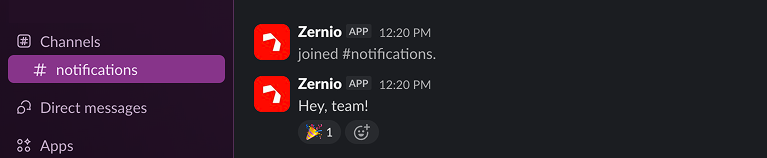
While public channels are joined automatically, once you pick them. A private channel needs a member to run /invite @Zernio first, because an app cannot add itself to a private channel.
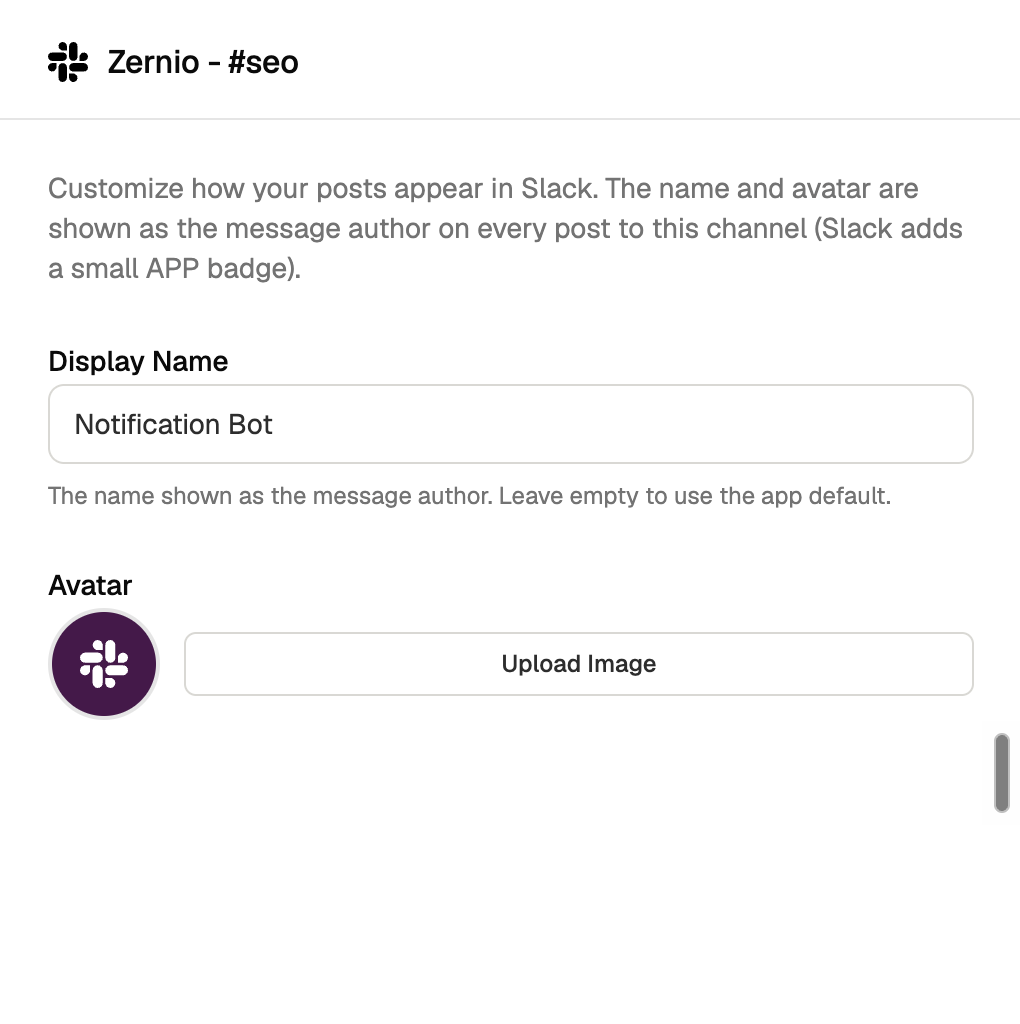
You also decide what the bot looks like. Every message can carry its own display name and avatar, so a post can go out as "Status Bot" or your own product's name instead of the Zernio brand.
Posting is the call you already make, with slack as the platform.
const { post } = await zernio.posts.createPost({
  content: 'Deploy finished :rocket:',
  platforms: [
    {
      platform: 'slack',
      accountId: 'YOUR_ACCOUNT_ID'
    }
  ],
  publishNow: true
});
console.log('Posted to Slack!', post._id);
Publish to Slack through the API you already use.
One bearer token for Slack plus 15 other platforms. Post, schedule, and reply from a unified inbox.
Scheduling runs on Zernio's queue rather than Slack's built-in functionality. Zernio queues the post, publishes at your timestamp in your timezone, and gives you the same cancel and reschedule behaviour you have on every other platform.
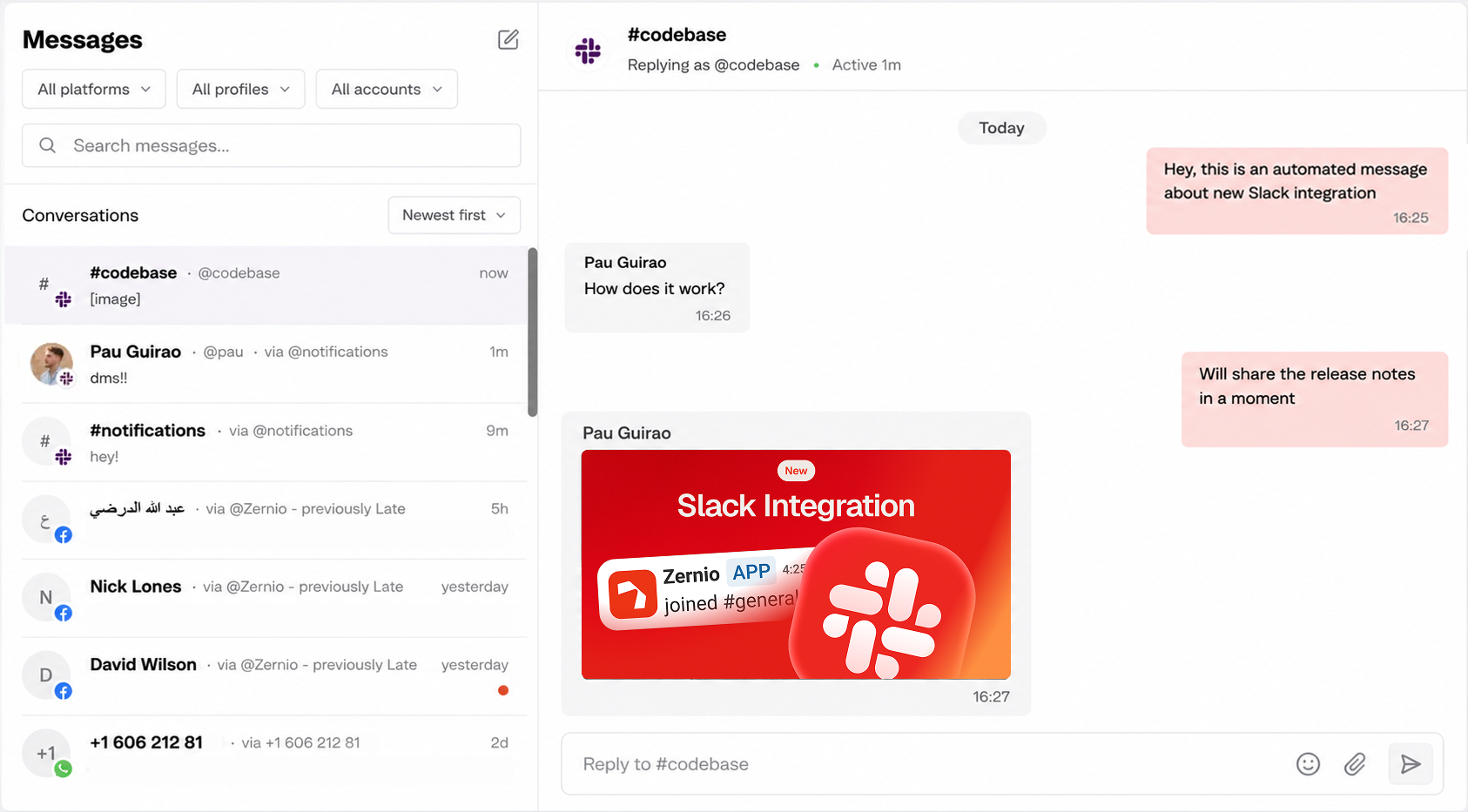
Receiving messages is deliberately narrow. Slack is part of the unified inbox, and inbound messages arrive in real time through Slack's Events API, but only three kinds reach you: direct messages to the bot, channel messages that @-mention it, and replies in threads the bot is already part of, including under a post you published.
Starting a DM takes two calls. First, list the workspace members you can message:
GET /v1/accounts/{accountId}/slack-membersThen start the conversation with the member id you picked:
POST /v1/inbox/conversations
{
  "accountId": "YOUR_ACCOUNT_ID",
  "participantId": "U04ABCD1234"
}
The lookup endpoint is there so you can put a recipient picker in your own UI. Fetch the members, show them in a dropdown, pass whichever one the user chooses. From there the conversation behaves like any other in the inbox.
Why run Slack through Zernio
The first thing you skip is the Slack app. Adding Slack to a product normally starts with building one: create it in the Developer Portal, pick scopes, put up a screen where your users authorize it, then store a token and rotate it when it expires.
If you also want to manage replies, that's a second piece of work, because now you're hosting an Events API endpoint, verifying signatures and acknowledging inside three seconds. Zernio's bot already exists and already holds the scopes for publishing and for the inbox. Your user authorizes it, picks a channel, and you're posting.
The code on your side is the call you were writing anyway. POST /v1/posts with platform: 'slack', the same endpoint, auth and scheduling that automate posting across 15 other platforms that Zernio API supports. Slack is one more value in an array, and a connected channel counts as one account under the usual pay-per-account pricing.
Slack replies land in the same inbox as everything else. A DM to the bot, a message that @-mentions it, or a reply under a post you just published all show up in Zernio's unified inbox alongside your Instagram comments and WhatsApp threads, with the platform differences already flattened out. You answer from the inbox or through the API, in thread, as the same bot that posted, and you can open a DM with a specific person the same way.
Agents get the same access as well: the Zernio MCP server exposes the posting and inbox endpoints as tools, so a single agent can run the whole loop.
Slack integration is now available to all Zernio users. We'd love to hear what you think! Share your experience on social and tag @zernio!