If you're looking for a LinkedIn Community Management API alternative, you're likely running into LinkedIn's strict approval requirements, limited access, or developer restrictions. While the LinkedIn Community Management API enables businesses to manage company pages programmatically, access is typically reserved for approved partners and established organisations.
For developers, agencies, and SaaS platforms building social media automation tools, these limitations make implementation difficult. That's why we decided to find and rank the best LinkedIn Community Management API alternatives that offer easier setup and more flexibility for automation workflows.
After a deep dive, we found what you are looking for and what the best alternatives are for you.
Let's dive in!
Limitations of the LinkedIn Community Management API
The LinkedIn Community Management API is strictly intended for commercial use cases by registered legal organisations and is not available for personal profiles or independent developers.
Access is not as simple as generating an API key. Developers must create an application through the LinkedIn Developer Portal and submit an access request for review. The approval process involves identity verification, use-case evaluation, and compliance checks, which can make onboarding time-consuming and difficult for smaller teams.
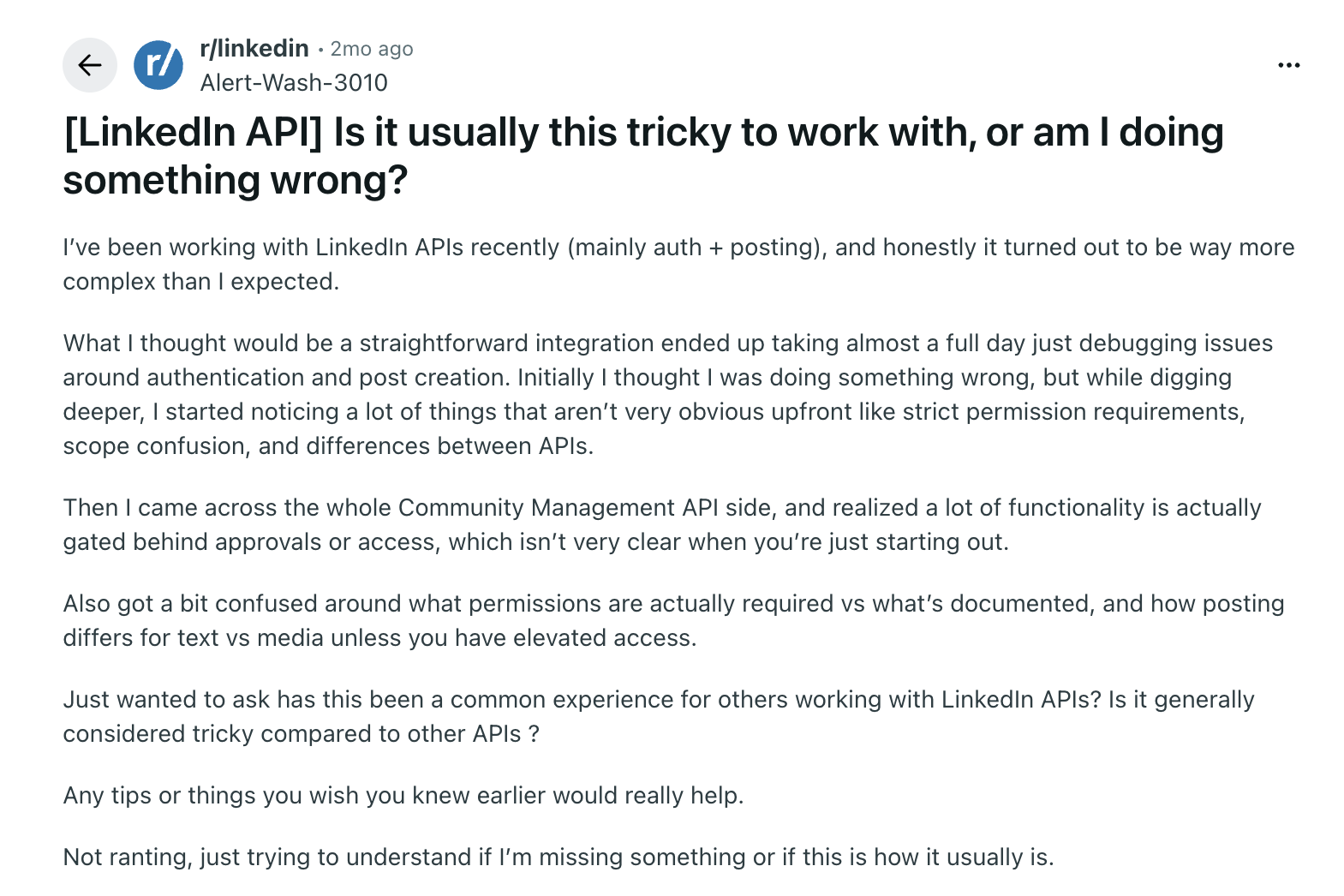
Strict Access Approvals with Complex OAuth Setup
To access the LinkedIn Community Management API, you must provide your business details, including your business email address, legal organisation name, registered address, and website, and also explain how you plan to use the API via an access request form. For unlimited API access, LinkedIn requires additional verification, including a screen recording of the application to demonstrate how user data is handled.
Once approved, developers have to implement LinkedIn's OAuth flow manually: configure authentication, define permission scopes, generate access tokens, and handle redirect URLs within the application.
Strict Rate Limits and Use-Case Restrictions
The LinkedIn Community Management API enforces strict rate limits that vary by application and endpoint. Access is controlled and throttled, with limits applied per application and per member to prevent excessive usage. Certain capabilities, such as batch requests and push notifications for social actions, are also restricted to users on the Standard tier, which is only available after an additional vetting process.
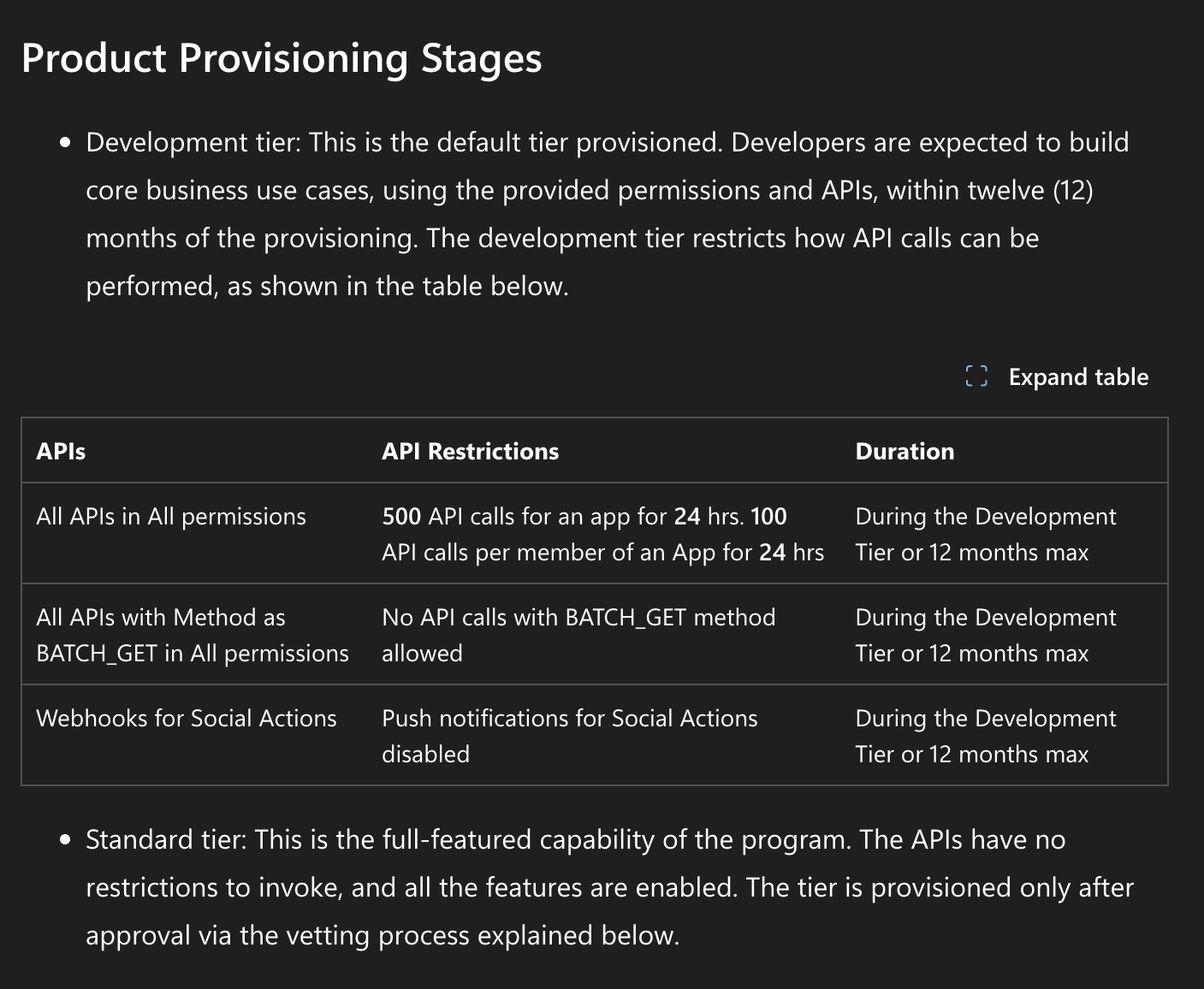
Also, member profile data can only be stored for up to 24 hours, while member social activity data can be stored for up to 48 hours and must be used for approved purposes, such as managing LinkedIn Pages or profiles through the application. It cannot be exported, transferred, or combined with other datasets outside of approved use cases.
Cumbersome Media Upload and Posting
Publishing images and videos through the LinkedIn Community Management API is not a single-step process. Instead of attaching media directly to a post request, developers must follow a multi-step workflow that involves registering the media, uploading it asynchronously, and then associating the uploaded asset with a post.
This process adds extra complexity, especially when handling large media files, retries, or upload failures. It also requires careful state management to ensure that media uploads are fully processed before publishing content.
Frequent API Changes and Version Deprecation
The LinkedIn API is subject to regular updates and strict versioning policies. Older API versions are periodically deprecated, which means applications must be continuously updated to remain functional.
As a result, developers are required to monitor API changes closely, migrate endpoints when versions are retired, and adjust their integrations to match new requirements. This creates ongoing maintenance overhead, especially for production systems that rely heavily on LinkedIn for scheduling, publishing, or analytics workflows.
A quick look at the best LinkedIn Community Management API alternatives in 2026
The table below highlights the key differences between these tools:
| Tool | Key Features | Pricing (Plan + Price) | Unique Selling Points | Best For |
|---|---|---|---|---|
| Zernio | Unified API for 15+ platforms, smart rate limit handling, LinkedIn + multi-platform publishing, inbox, analytics, ads API, MCP support, multi-account management | Free plan (2 accounts), paid from $6/account/month | Only true unified social media API for 15+ platforms, with messaging, analytics, and ads, and built-in rate-limit handling | Developers, SaaS platforms, automation-heavy teams |
| ContentStudio | AI content creation, smart scheduling, visual calendar, analytics, social inbox, bulk publishing, collaboration tools | Starter plan $29/month (1 user, up to 5 accounts) | All-in-one content workflow platform combining AI writing, scheduling, and analytics in one workspace | Marketers, agencies, content teams |
| SocialPilot | Content calendar, queue templates, analytics, AI Pilot, social inbox, collaboration workflows, reporting | From $30/month (14-day trial available) | Strong agency-focused scheduling, approvals, and reporting system across multiple platforms | Agencies and social media teams |
| Taplio | LinkedIn AI content creation, scheduling, engagement tools, Chrome extension, analytics, and connection management | From $39/month | LinkedIn-only growth tool focused on AI content creation and engagement insights (no API access) | Personal branding, founders, and LinkedIn growth |
| AuthoredUp | Post drafting, formatting editor, analytics, content calendar, performance tracking, post optimisation tools | From $19.95/month (1 profile) | LinkedIn post formatting + analytics optimisation tool for improving post performance | LinkedIn content optimisation and analysis |
| Publer | Multi-platform scheduling, post recycling, bulk scheduling, analytics, AI content tools, drag-and-drop calendar | Free plan available, paid from $5/account/month | Lightweight, multi-platform scheduler with optional API access for basic automation | Small teams, creators, and affordable scheduling |
Stop building social integrations from scratch.
One API call to publish, schedule, and manage posts across 15+ platforms.
Best LinkedIn Community Management API Alternatives
1. Zernio
Website: https://zernio.com
For developers and agencies seeking a LinkedIn community management API alternative, Zernio presents a compelling solution by directly solving the API access problem. While LinkedIn's Community Management API is powerful, it is not available to all users and requires a painful, often unsuccessful, review process.
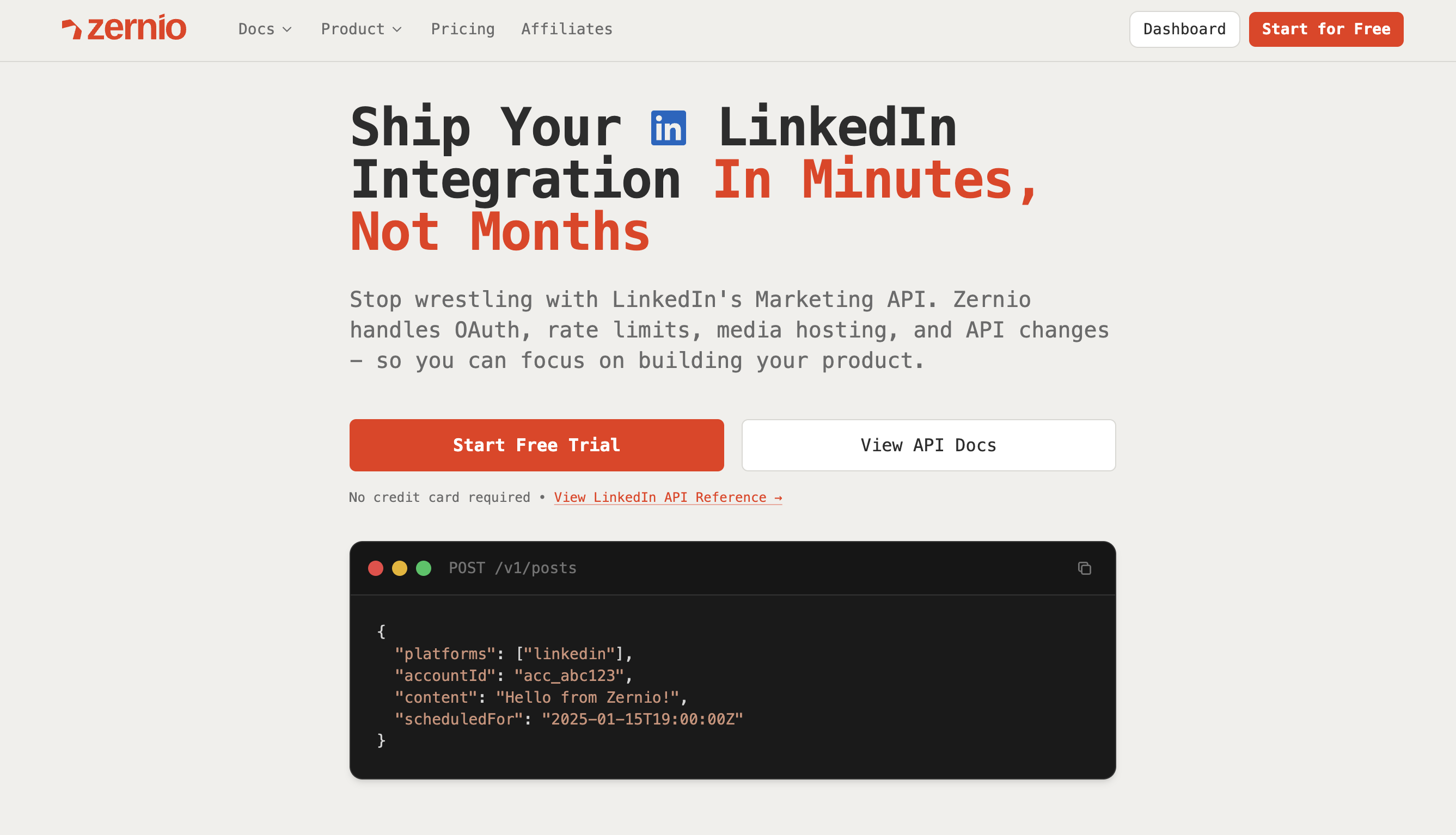
Zernio acts as your instant alternative because it already has pre-approved access to the Community Management API, allowing you to bypass the entire application headache. This grants you immediate programmatic access to publish and analyse content on LinkedIn Company Pages and personal profiles without waiting months for an uncertain review.
Zernio's unified REST API collapses 15 social platforms, including LinkedIn, Twitter (X), Instagram, Facebook, and TikTok, into a single, cohesive endpoint. This architecture saves significant development overhead by removing the need to build and maintain separate integrations for each platform.
It handles rate limits automatically with smart queuing and retry mechanisms, supports direct media uploads, maintains a stable API version, and removes the complexities of platform authentication and integration. Zernio also supports content scheduling and management for both personal LinkedIn profiles and company pages you manage.
Key Features
- Supports multiple LinkedIn post types (text, images, video, documents, and carousels)
- Unified API for publishing and managing content across 15+ platforms
- Built-in rate limit handling with smart queuing and retries
- Manages both personal profiles and company pages
- Direct dashboard media uploads without the need for external hosting requirements
- Unified Ads API for managing paid campaigns across LinkedIn and 6 other platforms
- Content scheduling and bulk publishing tools
- LinkedIn analytics and performance tracking
- Comment and direct message management
- MCP support for AI assistants and agent-based automation
Pricing
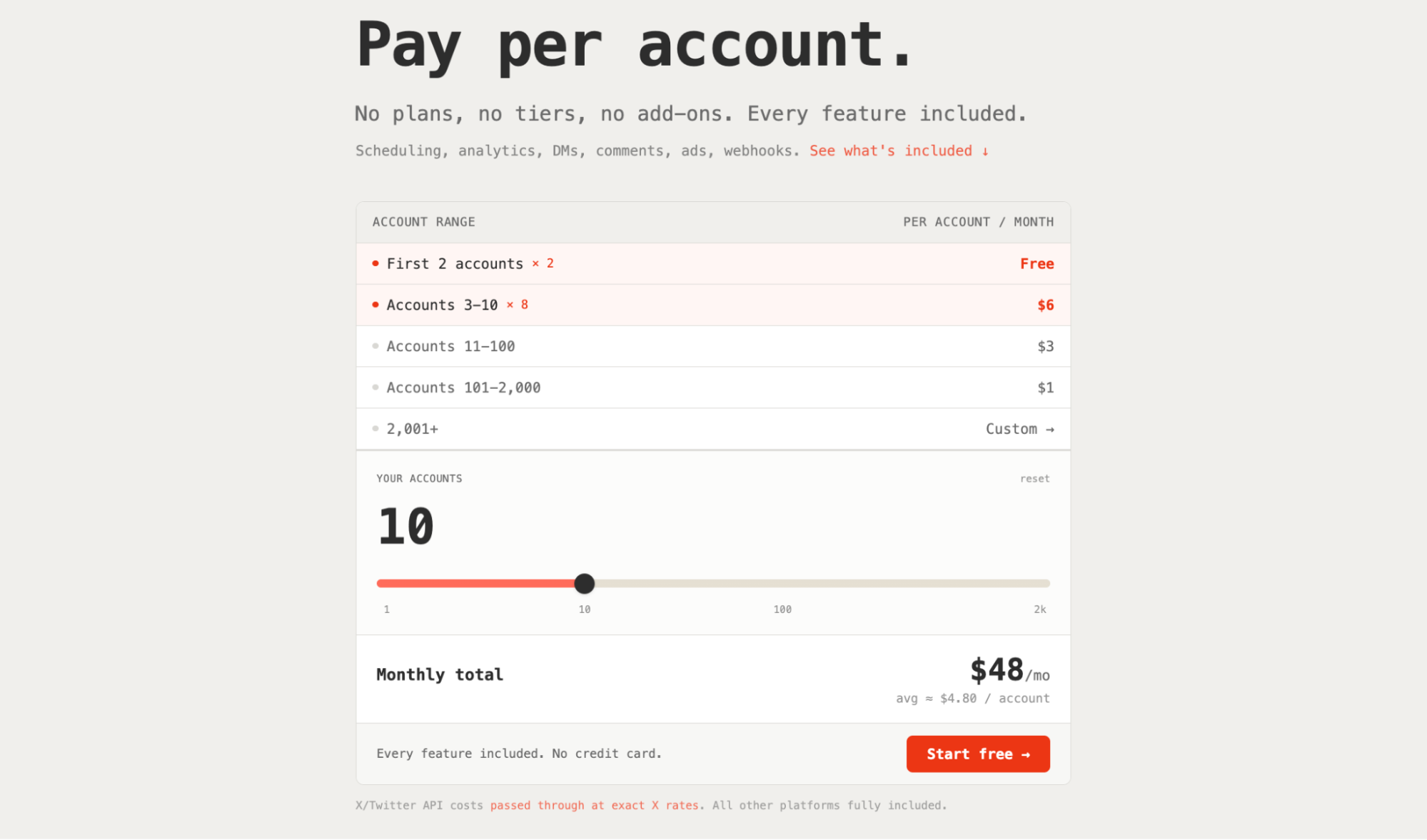
Zernio offers a free plan that includes up to 2 LinkedIn or social accounts with access to features such as Instagram post scheduling and publishing, analytics, inbox management (messages, comments, and reviews), ads, and webhook integrations. In addition to Instagram, the same integration also works across other social media platforms.
If you need more than two accounts, you now pay per account, starting at $6/month for 3 social accounts (the per-account rate drops with volume).
Supported Platforms
Zernio supports a wide range of social media platforms for publishing, engagement, and automation, including: Facebook, Instagram, WhatsApp, Threads, LinkedIn, X (Twitter), TikTok, YouTube, Pinterest, Telegram, Reddit, Bluesky, Google Business, Snapchat, Discord, and additionally Ads API (Google, LinkedIn, TikTok, Pinterest, and X).
Pros
- Quick API setup and integration across LinkedIn and 14+ social platforms
- Cross-platform publishing, analytics, and ads support
- Unified social inbox for managing comments and messages across multiple social media platforms
- Detailed social analytics with per-platform engagement breakdowns and visual reports
- Built on the official LinkedIn API without integration bottlenecks
- Simplified authentication and setup process
- Automatic retry handling and queue management
- No ongoing API maintenance or version update overhead
- Best-time-to-post recommendations for improved engagement
- Works with AI agents and automation tools, like n8n
- Combines dashboard usability with developer API access
- Well-suited for developers and scalable SaaS platforms
Cons
- Advanced workflows may require initial setup and configuration
- Best value when used in developer or automation-focused environments
Why is Zernio the best LinkedIn Community Management API alternative in 2026?
Zernio stands out as the best alternative to the LinkedIn Community Management API because it eliminates the setup and integration complexity developers face when working with LinkedIn and other social APIs. Instead of dealing with fragmented authentication flows, restricted API access with frequent changes, rate limit handling, and platform-specific integration logic, Zernio provides a unified API that simplifies building and maintaining reliable integrations across 15 social media platforms.
It also includes a LinkedIn Ads API for managing paid campaigns and a centralised inbox across 15+ social media platforms, enabling teams to handle both organic and paid workflows in one place.
2. ContentStudio
Website: https://contentstudio.io/
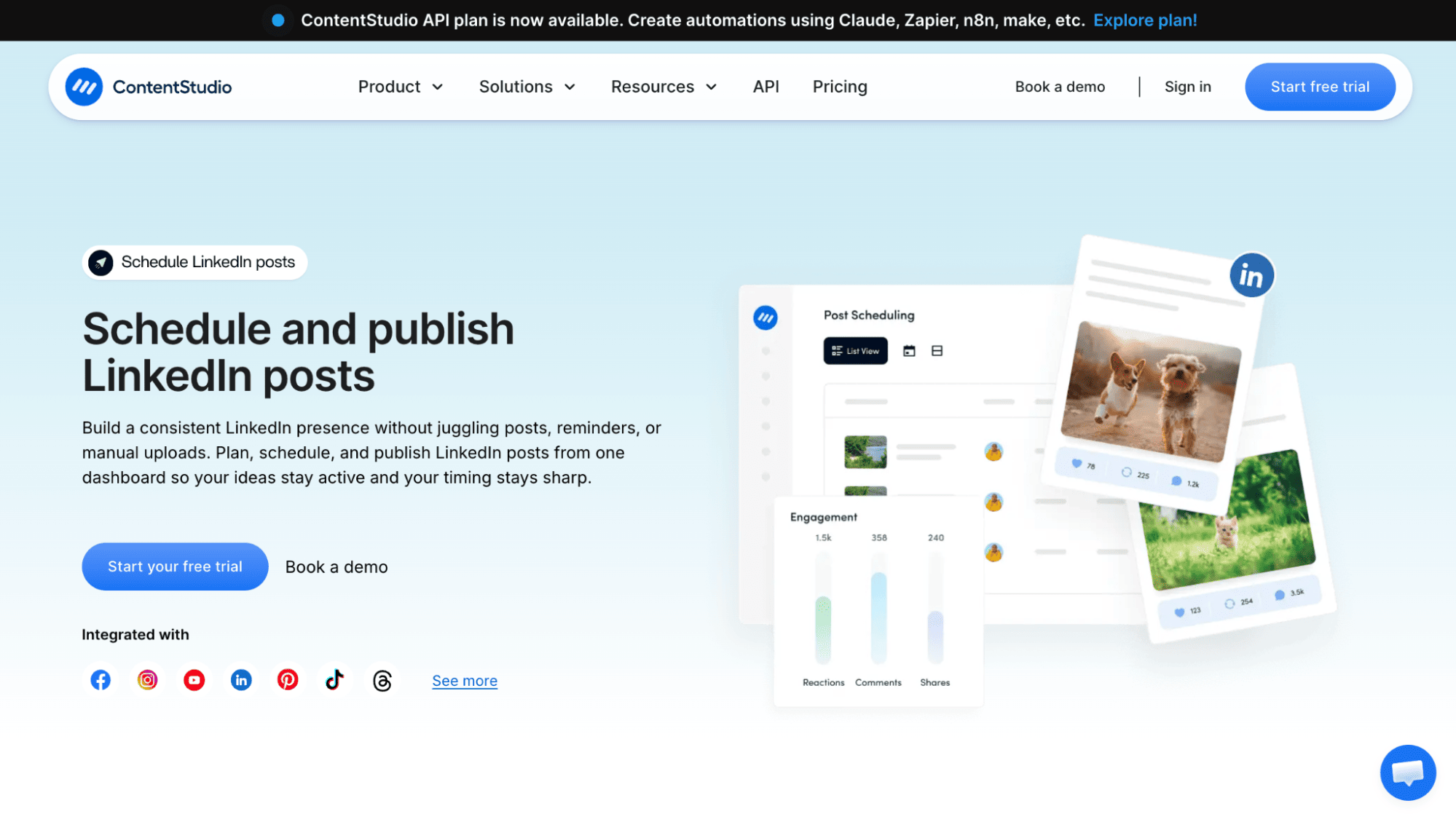
ContentStudio is an all-in-one social media management platform designed for scheduling, publishing, and content discovery across multiple channels. It combines automation, AI-powered content creation, and collaboration tools in a single workspace, making it suitable for marketers, agencies, and content-heavy teams, but less of a fit for developers and programmatic social media management.
Key Features
- Multilingual interface with a customisable layout for content planning
- Unified social media publishing system with API support
- Smart scheduling that automatically publishes content at optimal engagement times
- Content planning and categorisation for organising and quickly retrieving posts
- AI assistant for generating captions, posts, and images
- Social media analytics for tracking performance and comparing results across platforms
- Supports both LinkedIn personal profiles and company pages
- Visual drag-and-drop content calendar
Pricing
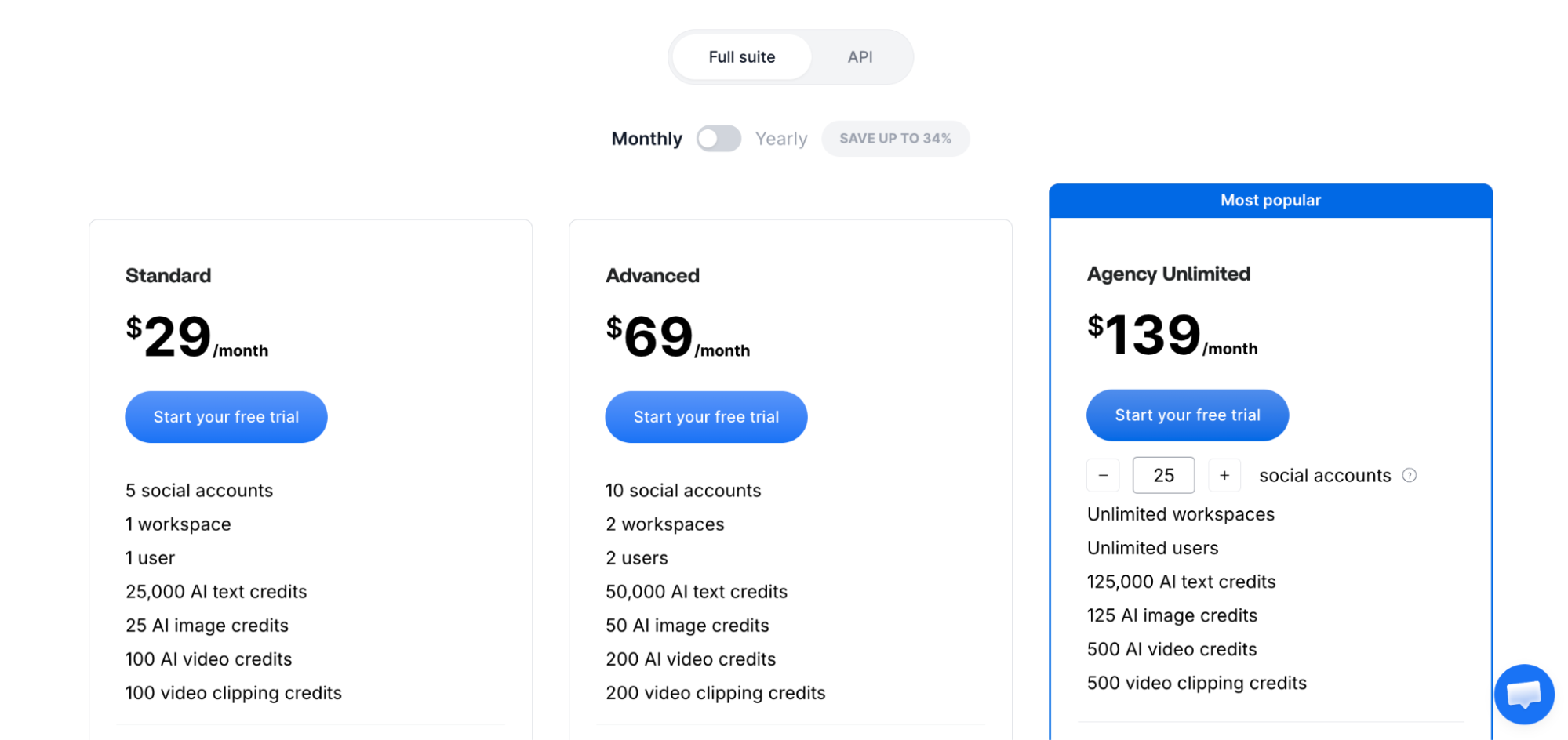
ContentStudio starts at $29 per month for 1 user, which includes access to up to 5 social accounts. The plan includes AI credits for text, image, and video generation, a multilingual interface, and limited API and MCP integration (up to 1,500 API requests).
Supported Platforms
ContentStudio supports major platforms, including Facebook, Instagram, X (Twitter), Google Business Profile, LinkedIn, TikTok, Threads, Bluesky, YouTube, and Pinterest.
Pros
- Plan, schedule, publish, and track LinkedIn posts from a single dashboard
- AI-powered smart scheduling for optimal posting times
- Social media API available for automating publishing across 10+ platforms
- Supports automation through third-party tools such as n8n, Make, Claude, and Zapier
- First comment scheduling support
- Bulk scheduling and evergreen content recycling
- Supports multiple LinkedIn formats, including PDFs, carousels, videos, text, and images
- Client-ready analytics highlighting growth, engagement, and LinkedIn ROI
- Unlimited content publishing across all plans
Cons
- Full API access requires a separate plan, resulting in extra costs beyond the base subscription
- No free plan, only a limited trial period
- No built-in support for social media ads management
Why is ContentStudio the best LinkedIn Community Management API alternative in 2026?
ContentStudio stands out as a LinkedIn Community Management API alternative because it combines content creation, scheduling, analytics, and engagement management in a single platform, enabling teams to plan, publish, and manage LinkedIn content and interactions more efficiently without building complex infrastructure.
Unlike the official LinkedIn API, which requires strict access approval and custom development, ContentStudio provides a ready-to-use solution with features like a unified social inbox, bulk scheduling, and analytics, all without complex setup, authentication workflows, or maintenance overhead.
3. SocialPilot
Website: https://www.socialpilot.co/
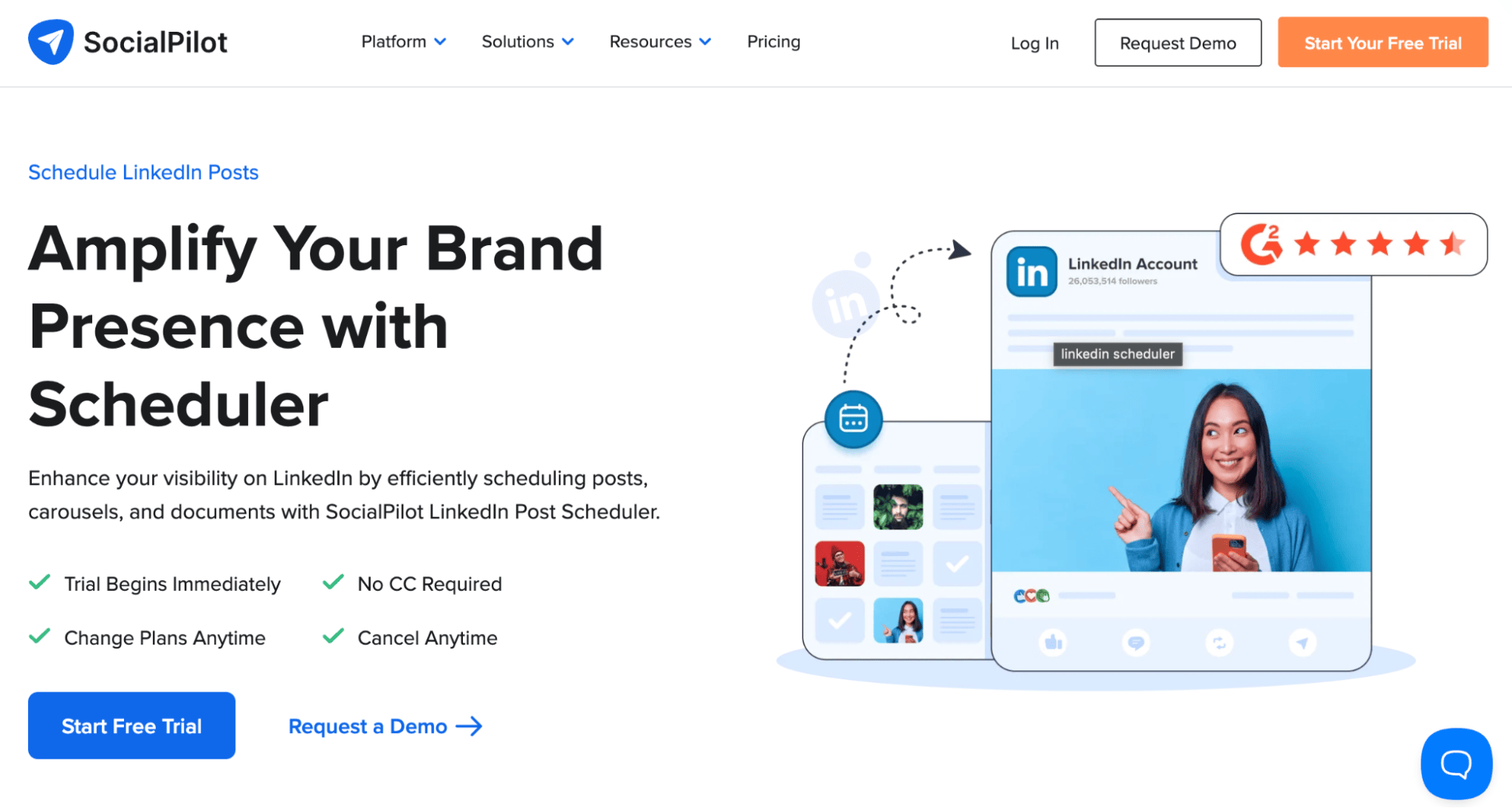
SocialPilot is a social media management platform that helps teams manage, monitor, and grow their social accounts using AI-powered tools. It supports key workflows such as content planning, scheduling, publishing, and collaboration, making it easier for teams to organise and manage social media activities from a single platform.
Key Features
- Centralised social media calendar for streamlined content planning
- Scheduling and publishing across 10 social media platforms
- Queue templates to save and apply optimal posting times across multiple accounts
- Content library for storing images, text, videos, and hashtag groups
- Customisable reports with export options including PDF and CSV
- AI Pilot for content generation and optimisation
- Advanced analytics covering audience demographics, reach, and engagement for data-driven decisions
Pricing
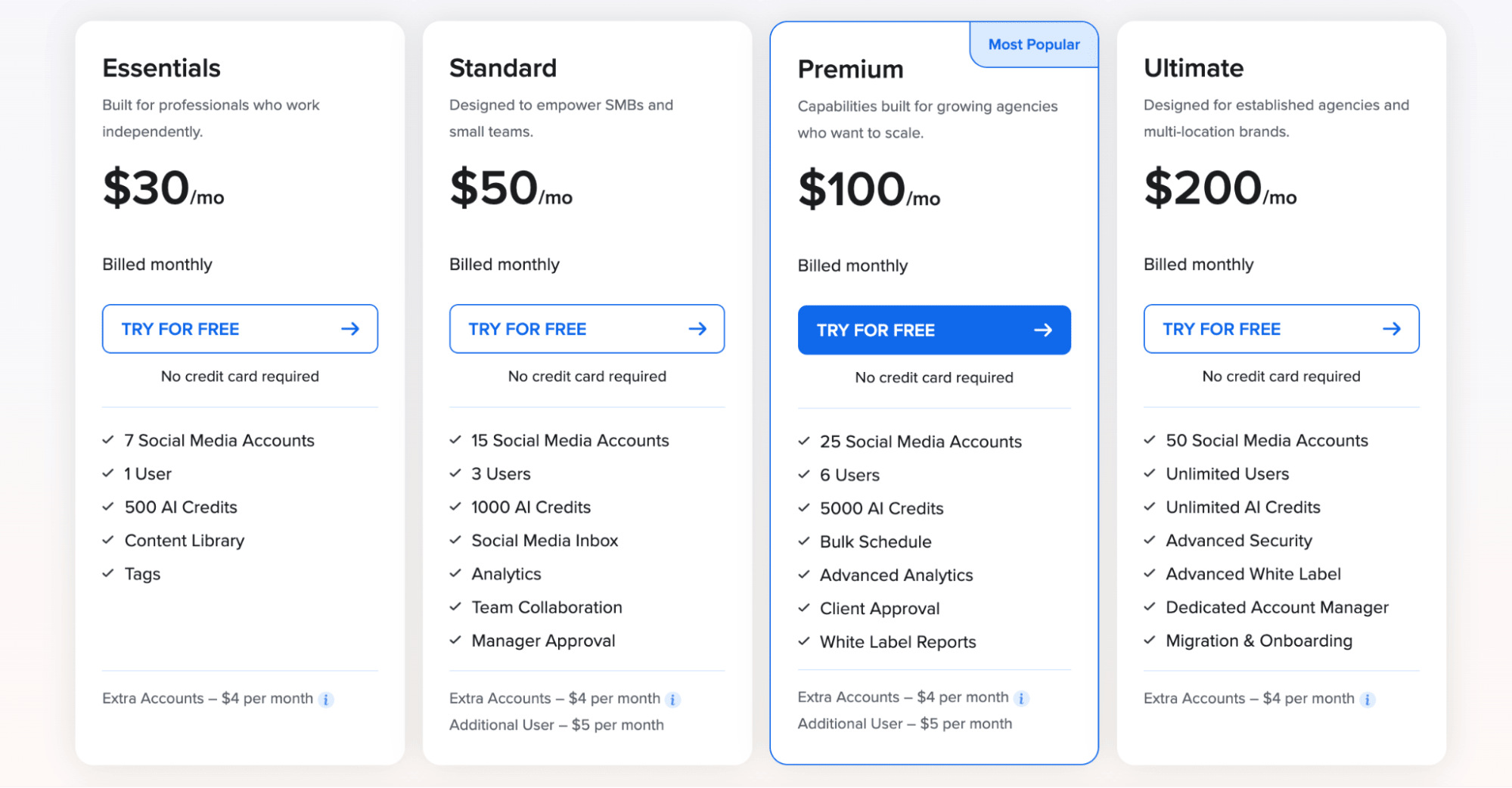
SocialPilot offers a 14-day free trial, with its entry-level paid plan starting at $30 per month. This plan includes access to up to 7 social media accounts, a content library and tagging features for organising and filtering posts within the calendar and library. Additional accounts are charged at $4 per month each.
Supported Platforms
SocialPilot supports major platforms, including Instagram, Facebook, TikTok, X (Twitter), LinkedIn, Google Business Profile, YouTube, Pinterest, Bluesky, and Threads.
Pros
- Supports scheduling across LinkedIn formats, including images, GIFs, videos, documents, and carousels
- Direct LinkedIn mention tagging for accounts and pages
- Social inbox for managing comments and brand mentions across LinkedIn pages
- Content calendar and library for scheduling, saving, and reusing posts
- AI-powered content optimisation, including relevant hashtag suggestions for your target audience
- AI-suggested posting times based on engagement data from your LinkedIn accounts
- MCP server integration for AI-assisted content publishing
- First comment scheduling
- Team collaboration with content approval workflows
- Advanced analytics and reporting
Cons
- API access is only available on the highest-tier Enterprise plan
- No social ads API support
- Limited social account across all plans, with extra accounts costing $4/month
Why is SocialPilot the best LinkedIn Community Management API Alternative in 2026?
SocialPilot removes the need to build and maintain custom LinkedIn API integrations while still giving teams full control over publishing and engagement workflows. Instead of dealing with LinkedIn's access approvals, rate limits, and technical OAuth setup, users get a ready-to-use platform that handles scheduling, publishing, and managing content across LinkedIn and other major social networks from a single dashboard.
However, API access is only available on the Enterprise plan, and the platform does not provide a social ads API, which may be limiting for businesses that require advanced automation or advertising workflows.
Learn more about SocialPilot API and whether it is the right fit for your team.
4. Taplio
Website: https://taplio.com/
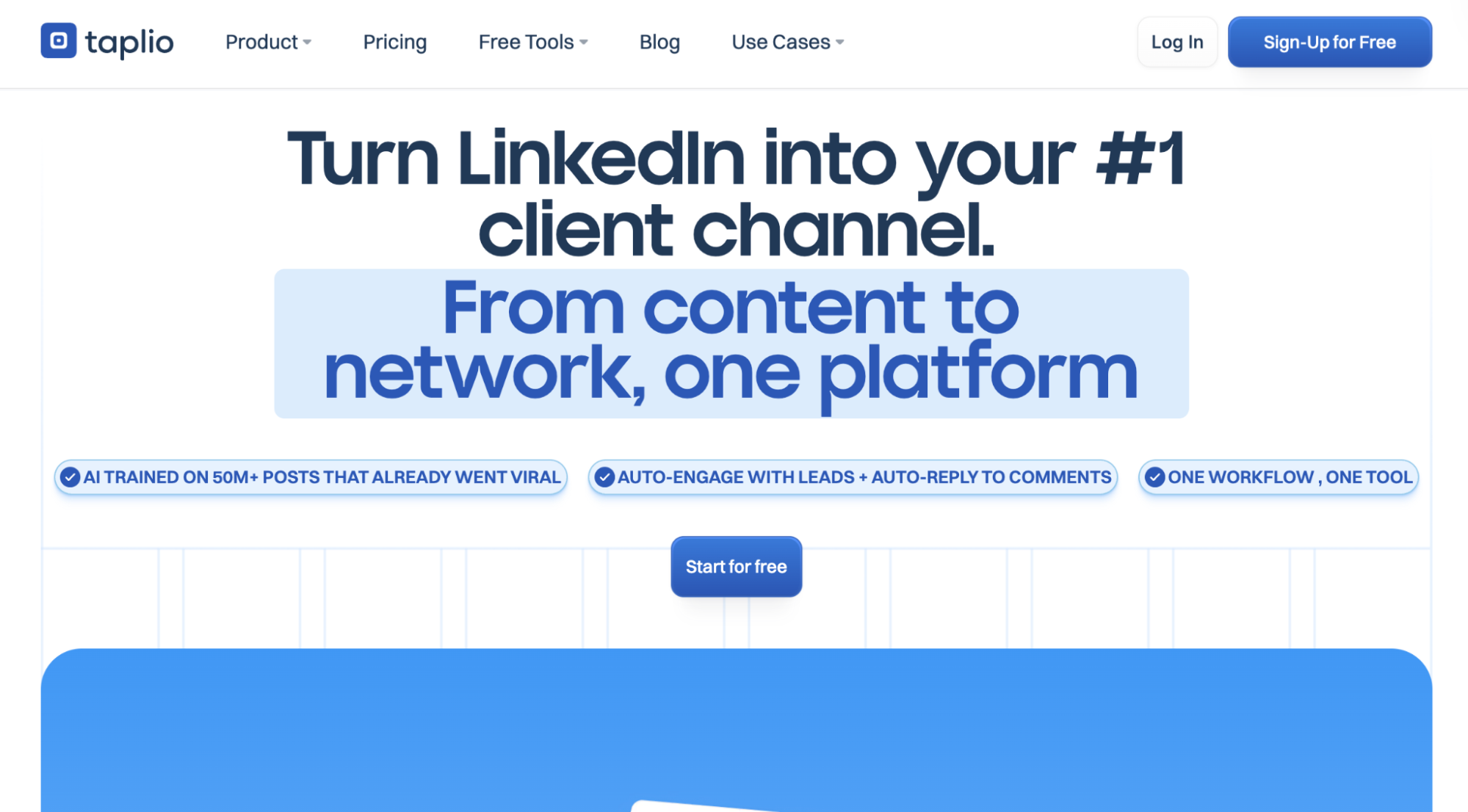
Taplio is a LinkedIn-focused content marketing and networking platform that helps professionals, founders, creators, consultants, and sales teams to grow their presence on LinkedIn. It combines AI-powered content creation, scheduling, engagement tools, and analytics in a single platform.
Key Features
- LinkedIn content scheduling and publishing
- Kanban-style content management for drafts, scheduled posts, and published content
- Chrome extension with LinkedIn profile and content insights
- AI-powered tools for content creation, including summaries, headlines, carousels, viral post generation, and profile optimisation
- LinkedIn video downloader and post performance enhancement tools
- Engagement management for responding to comments and interacting with creators and influencers in your niche
Pricing
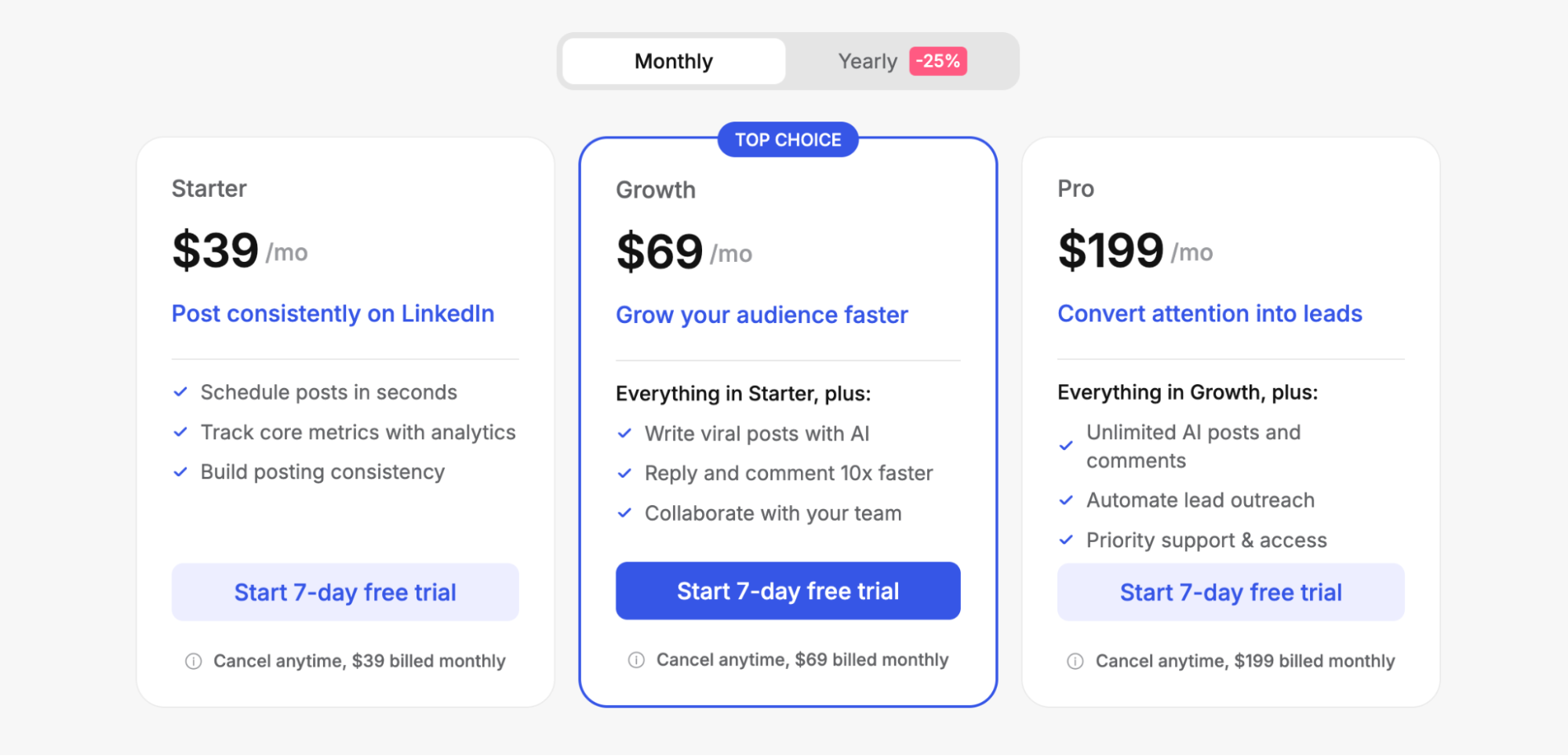
Taplio starts at $39 per month, offering unlimited LinkedIn post scheduling, core analytics and performance tracking, and access to its LinkedIn content management features.
Supported Platforms
Taplio is designed exclusively for LinkedIn content creation, scheduling, and engagement management.
Pros
- LinkedIn content scheduling for carousels, images, and videos
- AI-powered content generation inspired by high-performing posts in your niche
- Carousel creation tools with templates for YouTube videos and articles
- Advanced analytics for engagement tracking and follower growth beyond native LinkedIn insights
- Built specifically for LinkedIn content creation and personal brand growth
- Connection request hub for tracking engagement and sending connection requests within the platform
Cons
- Limited to LinkedIn only
- No API access for external automation workflows
- Advanced AI content generation and unlimited comment management are restricted to the Pro plan ($199/month)
- Automated connection requests and direct messaging are only available on the highest-tier plan ($199/month)
- Team collaboration and approval workflows start at $69/month
Why is Taplio the best LinkedIn Community Management API Alternative in 2026?
Taplio stands out as an alternative because it is designed specifically to help individuals and teams grow and manage their LinkedIn presence without any API integration or technical setup. It is best suited for users who want AI-powered content creation, engagement tools, and LinkedIn-focused analytics, rather than dealing with LinkedIn's strict API access requirements or using a complex multi-platform solution.
5. AuthoredUp
Website: https://authoredup.com/
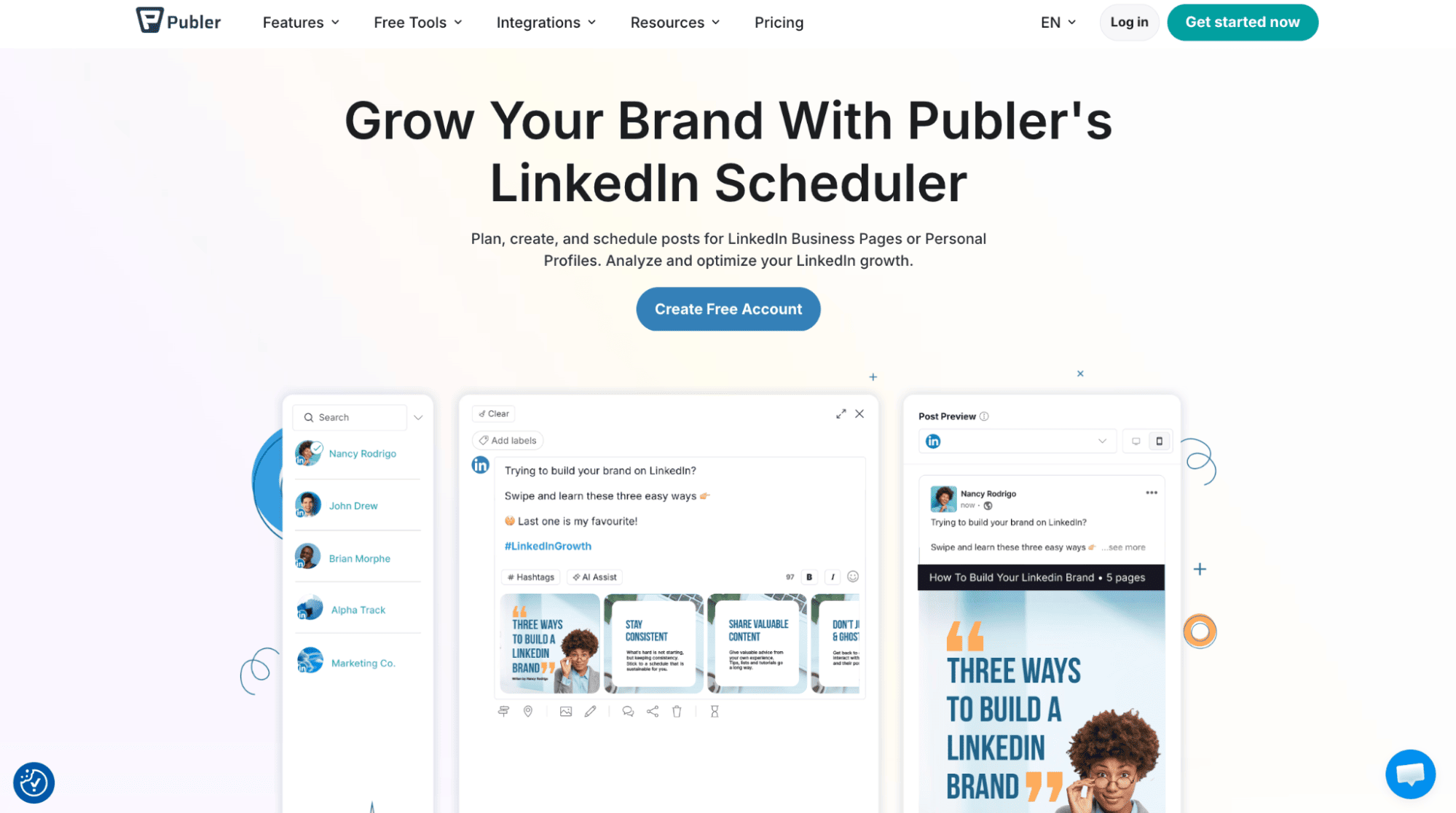
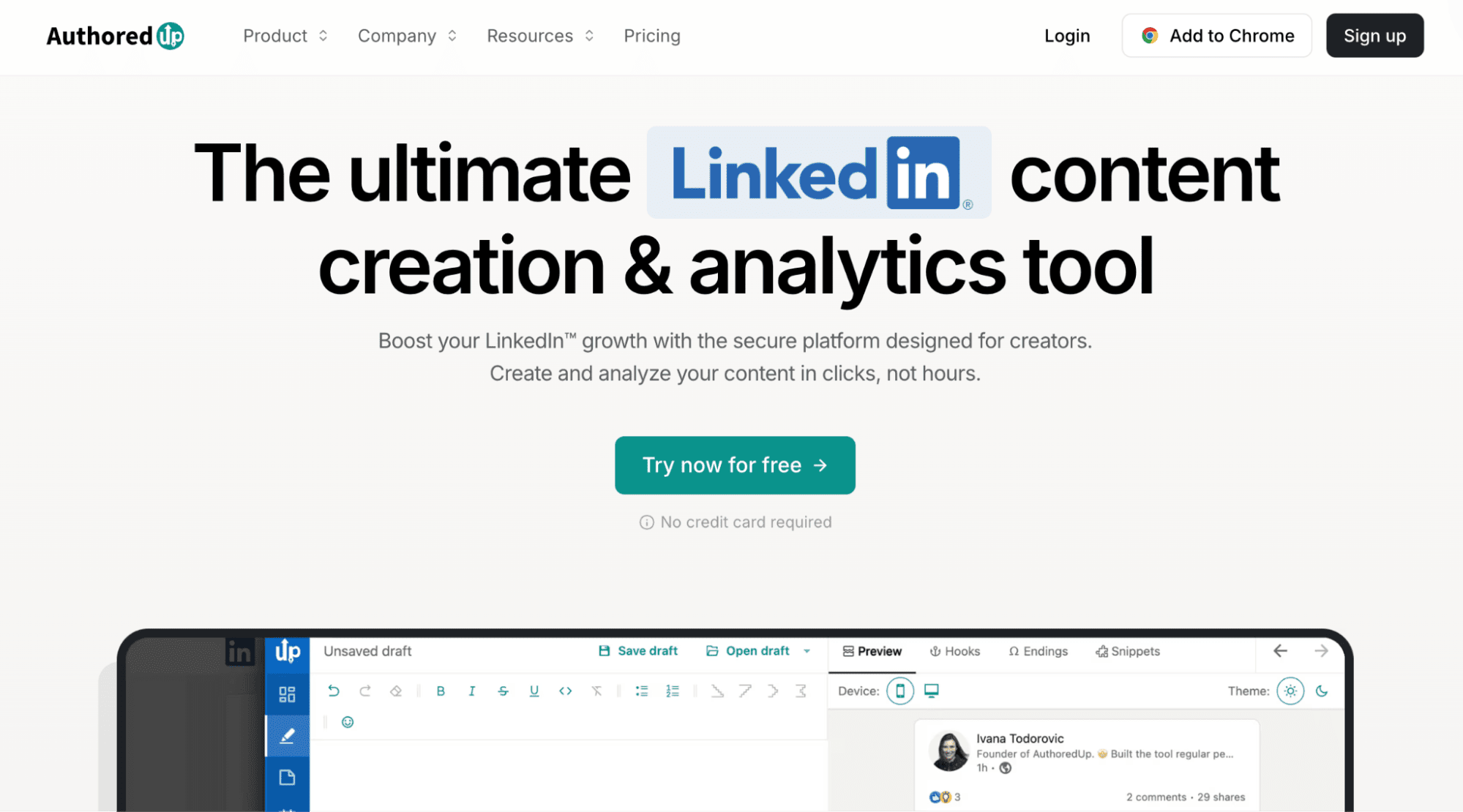
AuthoredUp is a LinkedIn content creation, scheduling, and optimisation tool designed to help users write, format, and improve their posts for better engagement. It provides a content calendar, drafting tools, and performance insights to help users plan and refine their LinkedIn content more effectively.
Key Features
- Single dashboard for content creation, scheduling, and analytics
- Centralised calendar for planning, scheduling, and reviewing LinkedIn posts
- Content table with filters to analyse past posts and identify performance patterns
- Analytics and engagement insights with visual reports and charts
Pricing
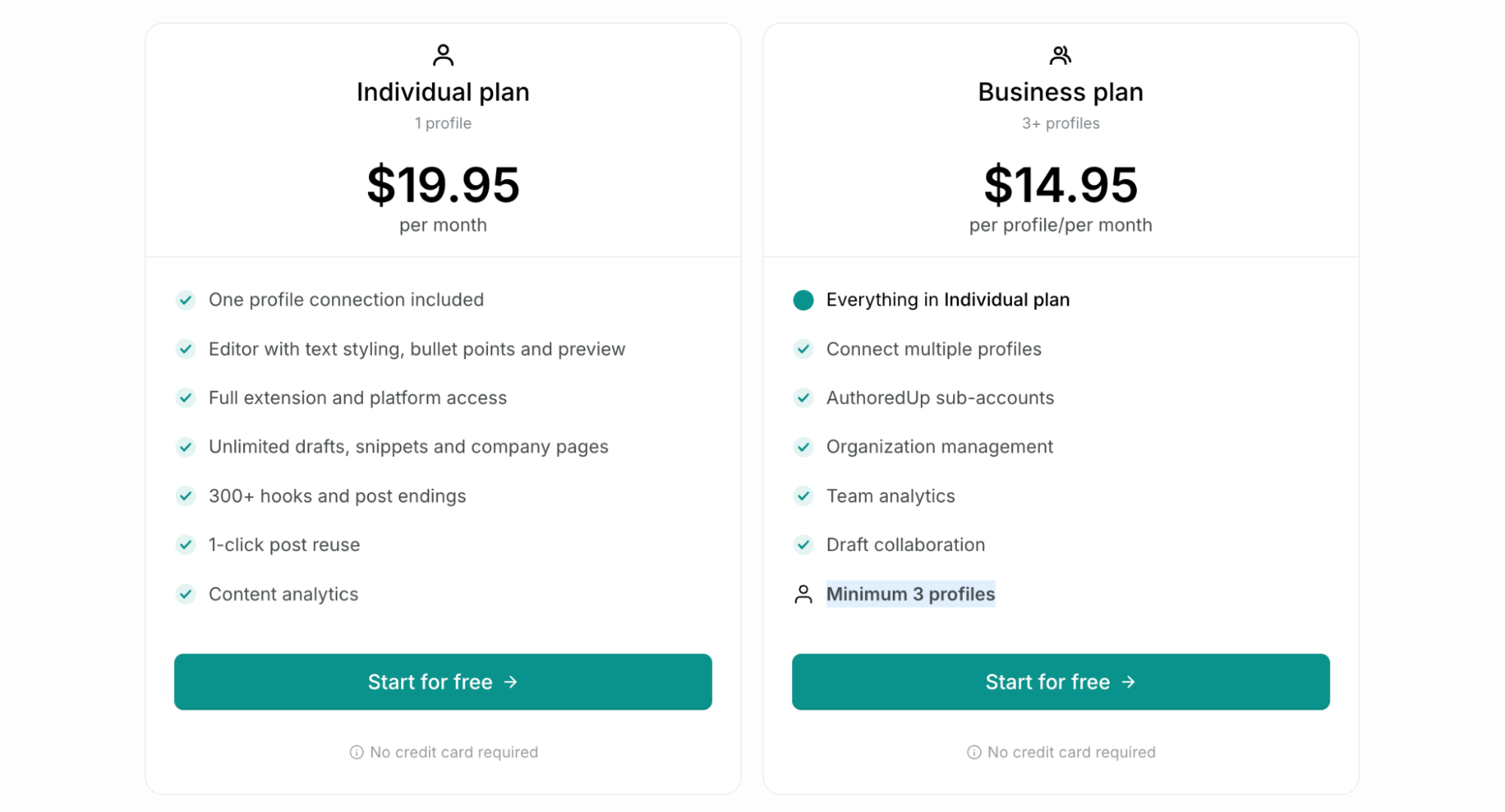
AuthoredUp starts at $19.95/month for a single LinkedIn profile, including access to the content studio and post analytics. The Business plan starts at $14.95 per profile/month and supports a minimum of 3 LinkedIn profiles.
Supported Platforms
AuthoredUp is built exclusively for LinkedIn content creation, scheduling, and analytics.
Pros
- Content studio with WYSIWYG editor and LinkedIn post previews
- Advanced analytics with best-time-to-post recommendations
- Content saving and organisation for reuse in future posts
Cons
- API access is limited and mainly used for data export and reporting
- Team analytics and collaboration features are only available on the Business plan
- Limited to LinkedIn only
Why is AuthoredUp the best LinkedIn Community Management API Alternative in 2026?
AuthoredUp focuses on helping users to create, optimise, and analyse LinkedIn content without requiring any API integration or technical setup. It is particularly valuable for individuals and teams that prioritise content quality and performance insights over automation or multi-platform management. However, it is limited to LinkedIn, and its API functionality is restricted to data exports and reporting.
6. Publer
Website: https://publer.com/
Publer is a lightweight social media management platform designed for individuals, creators, and small teams that need affordable scheduling across multiple platforms. It combines content publishing, AI-assisted writing, bulk scheduling, and automation tools in a simple interface without the complexity of larger enterprise platforms.
Key Features
- AI assistant for generating captions and content ideas
- Supports content scheduling across LinkedIn business pages and personal profiles
- RSS feed automation for automatic post sharing
- Bulk scheduling for multiple posts at once
- Mobile app and browser extension for on-the-go publishing
- Visual content calendar for planning upcoming posts
Pricing
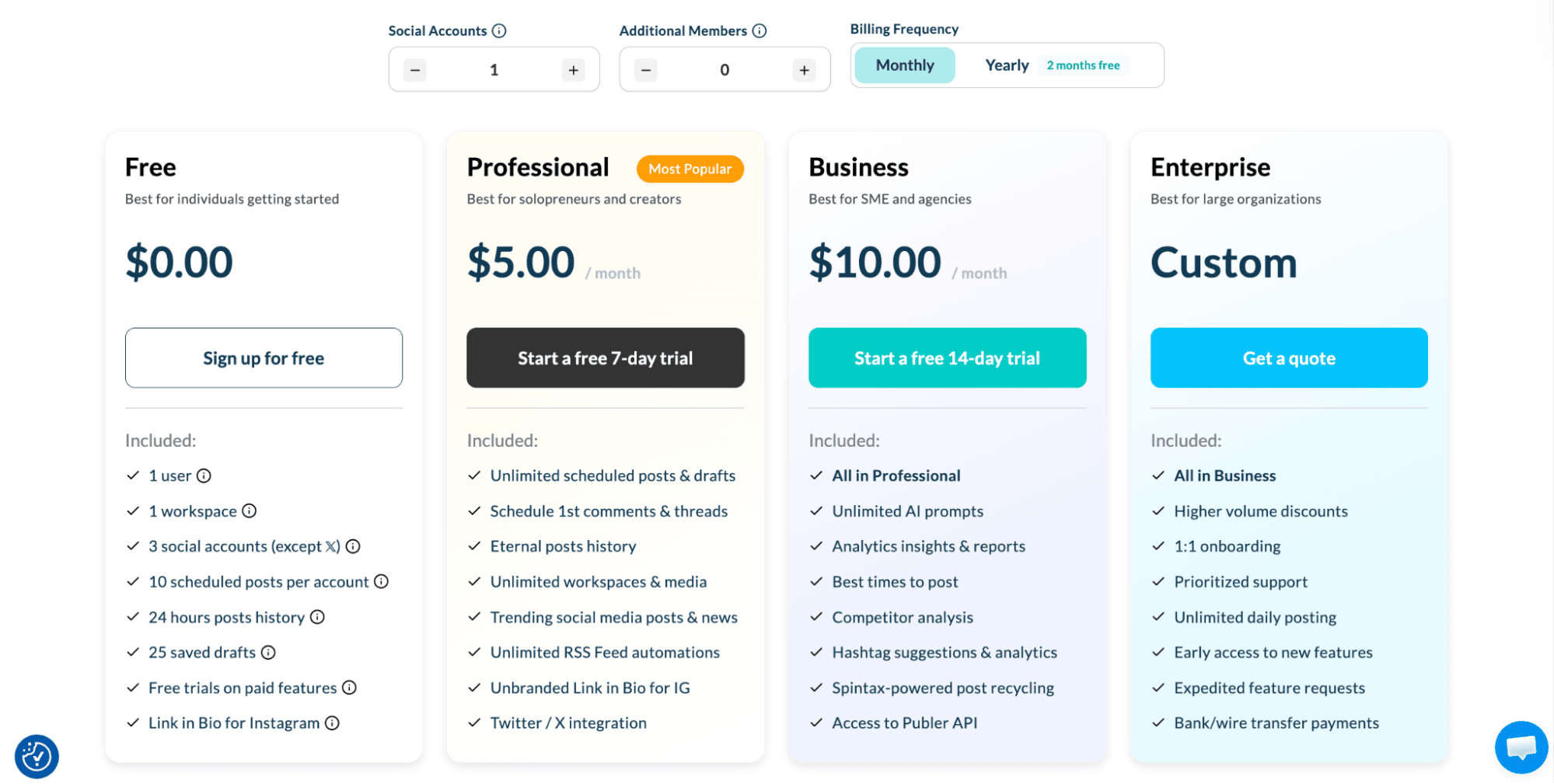
Publer offers a free plan with access to up to 3 social accounts, excluding X (Twitter). Paid plans start at $5 per month per social account. Higher-tier plans unlock advanced features such as unlimited RSS automation, unbranded link-in-bio pages, and X (Twitter) integration.
Supported Platforms
Publer supports various platforms, including Facebook, Instagram, TikTok, X (Twitter), Threads, LinkedIn, Pinterest, Mastodon, Google Business, YouTube, Telegram, Bluesky, and WordPress.
Pros
- Supports bulk scheduling with a visual drag-and-drop content calendar
- Post recycling for top-performing or evergreen content
- Tracks engagement, reach, and other LinkedIn performance metrics
- Recommends best posting times based on historical engagement data
- Supports LinkedIn formats, including PDFs, images, carousels, polls, and videos
- First comment scheduling for hashtags, links, and ongoing engagement in post discussions
- Affordable pricing for individuals and small teams
- REST API available for developer integrations
- Manage and schedule posts directly from mobile devices
- Built-in photo editing with Canva, Google Drive, and Unsplash integrations
- AI tools for content generation and post optimisation
Cons
- There is a daily post limit for LinkedIn profiles and company pages, with unlimited publishing only available on the Enterprise plan
- API access is reserved for Business and Enterprise plans
- Less suitable for agencies managing multiple clients
- No flat monthly pricing for growing teams
- X (Twitter) is limited to paid plans
Why is Publer the best LinkedIn Community Management API Alternative in 2026?
Publer supports content scheduling, post recycling, media management, analytics, and team workflows across multiple platforms, making it suitable for both individuals and agencies. It removes the need for direct API integration by providing a complete social media management platform accessible through a dashboard, with optional API access for integrations and automation.
Summary: Best LinkedIn Community Management API Alternatives for 2026
The best LinkedIn Community Management API alternative depends on whether you need a developer-first unified API, a full social media management platform, or a lightweight tool for content scheduling and personal branding.
If you are a developer, SaaS builder, or automation-focused team, Zernio is the best LinkedIn Community Management API alternative for 2026. Unlike other tools, Zernio provides a unified API across 15+ social platforms with built-in support for publishing, messaging, analytics, engagement, and ads. It removes the complexity of managing multiple APIs, authentication flows, and rate limits, making it ideal for scalable applications, AI agents, and enterprise-grade automation workflows.
For teams focused on marketing operations and collaboration, tools like ContentStudio, Publer, and SocialPilot offer multi-platform content scheduling, planning, and analytics with optional API access. Taplio and AuthoredUp are better suited for LinkedIn-focused growth, content creation, and analytics.
FAQs
1. What is a LinkedIn Community Management API?
It is a set of LinkedIn developer endpoints that allows applications to publish content, manage company pages, retrieve analytics, and handle engagement programmatically. It is mainly used by approved organisations building social media tools or automation platforms.
2. Why do developers look for LinkedIn API alternatives?
Most developers and businesses look for alternatives because LinkedIn's API has strict access requirements, complex OAuth setup, rate limits, and limited availability for independent developers.
3. What is the best LinkedIn Community Management API alternative in 2026?
Zernio is the best alternative for developers and automation-focused teams because it already has pre-approved access to the Community Management API and provides a unified API for 15+ social platforms with built-in publishing, messaging, analytics, and ad management.
4. Which tools are best for LinkedIn content creation and management without APIs?
Taplio and AuthoredUp are specifically built for LinkedIn content creation and analytics, rather than API-based automation or developer integrations.
5. Are there affordable LinkedIn management tools for small teams?
Yes. Zernio and Publer are budget-friendly options that support scheduling, post recycling, analytics, and multi-platform publishing.