TLDR: The LinkedIn Posting API lets you publish content programmatically to profiles and company pages. Key requirements: OAuth 2.0 auth, w_member_social (personal) or w_organization_social (company) scopes, verified app with "Share on LinkedIn" product. Rate limits: ~100 calls/day/member. Tokens expire in 60 days (refresh tokens: 365 days). For simpler multi-platform posting, use a unified social media API like Zernio.
The LinkedIn posting API lets you programmatically publish content (text, images, videos) straight to a user's profile or company page. For brands and creators serious about their presence, this unlocks automated workflows that genuinely change how you operate.
What is the LinkedIn Posting API?
The LinkedIn Posting API (officially part of the Community Management API) is a REST API that allows developers to create, read, update, and delete posts on LinkedIn programmatically. Instead of manually logging into LinkedIn to share content, you can automate the entire process through API calls.
The API supports:
- Text posts to personal profiles and company pages
- Image posts with single or multiple images
- Video uploads up to 15 minutes long
- Article sharing with rich link previews
- Document posts (PDFs, presentations)
- Polls and interactive content
It's the same API that powers social media management tools, marketing automation platforms, and custom publishing workflows used by thousands of businesses.
LinkedIn API vs Manual Posting
| Feature | Manual Posting | LinkedIn Posting API |
|---|---|---|
| Time per post | 5-10 minutes | Seconds (automated) |
| Bulk scheduling | Not possible | Unlimited posts queued |
| Multi-account management | Tedious switching | Single dashboard |
| Analytics integration | Manual export | Real-time data sync |
| Error handling | None | Automatic retries |
| Content approval workflows | N/A | Built-in with custom apps |
Why Automate LinkedIn Content with the API

Automating LinkedIn isn't just about saving a few minutes. It's a strategic move to scale your influence and lock in a consistent, professional brand identity. In a feed that's more crowded than ever, consistency is what gets you noticed. The LinkedIn posting API turns a repetitive, manual task into a real competitive advantage.
Top creators and big brands get this. They use automation to make sure they never miss an opportunity to engage. This systematic approach keeps them top-of-mind, lets them share insights on a regular schedule, and builds a content engine that works 24/7.
The Value of Consistency
LinkedIn is where professionals gather. Show up sporadically and you'll be overlooked. The API lets you execute a content calendar without logging in to press "post," freeing you for higher-value work like networking and engaging with comments.
The direct benefits:
- Scalable Influence: Publish a steady stream of content that grows your reach over time.
- Better Lead Generation: A consistent presence keeps your brand front and center for potential clients, driving qualified leads your way.
- Efficient Brand Management: Manage content for multiple profiles or company pages from one centralized system.
Using Different Content Formats
The API isn't just for text updates. It supports multiple content types, which is key for creating a dynamic feed. Video posts generate 20 times more shares than other formats.
Here's a striking stat: only about 1% of LinkedIn's user base posts anything weekly. But that tiny group drives roughly 9 billion impressions every month. That tells you everything about the opportunity for anyone who shows up consistently.
With 101 job applications submitted every second on the platform, a solid API automation strategy has been shown to boost lead generation by up to 60%.
The real power of the LinkedIn posting API is transforming your content strategy from a manual chore into a scalable, data-driven operation that builds real business momentum.
To make sure your automated posts land well, your overall presence needs to be solid, starting with having one of the best LinkedIn profile pictures.
If you're managing multiple platforms, a unified API for social media can save a ton of development time. One interface for multiple networks, including LinkedIn, simplifies things considerably for teams running cross-platform strategies.
Prerequisites and Requirements
Before you start coding, make sure you have:
- LinkedIn Company Page - Required to create a developer app
- LinkedIn Developer Account - Sign up at developer.linkedin.com
- Verified App - Must complete LinkedIn's verification process
- Required Products Enabled:
- "Share on LinkedIn" - For posting capabilities
- "Sign In with LinkedIn using OpenID Connect" - For OAuth authentication
- Privacy Policy URL - LinkedIn requires this for app approval
OAuth 2.0 Scopes You Need
| Scope | Purpose | Approval |
|---|---|---|
openid | Basic authentication | Auto-approved |
profile | Read basic profile info | Auto-approved |
email | Access email address | Auto-approved |
w_member_social | Post to personal profiles | Partner verification |
w_organization_social | Post to company pages | Partner verification |
r_organization_social | Read company analytics | Partner verification |
Getting LinkedIn API Credentials
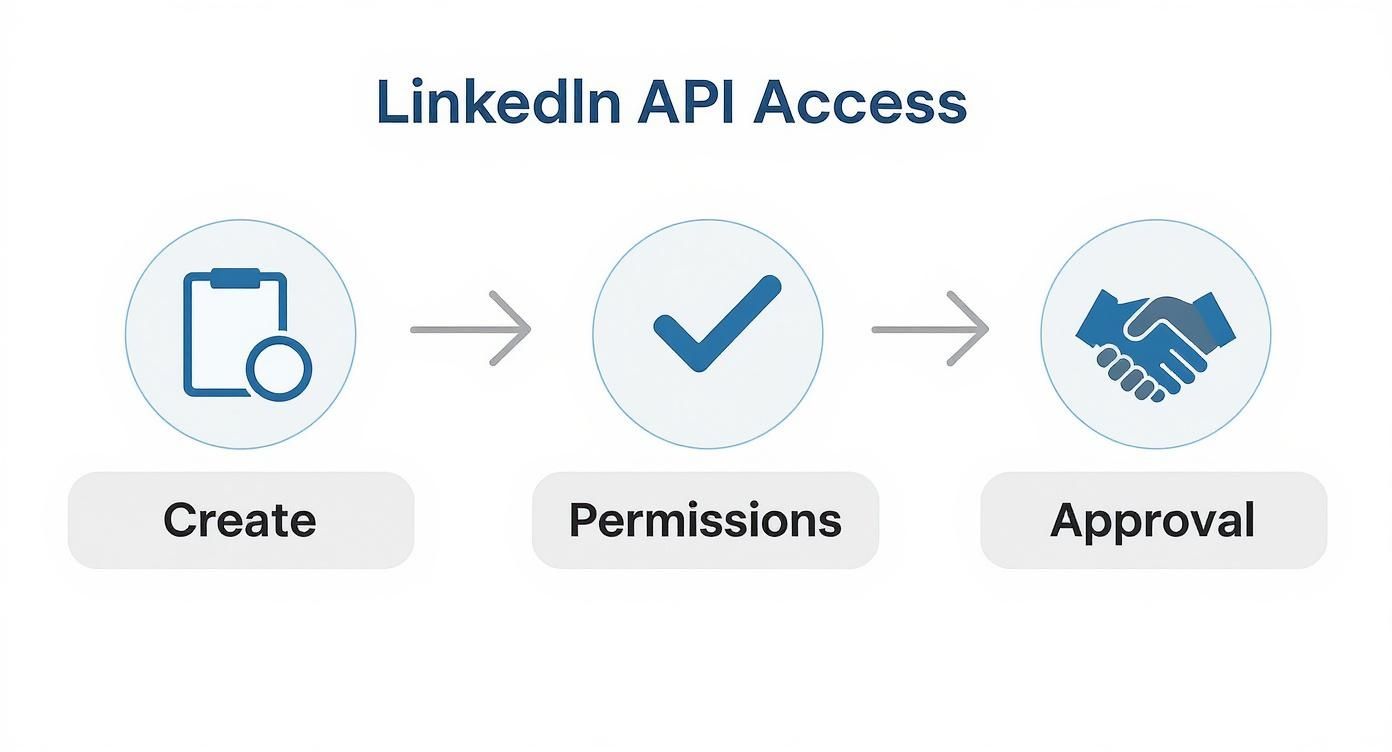
Before you can programmatically post anything, you need to set up an account on the LinkedIn Developer Platform. It's a multi-step process: create an app, request the right permissions, and get LinkedIn's approval. It's the foundational step before anything else works.
Start at the LinkedIn Developer portal and create a new application. You'll need to link your app to a LinkedIn Company Page. Don't have one? You can create a simple placeholder page for this purpose.
Once your app exists, you need to verify it. This security check proves you are who you say you are. After that, you'll add specific "Products" to unlock the features you need.
The Right Permissions
To post content, you need to enable two key products:
- Share on LinkedIn: This gives your application the ability to publish content to the platform.
- Sign In with LinkedIn using OpenID Connect: Essential for the OAuth 2.0 authentication flow that lets users grant your app permission to post for them.
With these active, you request the correct OAuth 2.0 scopes. To post to a personal profile, the critical scope is w_member_social, which allows your app to "Post, comment, and like posts on behalf of an authenticated member." To post on behalf of a company page, you need w_organization_social instead.
Only ask for the permissions you actually need. It builds trust with users and can smooth out the approval process.
Securing API access from LinkedIn can feel unpredictable. Application reviews can drag on for weeks, and rejections often come with vague feedback that sends you back to square one.
The Approval Process and an Alternative
This is where many developers get stuck. LinkedIn scrutinizes every application's use case. You have to clearly explain why your app needs posting permissions and how it provides value to LinkedIn members. Vague descriptions, a use case that skirts their platform policies, or a missing privacy policy are all common reasons for rejection.
Navigating this process can be a real time sink. And if you need to integrate with more than just LinkedIn, you repeat this entire process for every single platform.
A unified social media API like Zernio offers a more direct route. Instead of managing separate developer apps and fighting approval processes for LinkedIn, X, Instagram, and others, you integrate with one clean API. Zernio handles the platform-specific complexity behind the scenes, so you can be up and running in minutes, not weeks. Check out how Zernio's LinkedIn API integration simplifies automated posting.
Handling Authentication with OAuth 2.0
Before you can post anything, your application needs to securely connect to LinkedIn. OAuth 2.0 is the secure handshake that lets your app act on a user's behalf without ever seeing or storing their password.
For posting, you'll use the "three-legged" OAuth flow. It's a dance between your app, LinkedIn, and the user, ensuring the user gives explicit consent for you to post for them.
It starts when a user clicks an "Authorize" button in your app. They're taken to a LinkedIn consent screen listing all the permissions you're requesting. Once they approve, LinkedIn sends them back to your app with a one-time-use authorization code.
This infographic shows the full journey to get API access, which you need before you can even think about authentication.
Exchanging the Code for a Token
Your backend server needs to grab that temporary authorization code and swap it for an access token.
This is a secure server-to-server POST request to LinkedIn's token endpoint. Send your client ID, client secret, and the fresh authorization code. If everything checks out, LinkedIn returns an access token. Store it securely and tie it to the user who granted you permission.
OAuth 2.0 Code Example (Node.js)
const axios = require('axios');

// Step 1: Generate authorization URL
const getAuthUrl = (clientId, redirectUri, state) => {
  const scopes = ['openid', 'profile', 'w_member_social'];
  return `https://www.linkedin.com/oauth/v2/authorization?` +
    `response_type=code&` +
    `client_id=${clientId}&` +
    `redirect_uri=${encodeURIComponent(redirectUri)}&` +
    `scope=${scopes.join('%20')}&` +
    `state=${state}`;
};

// Step 2: Exchange code for access token
async function getAccessToken(code, clientId, clientSecret, redirectUri) {
  const response = await axios.post(
    'https://www.linkedin.com/oauth/v2/accessToken',
    new URLSearchParams({
      grant_type: 'authorization_code',
      code: code,
      client_id: clientId,
      client_secret: clientSecret,
      redirect_uri: redirectUri
    }),
    { headers: { 'Content-Type': 'application/x-www-form-urlencoded' } }
  );

  return {
    accessToken: response.data.access_token,
    expiresIn: response.data.expires_in // 5184000 seconds (60 days)
  };
}
OAuth 2.0 Code Example (Python)
import requests
from urllib.parse import urlencode

def get_auth_url(client_id: str, redirect_uri: str, state: str) -> str:
    """Generate LinkedIn OAuth authorization URL."""
    params = {
        'response_type': 'code',
        'client_id': client_id,
        'redirect_uri': redirect_uri,
        'scope': 'openid profile w_member_social',
        'state': state
    }
    return f"https://www.linkedin.com/oauth/v2/authorization?{urlencode(params)}"

def exchange_code_for_token(code: str, client_id: str, client_secret: str, redirect_uri: str) -> dict:
    """Exchange authorization code for access token."""
    response = requests.post(
        'https://www.linkedin.com/oauth/v2/accessToken',
        data={
            'grant_type': 'authorization_code',
            'code': code,
            'client_id': client_id,
            'client_secret': client_secret,
            'redirect_uri': redirect_uri
        },
        headers={'Content-Type': 'application/x-www-form-urlencoded'}
    )
    data = response.json()
    return {
        'access_token': data['access_token'],
        'expires_in': data['expires_in']  # 60 days
    }
Key OAuth 2.0 Scopes for Posting
| Scope Name | Description | Common Use Case |
|---|---|---|
w_member_social | Allows your app to post, comment, and like on behalf of a personal user profile. | The foundation for any tool that lets individual users post to their own feeds. |
w_organization_social | Grants permission to post on behalf of a Company Page the user administers. | Essential for B2B marketing platforms and social media management tools. |
Request only what you actually need. It makes users more likely to grant consent and demonstrates respect for their data.
Pro Tip: Start with the minimum required scopes. You can ask for more permissions later as your app grows, but over-requesting upfront will scare users away.
Token Management
Here's where many developers get caught: access tokens expire. A well-built application needs a system to handle this. LinkedIn's OAuth flow gives you a refresh token you can use to programmatically get a new access token without making the user go through the consent process again.
But managing the full lifecycle of requesting, storing, and refreshing tokens is a real engineering burden. And if you add another network, say you're looking at the Instagram API, you have to build an entirely separate authentication system from scratch.
This is exactly the problem that solutions like Zernio solve. Instead of building and maintaining separate OAuth 2.0 flows for LinkedIn, Instagram, X, and others, you integrate with one unified API that handles all the platform-specific auth quirks, token refreshing, and error handling.
How to Publish Your First Post via the API

You've got your access token. Now the actual publishing. It's about sending a correctly structured JSON payload to the right endpoint.
Every request goes to https://api.linkedin.com/rest/posts, with your access token in the Authorization header.
A Simple Text Post
Start with the most basic post type: a plain text update. Your payload needs:
author: The URN of the person or company page making the post (e.g.,urn:li:person:{your_person_id}).commentary: The actual text content of your post.visibility: The audience.PUBLICis the most common choice.distribution: An object specifying the post should appear in theMAIN_FEED.lifecycleState: Set toPUBLISHEDto make the post go live immediately.
{
  "author": "urn:li:person:aBcDeFg123",
  "commentary": "This is my first post created using the LinkedIn posting API! #Automation #API",
  "visibility": "PUBLIC",
  "distribution": {
    "feedDistribution": "MAIN_FEED",
    "targetEntities": [],
    "thirdPartyDistributionChannels": []
  },
  "lifecycleState": "PUBLISHED",
  "isReshareDisabledByAuthor": false
}
Send that payload as a POST request and the post goes live immediately on the author's feed.
Python Example: Create a LinkedIn Post
import requests

def create_linkedin_post(access_token: str, author_urn: str, text: str) -> dict:
    """
    Create a text post on LinkedIn.

    Args:
        access_token: OAuth 2.0 access token
        author_urn: LinkedIn URN (e.g., 'urn:li:person:ABC123')
        text: Post content

    Returns:
        API response with post ID
    """
    headers = {
        'Authorization': f'Bearer {access_token}',
        'Content-Type': 'application/json',
        'X-Restli-Protocol-Version': '2.0.0',
        'LinkedIn-Version': '202401'
    }

    payload = {
        'author': author_urn,
        'commentary': text,
        'visibility': 'PUBLIC',
        'distribution': {
            'feedDistribution': 'MAIN_FEED',
            'targetEntities': [],
            'thirdPartyDistributionChannels': []
        },
        'lifecycleState': 'PUBLISHED',
        'isReshareDisabledByAuthor': False
    }

    response = requests.post(
        'https://api.linkedin.com/rest/posts',
        headers=headers,
        json=payload
    )

    if response.status_code == 201:
        post_id = response.headers.get('x-restli-id')
        return {'success': True, 'post_id': post_id}
    else:
        return {'success': False, 'error': response.json()}

# Usage
result = create_linkedin_post(
    access_token='YOUR_ACCESS_TOKEN',
    author_urn='urn:li:person:ABC123',
    text='Automating LinkedIn posts with Python! #API #Automation'
)
print(result)
Sharing Links and Mentioning Others
Most content strategies rely heavily on sharing links and engaging with others. The API handles this by adding a content object to your payload. To share a link, you add an article object inside content with the URL, title, and thumbnail image URN.
The LinkedIn creator ecosystem has over 15 million active content creators. Brands typically post around 5 image posts and 4 link posts monthly, making these formats the real workhorses. If you're building a tool, you need to handle both.
Mentioning another user or company page is trickier. You need their URN and have to embed it directly in the commentary text using a specific format. It often involves hitting a separate API endpoint just to handle the rich text formatting, which adds complexity.
Key Takeaway: The API gives you granular control, but it's not a one-click process. Each content type has its own JSON structure. And if you want to upload media, get ready for a multi-step flow: register the asset, upload the file, then reference its URN in the final post payload.
For developers looking for a more direct path, check out our complete guide to social media API automation for practical tips on simplifying these steps.
This hands-on approach gives you ultimate control, but it comes with significant maintenance burden. If you're supporting multiple social networks, that complexity multiplies fast. That's exactly the kind of problem a unified API like Zernio is designed to solve.
Stop building social integrations from scratch.
One API call to publish, schedule, and manage posts across 15+ platforms.
LinkedIn API Rate Limits
LinkedIn enforces strict rate limits to prevent abuse. Understanding these limits is critical for building reliable integrations.
| API Endpoint | Rate Limit | Window | Notes |
|---|---|---|---|
| Posts API (create) | 100 requests | Per day per member | Includes all post types |
| Posts API (read) | 500 requests | Per day per app | Reading post data |
| Profile API | 100 requests | Per day per member | Basic profile access |
| Organization API | 500 requests | Per day per app | Company page operations |
| Media Upload | 100 uploads | Per day per member | Images and videos |
Handling Rate Limit Errors
When you hit a rate limit, LinkedIn returns a 429 Too Many Requests response. Your code should:
- Check the
Retry-Afterheader for wait time - Implement exponential backoff
- Queue requests for later processing
- Cache responses to reduce API calls
import time
import requests

def make_linkedin_request(url, headers, max_retries=3):
    """Make API request with rate limit handling."""
    for attempt in range(max_retries):
        response = requests.get(url, headers=headers)

        if response.status_code == 429:
            retry_after = int(response.headers.get('Retry-After', 60))
            print(f"Rate limited. Waiting {retry_after} seconds...")
            time.sleep(retry_after)
            continue

        return response

    raise Exception("Max retries exceeded")
Measuring Your Content's Performance

Pushing content out via the API is only half the job. If you want to refine your strategy and figure out what actually works, you need data. The Member Post Analytics API lets you programmatically measure the impact of everything you post.
Instead of manually checking each post's performance, you can pull that data directly into your own dashboards or applications, creating a feedback loop that shows you exactly how your audience is responding.
The Metrics That Matter
The API gives you direct access to the key engagement and reach metrics:
- Impressions: Total number of times your post was shown.
- Reach: Number of unique people who saw your post.
- Reactions: Full breakdown of likes, celebrations, loves, and other reactions.
- Comments: Total comment count, a strong indicator of conversation.
By analyzing this data, you can move past vanity metrics and connect your content efforts to real business outcomes. For example, correlating a high-engagement post with a spike in profile views or link clicks can prove the ROI of your strategy.
The goal isn't just to post more; it's to post smarter. The Analytics API gives you the raw data to understand which topics, formats, and posting times drive the most meaningful engagement for your audience.
Creator Analytics in 2025
LinkedIn's launch of the Member Post Analytics API in 2025 was a big deal. For the first time, individual members could access performance indicators through trusted third-party platforms, including total reach, impressions, follower growth, and video watch time.
This means marketers can act on real-time insights without jumping between different tools. You can read more about this in the breakdown of LinkedIn's new post insights on TheLinkedBlog.com.
Common Errors and Troubleshooting
| Error Code | Message | Solution |
|---|---|---|
| 401 | Unauthorized | Access token expired or invalid. Refresh the token. |
| 403 | Access Denied | Missing required scope. Check OAuth permissions. |
| 404 | Resource Not Found | Invalid URN or post ID. Verify the resource exists. |
| 422 | Unprocessable Entity | Malformed request body. Check JSON structure. |
| 429 | Rate Limited | Too many requests. Implement backoff and retry. |
Common Mistakes to Avoid
- Forgetting the
LinkedIn-Versionheader - Required for the Posts API - Using deprecated UGC endpoint - Use
/rest/postsinstead - Not handling token expiration - Tokens expire in 60 days
- Ignoring rate limits - Build queuing from the start
- Missing
X-Restli-Protocol-Versionheader - Required for v2 API
Common Questions About the LinkedIn Posting API
What is the LinkedIn Posting API?
The LinkedIn Posting API (part of the Community Management API) allows developers to create and publish posts on LinkedIn programmatically. It supports text, images, articles, and video content for both personal profiles and company pages.
How do I authenticate with the LinkedIn API?
LinkedIn uses OAuth 2.0 with the authorization code flow. You need to register an app in the LinkedIn Developer Portal, request the appropriate scopes (w_member_social for personal, w_organization_social for company pages), and exchange the auth code for an access token.
Can I schedule LinkedIn posts via API?
The native LinkedIn API does not support scheduling. You can build scheduling by storing posts and publishing them at the desired time via a cron job, or use a social media scheduling API like Zernio that handles this for you.
What permissions do I need for the LinkedIn Posting API?
For personal profiles, you need the w_member_social scope. For company pages, you need w_organization_social. Both require your app to be verified and have the "Share on LinkedIn" and "Sign In with LinkedIn using OpenID Connect" products enabled.
How long do LinkedIn API access tokens last?
LinkedIn access tokens expire after 60 days. Refresh tokens last for 365 days. Your application should implement automatic token refresh using the refresh token before the access token expires to maintain uninterrupted API access.
What are the LinkedIn API rate limits for posting?
LinkedIn applies rate limits per application and per member. The Community Management API typically allows up to 100 API calls per day per member for posting operations. Exceeding these limits results in 429 Too Many Requests errors.
Can I post images and videos with the LinkedIn API?
Yes, the LinkedIn API supports images, videos, and documents. Media uploads require a two-step process: first register the upload with the assets API to get an upload URL, then upload the binary file and include the returned URN in your post payload.
What is the difference between UGC Posts and Posts API?
LinkedIn deprecated the UGC Posts API in favor of the newer Posts API. The Posts API provides a cleaner interface, better media handling, and improved support for modern features like polls and carousels. Use the /rest/posts endpoint for all new integrations.
How do I post to a LinkedIn company page?
Use the w_organization_social scope and set the author field to the organization URN (e.g., urn:li:organization:123456). The authenticating user must be an admin of the company page.
What's the maximum post length on LinkedIn?
LinkedIn posts can be up to 3,000 characters for personal profiles and company pages. The API enforces this limit and returns a 422 error if exceeded.
A Simpler Way to Handle Social Media Integrations
Going straight to LinkedIn's native API gives you maximum control. But it's rarely the most practical path for developers building a real-world product.
When you integrate directly, you're not just building a feature. You're committing to long-term maintenance of that platform's specific authentication quirks, awkward media upload workflows, and constant updates as the API evolves. Add another network and that complexity multiplies.
A unified social media API flips this. Instead of wrestling with separate connections for LinkedIn, X, Instagram, and every other platform, you make a single API call. Write the code once, and it works everywhere.
Ship Faster, Skip the Maintenance
Tools like Zernio handle all the messy platform-specific details behind the scenes: OAuth tokens, weird error codes, sudden API changes. You stay focused on building your app's core features, not becoming an unwilling expert in ten different social media APIs.
The strategic upside:
- Get to market in minutes, not weeks. A full social integration that used to take a sprint or two can be live in a fraction of the time.
- No surprise API changes. When LinkedIn overhauls its API (and it will), the unified API provider handles the updates. Your team doesn't have to drop everything to fix things.
- One workflow for everything. Manage authentication, posting, and scheduling across every network through one consistent, predictable interface.
For any developer building an app that posts to more than one social network, a unified API isn't just a nice-to-have. It's a real time and money saver.
This is especially true for startups, agencies, and any team that needs to move fast and stay lean. We break down exactly how this model works in our complete guide to using a social media scheduling API.
Related Resources
Looking to integrate with other social platforms? Check out these guides:
- Twitter API Pricing and Access Tiers - Complete breakdown of X/Twitter API costs
- Instagram Graph API Guide - Post to Instagram programmatically
- TikTok API for Developers - Automate TikTok content
- Top Social Media APIs for Developers - Compare all major platforms