The TikTok API is a set of programming tools that lets developers build applications that talk directly to TikTok. It's the secure bridge that allows an app to access user data, display TikTok content, or publish videos on a user's behalf, but only with their explicit permission.
What Is the TikTok API and How Does It Work?
Think of it like a restaurant. Instead of running into the kitchen yourself, you give your order to a waiter. The waiter knows how to talk to the chefs, places your order correctly, and brings you the finished dish.
The API works the same way. It gives your software a structured, secure method to "order" data or "request" actions from TikTok's servers, without anyone getting direct, uncontrolled access to TikTok's backend.
When your app makes a request, like asking for a user's recent videos, it sends that request to a specific API endpoint. TikTok processes it, checks your app's credentials and the user's permissions, and sends back a structured response in JSON format with exactly the data you asked for.
The Developer Portal
Before you start building, you register your application through the official TikTok for Developers portal. This is where you manage projects, find documentation, and get access to the API products TikTok offers.
One of the main reasons to use this API is automation. Instead of manually pulling analytics or posting content every day, you write code to handle it, which saves time and reduces human error. More on automating repetitive tasks here.
Core API Products
TikTok offers a suite of specialized tools, each built for a specific job. Here's a quick overview:
TikTok's Core APIs
| API Product | Primary Function | Example Use Case |
|---|---|---|
| Login Kit | Users sign into your app with their TikTok account. | A video editing app lets users log in with TikTok to export creations. |
| Display API | Fetches and displays public user info and videos. | A "link in bio" tool that shows a user's latest TikToks on their profile page. |
| Content Publishing API | Uploads videos directly to a user's TikTok account. | A social media scheduler that lets brands plan and post video content in advance. |
| Research API | Provides anonymized, aggregated data to academic researchers. | A university team studying viral trends and online communication patterns. |
Each API requires specific permissions, so users always stay in control of their data.
Choosing the Right TikTok API for Your Project

Each API does a completely different job. You wouldn't use the Display API to publish content, and Login Kit won't fetch video analytics. Pick the wrong one and you'll hit a dead end fast.
Login Kit for User Authentication
TikTok Login Kit gives users a simple, secure way to sign into your app with their TikTok account. It's a digital ID card that confirms identity without you ever touching their password.
When someone logs in, your app gets an access token. That token lets you access their basic profile info on their behalf.
Here's what Login Kit lets you do:
- Simplify sign-up: Users create an account with one click. Less friction, better conversion.
- Personalize the experience: Grab their display name and profile picture right away.
- Set up the foundation: This is the required first step before using the Display or Content Publishing APIs.
Display API for Public Content
Once a user logs in, the Display API gives you read-only access to their public content. You can pull profile details and publicly shared videos into your app.
This works well for "link-in-bio" tools that automatically build a landing page from a creator's latest TikToks.
Key Takeaway: The Display API is for fetching and showing existing public data. It cannot upload, edit, or delete content, and it can't access private info or analytics. It's a window, not a door.
Content Publishing API for Uploads
If your app needs to post content to TikTok, the Content Publishing API is the only official way. It lets your app upload videos for an authenticated user and is the engine behind social media schedulers and content management platforms.
It has strict usage rules to prevent spam and low-quality uploads. For a deeper look, see our guide on API integration best practices.
The potential reach is significant. According to DataReportal's analysis of TikTok's own ad tools, the platform's ad reach hit 1.59 billion users worldwide by early 2025. That's 19.4% of the world's population.
Authentication and Authorization Flow
Before your app can touch TikTok data or post on a user's behalf, you need their permission. This is where OAuth 2.0 comes in. Think of it as a secure valet key: limited, specific access to a user's TikTok account without you ever handling their password.
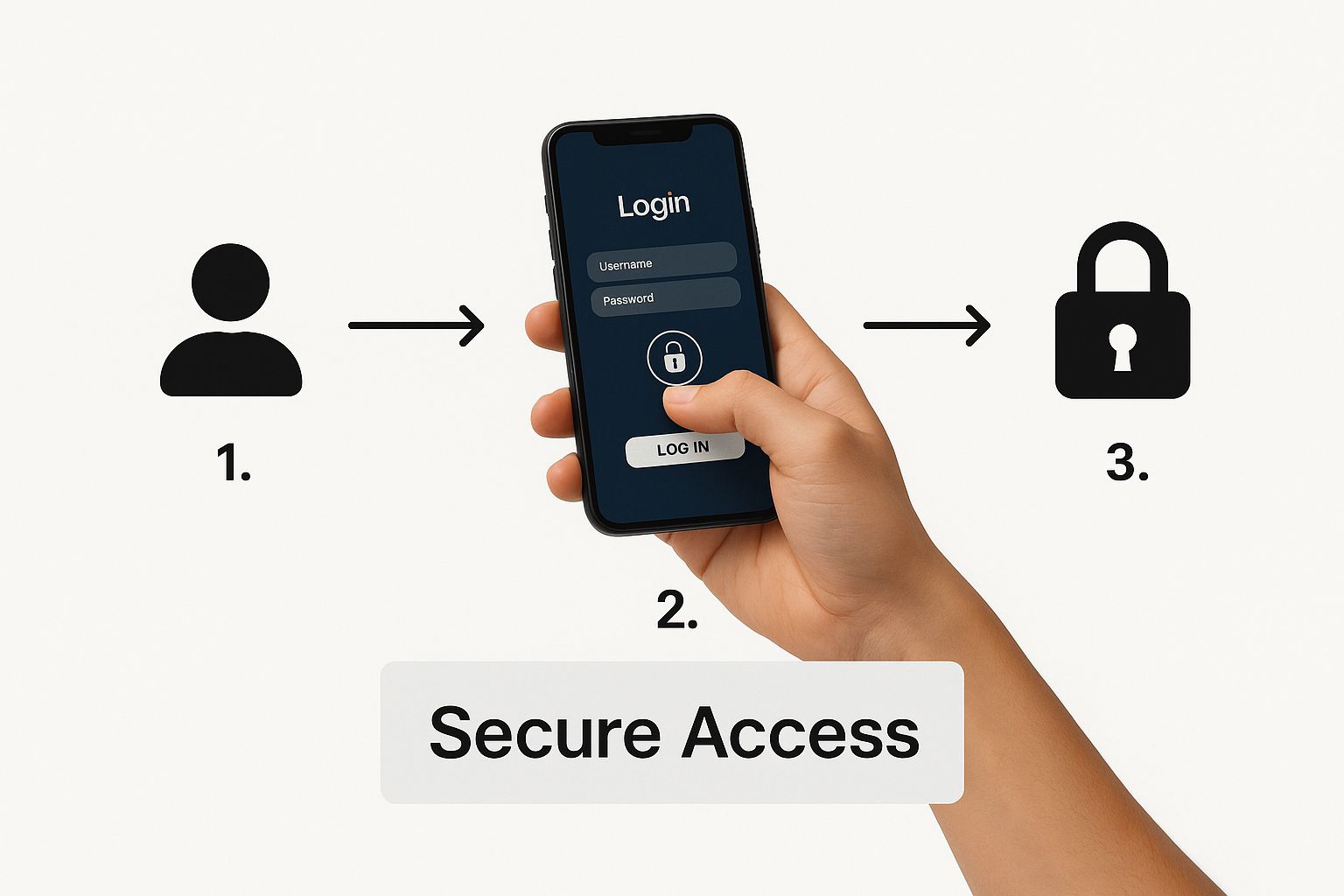
The Three-Step OAuth Flow
The whole process is a three-part sequence. It starts when a user clicks "Login with TikTok" and ends when your app has a secure token ready for API calls.
- Redirect for Authorization: Your app sends the user to a TikTok URL where they see a consent screen listing the permissions your app is requesting.
- Get the Authorization Code: If the user approves, TikTok redirects them back to your app with a temporary authorization code in the return URL.
- Trade the Code for an Access Token: Your backend sends that short-lived code to TikTok's servers in a secure server-to-server call. TikTok sends back an access token.
That access token is your key for all future API requests.
Scopes and Permissions
When you send a user to the TikTok login page, you specify exactly what you need by requesting scopes. Each scope is a single, granular permission.
Common scopes:
user.info.basic: Read the user's public profile info.video.list: See a list of the user's public videos.video.publish: Upload videos to their account.
Only ask for scopes your app actually needs. A long list of permissions makes your app look invasive and hurts user trust.
Access Tokens and Refresh Tokens
Access tokens are temporary by design. If one leaks, the damage is limited because it expires quickly.
When you exchange the authorization code, TikTok sends back two tokens:
- Access Token: Short-lived. Used for day-to-day API requests.
- Refresh Token: Long-lived. Its only job is getting a new access token after the old one expires.
Store the refresh token securely. When an API call fails with an "expired token" error, your code uses the refresh token to quietly fetch a new access token. Users never notice.
The Full Flow, Step by Step
- Build the Authorization URL: Construct a URL pointing to TikTok's authorization endpoint. Include your
client_key, thescopesyou need, aredirect_uri, and a uniquestateparameter for security. - User Gives Consent: The user clicks your link, logs into TikTok, and hits "Authorize."
- Handle the Redirect: TikTok sends the user back to your
redirect_uri. Pull the temporaryauthorization_codefrom the URL parameters. - Exchange for Tokens: Your backend makes a POST request to TikTok's token endpoint with your
client_key,client_secret, and theauthorization_code. - Store Tokens and Make API Calls: TikTok sends back the
access_tokenandrefresh_token. Save them securely, and you're ready to make authorized API calls.
Key API Endpoints
You have an access token. Now let's use it. An API endpoint is a specific doorway into TikTok's database. Your token is the key. Here's how to make the most common requests.
Fetching a User's Profile
To grab a user's public profile, hit the user/info/ endpoint. A standard request has a few parts:
- HTTP Method:
GETfor fetching data. - Endpoint URL: The specific address you're hitting.
- Headers: Your
Authorizationheader carrying theaccess_token. - Parameters: Which fields you want back.
Example Request
GET https://open.tiktokapis.com/v2/user/info/?fields=open_id,union_id,avatar_url,display_name
Host: open.tiktokapis.com
Authorization: Bearer <ACCESS_TOKEN>
Sample JSON Response
{
  "data": {
    "user": {
      "open_id": "c0423456-1234-5678-90ab-cdef12345678",
      "union_id": "d0987654-fedc-ba98-7654-3210fedcba98",
      "avatar_url": "https://p16-sign-va.tiktokcdn.com/...",
      "display_name": "John Creator"
    }
  },
  "error": {
    "code": "ok",
    "message": "",
    "log_id": "20240915123000..."
  }
}
The data is inside the user object, and error.code: "ok" confirms everything worked. Straightforward to parse. If you want to dig deeper into how requests are structured, read up on REST API design principles.
Retrieving a List of User Videos
The video/list/ endpoint works similarly, but with one important difference: pagination.
A user could have thousands of videos. Fetching them all at once would destroy performance. Pagination solves this by letting you retrieve data in chunks. You ask for the first 20 videos, then the next 20, and so on. TikTok handles this with a cursor and a has_more flag.
Example Request
POST https://open.tiktokapis.com/v2/video/list/
Host: open.tiktokapis.com
Authorization: Bearer <ACCESS_TOKEN>
Content-Type: application/json

{
  "max_count": 20
}
Note: This request uses
POSTeven though you're just fetching data. That's an intentional TikTok design choice since parameters go in the request body. Always check the official docs for the correct HTTP method.
Sample JSON Response
{
  "data": {
    "videos": [
      {
        "id": "7123456789012345678",
        "create_time": 1663248000,
        "cover_image_url": "https://p16-sign-va.tiktokcdn.com/...",
        "share_url": "https://www.tiktok.com/@johncreator/video/...",
        "video_description": "My latest creation! #fyp",
        "duration": 15,
        "height": 1920,
        "width": 1080,
        "title": "Cool Video Title",
        "like_count": 15203,
        "comment_count": 845,
        "share_count": 412,
        "view_count": 250100
      }
    ],
    "cursor": 16632480001,
    "has_more": true
  },
  "error": {
    "code": "ok",
    "message": "",
    "log_id": "20240915123500..."
  }
}
See the cursor value and has_more: true? To get the next batch, make the same request again with that cursor value included. With an estimated 272 videos posted every second on TikTok, smart pagination is non-negotiable.
Managing API Rate Limits and Best Practices

Getting your app to talk to TikTok is one thing. Building something stable and efficient is another. Rate limits are a big piece of that.
Rate limits are the API's traffic cop. If your app sends too many requests too quickly, you'll get a 429 Too Many Requests error and your access gets temporarily blocked. You need to build with these in mind from day one.
Understanding Your Request Budget
Every API call spends part of your "request budget," a set number of calls your app can make per minute or per day. Staying under that cap is essential.
Two things help here:
Smart caching. Don't hammer the API for a user's profile on every page load. Pull it once, store it locally for a bit. This one change can dramatically cut redundant calls.
Batch requests. When you need a list of videos, don't fetch them one by one. Grab the maximum number allowed in a single request. Way more efficient.
Efficient data handling isn't just about avoiding a ban. It's about building a faster experience for your users.
Essential Best Practices
For a deeper look, check out this guide on API rate limit best practices.
A few rules worth following:
- Handle errors properly. API calls fail. Networks hiccup. Servers burp. Your code needs to handle this gracefully, whether that means showing a clear message or retrying after a short delay.
- Guard your credentials. Your
client_keyandclient_secretshould never appear in client-side code or in a public Git repo. Store them as server-side environment variables. - Respect user privacy. Only request the scopes your app actually needs. Be transparent about how you use data and stay compliant with regulations like GDPR.
TikTok's user base has grown to over 1.94 billion adults worldwide as of mid-2025. Following these practices keeps your app a good citizen in that ecosystem. You can discover more insights about TikTok's demographics on Exploding Topics.
Stop building social integrations from scratch.
One API call to publish, schedule, and manage posts across 15+ platforms.
TikTok Share Kit for Content Sharing
The TikTok Share Kit enables users to share content from your app directly to TikTok. If you're building a video editing app, a meme generator, or any creative tool, Share Kit is how users post their creations without leaving your app.
What Share Kit Does
Share Kit handles the entire sharing flow:
- Direct video sharing: Users tap a button in your app, and the video opens in TikTok's camera or editor.
- Pre-filled captions and hashtags: You can suggest text and trending hashtags to boost engagement.
- Cross-platform support: Works on iOS and Android with native SDKs.
When to Use Share Kit
Share Kit is ideal for:
- Video editing and filter apps
- Gaming apps with replay sharing
- Creative tools and meme generators
- Any app where users create shareable content
The key difference from the Content Publishing API: Share Kit opens TikTok for the user to review and post manually. The Content Publishing API posts programmatically without user interaction.
For a unified approach to sharing across multiple platforms, check out our guide on building social media integrations.
TikTok Data Portability API
The Data Portability API lets users export their TikTok data to your application. This is critical for GDPR compliance and gives users control over their information.
What Data Can Users Export?
Through the Data Portability API, users can request:
- Profile information: Username, bio, avatar
- Activity history: Videos watched, liked, and shared
- Follower and following lists
- Direct message history
- Search history
Implementation Considerations
Data export requests are asynchronous. Your app submits a request, TikTok processes it (which can take hours), and you receive a notification when the data package is ready.
This API is essential for:
- Apps operating in the EU (GDPR requirement)
- Platforms offering data backup features
- Tools that help users migrate between services
TikTok Business API for Advertisers
The TikTok Business API (also called TikTok Marketing API) is built for advertisers and agencies. It provides programmatic access to TikTok's advertising platform.
Core Capabilities
| Feature | Description |
|---|---|
| Campaign Management | Create, update, and delete ad campaigns programmatically |
| Audience Targeting | Define custom audiences based on demographics, interests, and behaviors |
| Performance Analytics | Pull real-time metrics on impressions, clicks, conversions, and spend |
| Creative Management | Upload and manage video ad creatives at scale |
| Automated Rules | Set rules to pause, resume, or adjust campaigns based on performance |
Who Should Use the Business API?
- Advertising agencies managing campaigns for multiple clients
- E-commerce platforms running dynamic product ads
- Marketing automation tools integrating TikTok into their stack
The Business API is separate from the consumer-facing APIs. You need a TikTok Ads Manager account and must apply for API access through the TikTok Business API portal.
TikTok Commercial Content API
The Commercial Content API is part of TikTok's research tools. It provides access to public advertising data for transparency and research purposes.
What You Can Query
- Ad creatives: The actual videos and images used in ads
- Ad metadata: Targeting criteria, spend ranges, and run dates
- Advertiser information: Company names and ad library links
Example Use Case
You can query ads that ran in a specific country during a date range. For instance, all coffee-related ads that ran in Italy during January 2024.
This API is useful for:
- Market researchers studying advertising trends
- Journalists investigating political ad spending
- Competitive intelligence on brand advertising strategies
Complete TikTok API Comparison
Here's a side-by-side comparison of every TikTok API product:
| API Product | Purpose | Access Level | Best For |
|---|---|---|---|
| Login Kit | User authentication | Developer registration | Any app needing TikTok login |
| Display API | Read public user content | User authorization | Portfolio sites, link-in-bio tools |
| Content Publishing API | Post videos programmatically | User authorization + approval | Social media schedulers, CMSs |
| Share Kit | Share from app to TikTok | Developer registration | Video editors, creative apps |
| Data Portability API | Export user data | User authorization | GDPR compliance, data backup |
| Research API | Academic data access | Institutional approval | Universities, research orgs |
| Commercial Content API | Ad transparency data | Approval required | Market research, journalism |
| Business API | Advertising automation | Ads Manager account | Agencies, e-commerce, martech |
Choose based on what your application actually needs. Most consumer apps start with Login Kit and Display API, then add Content Publishing if they need to post on behalf of users.
Answering Common TikTok API Questions
Can I Access the For You Page Through the API?
No. The official TikTok API doesn't offer any way to access a user's personalized "For You" page or any algorithmically generated feed.
The FYP is TikTok's secret sauce. It's powered by a complex recommendation engine that's core to their platform and intellectual property. The available APIs, like the Display API, are built for a specific purpose: letting a user access their own public content after giving your app explicit permission. They're not designed for scraping or analyzing other users' feeds.
What Are the Main Steps for Getting My App Approved?
Getting approval involves a formal review process. Here's what to expect:
- Register on the Developer Portal: Go to TikTok for Developers, create an account, and register your app with basic details about what it does.
- Configure Scopes and Permissions: Clearly define which permissions your app needs. Only ask for what you actually need. Requesting too much is a red flag for reviewers.
- Submit for Review: TikTok's team reviews your app's purpose, security, and how you plan to use the requested data.
- Provide a Demo or Walkthrough: You'll likely need a video demo or detailed documentation walking the review team through your app's functionality.
Approval times vary, so start this process early in your development cycle.
Are Unofficial TikTok APIs Safe to Use?
No. Using unofficial, third-party APIs that claim to give you TikTok data is risky, and we'd strongly advise against it. These tools typically work by reverse-engineering TikTok's private internal API, which is fragile and dangerous.
The risks:
- Sudden failure: TikTok can change its internal API at any moment without warning. Your integration breaks instantly.
- Security risks: These services often require you to hand over user credentials or sensitive data that could be compromised or misused.
- Terms of Service violation: Using these tools almost always violates TikTok's Terms of Service. Your app, and your entire developer account, can get permanently banned.
Stick to the official TikTok API. It's the only way to build something stable, secure, and compliant.
Is the Official TikTok API Free?
Yes. The official TikTok API is free to use. There are no upfront fees or per-call charges for standard endpoints in Login Kit, Display API, or Content Publishing API.
But free doesn't mean unlimited. Your use is governed by TikTok's Developer Terms of Service and platform policies. Misuse can get your access revoked quickly.
And while the API itself doesn't cost money, building, hosting, and maintaining a production app will have its own development and operational costs.
Ready to stop wrestling with individual social media APIs? Zernio offers a single, unified API to schedule and publish content across TikTok, Instagram, YouTube, and four other major platforms. Simplify your stack, save months of development time, and get to market faster. Explore the API at https://zernio.com.