TikTok's Content Posting API is the official REST interface for uploading, scheduling, and publishing videos to TikTok accounts programmatically. It uses OAuth 2.0, supports MP4 files up to 1 GB, and caps publishing at 25 videos per account per day. You need app-level approval from TikTok before going to production or you can skip that entirely by routing through a TikTok API integration app like Zernio, which wraps TikTok and 14 other platforms behind one endpoint.
Building a video generation or repurposing tool? Zernio's video publishing API for TikTok, Reels and YouTube keeps each platform's own controls.
Table of contents
- What is the TikTok Content Posting API?
- What does the TikTok API approval process require?
- How does TikTok API OAuth 2.0 work?
- How long do TikTok API access tokens last?
- What are TikTok's API rate limits?
- What video specs does the TikTok API require?
- How do you upload a video to TikTok via API? (Python + Node.js)
- Direct TikTok API vs. unified API: which makes more sense?
- Key takeaways
- FAQ
What is the TikTok Content Posting API?
TikTok's Content Posting API is the production-grade endpoint for publishing video content to TikTok at scale. It replaced the older Video Upload API in late 2022 and is the only officially supported path for automated posting.
It has two posting modes: Direct Post, which publishes immediately or at a scheduled time, and Creator's Draft, which deposits the video into the user's TikTok inbox as a draft for manual review before going live.
Direct Post is what you want for fully automated workflows. Creator's Draft exists for tools where users want to apply TikTok's native sounds, effects, or filters before publishing - the API can't add those, only the app can.
Full documentation is at developers.tiktok.com/doc/content-posting-api-get-started-overview.
What does the TikTok API approval process require?
TikTok doesn't grant API access on signup. Your app goes through a manual review before it can publish to real user accounts.
The process:
- Create a developer account at developers.tiktok.com
- Register your app and request the
video.uploadandvideo.publishscopes - Submit for review: TikTok evaluates your use case, privacy policy, and data handling practices
- Test in sandbox mode while waiting (limited to test accounts only)
- Receive production access after approval
Review typically takes 2-6 weeks. TikTok approves content management tools, scheduling platforms, and social media dashboards. They're strict: apps without a clear, documented use case get rejected.
If this timeline is a problem, Zernio supports TikTok API integration and its own approved access. Your app authenticates with Zernio, while Zernio handles the TikTok side, and your users can connect their TikTok accounts immediately, no separate approval required.
How does TikTok API OAuth 2.0 work?
TikTok uses the standard OAuth 2.0 authorization code flow. Here's the sequence:
- Redirect the user to TikTok's auth URL with your
client_keyand the scopes you need - The user logs in and approves the permissions
- TikTok redirects back to your
redirect_uriwith a temporarycode - Your server exchanges that code (plus
client_keyandclient_secret) for anaccess_tokenandrefresh_token - Store both tokens; use
access_tokenin theAuthorization: Bearerheader on all API calls
The scopes for posting: video.upload and video.publish. Add video.list if you need to read post performance data.
How long do TikTok API access tokens last?
Access tokens expire after 24 hours. This is the most common integration bug, when developers build the auth flow, it works for a day, then breaks and they don't know why.
| Token type | Lifespan |
|---|---|
| Access token | 24 hours |
| Refresh token | 365 days |
| Refreshed access token | 24 hours (resets on each refresh) |
When an access token is about to expire, call the refresh endpoint with grant_type=refresh_token. TikTok returns a new access token without requiring the user to re-authorize.
If the refresh token expires (365 days of inactivity, or the user revokes your app's access in their TikTok settings), the user has to complete the OAuth flow again.
What are TikTok's API rate limits?
TikTok enforces limits at both the app level and the per-account level. The per-account limits are what most developers hit first:
| Limit | Value |
|---|---|
| Daily post limit (per account) | 25 videos per 24 hours |
| Caption character limit | 2,200 characters (including hashtags) |
| Max file size | 1 GB |
| Min video duration | 3 seconds |
| Max video duration | 10 minutes |
For the app-level rate limits (total API calls per day), TikTok doesn't publish exact numbers, and they vary by app tier and are negotiated as part of the approval process. Each API response includes X-RateLimit-Remaining and X-RateLimit-Reset headers.
What video specs does the TikTok API require?
| Spec | Requirement |
|---|---|
| Accepted formats | MP4, MOV, WEBM, AVI |
| Max file size | 1 GB |
| Min duration | 3 seconds |
| Max duration | 10 minutes |
| Min resolution | 360 x 360 px |
| Recommended aspect ratio | 9:16 (vertical) |
| Also accepted | 1:1, 16:9 |
Validate on the client side before calling the API. The two most common errors are videos that are too short (under 3 seconds) and resolution below 360px, and both return a 400 with an err_code you can map to a user-facing message.
One hard constraint: the API can't apply TikTok's native sound library, stickers, polls, or Q&A features. Those are only available inside the TikTok app. If your users need those elements, route through Creator's Draft mode so they can finish the post in-app before it goes live.
How to post to TikTok with Zernio in minutes
If you don't want to wrestle with TikTok Content Posting API: handling OAuth, rate limits, media hosting, and API changes, then Zernio handles all of it. Your side of the integration is one API call.
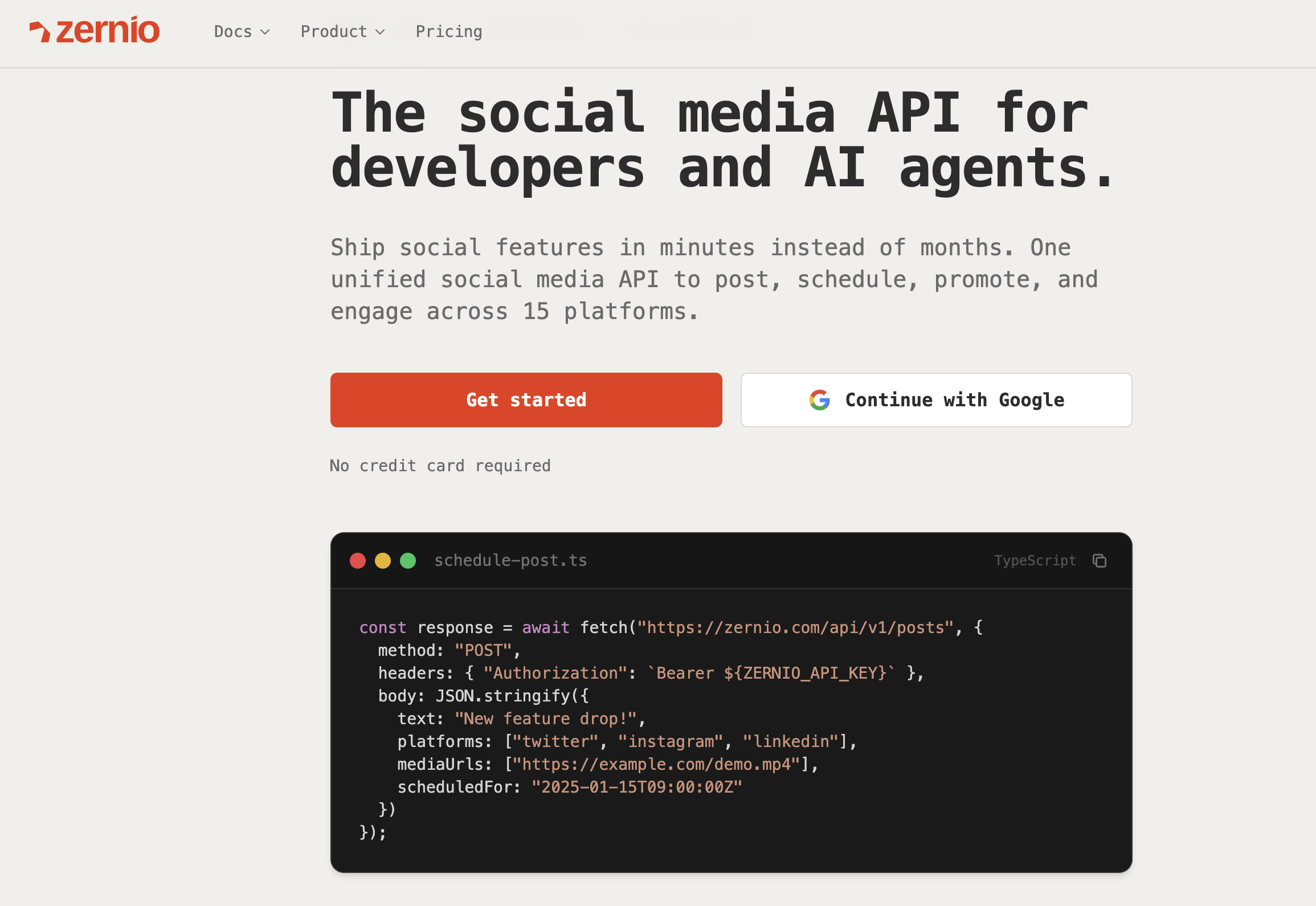
Here's the full setup from zero.
Step 1: Create a Zernio account and get your API key
Sign up at zernio.com/signup. No credit card required, the free plan includes 2 connected social accounts.
Once you're in, go to the dashboard and create an API key. Copy it, this is the only credential you'll need.
Step 2: Connect a TikTok account
Generate an OAuth URL and redirect your user there. Zernio handles the token exchange, storage, and refresh on the other side.
After the user authorizes, the account is connected. Zernio refreshes tokens automatically — you never touch OAuth again.
Step 3: Post a video to TikTok
Below is the TikTok content posting API Python example:
result = client.posts.create(
  content="Check out this amazing sunset! #sunset #nature",
  media_items=[
    {"type": "video", "url": "https://cdn.example.com/sunset-video.mp4"}
  ],
  platforms=[
    {"platform": "tiktok", "accountId": "YOUR_ACCOUNT_ID"}
  ],
  tiktok_settings={
    "privacy_level": "PUBLIC_TO_EVERYONE",
    "allow_comment": True,
    "allow_duet": True,
    "allow_stitch": True,
    "content_preview_confirmed": True,
    "express_consent_given": True
  },
  publish_now=True
)
post = result.post
print(f"Posted to TikTok! {post['_id']}")
(Optional) Pulling TikTok analytics
Posting is only half the loop. Once content is live, your users want to know how it's performing.
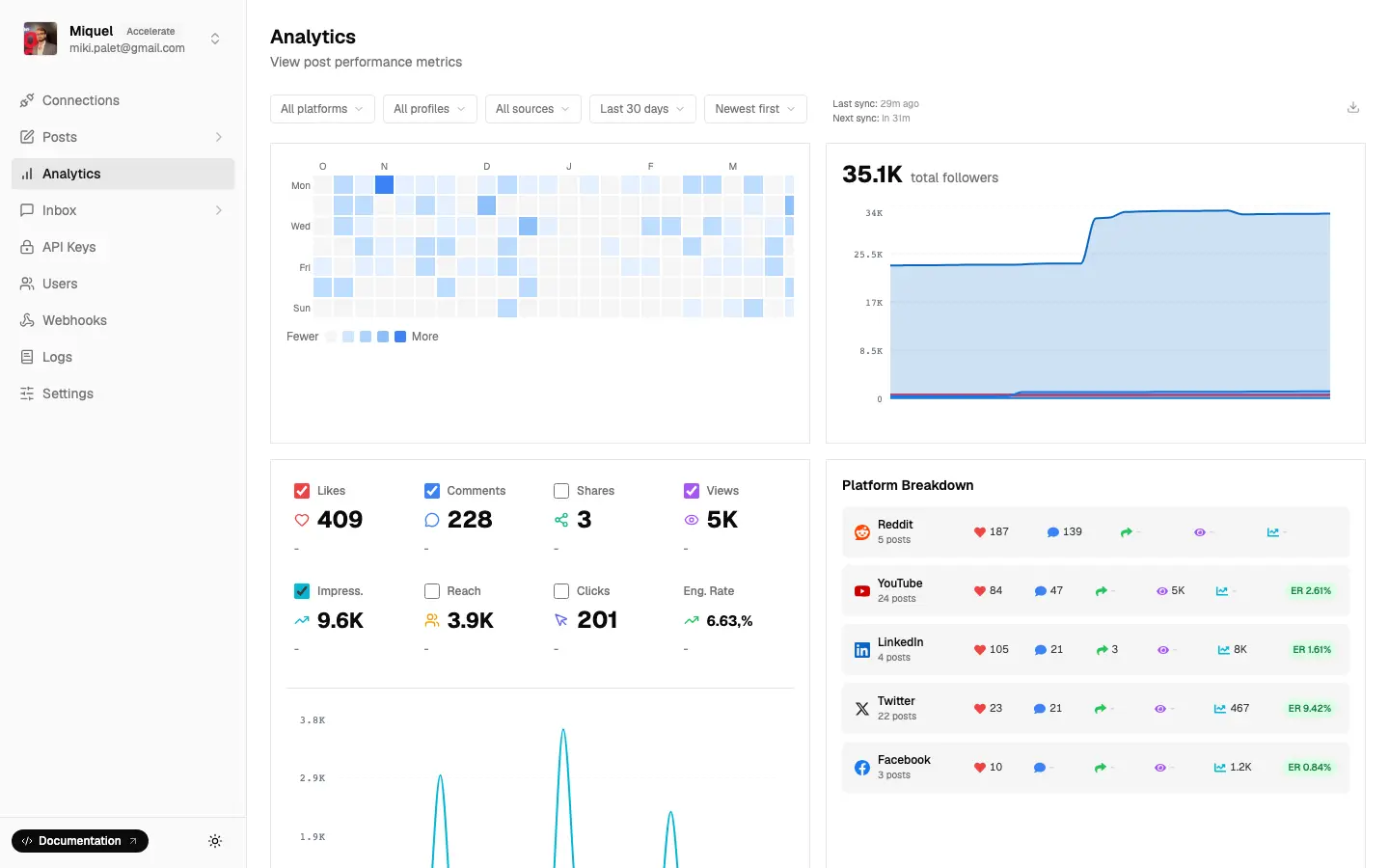
Zernio's social media analytics API covers TikTok post metrics - likes, comments, shares, views. TikTok also provides a dedicated Account Insights API for account-level counters (follower_count, following_count, likes_count, video_count) plus Zernio-synthesized followers_gained and followers_lost deltas. All returned under the same API key, no additional TikTok scope required.
const analytics = await zernio.analytics.getAnalytics({
  platform: 'tiktok',
  fromDate: '2024-01-01',
  toDate: '2024-01-31'
});
console.log(analytics.posts);
(Optional) Boosting TikTok posts as ads
If your product lets users promote their best-performing content, Zernio's Ads API covers TikTok alongside Meta, LinkedIn, Pinterest, X, and Google - all through the same integration.
Instead of building a separate TikTok Ads API integration (which requires its own approval process, separate credentials, and a completely different API surface), you use the same Zernio API key you're already using for posting and analytics.
This matters most for agencies and social media tools where the publish → analyze → boost loop is the core workflow. A post goes live through Zernio, performance data comes back through Zernio, and if it's worth promoting, the boost goes out through Zernio. One integration, one key, no extra TikTok developer approvals.
(Optional) Posting to multiple platforms at once
This is where it compounds. The same call that posts to TikTok can hit Instagram, YouTube, LinkedIn, or any of the other 11 platforms - just add them to the platforms array:
post = client.posts.create(
  content="Same content, four platforms, one call.",
  media_items=[
    {"type": "video", "url": "https://cdn.example.com/video.mp4"}
  ],
  platforms=[
    {"platform": "tiktok", "accountId": tiktok_id},
    {"platform": "instagram", "accountId": instagram_id},
    {"platform": "youtube", "accountId": youtube_id},
    {"platform": "linkedin", "accountId": linkedin_id}
  ],
  tiktok_settings={
    "privacy_level": "PUBLIC_TO_EVERYONE",
    "allow_comment": True,
    "allow_duet": True,
    "allow_stitch": True,
    "content_preview_confirmed": True,
    "express_consent_given": True
  },
  publish_now=True
)
Without Zernio, each of those platforms is a separate integration project. With Zernio, it's one more entry in the array.
Full TikTok reference, like privacy levels, thumbnail settings, photo carousels, and error codes, visit docs.zernio.com/platforms/tiktok.
Stop building social integrations from scratch.
One API call to publish, schedule, and manage posts across 15+ platforms.
Direct TikTok API vs. unified API: which makes more sense?
For TikTok-only tools with a small team, direct integration is workable once you're through the approval process.
For anything multi-platform, the math changes fast. TikTok alone is 3-4 weeks to build correctly - OAuth, token refresh, chunked upload handling, rate limit tracking, error mapping, and keeping up with API changes. Multiply that by each platform you add.
| Direct TikTok API | Zernio | |
|---|---|---|
| Platforms covered | TikTok only | 15 platforms |
| TikTok app approval | Required (1-4 weeks) | Not required |
| Token refresh | You build it | Handled |
| Lines of code to publish | ~80-100 | ~10 |
| Post analytics (likes, views, shares) | Separate scope + build | Included |
| Account analytics (followers, growth) | Separate scope + build | Included |
| TikTok Ads API | Separate approval + build | Included |
| Cross-platform ads (Meta, LinkedIn, X...) | Each is a separate project | Included |
| Pricing (100 accounts) | Engineering cost + infra | $318/mo |
| First accounts | - | 2 free |
For agencies or SaaS tools managing multiple client accounts, the cost comparison gets more dramatic. At 100 connected accounts, Zernio is $318/mo. Building and maintaining direct integrations for even 3-4 platforms takes a dedicated engineering team.
Connect TikTok and 14 other platforms in one API call — start free →
Key takeaways
- TikTok's Content Posting API requires manual app approval (2-6 weeks). Zernio bypasses this entirely.
- Access tokens expire every 24 hours. You must implement token refresh or use a wrapper that handles it.
- Daily post limit is 25 videos per account. Rate limits at the app level are negotiated separately.
- Video specs: MP4/MOV/WEBM/AVI, max 1 GB, 3 sec minimum, 9:16 recommended.
- If you need analytics, ads, or multi-platform support, a unified API like Zernio is significantly cheaper than building each integration separately.
FAQ
Does the TikTok API support photo carousels?
Yes. TikTok's Content Posting API supports photo carousels of up to 35 images per post (JPEG, PNG, or WebP, max 20 MB each). Photos are auto-resized to 1080 x 1920 px. You can't mix photos and videos in a single post - it's either a carousel or a single video. Zernio's API supports both formats through the same createPost endpoint.
What TikTok analytics metrics are available through the API?
TikTok's public API exposes post-level metrics (likes, comments, shares, views) and account-level counters (follower count, following count, total likes, video count). Deep metrics, such as watch time, FYP impression share, per-video reach, and audience demographics are not available through any public TikTok API. TikTok's Research API covers some of these but is restricted to non-commercial academic use. Zernio surfaces everything TikTok makes publicly available, including follower gain/loss deltas derived from daily snapshots.
Can I edit or delete a TikTok post after it's published via API?
No. Editing captions and deleting posts aren't supported through TikTok's API. Once a post is live, any changes have to be made manually in the TikTok app. You can use drafts to have API control over created posts, like cancel a scheduled post or complete delete it with Zernio.
What's the difference between Direct Post and Creator's Draft?
Direct Post publishes the video immediately or at a scheduled time - no user action needed after the API call. Creator's Draft deposits the video into the user's TikTok inbox as a draft, where they can add sounds, effects, stickers, or captions before manually publishing. Use Direct Post for fully automated workflows. Use Creator's Draft when users need to apply TikTok's in-app creative tools to the video first.