The YouTube API is a programmatic gateway to the platform's features. Instead of manually using the YouTube website, your software can directly interact with its backend through RESTful endpoints that let you upload videos, manage playlists, and pull performance data. Think of it as your app's direct line to YouTube's core functions.
You can automate repetitive tasks and fetch real-time stats, which frees you up to focus on content strategy. But this power comes with real complexity.
How the YouTube API Works
The YouTube API isn't a single thing. It's a suite of three specialized tools: the Data API, the Analytics API, and the Reporting API. Each handles a different concern, which means learning and managing three separate systems.
With the right setup, you can:
- Automate video uploads and metadata updates across one or many channels.
- Pull fresh data on view counts, comments, and subscriber numbers.
- Generate performance reports to track growth over time.
First launched in 2011, the YouTube Data API gave developers a structured way to interact with the platform's video library. You can pull real-time stats like view counts for any public video with a simple HTTP request. This has become essential on a platform with over 2.5 billion monthly logged-in users. You can learn more about its history in this detailed review.
The Three Core APIs
The real power comes from combining these components. A developer might build a workflow where the Data API pulls raw numbers, the Analytics API refines them into actionable insights, and the Reporting API delivers bulk data for large-scale analysis.
| API Component | Primary Function | Ideal Use Case |
|---|---|---|
| Data API | Access and manage video metadata, playlists, and channel info. | Building live dashboards, updating video details, or fetching public stats. |
| Analytics API | Retrieve detailed metrics on user engagement and performance. | Analyzing audience retention, traffic sources, and viewer demographics. |
| Reporting API | Schedule and download large, bulk data reports. | Archiving historical performance data or running large-scale channel analysis. |
Each API has its own rules, authentication methods, and rate limits. Plan your architecture carefully.
"Automating routine tasks with the YouTube API frees up tremendous amounts of time, shifting your focus from manual data entry to creative strategy and content improvement."
Managing Access and Quotas
Every request must be authenticated. For simple data-fetching, an API key might do. But for any action that modifies data (uploading a video, updating a playlist), you need OAuth 2.0.
Key things to know:
- OAuth scopes define your app's permissions. For example, you need the
youtube.uploadscope to publish videos. - Your app starts with a default daily quota limit of 10,000 units. Different requests have different costs.
- Refresh tokens are essential for long-term access without repeatedly asking users to re-authenticate. Store them securely.
For a broader perspective on these concepts across social platforms, see our guide on Social Media API Integrations.
Your First Steps with the YouTube API
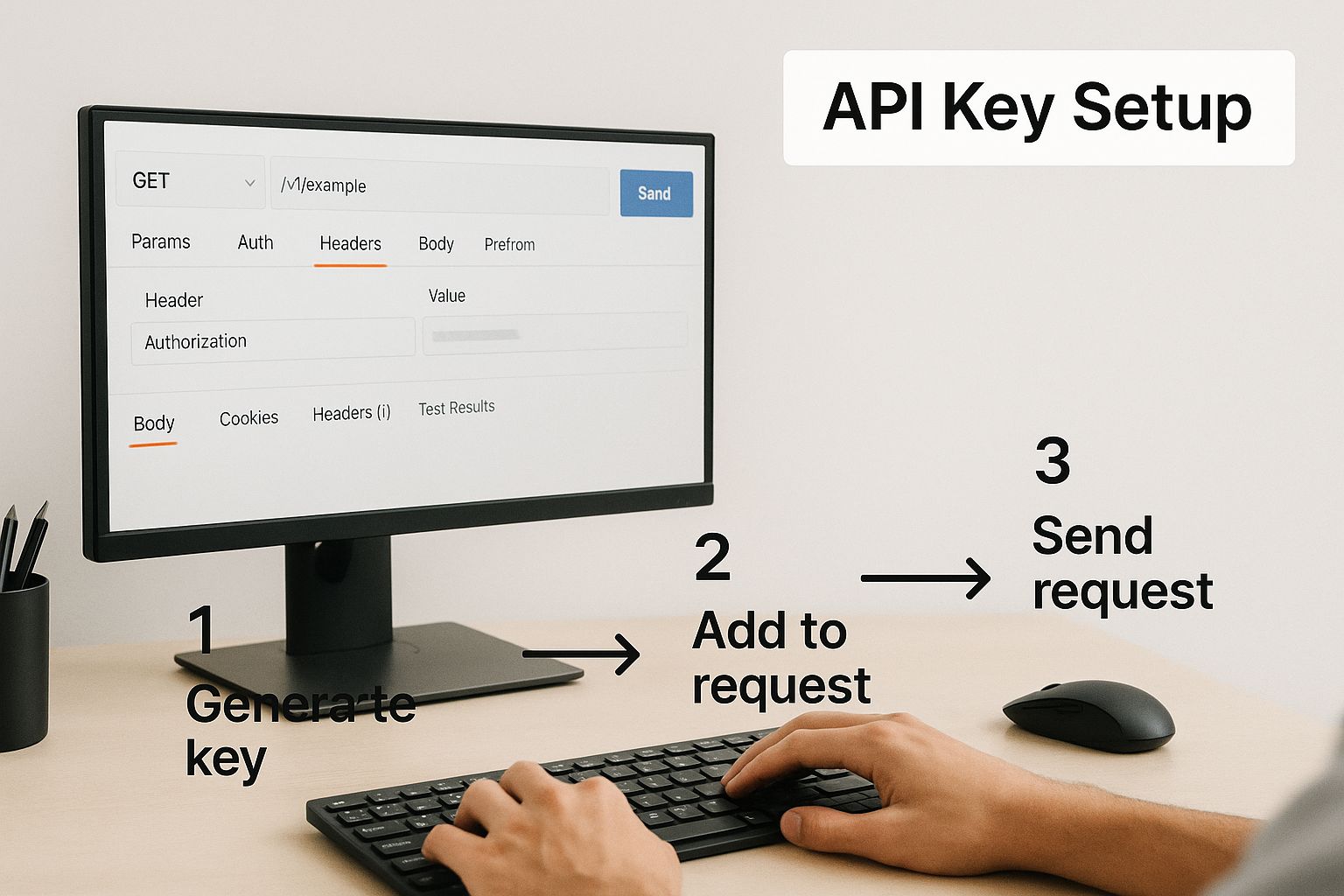
Start at the Google Cloud Console. Create a project, enable "YouTube Data API v3", and generate credentials.
For read-only tasks like fetching public video data, a simple API key works. For anything involving user data (uploading on their behalf), you need the full OAuth 2.0 flow.
OAuth 2.0 Authorization
OAuth 2.0 is where many developers get stuck. Think of it as giving your app a temporary valet key to a user's YouTube account. You redirect them to a Google consent screen where they grant specific permissions.
If the user clicks "Allow," Google gives your app a short-lived access token. That token goes in your API calls as proof of permission. It's a secure handshake, but mastering it takes real development time.
The Complexity of a Single Video Upload
Once you have credentials, the real work begins. Uploading a video isn't a single API call. It's a multipart request where you bundle the video file with its metadata (title, description, tags) in a specific format. You also need to handle resumable uploads to recover from network interruptions.
And every API call burns quota. A single video upload costs 1,600 units, a huge chunk of the default 10,000-unit daily limit. Do the math: you can upload a maximum of six videos per day before you're cut off. If you're building a high-volume app, check out our guide on API rate limit best practices.
The native YouTube API grants immense control but demands significant upfront investment in understanding authorization flows, quota management, and multi-step processes for even basic actions like posting a video.
A Simpler Path with the Zernio API
This is where the Zernio API changes things. Instead of wrestling with OAuth 2.0, tracking quotas, and constructing complex requests, you make one API call.
Here's the difference:
- One Endpoint: Send your video and metadata to a single endpoint.
- No OAuth Hassle: Zernio handles authentication with YouTube and other platforms behind the scenes.
- Multi-Platform by Design: The same call posts to YouTube, TikTok, Instagram, and others simultaneously.
This turns a process that could take weeks into something achievable in a few hours.
Unlocking Insights with Analytics and Reporting
Beyond uploading videos, understanding performance is where you get real strategic value. The YouTube Analytics and Reporting APIs let you pull detailed metrics directly into your own dashboards and tools.
These APIs give you access to YouTube's analytics without the constraints of the web interface. You can request specific datasets to discover what's working, what isn't, and why.
Digging into Performance Data
With the Analytics API, you go beyond surface-level metrics. Some examples of what you can build:
- Track Audience Retention: Pinpoint the exact moments viewers drop off to create more engaging content.
- Analyze Traffic Sources: See which platforms, search terms, or suggested videos drive the most traffic.
- Monitor Viewer Demographics: Get a clear picture of your audience's age, gender, and location.
The Reporting API handles massive datasets. It lets you schedule and download bulk reports for offline analysis, which is useful for large video libraries or agencies running deep-dive analyses across multiple client channels.
The Hidden Technical Overhead
These APIs are powerful, but they come with a steep technical price. You get raw data, not pre-made charts. Your team has to process, store, and visualize it, which often means building an entire data pipeline from scratch.
The YouTube Analytics and Reporting APIs give you the raw ingredients for good business intelligence, but it's on your dev team to build the entire kitchen: data storage, aggregation, and final visualization.
A good example of this complexity: in October 2019, YouTube deprecated the '7DayTotals' and '30DayTotals' dimensions. Since that change was finalized in April 2020, developers have to pull daily data and aggregate it themselves. You can read the official notes on this specific API revision here.
This kind of change highlights the ongoing maintenance required. When the API changes, your custom system breaks.
Reducing the Overhead for Posting
All that work is worth it for deep analytics. But if your main goal is just to post videos reliably, wrestling with the native YouTube API is a lot of overhead for a simple task.
A unified posting API gives you a cleaner path. Instead of dealing with multipart uploads, OAuth flows, and YouTube-specific data structures, you use a single straightforward endpoint that handles authentication and upload protocols behind the scenes, letting you post to YouTube, TikTok, Instagram, and more from the same API call.
This cuts development time and eliminates the maintenance burden.
Stop building social integrations from scratch.
One API call to publish, schedule, and manage posts across 15+ platforms.
Real-World YouTube API Applications
Let's look at how the YouTube API gets used in practice. These use cases show what's possible, and they also show the real development effort involved.
Imagine a media company managing dozens of creator channels. Manually uploading videos, updating thumbnails, and organizing playlists for each would be chaotic. Instead, they build an internal CMS that uses the YouTube API to automate the whole workflow. From one dashboard, their team can schedule and push hundreds of videos across different channels.

This is where the API excels. But it demands solid error handling and a deep understanding of YouTube's rules.
Automating Reports and Moderation
Marketing agencies rely heavily on the API. They manage YouTube channels for multiple clients, each needing detailed performance reports. Instead of manually pulling stats from YouTube Studio, an agency can build a tool that hits the Analytics API and automatically generates branded performance reports.
Brand safety is another big concern. The API lets you build comment moderation bots that scan new comments for spam links, keywords, or toxic language, then automatically flag or delete them. For large channels receiving thousands of comments daily, this isn't optional.
For a real-world example, tools like Ytubebooster Pro use these kinds of API-driven features.
Building Competitive Analysis Tools
Here's another useful application: competitive analysis. You could build a tool that monitors competitor channels, tracks when they upload new videos, and analyzes engagement metrics over time. The insights can directly inform your content strategy.
The YouTube Reporting API handles this kind of bulk analysis well. It supports system-managed, downloadable reports perfect for uncovering complex patterns like how viewer engagement varies by region. Check out Google's official documentation for details.
Each of these real-world applications shows the same truth: the YouTube API offers immense power in exchange for significant, ongoing development effort. These are custom-built systems, not out-of-the-box solutions.
When You Just Need to Post
The YouTube API is essential for complex analytics and management. But the effort needed for a basic function like posting a video can feel disproportionate. If your core need is reliable cross-platform posting rather than deep analytics, a unified API approach saves significant engineering time by abstracting away per-platform complexity.
A Simpler Alternative for Multi-Platform Video

Working directly with the native YouTube API is powerful, but you're often wrestling with multiple endpoints, tricky OAuth flows, and unforgiving quotas. This complexity slows development.
The Zernio API handles uploads, metadata, scheduling, and distribution across all major video platforms through one REST endpoint.
This unified approach can cut weeks off your integration timeline. You're no longer juggling separate SDKs or building custom pipelines for YouTube, TikTok, Instagram, and others. Integration takes hours, not weeks.
Zernio API supports 7 major platforms, including YouTube, TikTok, Instagram, LinkedIn, Facebook, Twitter, and Threads. With 99.97% uptime and response times under 50ms, your workflows stay fast and reliable. Over 2,000 active developers have used it to deliver more than 2.3 million posts. Many say they were up and running in under 15 minutes.
Comparing the YouTube API with the Zernio API
With the YouTube API, you're typically making separate calls to the Data API, Analytics API, and various upload endpoints. Each needs its own scopes, carefully crafted JSON, and constant quota monitoring.
Zernio boils that down to a single HTTP request. Send your video file, specify which platforms to post to, and it handles every technical detail.
- YouTube API: Uploads need multipart requests, resumable upload logic, and manual error handling.
- Zernio API: One endpoint takes your file, metadata, and platform list, cutting your code by around 80%.
- YouTube API: The 10,000-unit daily quota with varying costs per call makes rate control a headache.
- Zernio API: Retries and rate limits are managed for you.
Single Endpoint Workflow
Here's a quick code comparison.
Multi-step upload using the native YouTube API:
# YouTube API multi-step upload (simplified example)
# Note: YouTube actually uses a resumable upload protocol that requires
# multiple HTTP requests (init, then upload in chunks). See Google's
# resumable upload docs for the full flow:
# https://developers.google.com/youtube/v3/guides/using_resumable_upload_protocol
curl -X POST \
  'https://www.googleapis.com/upload/youtube/v3/videos?part=snippet,status' \
  -H 'Authorization: Bearer ACCESS_TOKEN' \
  -F 'snippet=@metadata.json' \
  -F 'video=@video.mp4'
The same action with a single Zernio API call posting to both YouTube and TikTok:
# Zernio API single call
curl -X POST 'https://zernio.com/api/v1/posts' \
  -H 'Authorization: Bearer LATE_API_KEY' \
  -F 'file=@video.mp4' \
  -F 'platforms=["youtube","tiktok"]' \
  -F 'title="My Video"' \
  -F 'description="Cross-platform release"'
Not just shorter. Much easier to maintain.
Simplified Authentication
Forget building OAuth flows or managing refresh tokens for every platform. Zernio handles user consent screens, token storage, and renewal for you.
You focus on business logic, not platform-specific security protocols.
Quick Setup Steps
- Sign up at zernio.com and grab your API key.
- Install our SDK or use standard HTTP requests.
- Get your video file and metadata ready.
- Call the
/v1/postsendpoint with yourfile,platforms, and content details. - Check your post's status via dashboard or webhooks.
Main Takeaways
- The Zernio API unifies multi-platform video posting with a single endpoint.
- It abstracts authentication, retries, and rate-limiting.
- You save significant development time on video upload infrastructure.
- Your team can focus on the features that actually differentiate your product.
YouTube API FAQ
What's the Deal with YouTube API Quota Limits?
Think of the YouTube API quota as a daily spending allowance. By default, every project gets 10,000 units per day.
Every API request costs some of those units. Fetching a video's title might cost 1 unit. Uploading a single video costs 1,600 units.
Do the math: with the standard quota, you can upload a maximum of six videos per day before you're cut off.
When your quota is spent, the API throws errors and your app stops working until the quota resets at midnight Pacific Time. You can apply for more quota from Google, but it's a formal process involving a detailed app audit. Getting approved isn't guaranteed. This is a major bottleneck for high-volume apps.
How Hard Is It to Get Started?
Honestly, it can be a real headache, especially if you're not already familiar with Google Cloud. Creating a project, enabling the right API, and generating credentials involves navigating a complex console.
The biggest stumbling block is usually OAuth 2.0. It's mandatory for any action tied to a specific user's account, like uploading a video for them.
The OAuth 2.0 process is the primary gatekeeper for user-specific API access. It involves handling redirects, managing short-lived access tokens, and securely storing long-lived refresh tokens. This can easily take days or weeks to implement correctly.
Beyond that, you have to understand API scopes and learn how to structure your requests. The initial ramp-up time can easily burn through a week or more.
How Does the Zernio API Make Multi-Platform Posting Easier?
The Zernio API acts as a universal adapter for social media. Instead of integrating with the YouTube API, then the TikTok API, then the LinkedIn API separately, you integrate once with Zernio.
You send one API call with your video and specify where to post ('youtube', 'tiktok', 'instagram'). Zernio does the rest:
- Handles the authentication flow for every platform.
- Processes and optimizes your video for each network's requirements.
- Translates your request into the format each API expects and manages their different error codes.
What would normally be a multi-week engineering project becomes something you can ship in a few hours.
Can I Use the YouTube API to Download Videos?
No. You can't use the official YouTube API to download video files from channels that aren't yours. This is explicitly prohibited in YouTube's Terms of Service to protect creators' copyrights.
The API is built for three main things:
- Getting public data (titles, descriptions, comments).
- Checking channel and video stats (views, likes, etc.).
- Managing your own channel (uploading videos, editing playlists, moderating comments).
Any tool that claims to download YouTube videos is using unofficial methods that violate YouTube's policies. Using them puts your Google account and API access at serious risk of suspension.
Ready to skip the complexity of the native YouTube API and ship your video features faster? With Zernio, you integrate once and post everywhere. Try the unified API that powers over 2.3 million posts for developers worldwide. Get your free API key and start building today.