The Facebook API is the toolkit developers use to tap into Facebook's network. It lets an application post content, run ad campaigns, or pull user details without a human clicking through the website. Your software talks directly to Facebook's servers.
What Is the Facebook API and How Does It Work?

Think of the Facebook API like a restaurant. Your app is the customer, and Facebook's database is the kitchen. You can't wander into the kitchen and grab ingredients yourself. Instead, you place a specific order at the counter. That order is your API request.
The main engine driving all of this is the Graph API.
The Core Components: Nodes, Edges, and Fields
The Graph API organizes everything on Facebook into a simple structure built on three concepts. Get these down and you're halfway to making successful API calls.
Nodes: Individual items like a User, a Page, a Post, a Photo, or a Comment. Every Node has its own unique ID.
Edges: The connections between nodes. A User Node connects to friends through a
friendsEdge, and a Page Node connects to its posts via afeedEdge.Fields: The specific details you want about a Node. If you ask for a User Node, you specify Fields like
name,email, orprofile_pictureto get just that info.
This model is efficient. Instead of getting every detail about a Facebook Page, you can just ask for its name and fan_count.
By combining Nodes, Edges, and Fields, you construct a precise query that tells the Facebook API exactly what you need. This keeps your app fast and avoids data bloat.
Why This Structure Matters
Say you want a user's recent photos. Start at the User Node, follow the photos Edge, then specify the Fields you care about, like the source URL and created_time. You just follow the natural connections in the data.
If dealing with each platform's native API sounds like too much, this guide on social media APIs covers simpler alternatives.
Exploring the Core Architecture of the Graph API
The Graph API is RESTful, which means standard HTTP methods: GET to read data, POST to create something new, DELETE to remove it. Familiar and predictable.
Facebook has over 3 billion monthly active users, with over 2 billion active daily. The API has to be efficient to handle that scale. More on those numbers at Hootsuite's Facebook statistics page.
The Building Blocks of an API Call
Every request is a query built from a few components. Once you understand them, you can fetch exactly what you want.
Key Components of the Facebook Graph API
| Component | Description | Example |
|---|---|---|
| Nodes | Individual objects in the graph. Each has a unique ID. | /me (the current user), /{page-id} |
| Edges | Connections between nodes, defining relationships. | /me/photos, /{post-id}/comments |
| Fields | Specific data you want about a node. | ?fields=message,created_time |
Start at a node (like a Page), follow an edge (like its feed), then specify the fields you want back.
A Practical Example
Say you want the three most recent posts from a Facebook Page, and only need the message and creation time for each. The call looks like this:
GET /v21.0/{page-id}/feed?fields=message,created_time&limit=3
Breaking that down:
{page-id}: The starting Node./feed: The Edge to the Page's posts.fields=message,created_time: The specific Fields.limit=3: Return only three results.
Ask for only what you need. Specifying fields cuts down data over the wire, making your app faster and cheaper to run.
Your app's ability to make these calls securely is managed through your developer dashboard. The diagram below shows how App ID, permissions, and user roles connect.
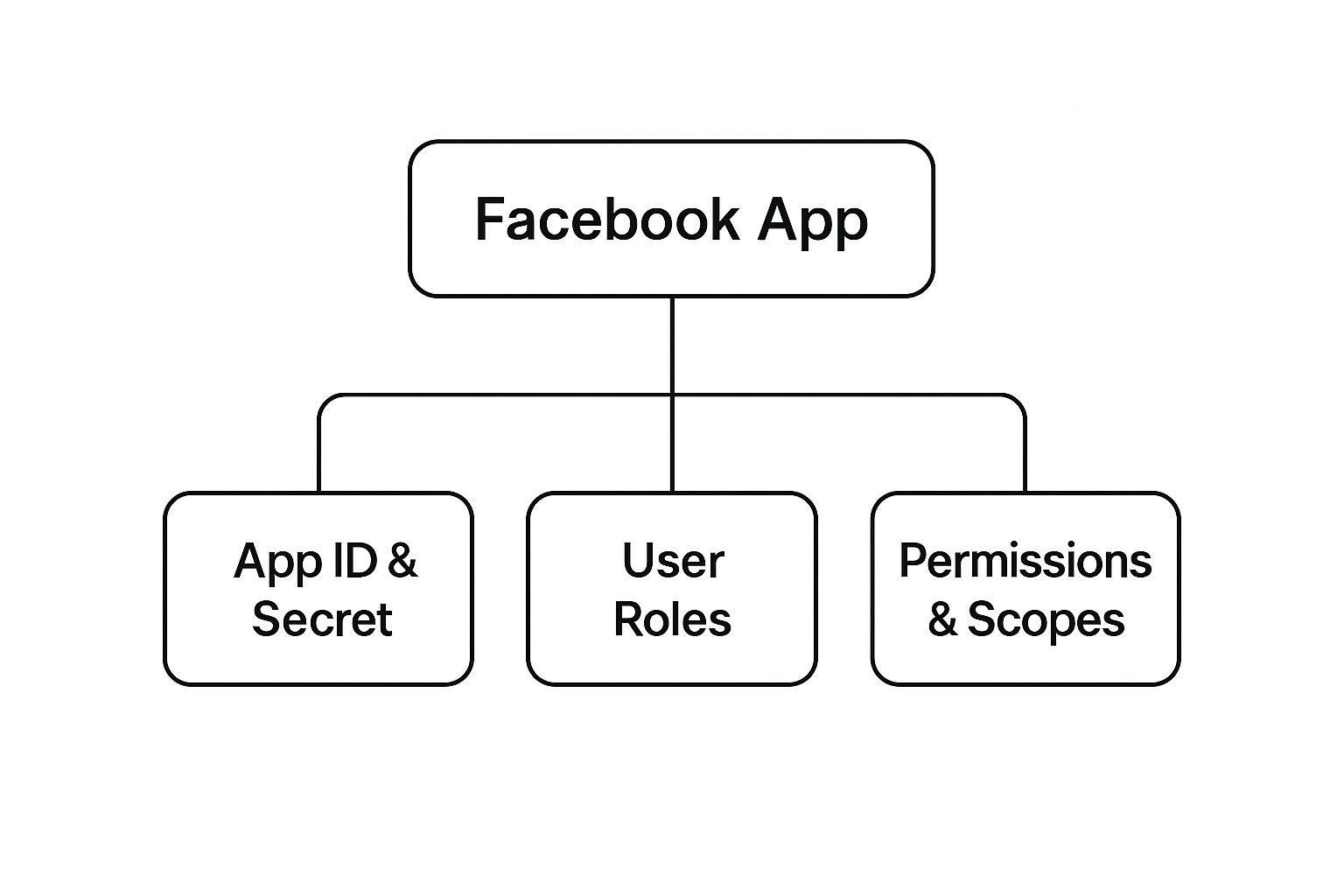
Every API interaction starts with your app's identity: its App ID and App Secret. These control what data your app can access.
Authentication and User Permissions

The Facebook API uses OAuth 2.0 for authorization. Think of it as a digital valet key: it lets an app do specific things on a user's behalf without ever touching their password.
Everything revolves around the Access Token. An Access Token is a temporary credential granting your app permission to access specific parts of Facebook's data. No valid token, no access.
Types of Access Tokens
User Access Token: Generated when someone logs into your app and grants permissions. You need this for any call that reads or writes data for a specific user, like posting on their feed.
App Access Token: Represents your application as a whole, not a particular user. Use it for behind-the-scenes tasks like tweaking app settings or pulling analytics. Keep it locked down on your server.
Page Access Token: Needed to manage a Facebook Page, like publishing posts, responding to comments, or reading Page insights. Tied to a specific Page and a user with admin access on that Page.
The Principle of Least Privilege
When a user logs in, Facebook shows a consent screen asking for permission to access their data. The rule is simple: only ask for what you absolutely need.
Requesting email and public_profile for a basic login is fine. Asking to manage a user's friends list just to log them in? That's a red flag for users and a quick path to rejection. Over-requesting permissions kills trust before you've started.
Start with the minimum set of permissions your core features need. Ask for more later if a new feature requires it. Users appreciate the restraint.
For a refresher on the fundamentals, API authentication best practices apply broadly across platforms.
The App Review Process
Any app requesting permissions beyond public_profile and email must go through Facebook's App Review. A Meta team verifies that your app uses the requested data responsibly.
Here's what you need ready:
Detailed Justifications: For every permission, explain why your app needs it and how it improves the user experience. Vague answers get rejected.
A Screencast: Record a video showing a user logging in and using the specific feature that requires the permission. Make it obvious.
A Privacy Policy: Your app needs a publicly accessible privacy policy covering what data you collect and how you use it. This is both a platform rule and a legal requirement.
The most common rejections come from fuzzy justifications, videos that don't actually show the permission in use, or asking for permissions that don't match your app's purpose. Be specific and transparent.
Stop building social integrations from scratch.
One API call to publish, schedule, and manage posts across 15+ platforms.
Managing API Versions and Rate Limits
Building on the Facebook API isn't "set it and forget it." Two things will bite you if you ignore them: API versioning and rate limiting.
API Versioning
Facebook rolls out new Graph API versions roughly twice a year. Each version is guaranteed to be available for at least two years, which gives you time to migrate.
Always specify the version in your URL, like /v21.0/me. If you don't, your request goes to the oldest available version, which could be retired at any moment.
- Be explicit: Hardcode the version number in your requests.
- Watch the deprecation schedule: Facebook publishes retirement dates. Plan migrations ahead of time.
- Test new versions early: Run your app against a new version in dev before it becomes the default.
Rate Limits
Rate limits cap how many calls your app can make in a given window. Some developers have reported caps as low as 200 API requests per hour for authenticated access, which forces you toward strategic, targeted requests rather than bulk retrieval.
Don't try to avoid rate limits. Anticipate them and handle them gracefully. Your code should expect to be throttled and know what to do when it happens.
Two techniques that matter:
- Batch your requests: Bundle multiple operations into a single HTTP request instead of firing off individual calls. The Graph API supports this and it often counts as one call against your limit.
- Use exponential backoff: When you hit a rate limit error, wait progressively longer before retrying (1 second, then 2, then 4). Don't hammer the API immediately after a rejection.
For a deeper look, see our complete guide on API rate limit best practices.
Real-World Use Cases for the Facebook API

Here's what the Facebook API actually does in production. These aren't contrived examples; businesses use these patterns every day.
Social Logins
Adding a "Login with Facebook" button cuts signup friction significantly. When a user taps it, your app authenticates them and pulls basic profile info using a User Access Token with just two permissions: public_profile and email.
- Endpoint:
/me?fields=id,name,email - Business impact: Faster onboarding, no password to forget, and verified profile data from day one.
Content Scheduling and Publishing
Social media management tools automate the entire content workflow using the Facebook API. Using a Page Access Token, an app can publish posts, photos, and videos directly to a Facebook Page on a schedule. Social media managers stop doing manual posting and focus on strategy instead.
Custom Analytics Dashboards
Facebook's built-in analytics cover the basics, but many businesses need custom KPIs. The API gives you direct access to Page and Post performance data for building dashboards that track exactly what you care about:
- Post engagement: Exact likes, comments, and shares per post.
- Page reach: Unique people who saw your content.
- Follower demographics: Audience breakdown by age, gender, and location.
As of January 2025, Facebook's advertising reaches 2.28 billion users worldwide, about 27.9% of the global population. More numbers at DataReportal's Facebook stats.
Making Your First Facebook API Call
Let's make a real request. Start at the Meta for Developers portal, create a developer account, and register a new app. You'll get your App ID and App Secret, which authenticate every API call you make.
The Graph API Explorer
Once your app is registered, use the Graph API Explorer. It's an interactive sandbox that generates a temporary Access Token automatically, so you can start querying without setting up the full OAuth 2.0 flow first.
Build requests, pick the fields you want, and see the JSON response in real-time. It's the fastest way to get comfortable with the request-response cycle.
A Simple Query
Let's fetch the name and follower count of a public Facebook Page:
- Open the Graph API Explorer in your developer dashboard.
- Enter the Page ID you want to look up.
- Add
?fields=name,fan_countto your query. - Submit and watch the response appear.
You'll get back clean JSON:
{
  "name": "Example Public Page",
  "fan_count": 1234567,
  "id": "100123456789"
}
The labels on the left are the fields you asked for; the values on the right are what the API returned. Simple, but this is the whole model in miniature.
As you move from experimenting to real integrations, debugging skills matter. How to debug code effectively is worth reading. Starting with controlled requests in the Explorer is the right first step.
Common Questions About the Facebook API
What's the Difference Between the Graph API and the Marketing API?
The Graph API is the main interface for core social data: user profiles, pages, posts, photos, comments. If you're building something that interacts with Facebook's social features, you're using the Graph API.
The Marketing API is built on top of the Graph API, but it's designed exclusively for ads. Campaign management, targeting, bidding, creatives, performance metrics, all of it.
Short version:
- Graph API: Social features, content publishing, social logins, Page feeds.
- Marketing API: Anything ad-related.
Unless your goal is running ads, you want the Graph API.
How Do I Handle Expired User Access Tokens?
User Access Tokens expire by design. Your app needs to handle this smoothly. The standard move is swapping the initial short-lived token for a long-lived one, which lasts about 60 days.
Before making an API call for a user, check if their token is still valid. If it's expired, guide them back through the login flow to get a fresh one. Never hardcode tokens. Store them securely and build a solid refresh process.
Following API integration best practices here isn't optional if you want a reliable app.
Treating token expiration as an unexpected error is a common mistake. It's not an error; it's expected behavior. Build your auth logic around that assumption.
Why Was My Advanced Permission Request Rejected?
Most rejections come down to a few things:
- Vague justifications: You didn't explain clearly why your app needs a permission. "To improve the user experience" won't pass.
- Poor screencast: The video didn't show exactly how the permission is used.
- Missing privacy policy: No publicly visible policy explaining what data you collect.
Read the reviewer's feedback, rewrite your justifications to be specific, and record a new walkthrough that makes the permission's purpose obvious.
Tired of juggling multiple social APIs? Zernio offers a single, unified API to schedule and publish content across Facebook, Instagram, Twitter, and more. Skip the integration headaches and start building faster at https://zernio.com.